
- Category Utilities & tools
- Available on PC, Mobile, Surface Hub, HoloLens
- OS Windows 10 version 14393.0 or higher
- languages English (United States)
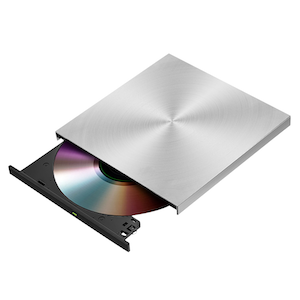
Introducing the DVD/CD/Blu-ray Burner Plus for Windows
If you're someone who still cherishes physical media—be it burning a personal collection of music or creating backups—you'll find this app to be a reliable companion. Designed to streamline disc burning tasks, it promises to make your media creation experience straightforward and efficient.
Developed by Sunshine Office
Sunshine Office, a team dedicated to providing user-friendly utility tools, brings this versatile disc burning application to Windows users. With an emphasis on simplicity and core functionality, they aim to serve both casual and semi-professional users who need dependable media burning solutions.
Main Features & Highlights
- Multi-Format Compatibility: Supports burning data and multimedia to DVD, CD, and Blu-ray discs, ensuring versatility across various media types.
- Intuitive User Interface: A clean, well-organized layout that enables users to navigate and perform tasks with minimal learning curve.
- Fast Burning Speed and Error Correction: Optimized algorithms for quick processing, along with robust error detection and correction features to enhance disc quality.
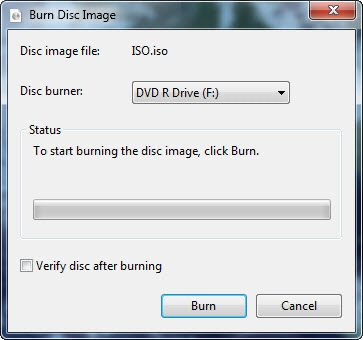
- Disc Verification: Allows users to verify the integrity of burned discs, reducing the risk of faulty media delivery.
Engaging Your Inner Media Creator
Imagine the satisfaction of crafting your personal compilation—be it a mixtape, a backup for important files, or a presentation for a client. DVD Burner Plus turns this imagination into reality effortlessly, transforming your Windows PC into a powerful media burning station without the typical technical hassle.
Core Functionality 1: Seamless Multi-Format Burning
One of the standout features of this application is its ability to handle multiple disc formats—DVD, CD, and Blu-ray. Whether you're archiving high-definition videos on a Blu-ray or creating a music CD for a road trip, the app manages these tasks smoothly. Its supporting environment is akin to a seasoned chef crafting dishes for various cravings—precise, adaptable, reliable. The process flows neatly from selecting files to final disc verification, providing a sense of confidence with each burn.
Core Functionality 2: User-Friendly Interface with Bright, Clear Navigation
Think of this app as your digital workspace organized like a meticulously arranged workshop. The interface features large icons, intuitive buttons, and step-by-step wizards that guide you through complex tasks effortlessly. Even if you're new to disc burning, the learning curve feels gentle—as if the application is guiding you gently by the hand. The clean design minimizes distractions, focusing your attention on getting the job done efficiently.
Distinctive Advantages in a Crowded Market
What sets DVD Burner Plus apart from similar utilities is its harmonious blend of simplicity and reliability, especially with its disc verification feature. While many tools focus solely on burning, few offer built-in verification to ensure your discs are error-free—crucial for professional applications. Moreover, Sunshine Office's commitment to minimal bloat means the app runs smoothly without taxing system resources or overwhelming users with unnecessary options. This combination makes it particularly appealing for users seeking straightforward, trustworthy media burning without extra fuss.
Verdict and Recommendations
Overall, DVD Burner Plus for Windows emerges as a dependable, user-centric tool that does exactly what it promises: facilitating high-quality media burning with minimal hassle. If you frequently burn discs or need a simple solution to create backups or multimedia discs, this app is worth considering. Its ease of use and accurate verification make it suitable for both casual users and small businesses.
While it's not packed with advanced, niche features—such as custom menu creation or extensive editing—the core functionalities are sharp, dependable, and accessible. I recommend it for users wanting a no-nonsense disc burning companion without unnecessary complexity. Think of it as the reliable toolbox in your media creation kit: unassuming but indispensable.
Pros
- User-friendly interface
- Supports multiple disc formats
- Fast burning speeds
- Stable performance
- Lightweight and resource-efficient
Cons
- Limited editing features
- Occasional recognition issues
- No built-in media converter
- Limited tutorial/support resources
- Basic design without customization options











