

- Category Utilities & tools
- Developer Jabasoft
- Available on PC
- OS Windows 10 version 18362.0 or higher
- Memory 300 MB
- languages Arabic, Chinese (Simplified), English (United States), French, German, Italian, Portuguese (Brazil), Spanish
Introducing Easy Scanning for Windows: Your Handy Document Scanner
Easy Scanning for Windows is a user-friendly app designed to turn your PC into a portable scanner, making document digitization a breeze. Whether you're a student, professional, or casual user, this application aims to streamline your workflow with efficient scanning capabilities.
Developed by Jabasoft – A Trusted Name in Utility Tools
Created by Jabasoft, a developer known for crafting practical and straightforward utility applications, Easy Scanning embodies their focus on simplicity and efficiency, ensuring users get a reliable scanning experience without unnecessary complexity.
Key Features That Make a Difference
- Automatic Document Detection and Cropping: The app intelligently detects document edges and crops images automatically, saving time and ensuring clean, professional-looking scans.
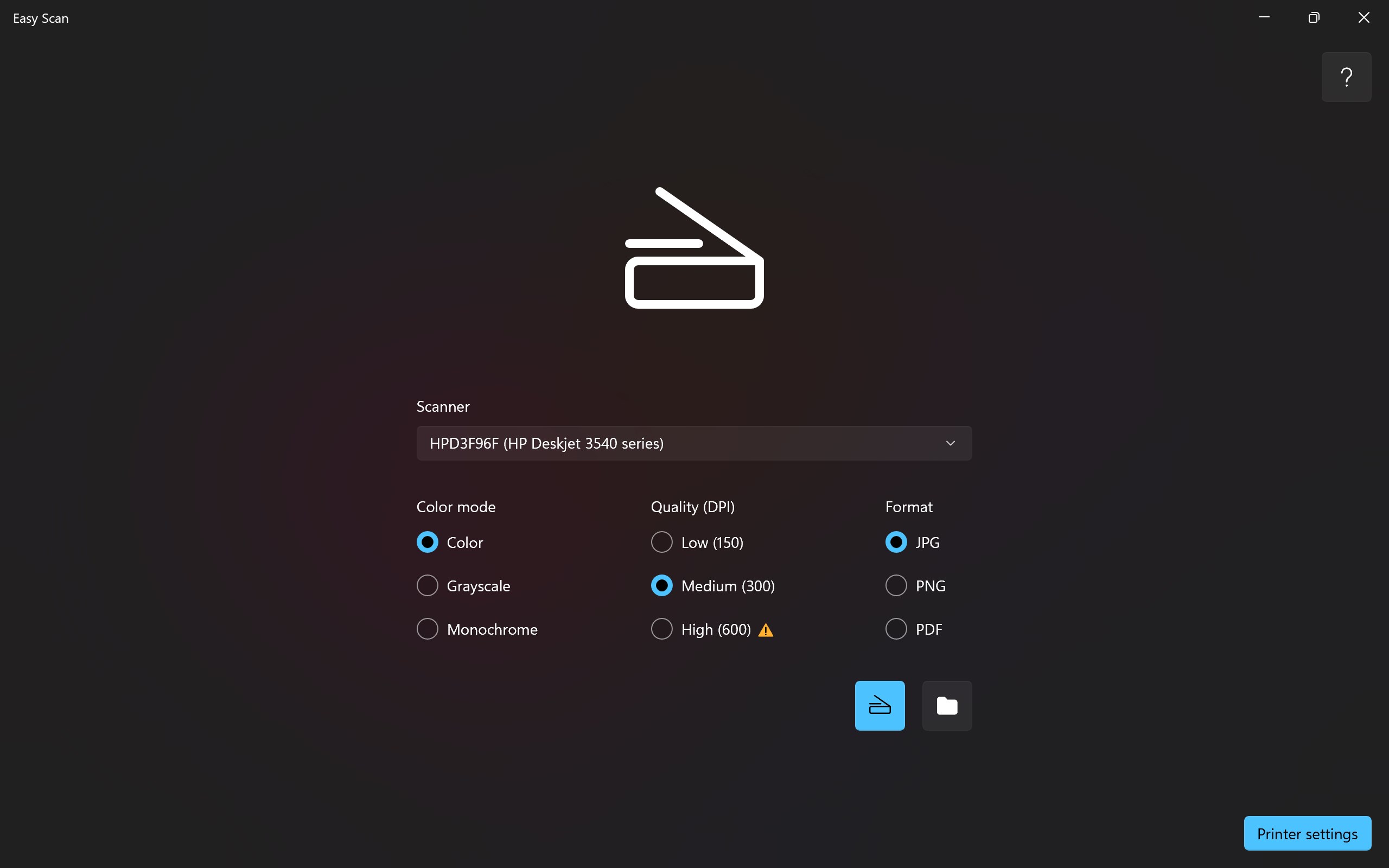
- Multiple Format Export Options: Users can save scans in various formats like PDF, JPEG, or PNG, providing flexibility for different use cases.
- Fast and High-Quality Scanning: With optimized algorithms, the app delivers crisp, high-resolution images quickly, suitable for both personal archiving and professional sharing.
- Easy to Use Interface: Clear icons and minimal steps make scanning accessible even for those unfamiliar with imaging tools.
Vivid and Practical: Diving into the User Experience
Imagine holding a stack of important papers, uncertain whether to spend time fussing with cumbersome scanners or awkward apps. With Easy Scanning, a quick click transforms those papers into spotless digital copies—instant magic at your fingertips. Its playful yet clean interface invites users to start scanning with minimal fuss, making the process feel almost like snapping a picture on your phone.
Smooth, Snappy, and Intuitive Interface
The interface design is sleek and uncluttered, guiding users intuitively through each step. From launching the app to saving your scan, every interaction feels fluid. The automatic detection feature acts like an experienced assistant, framing your documents perfectly without fiddling around with the edges. Navigating through the options—adjusting resolution, choosing format, or cropping—is straightforward and responsive, deserving praise for its seamless operation.
Two Standout Functionalities: What Sets It Apart
- Smart Edge Detection and Cropping: Unlike many basic scanner apps that require manual adjustments, Easy Scanning's smart detection ensures your document borders are perfectly captured. It's like having an AI-powered cutting machine that knows exactly where the paper ends, giving clean margins without extra effort.
- Versatile Export Options: While most apps keep it simple with PDFs or images, Easy Scanning offers multiple formats, catering to diverse needs—from sharing via email to archiving in cloud services. This flexibility makes it a versatile tool in your digital arsenal.
Compared to traditional scanner apps, which often require importing or connecting to external devices, Easy Scanning keeps everything local and lightning-fast. Its dedicated approach to smart detection and format diversity highlights a thoughtful design, making it uniquely convenient for quick, high-quality scans on the fly.
Final Thoughts: Is It Worth Your While?
If you're looking for a straightforward, reliable scanning app that doesn't overwhelm with settings but delivers crisp results swiftly, Easy Scanning for Windows is a solid choice. Its user-friendly design and standout features like intelligent edge detection and flexible exports make it suitable for a broad audience—from students digitizing notes to professionals archiving documents.
While it may not boast the advanced editing tools or OCR capabilities of more complex scanners, its core strengths lie in simplicity, speed, and practicality. For those who need quick scans without fuss, this app comes highly recommended. Just treat it as your digital notebook companion—ready whenever you need to turn paper into perfect pixels.
Pros
- User-friendly interface
- Fast scanning speed
- High accuracy in text recognition
- Supports multiple file formats
- Integrated editing tools
Cons
- Limited editing capabilities
- Occasional text recognition errors with complex layouts
- No cloud storage integration
- Ads in the free version
- Limited language support for OCR











