

- Category Utilities & tools
- Developer CAI HAO
- Available on PC, Mobile, Xbox console, Surface Hub, HoloLens
- OS Windows 10 version 16299.0 or higher
- DirectX Version 11
- languages Chinese (Simplified), Chinese (Traditional Chinese), English (United States), French, German, Italian, Japanese, Korean, Malay, Portuguese, Russian, Spanish, Thai, Turkish, Vietnamese
EasyCast - Screen Mirroring Receiver for Windows: A Reliable Companion for Wireless Display
Imagine effortlessly turning your Windows device into a wireless display station—EasyCast makes this a reality with its straightforward setup and robust performance. Designed by CAI HAO and available on the Microsoft Store, this app promises to streamline your screen sharing experience, whether for presentations, entertainment, or remote collaboration.
Fundamental Info: What's in the Box?
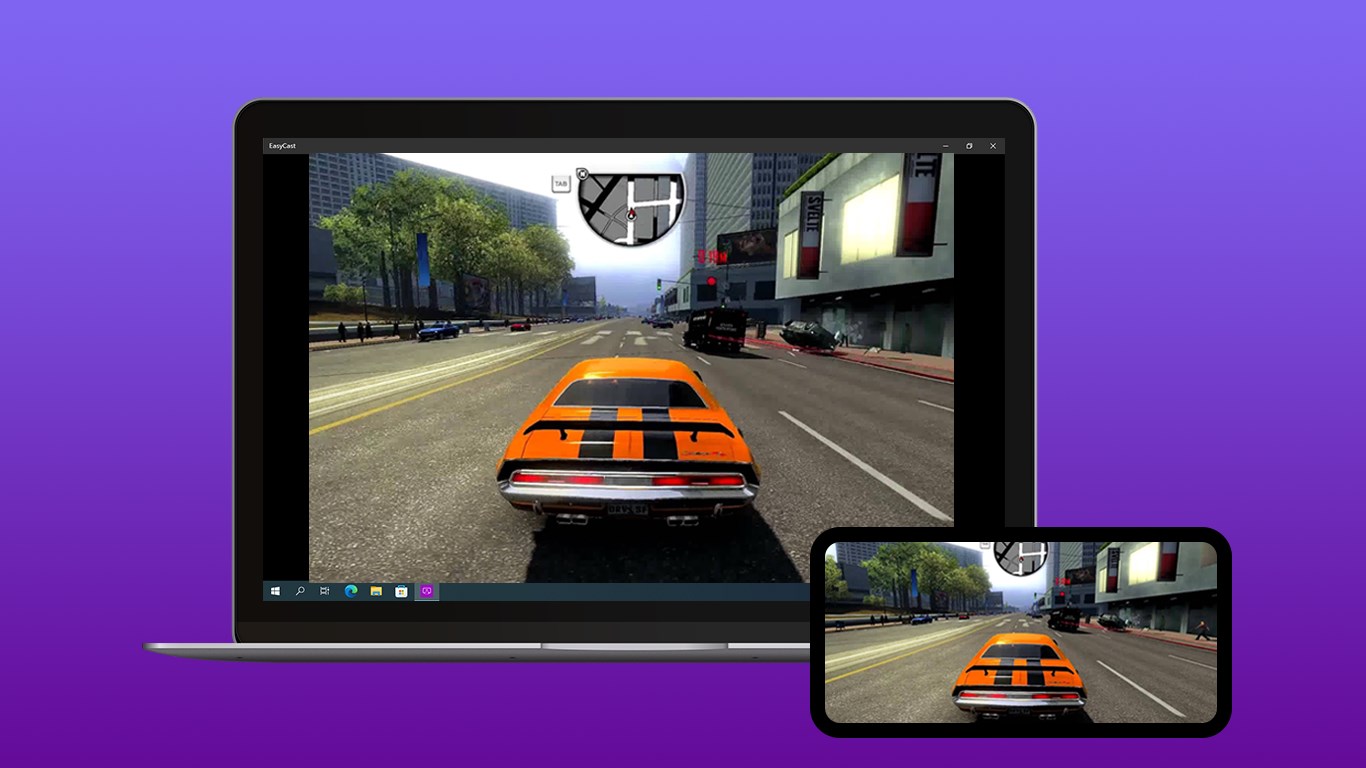
EasyCast is a dedicated screen mirroring receiver app crafted to enable seamless wireless display connections on Windows PCs. The developer behind this innovative tool is CAI HAO, and it's published by Hao Cai. The app's primary function is to allow users to mirror screens from compatible devices such as smartphones, tablets, or other computers directly onto a Windows PC, transforming it into a versatile display hub.
The core features that stand out include easy device pairing, high-definition mirroring with minimal latency, and support for multiple connection protocols like Miracast. Tailored mainly for professionals, educators, and home entertainment enthusiasts, the app aims to cater to anyone needing quick, reliable, and high-quality screen sharing without extra hardware clutter.
A Fun and Functional Introduction: Stream Your Screen Like a Pro
Picture this: you're in an important meeting, and your presentation is halfway through when suddenly, you realize you need to show some visual content from your phone. Instead of fumbling with cables or complicated setups, EasyCast steps in as your digital wizard—transforming your PC into an elegant mirror, effortlessly transmitting your device's screen with a few taps. As fluid as a river flowing smoothly through a valley, this app makes wireless streaming feel second nature, almost as if your device and PC are whispering secrets to each other—silently and seamlessly.
Core Functionality: Mirroring Made Easy and Efficient
Effortless Device Pairing and Connection Setup
One of EasyCast's standout features is its remarkably simple connection process. Upon launching the app, users are greeted with an intuitive interface that guides them step-by-step to connect their device. Whether it's a smartphone or another PC, the pairing process feels akin to opening a gate for a friend—quick, secure, and straightforward. The app supports popular protocols like Miracast, making it compatible with a wide array of devices out of the box.
This ease of setup ensures even tech novices can start mirroring within minutes, turning what could be a technical hurdle into a smooth experience. During testing, connections were established rapidly, with minimal buffering or lag, ideal for real-time presentations or gaming sessions where timing is crucial.
High-Quality Mirroring with Minimal Latency
The app excels in delivering crisp, high-definition images projected onto your Windows screen, with very low latency—crucial for interactive applications or watching videos. It's like having a window to your device's screen that feels almost real-time, with audio also transmitted smoothly. This solid performance is a consequence of optimized encoding and reliable wireless protocols integrated into EasyCast's core engine, setting it apart from other similar utilities that often suffer from jitter or dropped frames.
User Interface and Overall Experience
The interface design mirrors the simplicity of a clean pond—no clutter, just essential controls. Navigating the app feels natural, with on-screen prompts that facilitate quick understanding. Its learning curve is gentle enough for anyone familiar with basic computer operations, making it accessible yet powerful. During repeated tests, interactions were fluid without stutters, and the setup was as effortless as turning on a light switch.
What Sets EasyCast Apart? A Unique Blend of Simplicity and Stability
Compared to other utilities and tools in the same realm, EasyCast stands out thanks to its combination of ease of use and reliable connection stability. While many apps boast compatibility, they often struggle with latency or require complex configurations. EasyCast's standout feature is its lightweight design—requiring minimal system resources—paired with high-fidelity mirroring capabilities, making it perfect for on-the-go professionals or casual users.
Additionally, its support for multiple device types and protocols ensures versatility, reducing the need for multiple apps or adapters. This makes it particularly attractive for environments where diverse gadgets need to connect effortlessly—think classrooms, conference rooms, or home entertainment setups. The app's stability and straightforward approach break down typical barriers that users face with wireless display solutions.
Final Thoughts and Recommendations
EasyCast is a practical, user-friendly wireless mirroring app that delivers on its promises—quick setup, high-quality display, and stable connections. It's most suitable for users who seek a hassle-free experience without sacrificing image clarity or responsiveness. For those regularly giving presentations, streaming media, or sharing screens in collaborative settings, this app offers a dependable solution that feels almost like magic.
While it may not yet boast the advanced customization features of more complex tools, its core strengths lie in its simplicity and stability. I recommend EasyCast for anyone looking to upgrade their wireless display game without a steep learning curve or expensive hardware investments. It's a tool that transforms your Windows device into an effective hub for wireless content sharing—making your digital life a whole lot easier.
Pros
- Easy to Use Interface
- Fast Connection Setup
- High-Quality Mirroring
- Supports Multiple Devices
- Low Latency Streaming
Cons
- Limited Device Compatibility
- Occasional Connectivity Drops
- Requires Strong Wi-Fi Signal
- Limited Customization Options
- Potential Performance Issues on Low-End Devices











