

- Category Utilities & tools
- Developer File Format Apps
- Available on PC
- OS Windows 10 version 17763.0 or higher
- languages English (United States)
Unlocking Seamless Document Editing with Edit Docx PLUS for Windows
If you've ever wrestled with clunky word processors or struggled with compatibility issues when editing DOCX files, then Edit Docx PLUS for Windows is an app worth exploring. Designed to streamline your document tasks, this tool aims to make editing, converting, and managing DOCX files a smooth and efficient experience — like having a trusty assistant right at your fingertips.
About the Developer and Core Features
Developed by File Format Apps, a company specialized in versatile document management solutions, Edit Docx PLUS caters to users seeking a robust yet user-friendly way to handle Word documents. The app's primary highlights include:
- Advanced Editing Capabilities: Offers comprehensive editing tools that go beyond basic text modifications, including image insertion, formatting, and comment management.
- Seamless Conversion Options: Enables quick conversion between DOCX and other formats like PDF, TXT, and RTF, ensuring your documents are ready for any scenario.
- Batch Processing and File Management: Support for batch operations simplifies handling multiple files, saving time especially for users dealing with large document sets.
- Intuitive User Interface: Clear layout with accessible tools, making it suitable for both tech-savvy users and beginners.
This suite of features collectively emphasizes efficiency and flexibility, positioning Edit Docx PLUS as a handy all-in-one document toolkit.
Engaging and Effortless User Experience
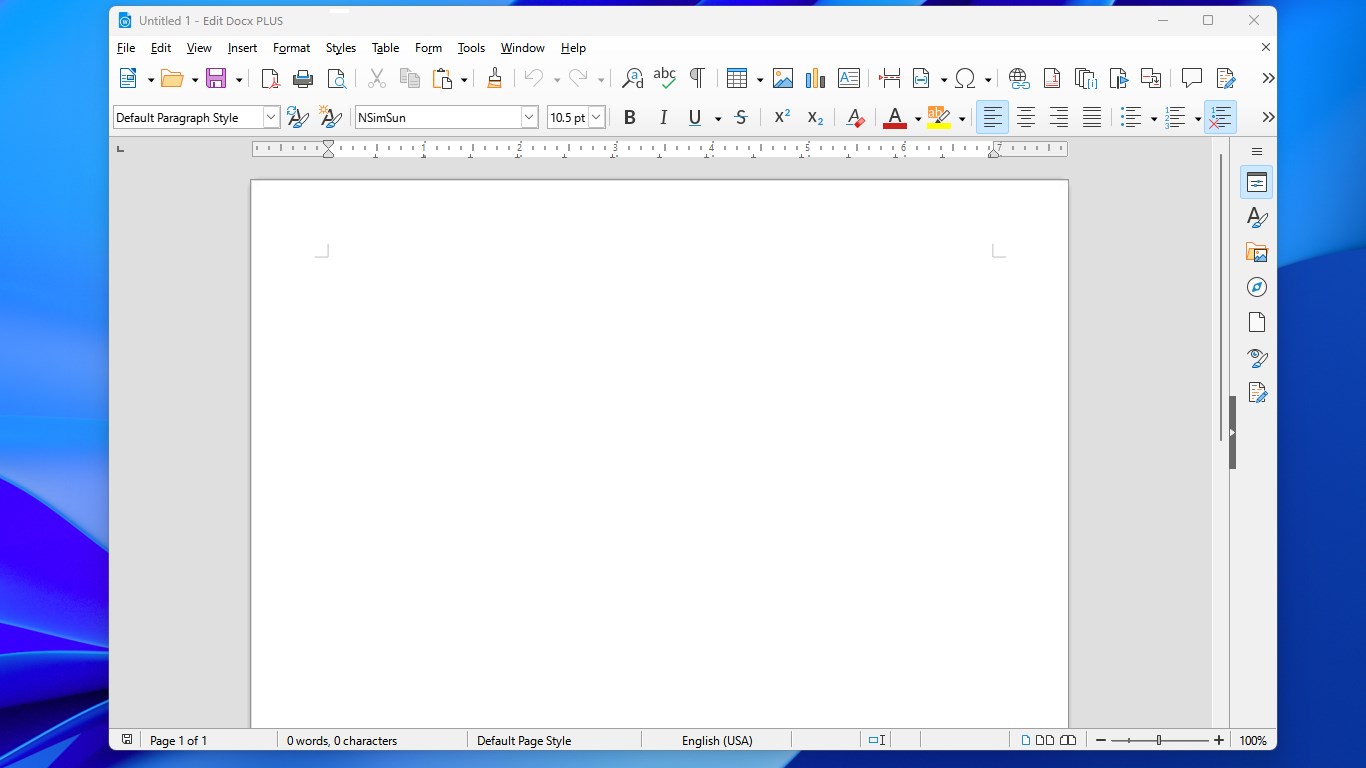
Stepping into Edit Docx PLUS is like opening a well-organized toolbox; everything you need is just a click away. The interface sports a modern, streamlined aesthetic that balances simplicity with functionality, reminiscent of a neat workspace where every tool has its place. Navigating the app feels intuitive—no steep learning curve here, even for first-time users. The responsiveness is impressive, with swift loading times and fluid operations, ensuring that your workflow remains uninterrupted. Whether you're trimming down a lengthy report or stylizing a flyer, the app responds promptly, making every task feel natural and satisfying.
Core Functionalities: Power Meets Precision
Efficient Editing and Formatting
The editing module is the heart of the app. It resembles a familiar word processor but with added finesse. You can effortlessly modify text styles, insert images or tables, and add comments—much like editing a paper with a professional editor by your side. The preview pane offers real-time feedback, giving you a clear view without toggling through menus. This feature is particularly advantageous when fine-tuning complex documents or preparing professional reports.
Streamlined Conversion and Batch Operations
One of the app's standout features is its ability to swiftly convert multiple DOCX files into various formats. Imagine having a batch of documents—each needing to be converted for different platforms—being processed in the background while you focus on other tasks. This not only saves time but also assures consistency across all files. The conversion process is straightforward and reliable, critical for professional environments where precision matters.
User Experience and Unique Advantages
The app's user interface is designed with clarity and minimalism at its core, avoiding clutter and confusion. Its learning curve is gentle, making it accessible for casual users and seasoned professionals alike. Unlike some competitor tools that are either overly complex or too limited, Edit Docx PLUS strikes a smart balance by offering advanced functionalities without sacrificing usability. Its unique selling points—especially the batch processing capabilities and the depth of editing tools—make it a compelling choice for those who regularly work with Word documents, whether for academic, business, or personal projects.
Final Thoughts and Recommendations
All in all, Edit Docx PLUS for Windows positions itself as a reliable, user-friendly tool that enhances productivity for anyone dealing with DOCX files. Its combination of powerful editing features, smart conversion options, and an approachable interface warrants a positive recommendation. If you often find yourself juggling multiple documents or need a lightweight, effective editor that reduces your reliance on heavy office suites, this app deserves a spot in your toolkit. While it's not overly flashy, its robust core features and thoughtful design make it a practical choice worth exploring.
Pros
- Enhanced editing features
- User-friendly interface
- Cloud synchronization
- Supports multiple file formats
- Collaboration features
Cons
- Limited offline functionality
- Occasional lag on large documents
- Template options could be expanded
- Some advanced formatting features are missing
- Notification management can be improved











