

- Category Utilities & tools
- Available on PC
- OS Windows 10 version 0.0 or higher
- Keyboard Integrated Keyboard
- Mouse Integrated Mouse
- languages English, Russian, French, German, Portuguese, Spanish
A Sleek and Efficient Download Manager for Windows
Free Download Manager for Windows, developed by SOFTDELYUKS, OOO, offers a streamlined solution for managing your downloads with speed and ease. Whether you're grabbing large files or multiple media, this app aims to be your reliable companion in the digital world, combining a user-friendly interface with robust features tailored for everyday users and tech enthusiasts alike.
Intuitive Interface and User-Centric Design
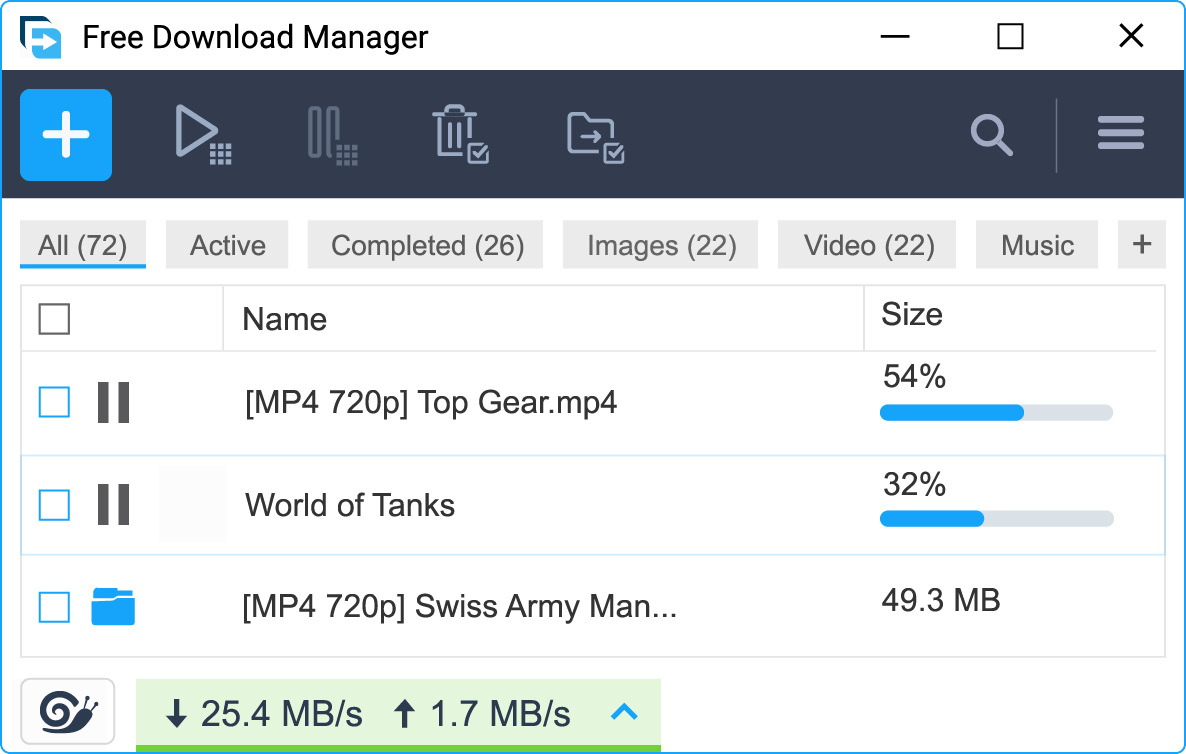
Upon launching the app, users are greeted with a clean, modern interface that feels more like an organized workspace than a cluttered utility. Its layout simplifies access to core functions like adding downloads, pausing, resuming, and scheduling. Navigating through the app is smooth, with responsive controls that react instantly to user commands. Even for beginners, the learning curve is gentle—it's almost like the app hands you a well-organized toolbox, making the process of downloading files feel less like a chore and more like an enjoyable task.
Core Features – Speed, Control, and Flexibility
Accelerated Download Speeds with Intelligent Segmentation
The app's standout feature is its ability to accelerate download speeds. Using intelligent segmentation technology, it splits files into multiple parts and downloads them simultaneously, akin to multiple delivery trucks rushing to bring your package. This process significantly reduces wait times, especially for large files like HD videos or software packages. Plus, it dynamically adjusts to network conditions, ensuring optimal speed without overwhelming your internet connection.
Scheduled and Queued Downloads for Hassle-Free Management
Another particularly useful feature is its scheduling capability. Imagine setting your downloads to start during off-peak hours—perfect for avoiding bandwidth congestion during busy work hours. The app allows you to queue multiple items, prioritize downloads, and even set up recurring download tasks. This automation transforms the downloading experience from a manual chore into a manageable, stress-free process, making it perfect for students, professionals, or anyone with a busy schedule.
Advanced Organization and Download Resumption
The app also excels in its ability to organize downloads and resume interrupted transfers seamlessly. Its detailed download management panel lets you categorize files, monitor progress, and quickly locate what you've downloaded. If an internet hiccup occurs, the app smartly resumes from where it left off, preventing wasted time and bandwidth—a feature that truly sets it apart from more simplistic download managers.
How It Stands Out in the Utilities & Tools Realm
Compared to other download managers, Free Download Manager for Windows shines in its blend of simplicity and powerful features. Its intelligent segmentation technology provides faster downloads without requiring technical know-how, making it accessible to everyday users. Unlike some competitors, which can be cluttered or overly technical, this app maintains a clean interface and straightforward controls, yet packs enough punch with features like scheduling and download organization. Its performance consistency and intuitive design make it a reliable choice for those looking to enhance their downloading experience without unnecessary complexity.
Final Thoughts: A Solid Choice Worth Trying
In summary, Free Download Manager for Windows stands out as a reliable, feature-rich utility that combines speed, control, and ease of use. Its intelligent download acceleration and scheduling capabilities are particularly notable, making it ideal for users who handle large files or need their downloads completed efficiently. While it appeals equally to novices and tech-savvy users, its straightforward interface ensures a gentle learning curve for everyone. I recommend giving it a try if you're seeking an unobtrusive yet powerful download management tool that won't strain your system or overwhelm your workflow. Overall, this app earns a strong recommendation as an essential addition to your digital toolkit.
Pros
- Fast download speeds
- User-friendly interface
- Supports multiple protocols
- Batch downloading features
- Integration with browsers
Cons
- Limited advanced options for customization
- Occasional download errors with large files
- Ads and upsell prompts in the free version
- Limited support for mobile devices
- Slow update cycles











