

- Category Utilities & tools
- Developer PerfectMedia_Place
- Available on PC, Mobile, Surface Hub, HoloLens
- OS Windows 10 version 15063.0 or higher
- Keyboard Integrated Keyboard
- Mouse Integrated Mouse
- languages English (United States)
Introducing G Code Viewer for Windows: A Sleek Tool for 3D Printing Enthusiasts
If you're deep into the world of 3D printing, managing your G-code files efficiently can feel like navigating a labyrinth. G Code Viewer for Windows, developed by PerfectMedia_Place, steps in as a user-friendly yet powerful solution designed to simplify your G-code visualization and analysis. It promises to transform complex code into an intuitive visual experience, helping both amateurs and seasoned makers optimize their printing projects without breaking a sweat.
Core Features That Make It Stand Out
Intuitive G-code Visualization
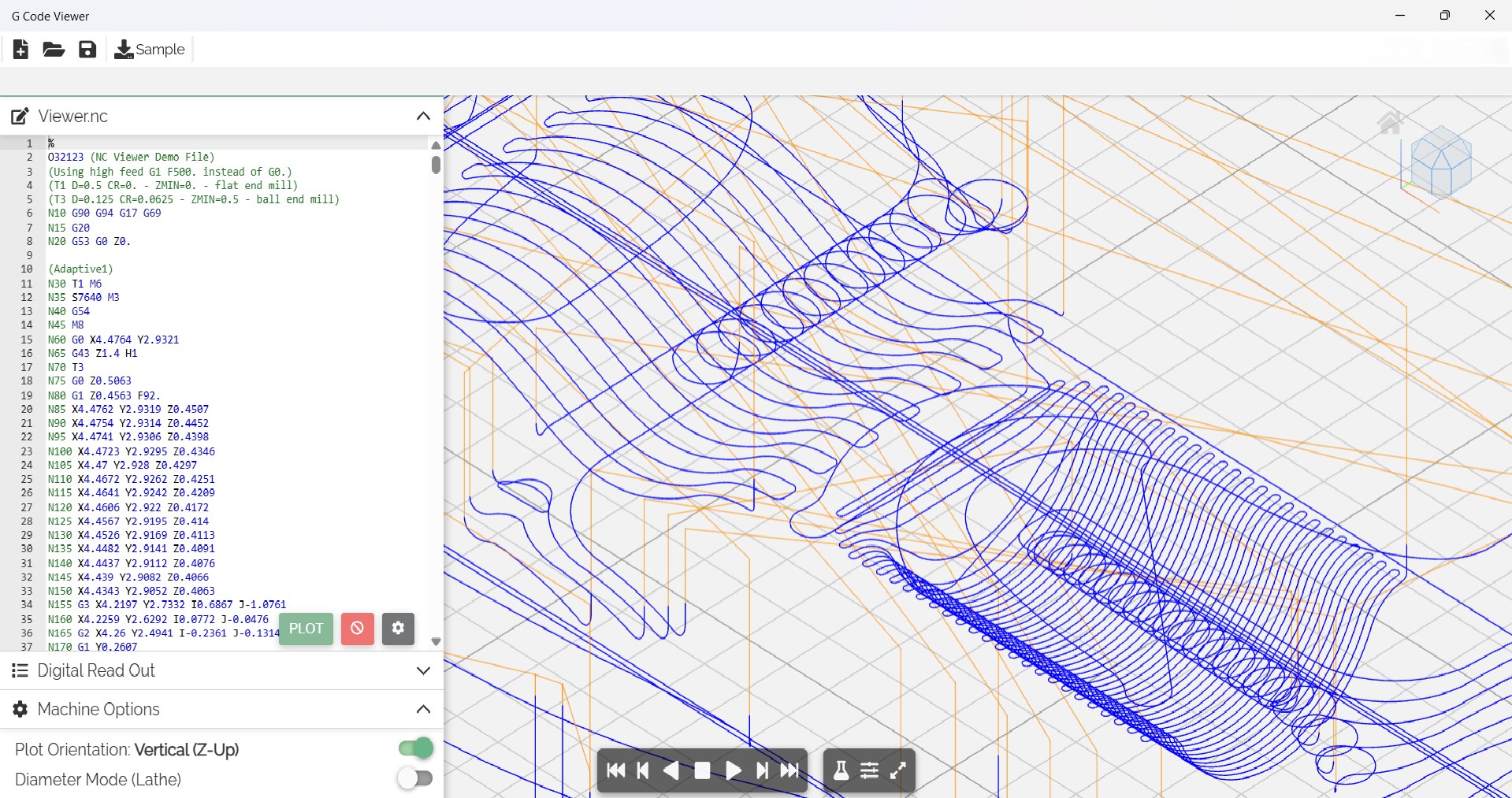
The app offers a clean and responsive interface that transforms raw G-code into clear, color-coded visual layers. Thanks to its real-time rendering, users can see precisely how their print will be constructed, layer by layer. This immediate feedback helps in diagnosing issues before printing, saving material and time. Unlike some tools that drown users in complex data, G Code Viewer presents information in a digestible, visually appealing manner.
Layer Inspection & Simulation
One of the app's crowning features is its ability to allow detailed inspection of individual layers. You can 'step through' each layer, observing the path and extrusion points. Additionally, the built-in simulation mode provides a virtual preview of the print process, helping detect potential problems such as overhangs or gaps. This feature is particularly useful for meticulous planners and troubleshooting experts, giving insight that is typically dispersed across multiple tools.
Customizable Display & Editing Options
The application enables users to tweak viewing preferences, such as color schemes and layer transparency, to suit their analytical needs. More advanced users can even edit G-code snippets directly within the viewer, allowing quick adjustments without switching to a dedicated slicer. This dual capability of visualization and light editing makes it a versatile companion in the 3D printing workflow.
Design, Usability & User Experience
From the moment you launch G Code Viewer, the interface feels like stepping into a well-organized workshop—sleek, minimalistic, and thoughtfully laid out. The design emphasizes clarity, with intuitive menus and straightforward navigation, making it accessible even for newcomers. The app runs smoothly on Windows devices, with rapid rendering times and minimal lag, which means your workflow remains seamless and frustration-free.
Learning to probe into G-code can sometimes be daunting, but G Code Viewer makes the learning curve gentle. Context-sensitive tips and logical controls help beginners get started quickly, while advanced options satisfy experienced users. The tool's ability to handle large, complex files without crashing is another boon, ensuring reliable performance across various project sizes.
How It Differs from Similar Utilities
While many G-code tools focus solely on editing or simulation, G Code Viewer's standout feature lies in its dual visualization and inspection capabilities combined with lightweight editing. Its color-coded layers and real-time rendering mirror the experience of peering into a 3D model directly, bridging the gap between code and construct. Furthermore, its clean interface and customization options offer a more user-centric approach compared to older, bulkier applications, making it more approachable for hobbyists and professionals alike.
Another differentiator is its emphasis on performance and responsiveness on Windows platforms, tailored for users relying on laptops or tablets. This optimization ensures that even on less powerful devices, users enjoy a smooth workflow—something that isn't always guaranteed with other tools cluttered with excessive features.
Final Recommendations & Usage Suggestions
Overall, G Code Viewer for Windows stands out as a practical, efficient, and user-friendly tool that earns a solid recommendation for 3D printing practitioners seeking a reliable way to review and troubleshoot their G-code files. It's especially beneficial for those who want quick visual feedback and some light editing without switching between multiple applications.
For hobbyists, makers, and even small business operators, this app can streamline the preparation process and reduce print failures. I suggest giving it a try if you're looking for an intuitive, lightweight G-code inspection solution that doesn't sacrifice depth or detail. Just keep in mind that for advanced editing or slicing functionalities, you might still need dedicated software—but for visualization and basic checks, G Code Viewer is a commendable choice.
Pros
- Intuitive user interface
- Supports multiple G-code formats
- Real-time code visualization
- Syntax highlighting and error detection
- Integration with cloud storage
Cons
- Limited customization options
- Basic editing features
- Performance issues with very large files
- Limited support for older Windows versions
- Occasional bugs in syntax highlighting











