

- Category Utilities & tools
- Available on PC, Mobile, Surface Hub, HoloLens
- OS Windows 10 version 19041.0 or higher
- languages Albanian, Arabic, Armenian, Assamese, Azerbaijani, Bangla (Bangladesh), Bangla (India), Basque, Belarusian, Bosnian (Latin), Bulgarian, Catalan, Chinese (Simplified), Chinese (Traditional), Chinese (Traditional, Hong Kong SAR), Croatian, Czech, Danish, Dutch, English (Canada), English (Philippines), English (United States), Estonian, Finnish, French, French (Canada), Galician , Georgian, German, Greek, Gujarati, Hindi, Hungarian, Icelandic, Indonesian, Irish, Italian, Japanese, Kannada, Kazakh, Khmer, Korean , Kyrgyz, Lao, Latvian, Lithuanian, Macedonian, Malay, Malayalam, Marathi, Mongolian (Mongolia), Nepali, Norwegian (Bokmål), Odia, Persian, Persian/Farsi, Polish , Portuguese (Brazil), Portuguese (Portugal), Punjabi (India), Romanian, Russian, Serbian (Latin), Sinhala, Slovak, Slovenian, Spanish (Argentina), Spanish (Chile), Spanish (Latin America), Spanish (Mexico), Spanish (Paraguay), Spanish (Spain), Spanish (United States), Spanish (Uruguay), Swedish, Tamil, Telugu, Thai, Turkish, Ukrainian, Urdu, Uyghur, Uzbek, Vietnamese
Introducing Galaxy Buds for Windows: Seamless Companion for Your Wireless Earbuds
Designed specifically for Galaxy Buds users on Windows, this application aims to bridge the gap between your earbuds and Windows PC with effortless connectivity and tailored features. Whether you're a casual listener, a remote worker, or a tech enthusiast, this app strives to enhance your audio experience with Samsung's premium earbuds on your desktop or laptop.
Developed by Samsung Electronics Co. Ltd.: Innovation at Your Fingertips
Created by the renowned Samsung Electronics, this app embodies their commitment to providing integrated, user-friendly solutions for their ecosystem products. It's crafted to unlock the full potential of Galaxy Buds on Windows, ensuring a seamless and intuitive experience whether you're managing device settings or troubleshooting connectivity.
Top Features That Make a Difference
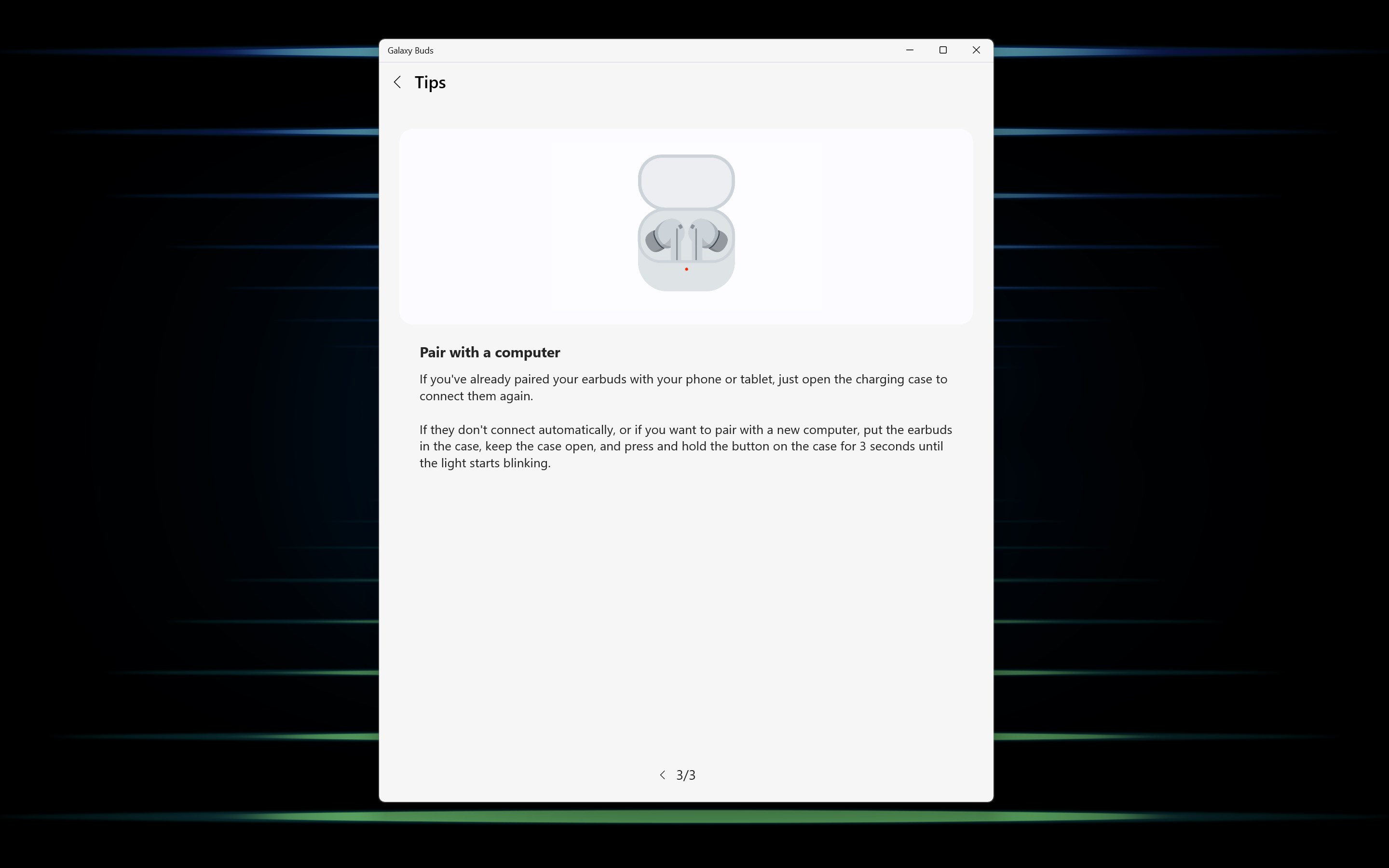
- Automatic Device Detection & Easy Pairing: Instantly recognizes your Galaxy Buds when in proximity and simplifies the pairing process with just a few clicks—think of it as having a personal Bluetooth concierge at your service.
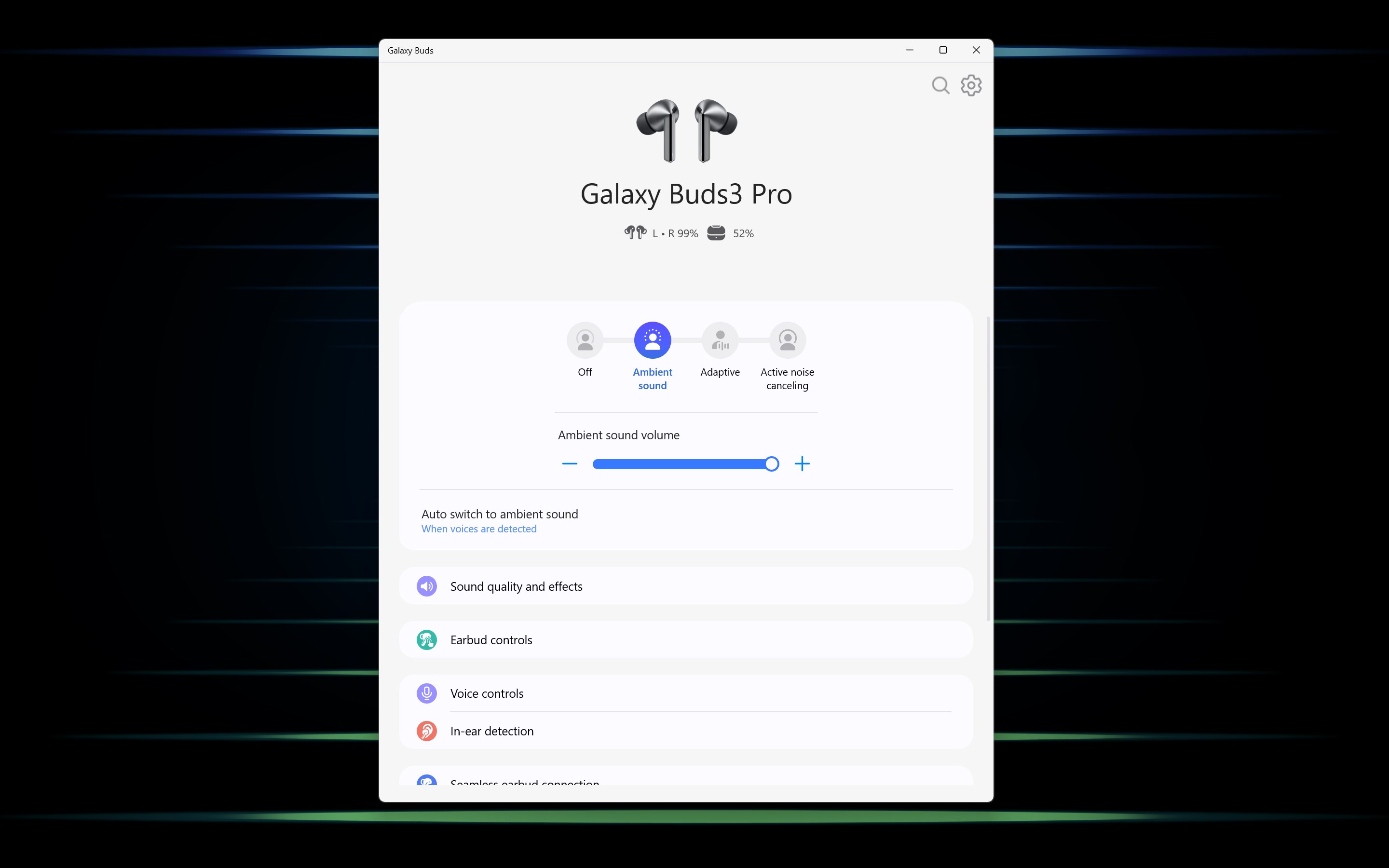
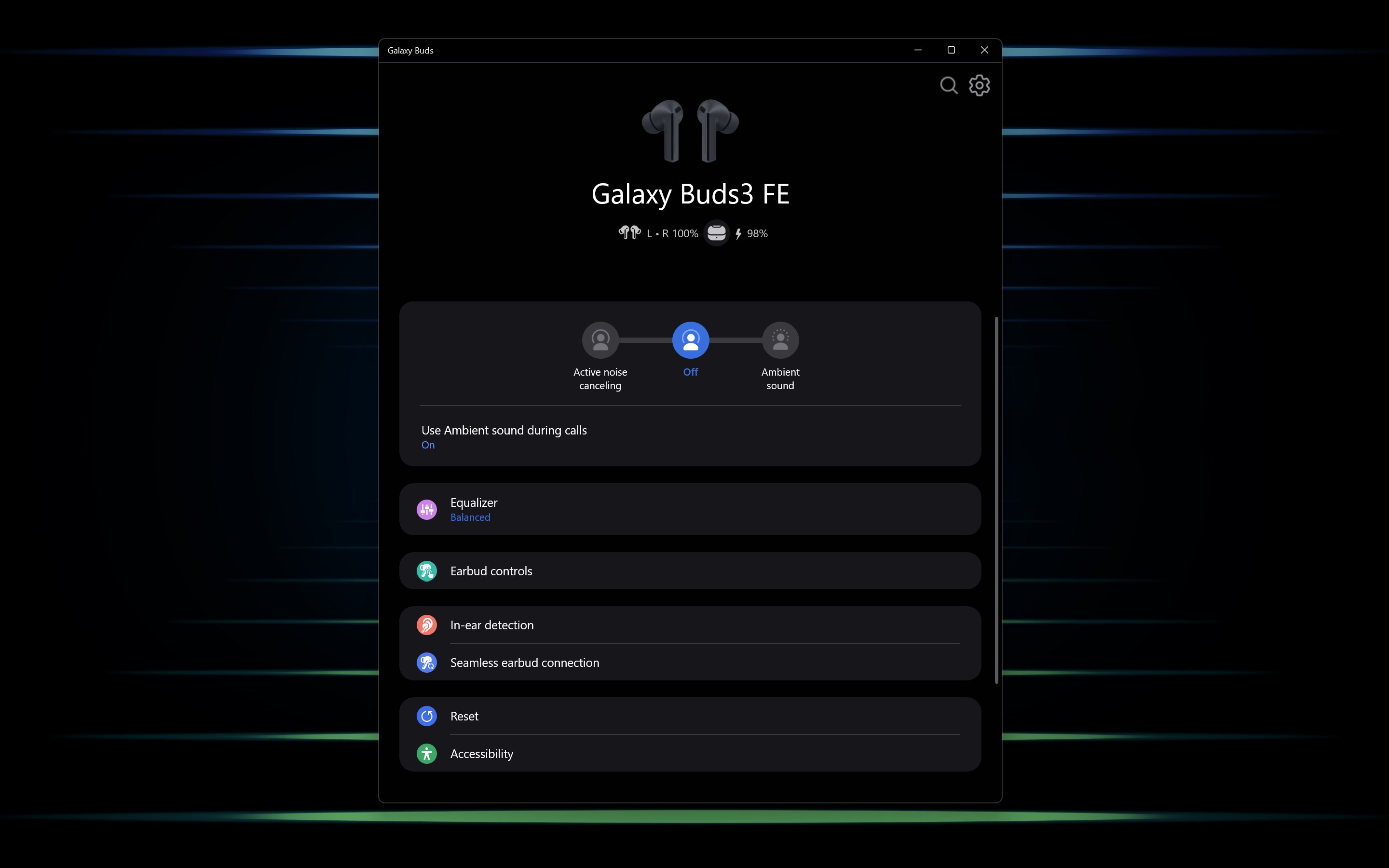
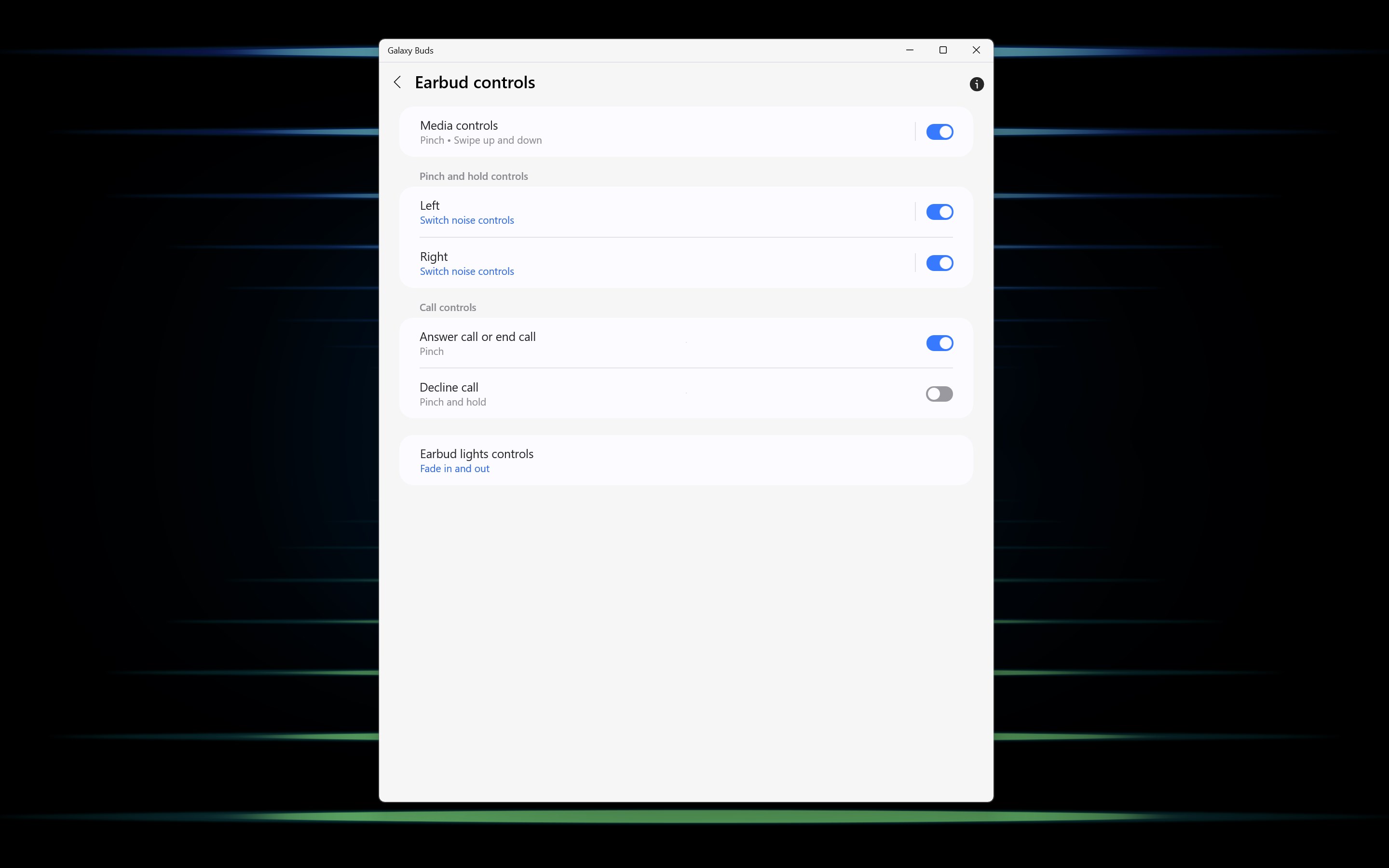
- Customizable Sound & Controls: Offers intuitive controls to tweak noise cancellation, ambient sound levels, and touch gestures directly through the app, enabling personalized listening tailored to your environment.
- Battery Monitoring & Firmware Updates: Provides real-time battery status updates for each earbud and case, while facilitating seamless firmware updates to keep your device optimized without needing to leave your desktop.
- Smart Notifications & Find My Earbuds: Alerts you of low battery levels and enables quick detection if earbuds are misplaced, acting like a digital caretaker for your beloved buds.
A Deep Dive into User Experience and Core Functionality
Engaging Interface and Intuitive Operations
The app sports a sleek, modern interface reminiscent of a high-tech control center—clean lines, crisp icons, and a straightforward layout make navigation feel natural. The main dashboard immediately displays the status of your Galaxy Buds, with easily accessible toggles for noise control, equalizer settings, and firmware updates. It's akin to having your playlist's remote control in your hand, with every function just a tap or click away.
Operation is smooth and snappy; commands like switching between noise cancellation modes or adjusting volume are registered instantly, showcasing the app's optimized performance. The learning curve is gentle—once familiar with basic functions, users can dive into advanced customization without fuss, making it suitable even for less tech-savvy users.
Unique Selling Points: Standing Out in the Crowd
What sets this app apart from other utility tools for wireless earbuds is its deep integration with the Galaxy ecosystem—think of it as a specialized toolkit built precisely for Galaxy Buds, rather than a generic Bluetooth manager. Its advanced device detection and automatic reconnect features act like a diligent personal assistant, ensuring your earbuds are always ready without manually pairing each time. Additionally, the ability to get firmware updates directly through the app is akin to giving your earbuds a regular software tune-up—something many similar utilities lack or handle less seamlessly.
Should You Download It? Final Thoughts and Recommendations
If you're a proud Galaxy Buds owner using Windows and crave a more streamlined, feature-rich experience, this app is worth exploring. It elevates your earbuds from simple audio devices to smart companions, with particularly impressive automatic detection and real-time battery management. Its user interface is crafted with care, making everyday adjustments effortless and intuitive.
However, if your primary need is basic connectivity or you're using non-Samsung earbuds, other simpler Bluetooth utilities might suffice. For Galaxy users seeking a dedicated, optimized experience that leverages Samsung's ecosystem, this app earns a clear recommendation—think of it as a tailor-made suit rather than off-the-rack clothing.
In conclusion, Galaxy Buds for Windows stands out thanks to its seamless integration and tailored control features. It transforms the way you manage and enjoy your wireless audio on Windows, making it a valuable addition to Samsung's ecosystem toolkit.
Pros
- Seamless connectivity with Galaxy Buds devices
- Intuitive user interface for managing earbuds
- Automatic updates for firmware and app features
- Integration with other Microsoft services
- Customizable sound profiles and equalizer settings
Cons
- Limited device compatibility outside the Samsung ecosystem
- Occasional connectivity lag after updates
- Restricted equalizer options compared to third-party apps
- Battery status updates can be delayed sometimes
- In-app notifications can be intrusive during calls











