

- Category Utilities & tools
- Developer ICOM INCORPORATED
- Available on PC
- OS Windows 10 version 19041.0 or higher
- languages Japanese
Introducing Icom RS-PW2 for Windows: A Robust Digital Radio Management Tool
Designed for amateur radio enthusiasts and communication professionals, Icom RS-PW2 for Windows stands out as a comprehensive software solution that simplifies the management and programming of Icom digital radios. Developed by ICOM INCORPORATED, this application aims to provide users with a seamless, efficient experience when handling complex radio configurations directly from their Windows devices.
Key Features That Make It Shine
The software's main highlights include intuitive programming capabilities, advanced radio management options, and detailed data analysis tools. Its user-friendly interface ensures that even newcomers can get up to speed quickly, while seasoned users will appreciate its depth and customization options.
- Intuitive radio programming and configuration management
- Real-time data display and signal monitoring
- Flexible and detailed radio data import/export features
- Seamless integration with Icom digital radios for reliable operation
Engaging and Accessible Design: A Friendly Interface
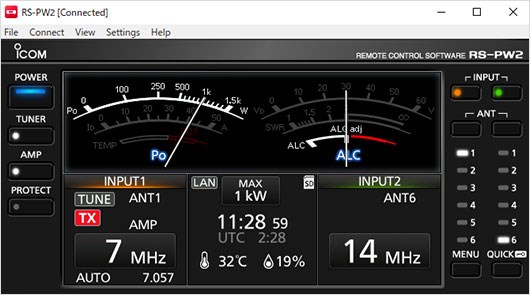
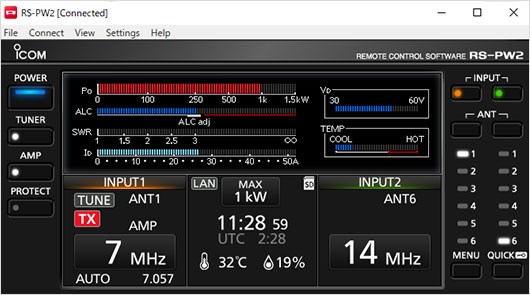
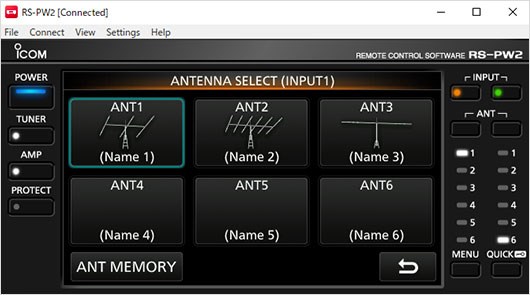
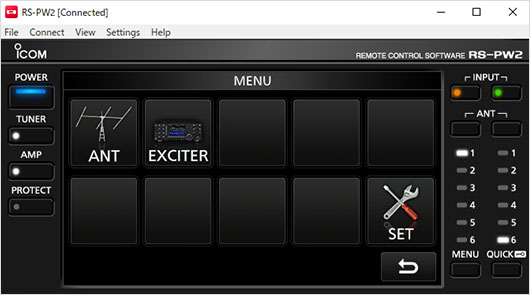
From the moment you open RS-PW2, it feels like stepping into a well-organized control room—clutter-free and logically laid out. The interface cleverly balances complexity and clarity, allowing users to navigate through various menus without feeling overwhelmed. The buttons and icons are crisp and responsive, making navigation feel like a well-rehearsed dance rather than a chore. Even first-time users can find their way around within minutes, thanks to straightforward menus and contextual help features.
Core Functionalities: Powering Your Radio with Precision
Seamless Programming and Configuration
The primary allure of RS-PW2 lies in its ability to streamline radio programming. Instead of manual, tedious button-by-button setups, users can import configurations from saved files, modify parameters, and push updates to their radios—all within a user-friendly environment. This feature is especially useful for managing multiple units simultaneously, making it a must-have for clubs or dispatch centers.
Real-Time Data Monitoring and Signal Analysis
Imagine having an eagle's eye over your radio transmissions—RS-PW2 offers real-time signal monitoring, providing insights into frequencies, signal strength, and operating status. The dynamic data display functions like a cockpit dashboard, giving operators instant feedback. This capability not only enhances troubleshooting but also ensures optimal performance during critical communications.
Usability and Differentiation: How Does It Stand Out?
Compared to other utility tools in the market, RS-PW2's standout feature is its depth of integration with Icom radios. Unlike generic programming tools, this application is tailor-made for Icom devices, offering features like firmware updates and detailed device diagnostics. Its user-centric design minimizes learning curves, saving time and reducing errors in complex configurations. For users managing multiple radios, the batch import/export functions act like a magic wand, drastically reducing setup times compared to competing utilities.
Final Thoughts and Recommendations
All things considered, Icom RS-PW2 for Windows is a reliable, well-crafted tool that elevates radio management from a manual chore to an efficient digital process. Its unique blend of ease of use, detailed management features, and deep hardware integration makes it particularly appealing to serious hobbyists and professionals alike. If you're seeking a practical solution to handle your Icom radios with confidence and precision, I'd recommend giving this app a try — especially if you manage multiple units or need rapid configuration changes. For casual users or those new to radio programming, the intuitive interface makes RS-PW2 an excellent entry point into more advanced radio management systems.
Pros
- Intuitive User Interface
- Comprehensive Feature Set
- Reliable Performance
- Compatibility with Various Devices
- Good Customer Support
Cons
- Limited Customization Options
- Occasional Slow Load Times
- Premium Features Require Subscription
- Limited Offline Capabilities
- Occasional Minor Bugs











