

- Category Utilities & tools
- Developer Adrián Guerra Marrero
- Available on PC, Mobile, Xbox console, Surface Hub, HoloLens
- OS Windows 10 version 18362.0 or higher
- Memory 300 MB
- languages English (United States)
Introducing Lossless Scaling Toggle for Windows
Lossless Scaling Toggle for Windows is a streamlined utility designed to enhance the gaming and productivity experience by allowing users to toggle high-quality, lossless scaling features effortlessly. Ideal for gamers and power users alike, this app seeks to address the common challenge of maintaining visual fidelity across different display resolutions.
Developer and Core Features
Developed by Adrián Guerra Marrero under the banner of AGMStudio, this application promises a lightweight yet potent tool for resolution management. Its main selling points include:
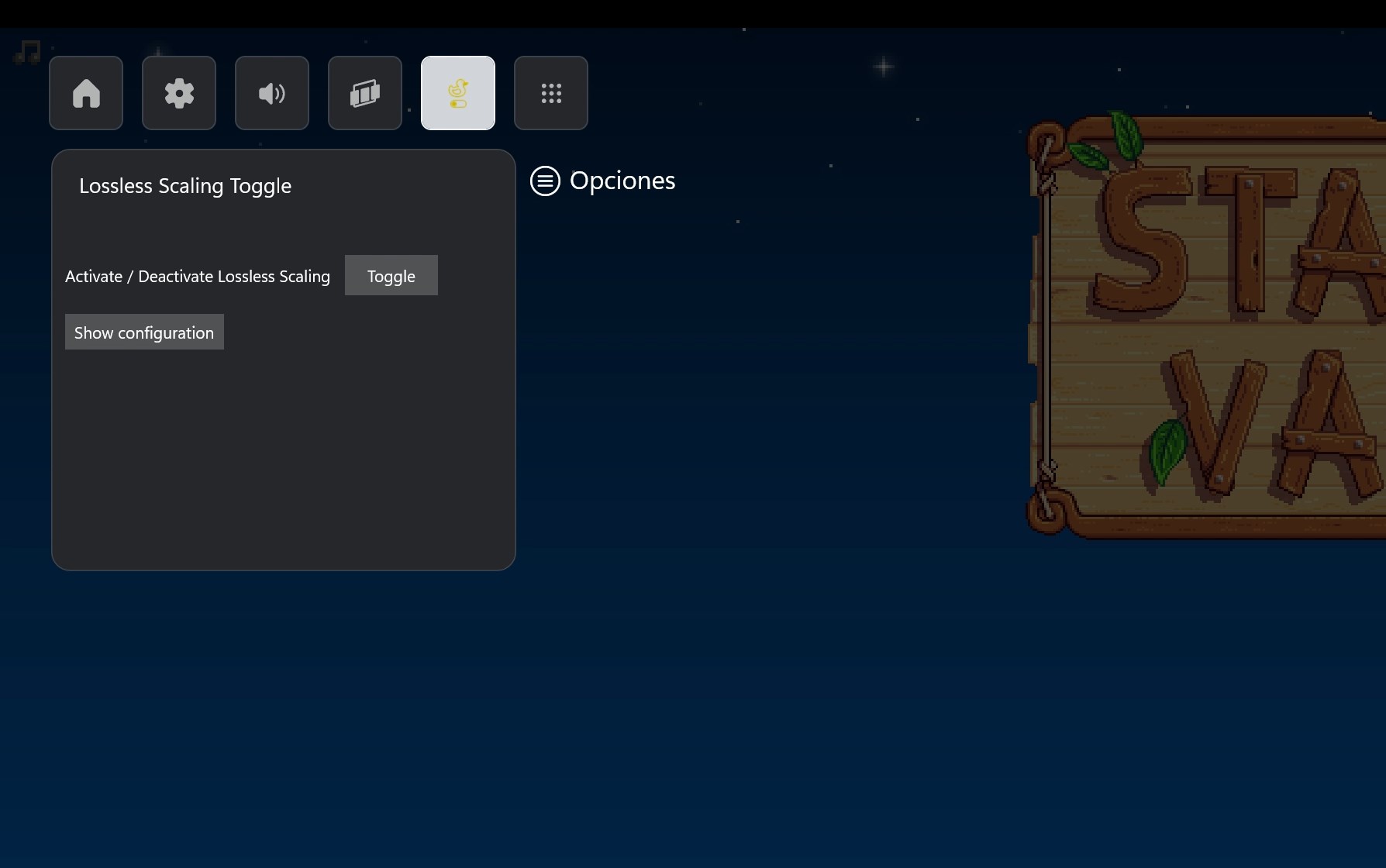
- Seamless Toggle Functionality: Allows users to switch lossless scaling on or off instantly without navigating complex menus.
- Compatibility with Modern Displays: Supports various resolutions and scaling modes, ensuring crisp visuals for both old and new monitors.
- Minimal Performance Impact: Designed to operate smoothly in the background, maintaining system performance while performing scaling tasks efficiently.
- Simple User Interface: Provides an intuitive toggle mechanism suitable even for users who are not tech-savvy.
A Fun and Practical Introduction to Lossless Scaling
Imagine you're a gamer who just upgraded to a stunning 4K display but find that some older games or applications look blurry or stretched. Now, instead of juggling complicated graphics settings or risking performance dips by custom tweaks, Lossless Scaling Toggle for Windows acts like a digital switch, turning your display into a crystal-clear window to your favorite titles. It's like having a magic lens that sharpens your visuals without sacrificing performance, making every pixel count without undue effort.
Deep Dive into Core Functionalities
Effortless Toggle Experience
The standout feature of this app is undoubtedly its ability to toggle lossless scaling rapidly. Think of it as a light switch—flip it on for vivid, pixel-perfect visuals, and off when you need raw performance or compatibility. The process is straightforward: a simple button interface ensures users can switch without fumbling through settings, significantly reducing the learning curve for newcomers.
Compatibility and Visual Fidelity
Breaking away from generic scaling utilities, Lossless Scaling Toggle emphasizes preserving image quality across different resolutions. Whether you're gaming at 1080p on a 4K monitor or handling productivity workflows requiring multiple displays, this app ensures your visuals stay sharp. It intelligently manages how pixels are scaled, maintaining clarity and reducing artifacts common with traditional scaling methods, like blurriness or pixelation.
User Experience and Interface
The design philosophy behind this utility champions simplicity. The user interface is clean and clutter-free, resembling a minimal control panel rather than an arcane configuration hub. Responsiveness is fluid; toggles respond instantly, and the app runs unobtrusively in the system tray. For those new to resolution management, the clear icons and straightforward prompts make setup and usage a breeze. Learning curve? Barely noticeable, like riding a bike—once you get it, you won't forget.
What Sets It Apart from Similar Tools
Many scaling utilities focus on raw functionality but often neglect ease of use or visual quality preservation. Lossless Scaling Toggle distinguishes itself with its focus on providing a true lossless experience, meaning no image quality is sacrificed during toggling. Its rapid switching capability is like having a neural switch in your system—fast, reliable, and effortless. Additionally, unlike bulkier tools that may introduce performance overhead, this app is remarkably lightweight, ensuring your system remains responsive.
Should You Give It a Try?
All things considered, Lossless Scaling Toggle for Windows is a noteworthy utility for anyone looking to optimize display clarity without hassle. Its intuitive operation and commitment to maintaining visual quality make it stand out among typical scaling tools. If you're a gamer, content creator, or professional who demands crisp visuals but dislikes complicated tweaks, this app is worth a shot. I'd recommend it as a handy addition to your toolkit, especially if resolution management is a recurring concern in your workflow.
Pros
- Enhances visual clarity
- Supports multiple resolutions
- User-friendly toggle interface
- Performance optimized
- Integrates well with Windows OS
Cons
- Limited customization options
- Occasional compatibility issues with certain graphics cards
- Requires system restart after toggling
- Limited documentation for troubleshooting
- Only available in English interface











