

- Category Utilities & tools
- Developer Reboot Computer Services Inc.
- Available on PC
- OS Windows 10 version 0.0 or higher
- Keyboard Integrated Keyboard
- Mouse Integrated Mouse
- languages English
Media Browser for Windows: Your Personal Media Library Assistant
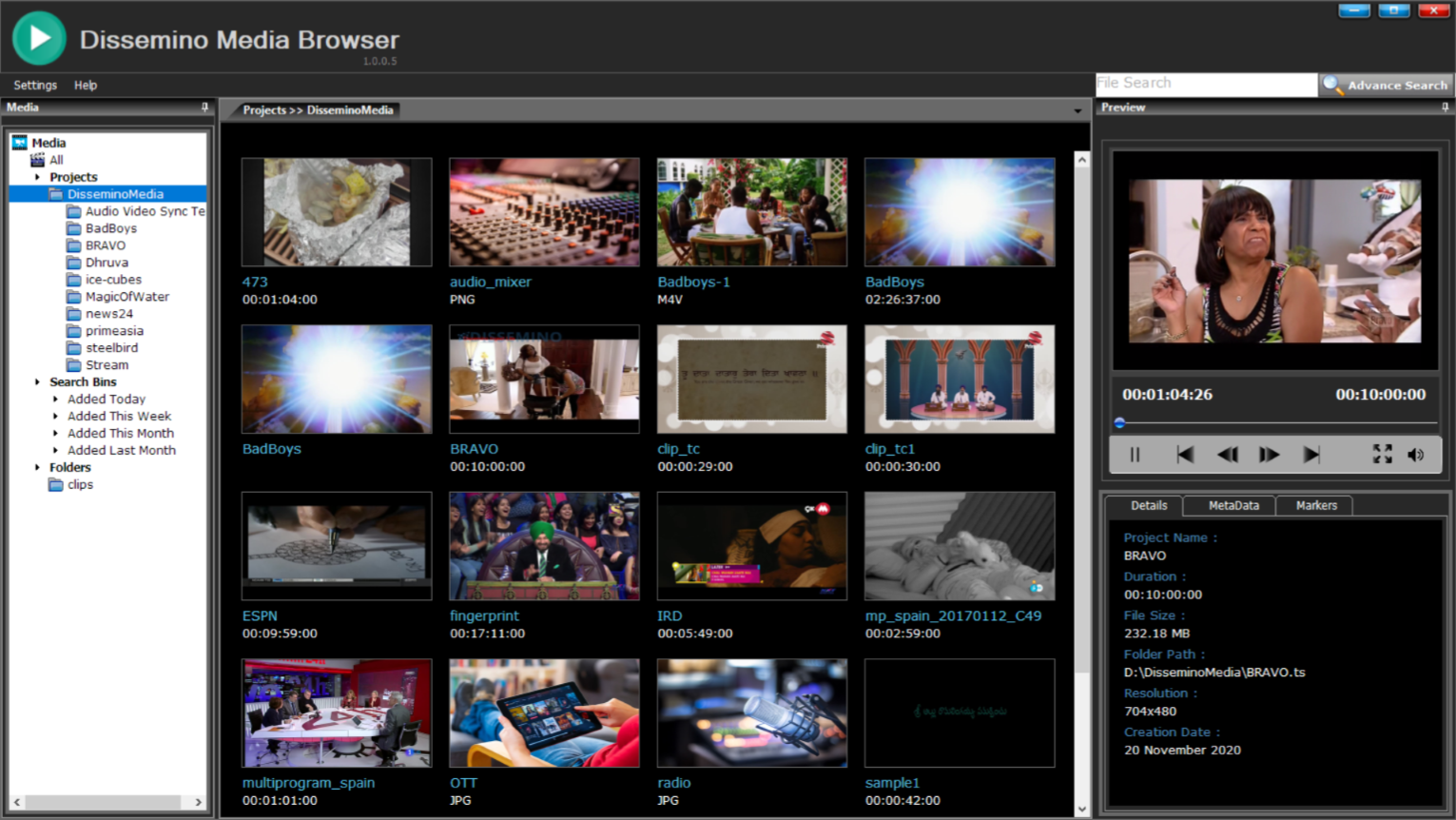
If you're someone who loves to keep your vast collection of movies, TV shows, or music well-organized and easily accessible, Media Browser for Windows steps in as a reliable digital librarian. It's designed to streamline your media experience with a user-friendly interface and powerful features, making media management less of a chore and more of a pleasure.
Who's Behind the Curtain?
Developed by Reboot Computer Services Inc. and published under the label Rebootcs, this application benefits from a team experienced in building tools aimed at optimizing digital life. Their focus appears to be on simplicity combined with robust functionality, tailored to media enthusiasts and casual users alike.
Key Features That Make It Stand Out
- Unified Media Management: Organizes multiple media types (movies, shows, music) into a seamless library, accessible through a clean, intuitive interface.
- Customizable User Interface: Offers options to personalize the look and feel, helping users shape their browsing environment according to preferences.
- Smart Metadata Fetching: Automatically retrieves rich metadata for your media files, including cover art, descriptions, and episode information, saving you manual effort.
- Local and Network Source Support: Connects effortlessly to local folders and network shares, making it versatile for various media storage setups.
An Engaging Dive into Its Core Functionalities
Imagine walking into your media sanctuary—you want everything just right, accessible and beautifully curated. Media Browser for Windows transforms this vision into reality, providing a dynamic and dependable platform for your digital media collection. Its features are like the well-organized shelves in a boutique library—each piece of content easy to find and enjoy.
Effortless Media Organization and Presentation
The application excels at aggregating your media files—be it movies, TV series, or audio tracks—into a centralized library. Its intelligent metadata fetching ensures each title is dressed in its best appearance, complete with cover art and detailed descriptions. Navigating through your collection feels akin to flipping through a professional catalog—smooth, visually appealing, and instantly intuitive.
User Interface and User Experience
The interface adopts a modern, minimalistic design that feels both inviting and functional. Think of it as a sleek digital bookshelf—organized but not overwhelming. Operation is buttery smooth; scrolling, searching, and filtering happen without lag, even for large libraries. The learning curve is gentle, allowing newcomers to jump right in without feeling lost. Plus, customization options let you tweak the layout and themes, making your media room uniquely yours.
Unique Selling Points in a Crowded Market
What really sets Media Browser apart from similar tools is its focus on a unified experience—integrating various media types into a single, well-organized platform. Unlike basic file explorers or generic media players, this app emphasizes metadata enhancement, making your collection not just organized but enriched with contextual information. This feature is akin to having a knowledgeable curator guiding you through your media library, providing insights and visuals that elevate your viewing or listening experience.
Final Thoughts: Should You Hit Install?
For media aficionados who crave both organization and aesthetic appeal, Media Browser for Windows proves to be a pragmatic yet charming companion. It's not a flashy, overhyped tool, but rather a well-crafted utility that addresses the core needs of media management with finesse. If you value a clean interface, smart metadata support, and the convenience of managing both local and network media sources, this app deserves a spot in your digital toolkit.
Overall, I recommend giving it a try if you're looking to transform your chaotic media folders into a polished digital library. Its standout features can make your media browsing feel less like chores and more like art—organizing your entertainment, one click at a time.
Pros
- User-Friendly Interface
- Wide Media Compatibility
- Streaming Capabilities
- Customizable Library Management
- Regular Updates and Support
Cons
- Occasional Playback Glitches
- Limited Media Preview Features
- Setup Complexity for Network Streaming
- Occasional App Crashes
- Missing Advanced Subtitle Options











