
- Category Utilities & tools
- Developer Mohamed Elhadj Zouaouid
- Available on PC
- OS Windows 10 version 0.0 or higher
- Keyboard Integrated Keyboard
- Mouse Integrated Mouse
- Memory 750 MB
- languages English
Introducing MouseButtonsMapper for Windows: Your Custom Mouse Button Solution
MouseButtonsMapper for Windows is a versatile utility designed to give users full control over their mouse button configurations, enabling a tailored and more efficient computing experience.
Developer and Core Features
Developed by Mohamed Elhadj Zouaouid under Zouaouid Tech, this application stands out by allowing users to remap and customize their mouse buttons beyond the standard settings provided by Windows. Its key features include easy-to-use button remapping, profile management for different tasks or applications, and support for various mouse models. Three primary highlights are intuitive configuration, seamless profile switching, and compatibility with diverse hardware.
Setting the Scene: Unlocking Effortless Mouse Customization
Imagine navigating through your daily tasks with the precision of a seasoned pilot steering a finely tuned aircraft—every button press exactly as you desire. MouseButtonsMapper transforms your mouse into a personalized tool, reducing the need for tedious repeated tasks or complex keyboard shortcuts. Whether you're a gamer seeking custom controls, a designer wanting quick access to tools, or a developer streamlining workflows, this app becomes your silent partner in productivity—simple, effective, and unobtrusive.
Deep Dive into Core Functionalities
1. Intuitive Button Remapping
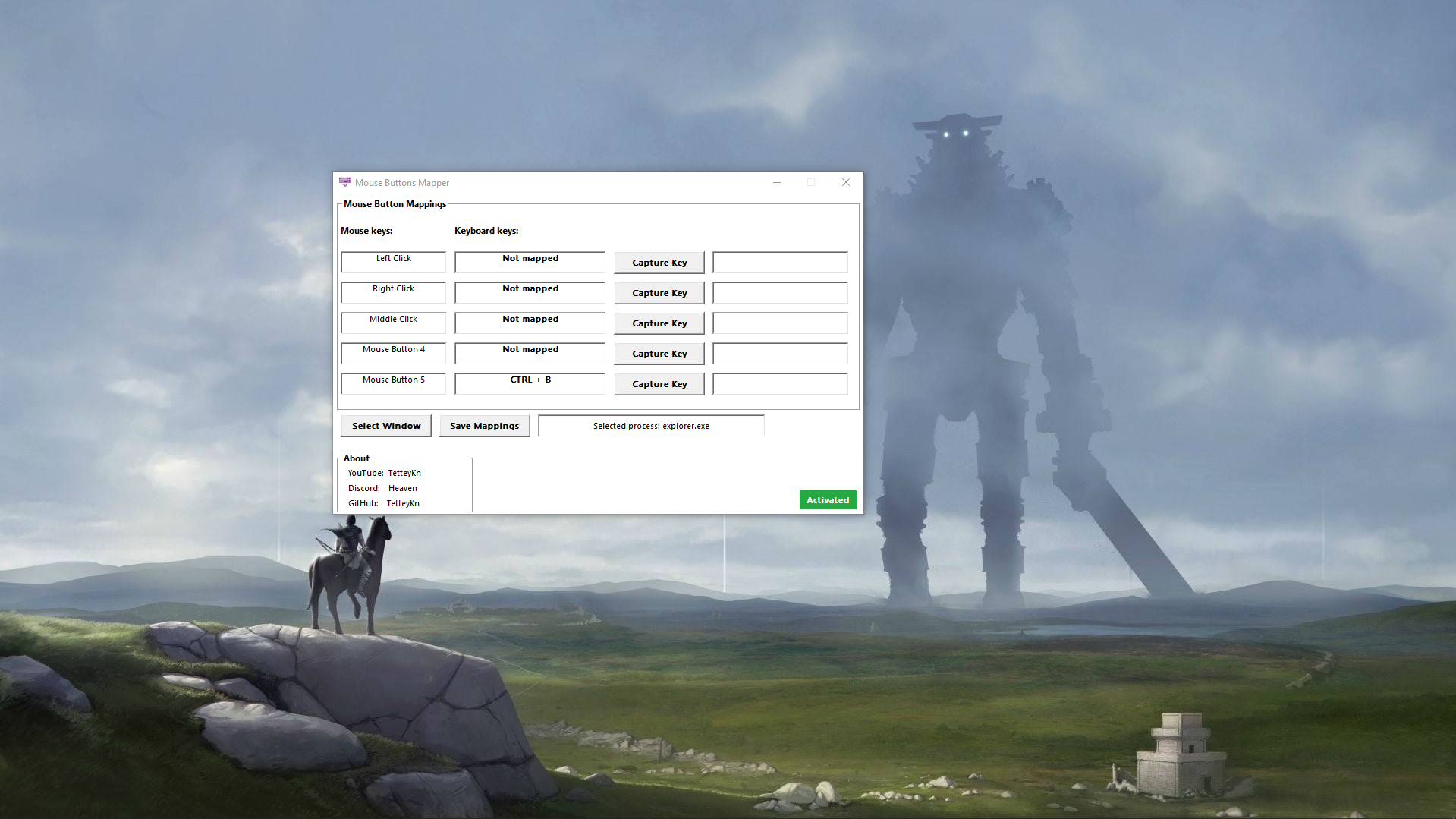
One of the application's standout features is its straightforward remapping capability. The interface resembles a familiar control panel, where clicking on a mouse button prompts a menu of reassignments—from launching an app, executing a keystroke, to opening specific files. This flexibility turns a group of standard buttons into a toolkit tailored to your unique needs. The process feels natural, akin to customizing your vehicle's dashboard for optimal driving—each button serves your purpose seamlessly.
2. Profile Management and Switching
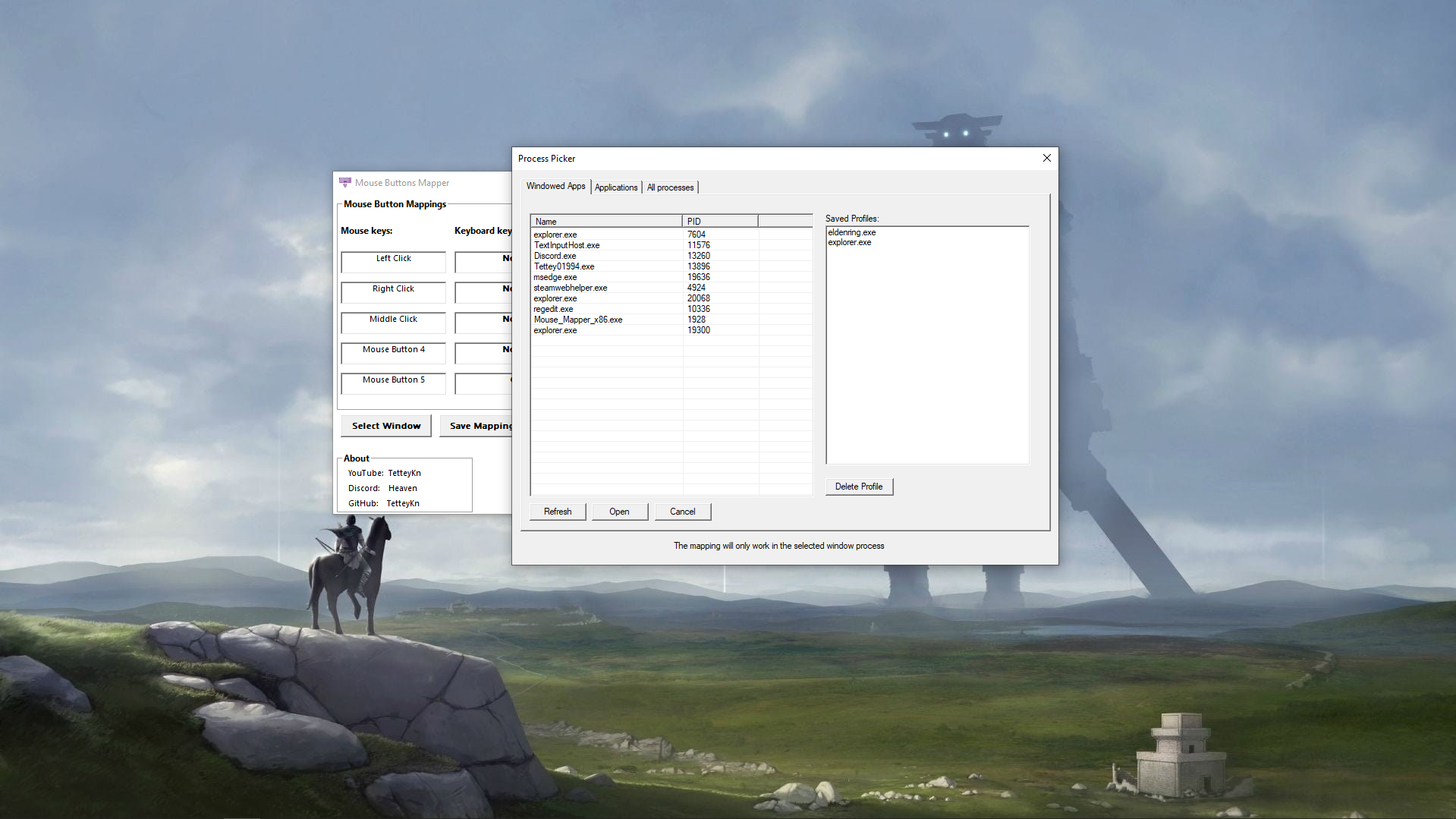
Another highlight is the profile management feature. Users can create different configurations for various scenarios—gaming, work, or multimedia editing—and switch between them with a single click. This modular approach means your mouse adapts to your context, avoiding constant reconfiguration. It's like having multiple car settings—sport mode for the track, eco for city commuting—ready at your command. This dynamic adaptability enhances user efficiency and keeps workflows smooth.
3. Hardware Compatibility and User Experience
The app boasts wide compatibility with various mouse models, ensuring that your favorite hardware can be fully customized without hassle. The interface carries a clean, minimalistic design that prioritizes clarity, making setup and changes quick, even for novices. Response times are swift, with no noticeable lag, contributing to a fluid user experience. The learning curve is gentle; most users will find themselves customizing their mouse within minutes, like adjusting your seat before a drive—simple yet impactful.
Distinctive Edge in a Crowded Utility Market
Compared to similar tools like X-Mouse Button Control or AutoHotkey scripts, MouseButtonsMapper provides a more streamlined, user-friendly experience without requiring scripting knowledge or complex configurations. Its two most compelling advantages are its intuitive GUI and robust profile management, which enable quick, context-specific customizations. Unlike other utilities that often delve into technical setups, this app feels more like having a personal assistant who understands your preferences and adapts instantly—making it a standout choice for everyday users seeking simplicity and versatility.
My Verdict: A Recommended Companion for Personalized Mouse Control
Based on its design, ease of use, and powerful features, I can confidently recommend MouseButtonsMapper for Windows to anyone who wants to personalize their mouse experience without fuss. It's particularly suited for users who switch between different tasks or applications and need a reliable tool to adapt their input devices swiftly. While it may not replace more advanced scripting tools for heavy automation, its balance of functionality and simplicity makes it a valuable addition to your software toolkit.
In conclusion, if you're looking to elevate your mouse customization game into a smooth, effortless experience—think of it as turning your mouse into an extension of your workflow—MouseButtonsMapper is definitely worth exploring.
Pros
- Intuitive User Interface
- High Customization Flexibility
- Lightweight and Fast
- Profiles Management
- Compatibility with Multiple Mice
Cons
- Limited Compatibility with Newer Windows Versions
- Lack of Advanced Customization Options
- Occasional Stability Fluctuations
- Limited Documentation and Support
- Customization Reset After System Restart











