

- Category Utilities & tools
- Developer NAPS2 Software
- Available on PC
- OS Windows 10 version 19041.0 or higher
- Memory 1 GB
- Keyboard Not specified
- Mouse Not specified
- languages Afrikaans, Albanian, Arabic, Bosnian (Latin), Bulgarian, Catalan, Chinese (Simplified), Chinese (Traditional), Croatian, Czech, Danish, Dutch, English (United States), Estonian, Finnish, French, German, Greek, Hebrew, Hindi, Hungarian, Indonesian, Italian, Japanese, Korean, Latvian, Lithuanian, Norwegian (Bokmål), Norwegian (Nynorsk), Persian/Farsi, Polish, Portuguese (Brazil), Portuguese (Portugal), Romanian, Russian, Serbian (Cyrillic), Serbian (Latin), Sinhala, Slovak, Slovenian, Spanish, Swedish, Thai, Turkish, Ukrainian, Vietnamese
Discover a Reliable Companion for Your Document Digitization Needs
In an era where efficiency and clarity are paramount, NAPS2 (Not Another PDF Scanner 2) emerges as a straightforward yet robust tool for converting physical documents into digital formats on Windows. Designed by NAPS2 Software, this application offers a simple interface combined with powerful features that cater to both casual users and professionals alike.
Who's Behind the Curtain?
Developed and published by NAPS2 Software, this team has crafted a utility aimed at democratizing document scanning without sacrificing quality. Their focus appears to be on delivering an accessible experience without overwhelming users with complex features.
Core Features That Shine Bright
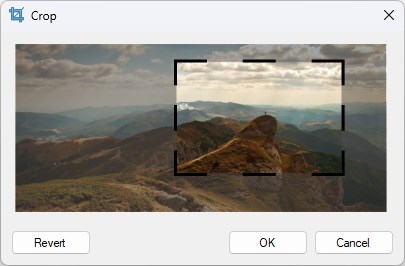
- Automatic Document Detection & Cropping: Unlike basic scanners that require manual adjustments, NAPS2 automatically detects document edges and crops them precisely, saving time and frustration.
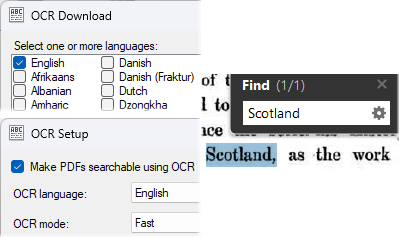
- Multiple Format Support & OCR Integration: It supports exporting scans to various formats such as PDF, PNG, TIFF, and JPEG, along with integrated OCR for converting scanned images into editable text—ideal for archiving or editing.
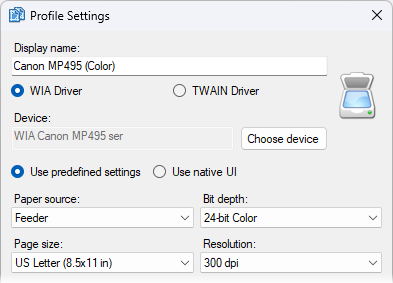
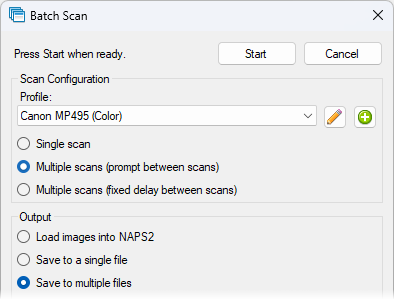
- Batch Scanning & Workflow Efficiency: Users can scan multiple pages in one session, reorder pages, and save profiles for repeated use, streamlining the document management process.
Unpacking the User Experience
Intuitive Interface & Seamless Operation
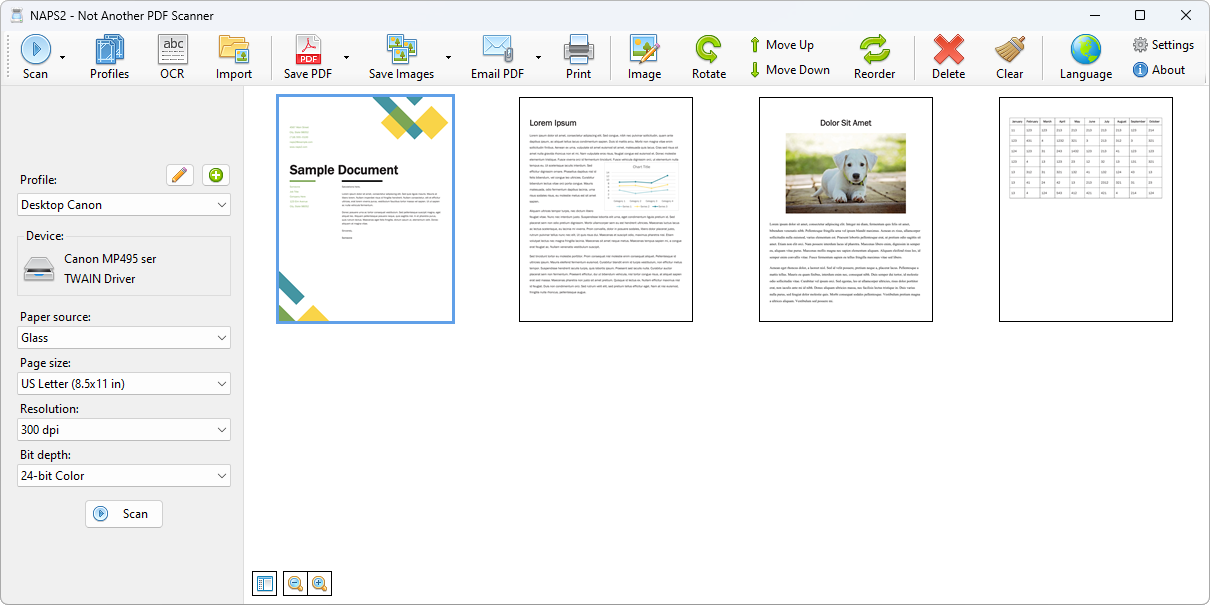
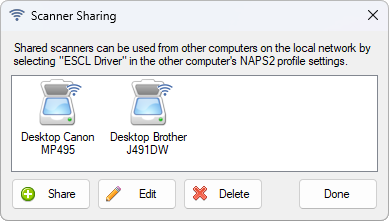
NAPS2's interface is reminiscent of a minimalist workspace—clean, uncluttered, and focused. It feels like stepping into a well-organized office rather than navigating an intimidating tech labyrinth. The layout is logical, with clearly labeled buttons for scanning, saving, and adjusting settings, making it easy even for newcomers to get started within minutes.
Scanning itself is a smooth process—click a button, select your scanner, and watch as the application effortlessly captures and processes your documents. The automatic edge detection and cropping work behind the scenes, allowing you to focus on the task rather than technical fiddling. The overall responsiveness feels swift and reliable, giving confidence that your work is in good hands.
Learning Curve & Ease of Use
For those familiar with basic scanner software, NAPS2's learning curve is gentle; the interface's simplicity means most features are accessible immediately. Even first-timers can learn the ropes quickly, thanks to clear icons and straightforward options. Advanced users can delve into customizable settings—such as resolution, color modes, and OCR language preferences—without feeling overwhelmed.
What Sets NAPS2 Apart?
Among the flood of scanner utilities, NAPS2 particularly distinguishes itself with its intelligent auto-cropping and powerful batch processing capabilities. While many free tools provide basic scanning, few manage to combine ease of use with such nuanced automation. Its open-source roots also offer a transparency and flexibility that proprietary solutions often lack, enabling enthusiasts to tailor the app to their needs or contribute enhancements.
Compared to integrated scanner software from hardware manufacturers, NAPS2's independence means you're not tied to a specific brand; it works seamlessly across various scanner models, offering a universal solution. Its support for multiple output formats and built-in OCR further empower users to transform physical documents into editable, shareable digital files effortlessly.
Recommendation & Usage Suggestions
If you're seeking a straightforward, reliable, and feature-rich scanning tool for Windows—whether for archiving bills, digitizing old photos, or managing professional documents—NAPS2 is a solid choice. It's particularly appealing for those who value automation, customizable workflows, and cross-device compatibility. For casual users or small office setups, it offers enough power without the complexity of professional-grade software.
While it may not boast the bells and whistles of paid counterparts, its core strengths lie in consistent performance and user-centric design. For best results, pair it with a decent scanner and take a little time to explore its customizable options to personalize your workflow.
In summary, NAPS2 stands out as a dependable, user-friendly, and versatile tool in the realm of Windows document scanners. Its intelligent auto-cropping and batch processing are particularly noteworthy—making it a worthy addition to any digital office toolkit. Give it a try; it might just redefine how you handle paper in this digital age.
Pros
- Intuitive interface
- Good image preprocessing
- Multiple document formats supported
- OCR functionality available
- Lightweight and fast
Cons
- Limited editing features
- Occasional scanning glitches
- Lack of cloud integration
- Inconsistent OCR accuracy
- Limited mobile support











