
- Category Utilities & tools
- Developer TeruTeku
- Available on PC
- OS Windows 10 version 17763.0 or higher
- Keyboard Integrated Keyboard
- Mouse Integrated Mouse
- Memory 8 GB
- languages English (United States)
Introducing PDF Deskew Tool v2 for Windows: Your Reliable PDF Alignment Companion
In the realm of document management, precision matters. PDF Deskew Tool v2 for Windows positions itself as a straightforward yet powerful utility designed to automatically straighten skewed PDFs, ensuring your documents look professional and are easier to work with. Developed by TeruTeku, this application offers a focused solution aimed at users who frequently handle scanned or image-based PDFs and seek seamless correction without the fuss of complex editing tools.
Core Features That Make a Difference
Automated PDF Deskewing at Your Fingertips
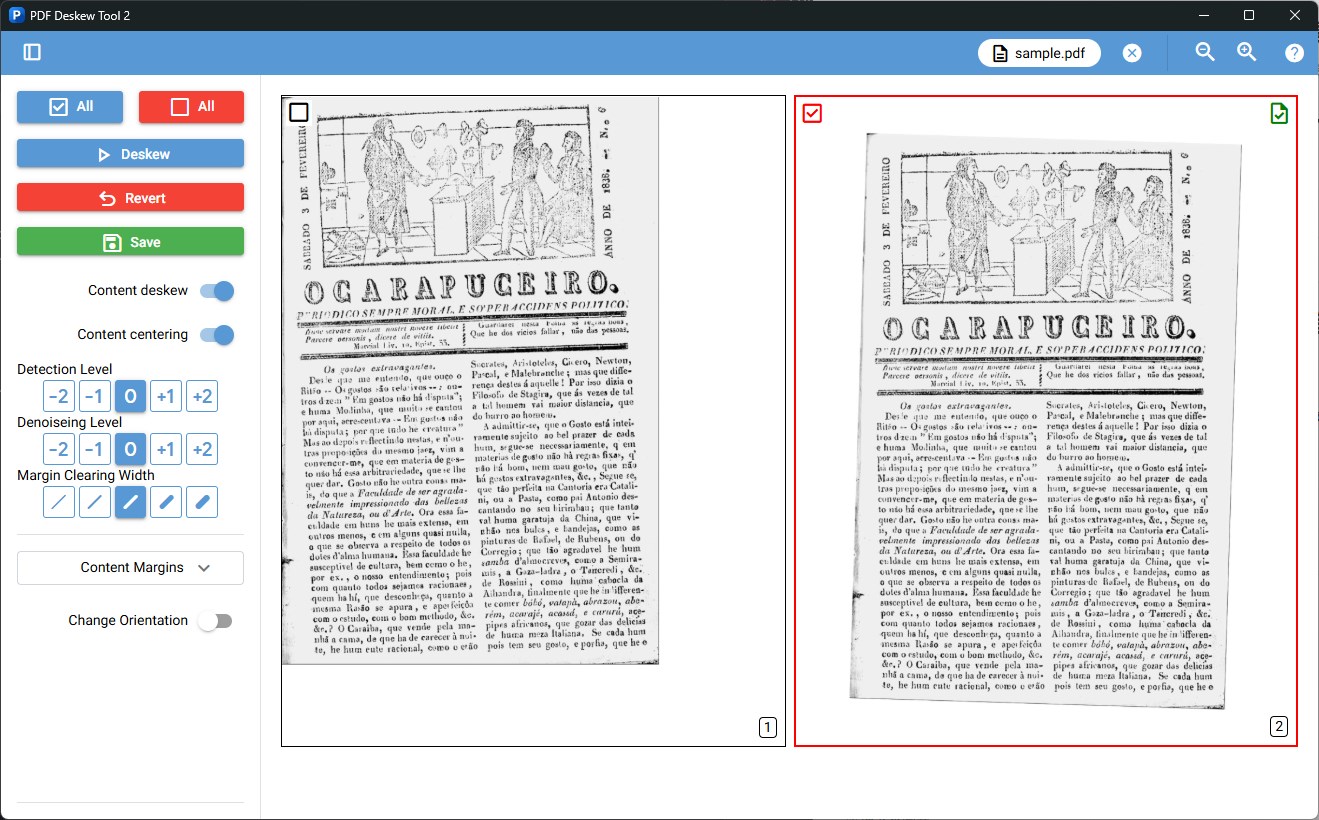
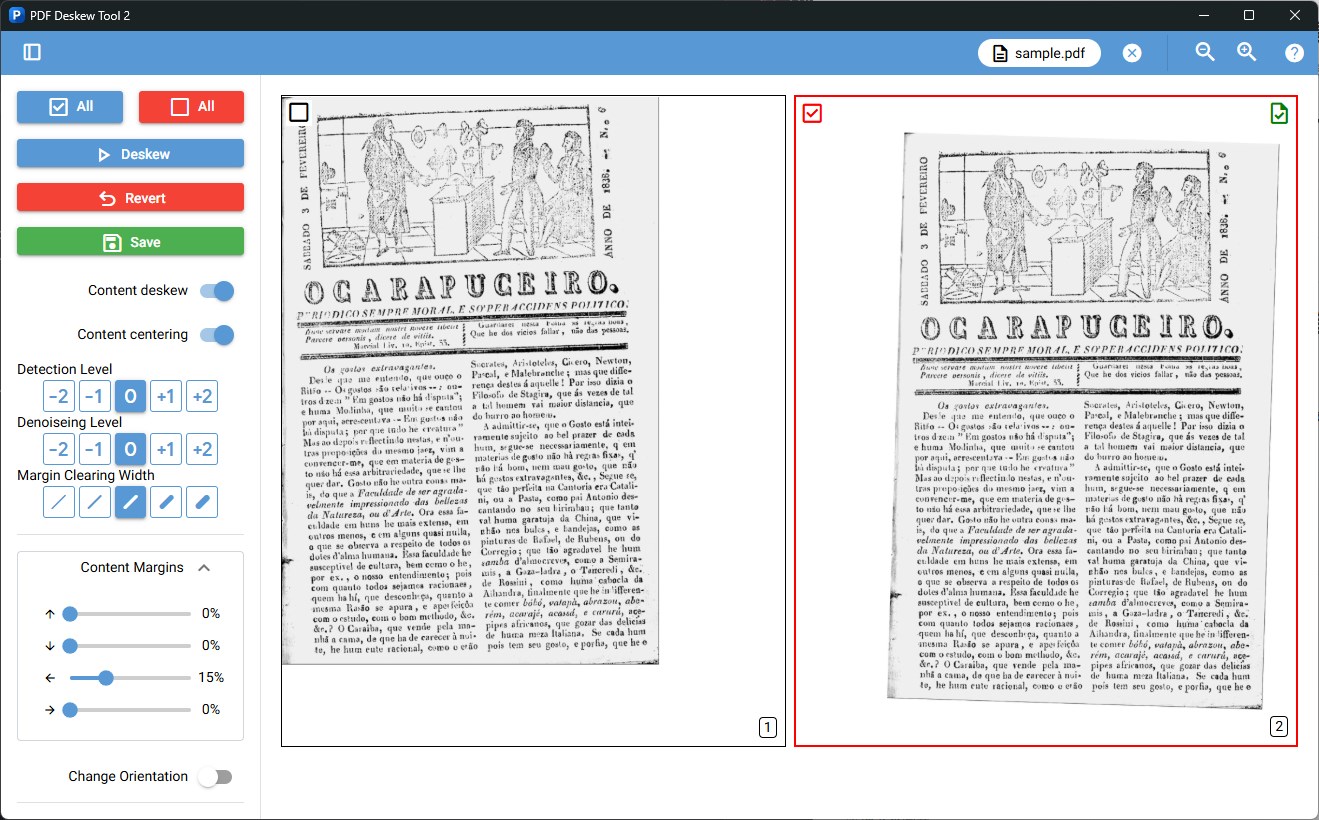
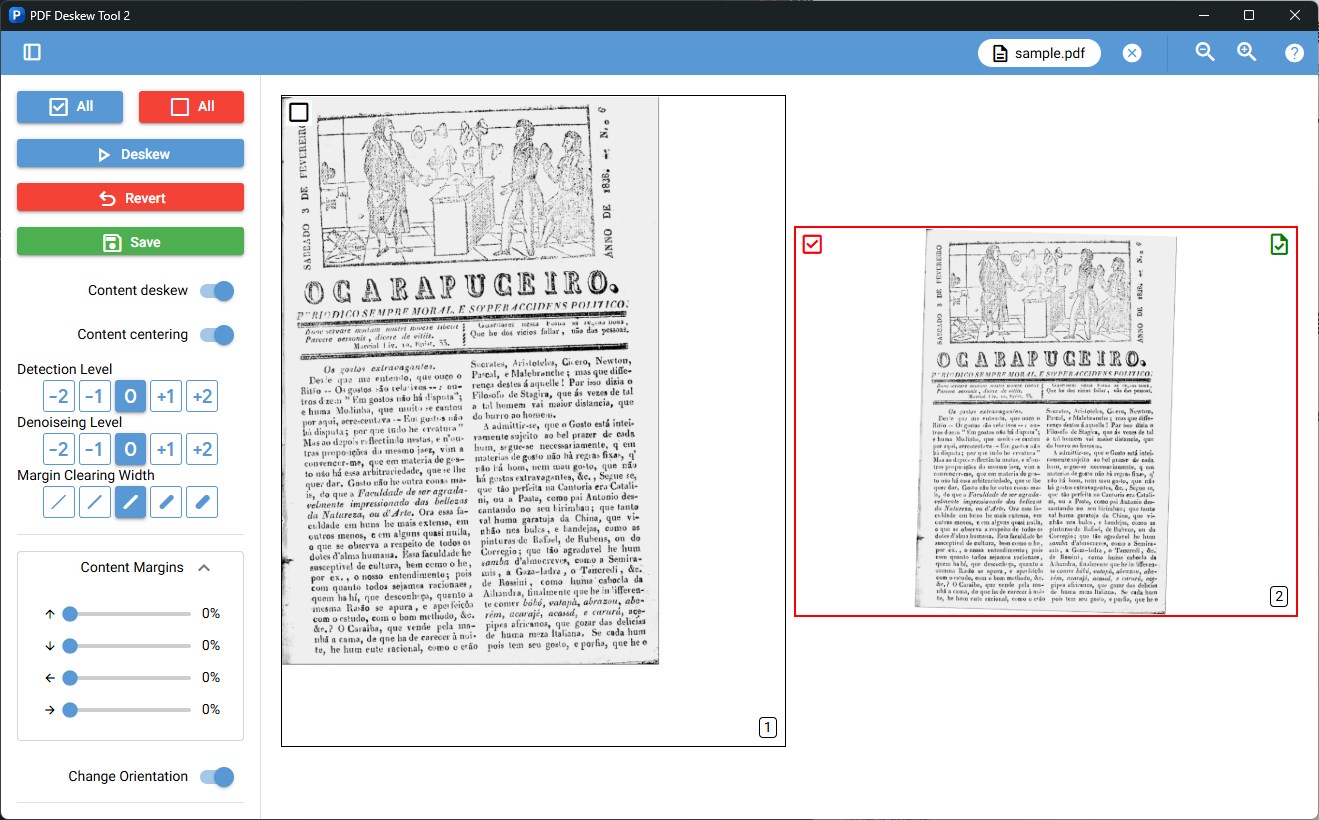
The highlight feature of PDF Deskew Tool v2 is its ability to automatically detect and correct skewed pages in PDFs. Imagine flipping through a book where some pages are crooked—this tool acts like a seasoned editor, instantly straightening pages so your documents are as neat as their printed counterparts. Its high accuracy ensures minimal manual adjustments needed after processing, saving valuable time.
Batch Processing for Efficiency
Handling multiple PDFs at once can be a chore, but this tool simplifies that task. With its batch processing capability, users can load several files and process them collectively. It's like having a team of meticulous assistants working behind the scenes to straighten each page uniformly—perfect for bulk document corrections, whether for archives, reports, or scanned records.
User-Friendly Interface & Smooth Operation
The application boasts a clean and intuitive interface that welcomes both tech-savvy users and beginners. Navigating through menus is a breeze, and the processing speed is impressive, allowing for quick turnaround times. The learning curve is gentle, with straightforward controls that don't require extensive tutorials—think of it as a helpful, friendly guide that makes the process feel effortless.
Design, Usability, and User Experience
The aesthetic of PDF Deskew Tool v2 leans towards simplicity and function over flashiness. Its layout is minimalistic yet logically organized, making navigation instinctive. Operation feels remarkably seamless—drag and drop your files, click to process, and watch as the application swiftly aligns your pages. Users report that it runs smoothly without lags or crashes, even with large PDFs. This stability and responsiveness contribute significantly to an enjoyable user experience, especially for those who need to process documents quickly and efficiently.What Sets It Apart from Similar Utilities & Tools?
While several PDF tools offer skew correction, PDF Deskew Tool v2 distinguishes itself through its dedicated focus on automation and batch processing. Unlike multi-purpose PDF editors that may include skew correction as just one of many features, this app zeroes in on delivering high-precision deskewing specifically tailored for scanned documents. Its use of advanced image analysis algorithms ensures optimal results that outpace many generic tools, making it particularly appealing to users dealing with bulk scanned documents or requiring quick turnaround times. Additionally, the straightforward interface means no steep learning curves—just straightforward functionality.
Final Recommendation and Usage Advice
Considering its specialized function, ease of use, and reliable performance, PDF Deskew Tool v2 is highly recommended for anyone dealing with scanned PDFs regularly—be it students, professionals, or archivists. For those who need a dedicated, no-fuss tool that simplifies the correction process without sacrificing accuracy, this app is a solid choice. However, if your workflow demands more comprehensive PDF editing features beyond deskewing, you might want to look into more feature-rich solutions. But for targeted deskewing, this tool excels and deserves a spot in your digital toolkit.
Pros
- User-Friendly Interface
- High Accuracy in Deskewing
- Fast Processing Speed
- Supports Batch Processing
- Lightweight and Low System Requirements
Cons
- Limited Editing Features
- Occasional Performance Glitches
- File Size Restrictions for Uploads
- Lack of Cloud Storage Integration
- Limited Output Format Options











