

- Category Utilities & tools
- Developer Allen Chan
- Available on PC
- OS Windows 10 version 19041.0 or higher
- Memory 4 GB
- Keyboard Not specified
- Mouse Not specified
- languages English (United States), French, German, Italian, Japanese, Polish, Russian, Spanish
An Elegant Utility for Windows: Pro Widgets for Widget Launcher
Pro Widgets for Widget Launcher by Allen Chan offers a streamlined way to customize and access your favorite tools directly from your desktop, transforming your Windows environment into a more personalized and efficient workspace.
Who's Behind the Magic?
Developed by Allen Chan and published under Chan Software Solutions, this app brings a user-centric approach to desktop customization, aiming to enhance productivity and aesthetic appeal with minimal fuss.
Top Features That Make It Stand Out
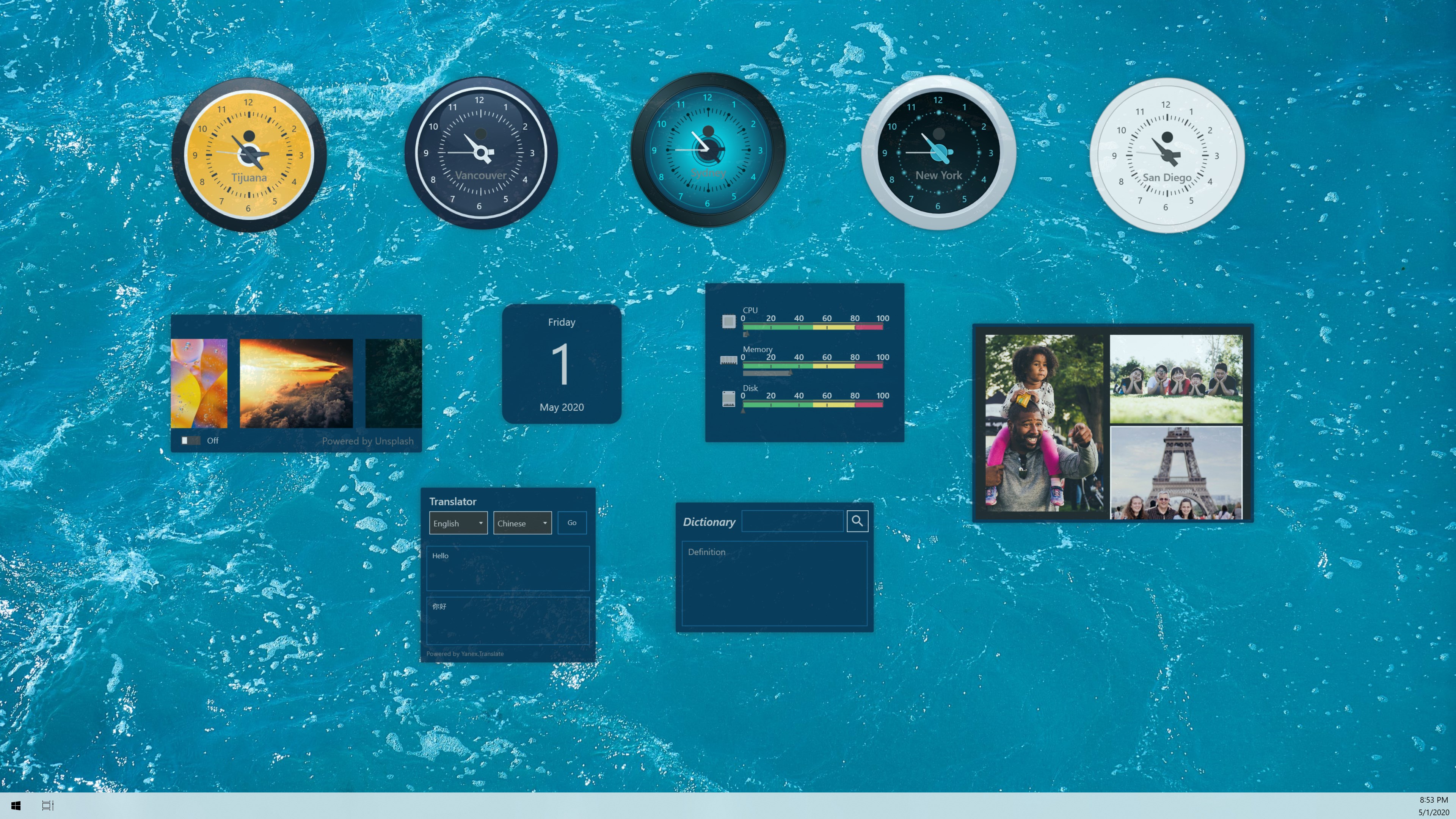
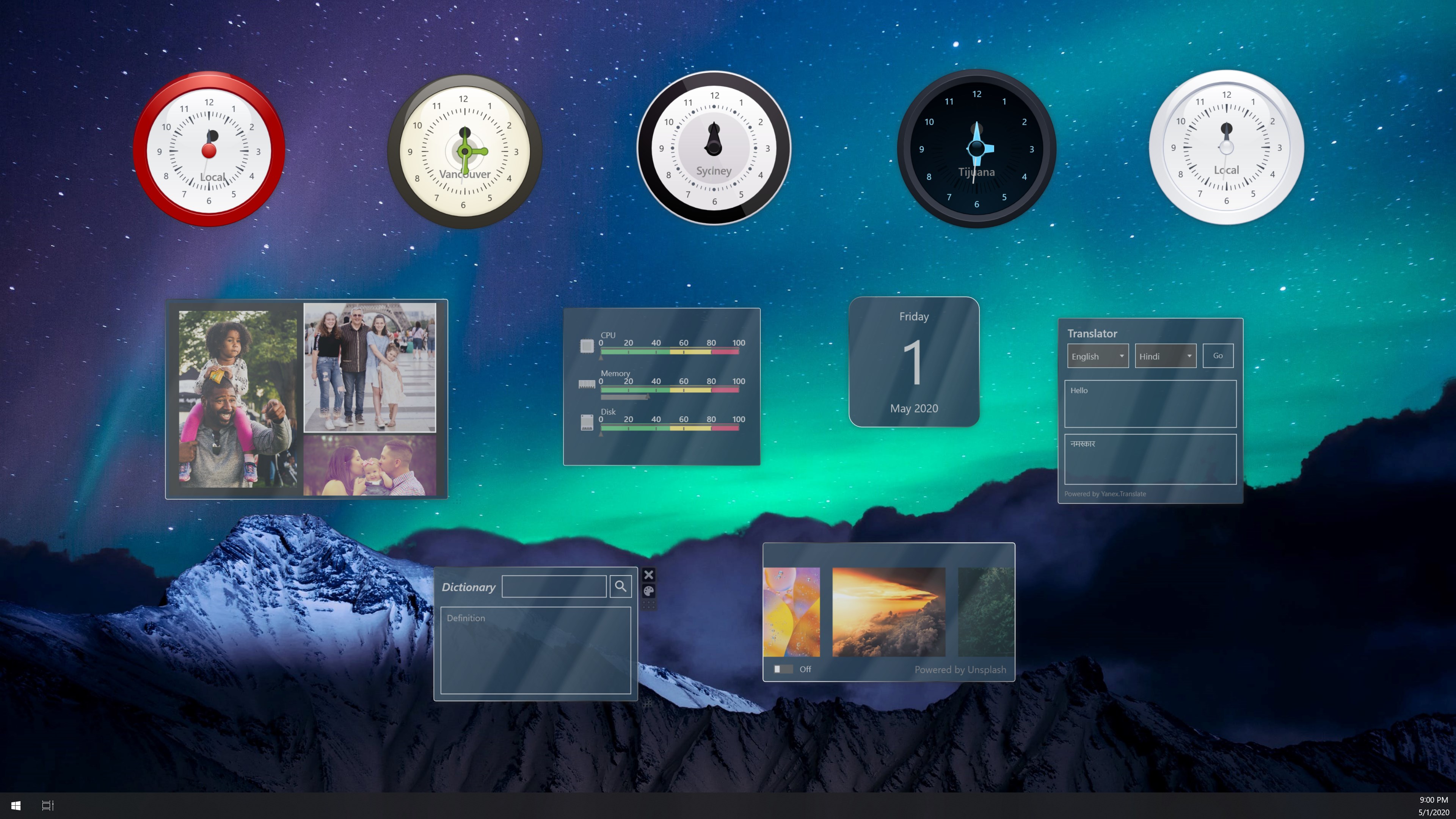
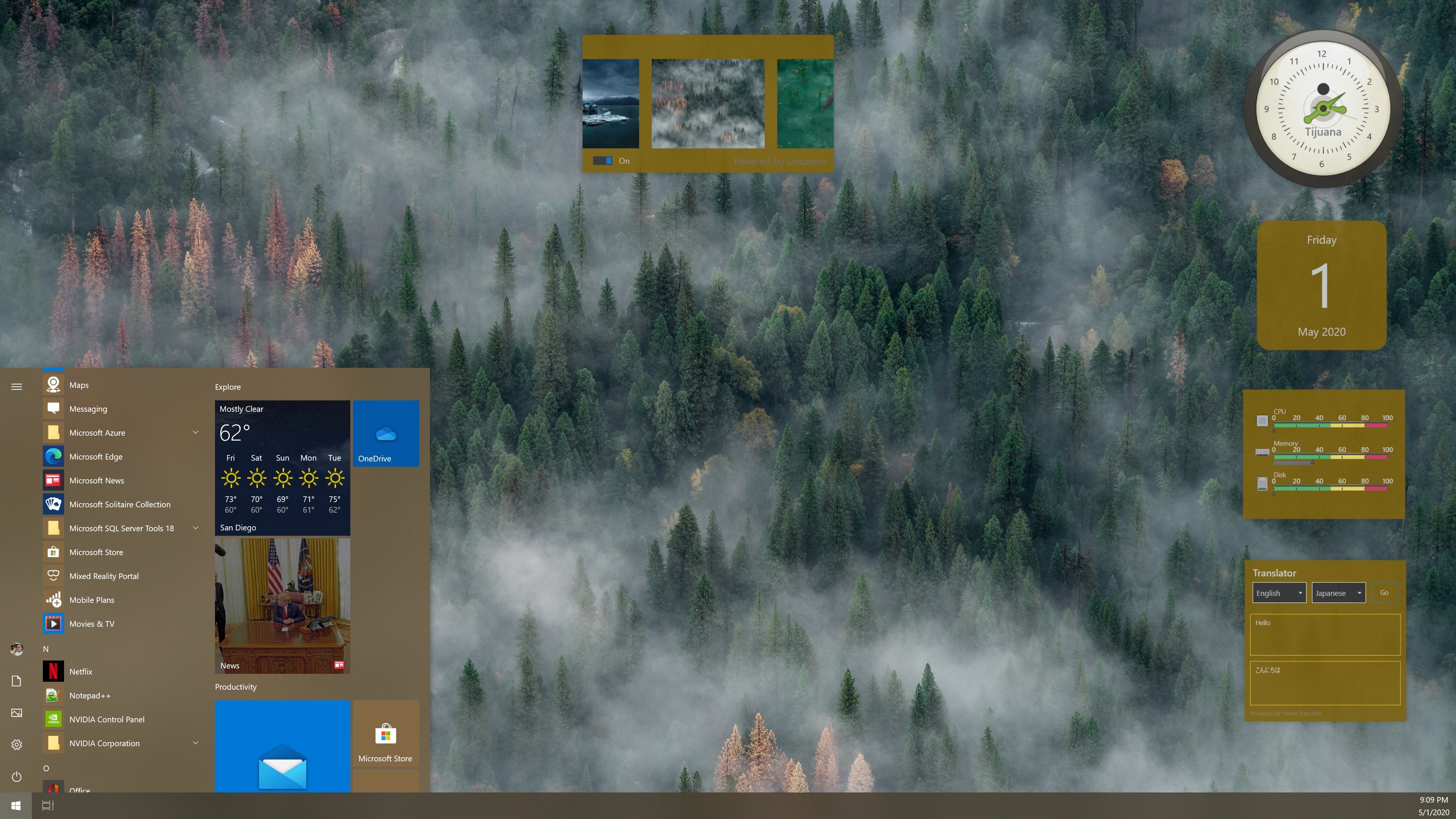
- Widget Customization & Organization: Easily create, customize, and organize widgets or shortcuts on your desktop, allowing swift access to apps, websites, or scripts.
- Intuitive Drag-and-Drop Interface: Simplify layout management through a smooth drag-and-drop system, making setup and adjustments child's play.
- Resizable & Dynamic Widgets: Widgets can be resized or dynamically updated, ensuring real-time information or quick access tools are just a glance away.
- Lightweight & Seamless Integration: This launcher integrates seamlessly with Windows, running quietly in the background without hogging system resources.
Immersive Evaluation: Making Your Desktop Work for You
Imagine walking into a kitchen where everything is precisely where you need it—spoons near the stove, spices within reach. Pro Widgets transforms your digital workspace into that meticulously organized kitchen, where every shortcut or info snippet is just a click away. Its lively, clean interface invites both casual users and productivity enthusiasts to craft their ideal desktop ecosystem. Navigating through its features feels like unfolding a well-structured map—learning curve is gentle but rewarding.
Design & User Experience
The app boasts a sleek, modern interface with intuitively placed controls. Its visual style is unobtrusive yet attractive, blending well with Windows aesthetics. The drag-and-drop functionality is notably smooth, allowing users to rearrange widgets effortlessly. Resizing and editing widgets is straightforward, requiring minimal clicks to get the perfect layout. Overall, the UI caters well to both novices and advanced users, making customization accessible without diving through convoluted menus.
Functionality & Core Features
First, its widget organization system is the app's crown jewel. Think of it as building your personal dashboard—dragging shortcuts for your favorite apps, live weather, or calendar appointments into configurable widgets. You can stack and arrange these elements intuitively, keeping your workspace clutter-free and tailored to your routines.
Second, the dynamic nature of the widgets is impressive. They can display live data (such as news feeds or system stats) that update automatically, acting like tiny dashboards that keep you informed. This real-time capability makes the app more than just a launcher—it's a productivity hub.
Moreover, the lightweight architecture ensures your system remains responsive. Unlike some bloated desktop organizers, Pro Widgets runs quietly in the background, having a negligible impact on performance, making it suitable even for modest configurations.
Unique Selling Points & Differentiation
Compared to similar utility applications, Pro Widgets' most compelling advantage is its combination of simplicity and customization. While many tools offer static shortcuts, this app's resizable, dynamic widgets create a living desktop experience. Its straightforward interface lowers the barrier for new users to create personalized setups quickly, avoiding the typical steep learning curve associated with advanced customization apps.
Additionally, its seamless Windows integration means it doesn't feel like an add-on but an integral part of your desktop experience. The ability to organize everything via drag-and-drop together with real-time updates sets it apart from more basic or cluttered launcher tools.
Final Thoughts: Is It Worth a Spot on Your Desktop?
If you're seeking a lightweight, customizable launcher that can adapt to your workflow without overcomplicating things, Pro Widgets for Widget Launcher deserves your attention. Its standout features—particularly the dynamic, resizable widgets and intuitive layout management—make it a compelling choice. For casual users wanting quick access points or power users aiming for a more organized workflow, this app offers a balanced, unobtrusive, and enjoyable experience.
Overall, I recommend giving it a try—especially if you're keen on personalizing your desktop environment with a tool that marries functionality with elegance. It isn't the most feature-heavy tool out there, but its focus on simplicity and smart design makes it a gem among Windows utilities.
Pros
- Intuitive widget customization
- Seamless integration with Windows
- Wide variety of widget options
- Low resource consumption
- Regular updates and bug fixes
Cons
- Limited widget customization options
- Occasional widget loading delays
- Compatibility issues with certain Windows versions
- Limited widget size options
- No advanced weather details











