
- Category Utilities & tools
- Developer Mohamed Elhadj Zouaouid
- Available on PC
- OS Windows 10 version 0.0 or higher
- languages English
Introducing PushToTalk for Windows: Your Voice Activation Companion
PushToTalk for Windows is an innovative utility designed to streamline your voice command experience by enabling quick and easy voice activation across various applications. Whether you're managing emails, browsing, or gaming, this app aims to bring a hands-free, efficient way to interact with your PC.
About the Developer and Core Features
Developed by Mohamed Elhadj Zouaouid and published via Zouaouid Tech, PushToTalk leverages a focused approach to voice activation. The main features that stand out include customizable hotkeys for voice activation, seamless integration with different applications, and adjustable sensitivity settings to accommodate diverse environments. Its primary goal is to enhance productivity and comfort for users who prefer voice commands over manual clicking.
Engaging and Intuitive Interface
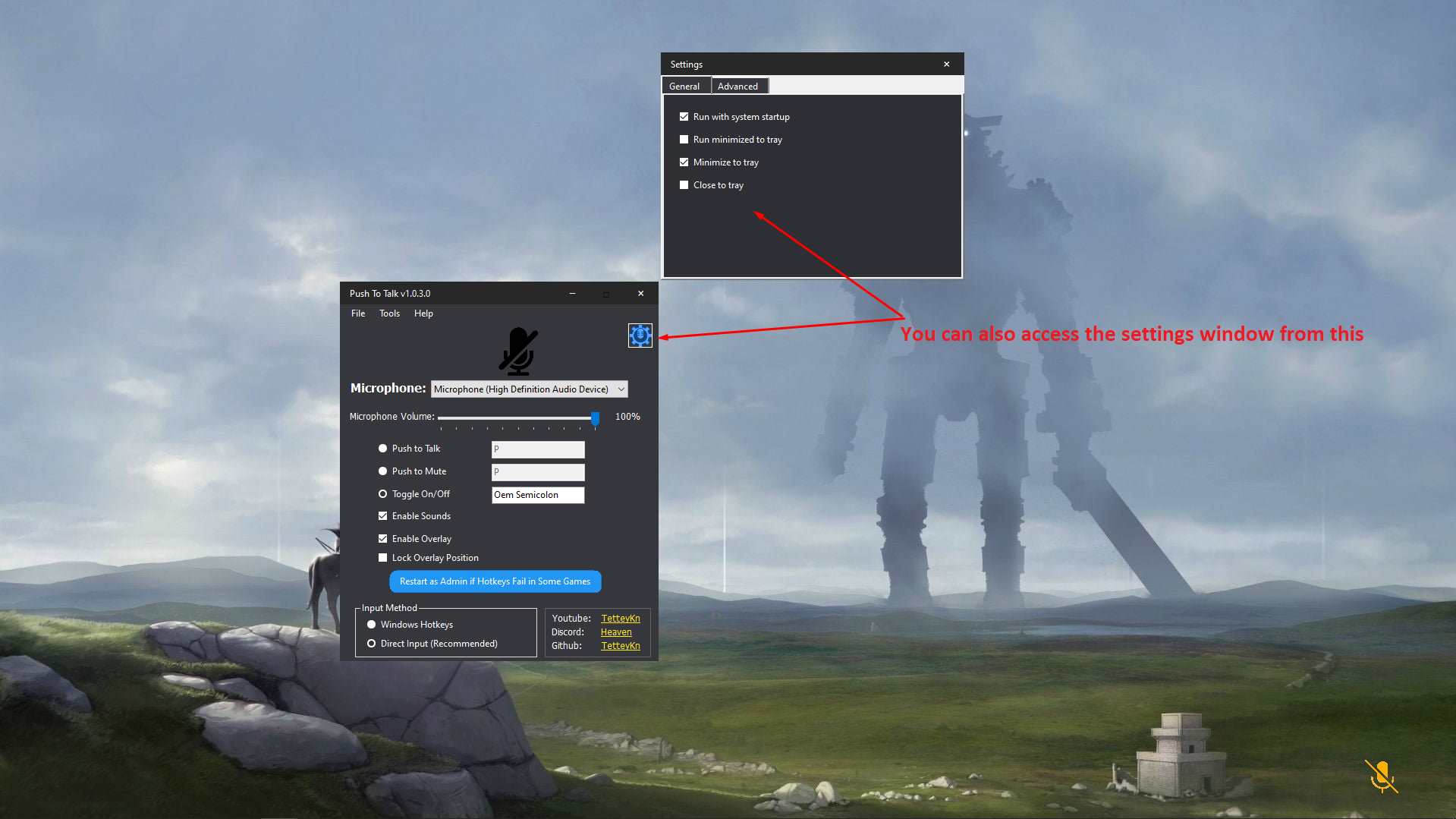
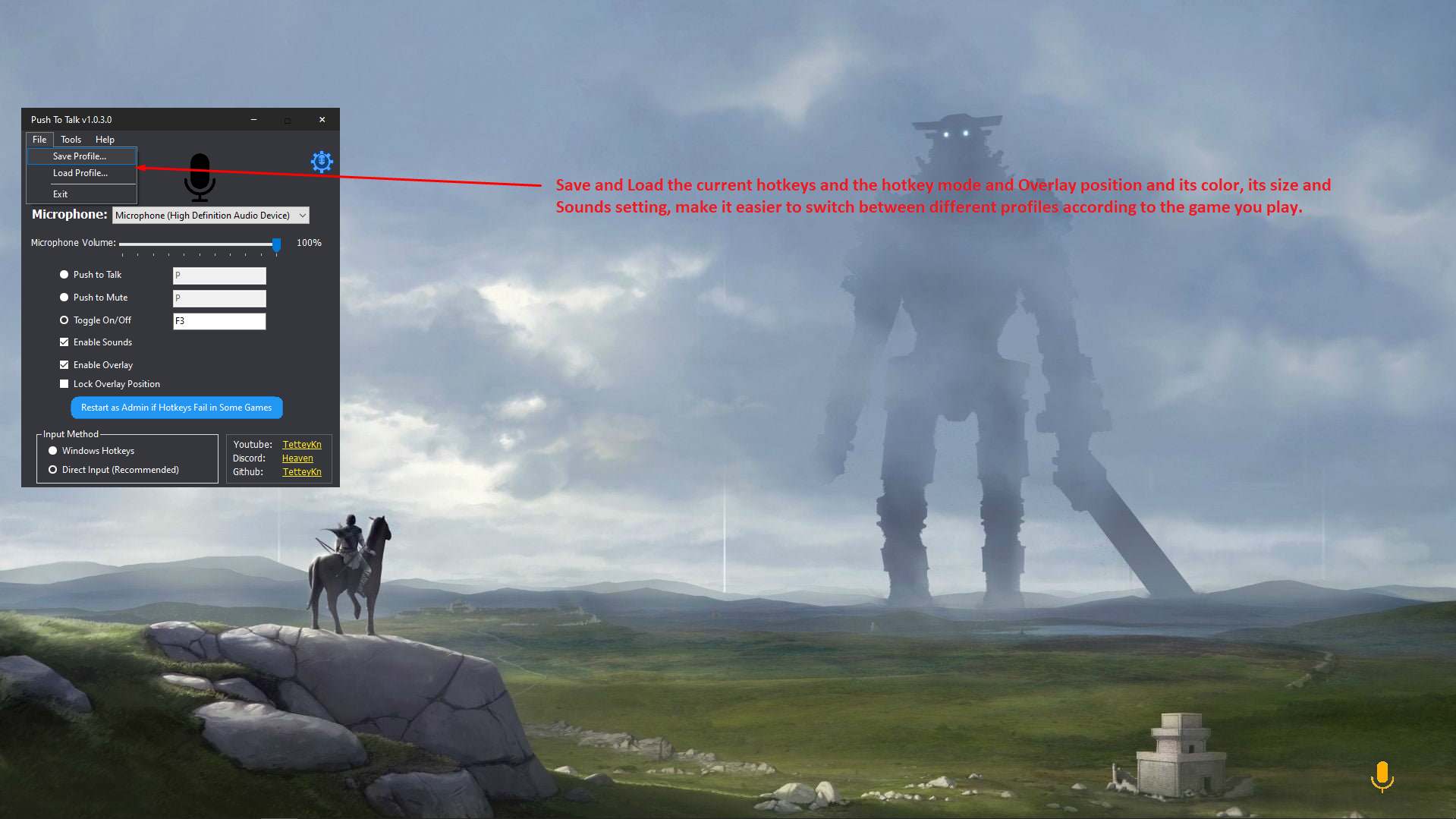
Right from the start, PushToTalk welcomes users with a clean and straightforward interface, akin to entering a well-organized control panel in a spaceship cockpit—everything in its place, ready for action. Navigating through its menus is effortless, whether you're tweaking sensitivity levels or selecting applications to integrate. The simplicity allows novices to pick up quickly, yet it hides enough depth for power users to fine-tune their experience.
Core Functionality Deep Dive
1. Custom Hotkey Activation: Hands-Free in a Tap
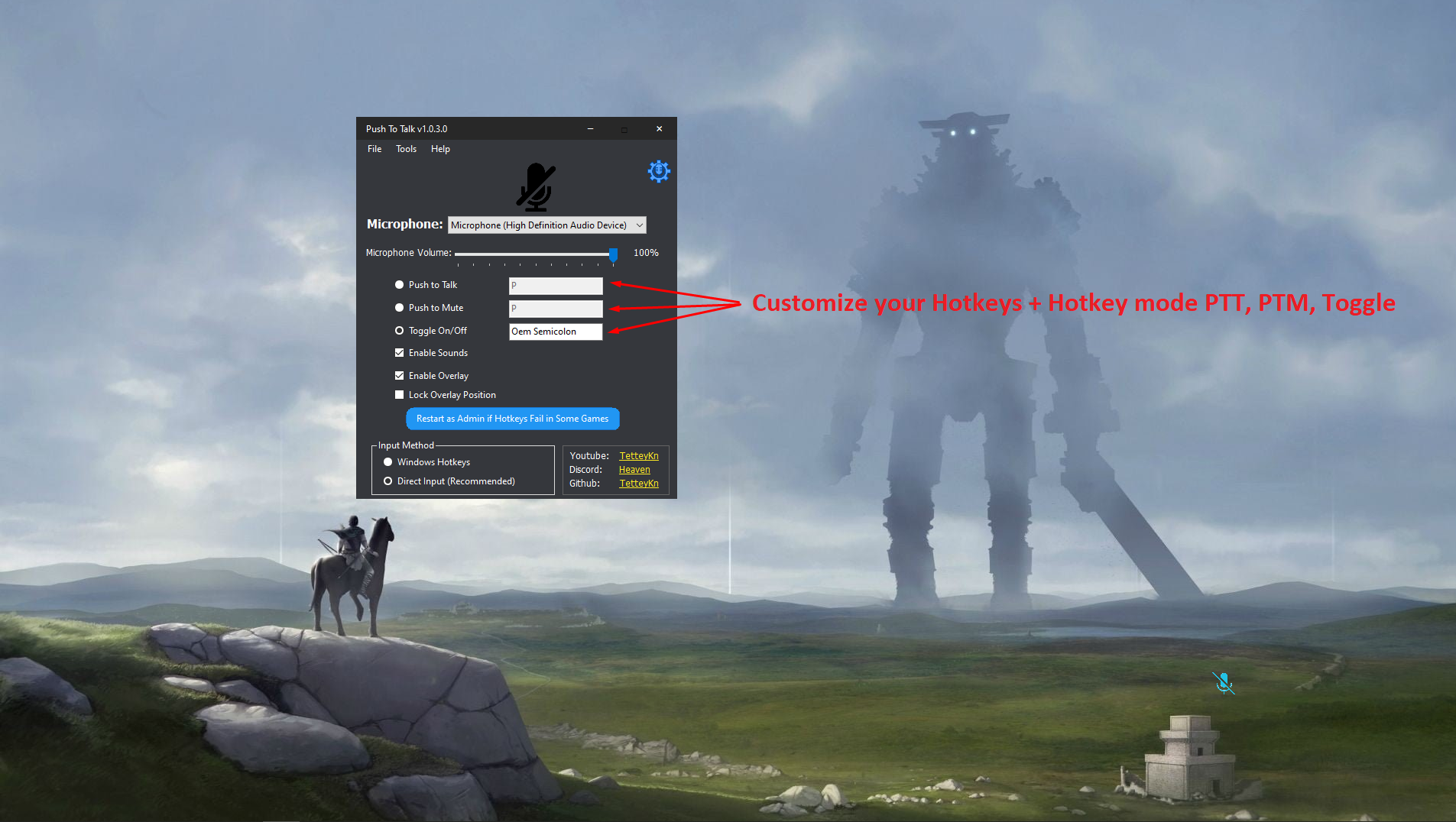
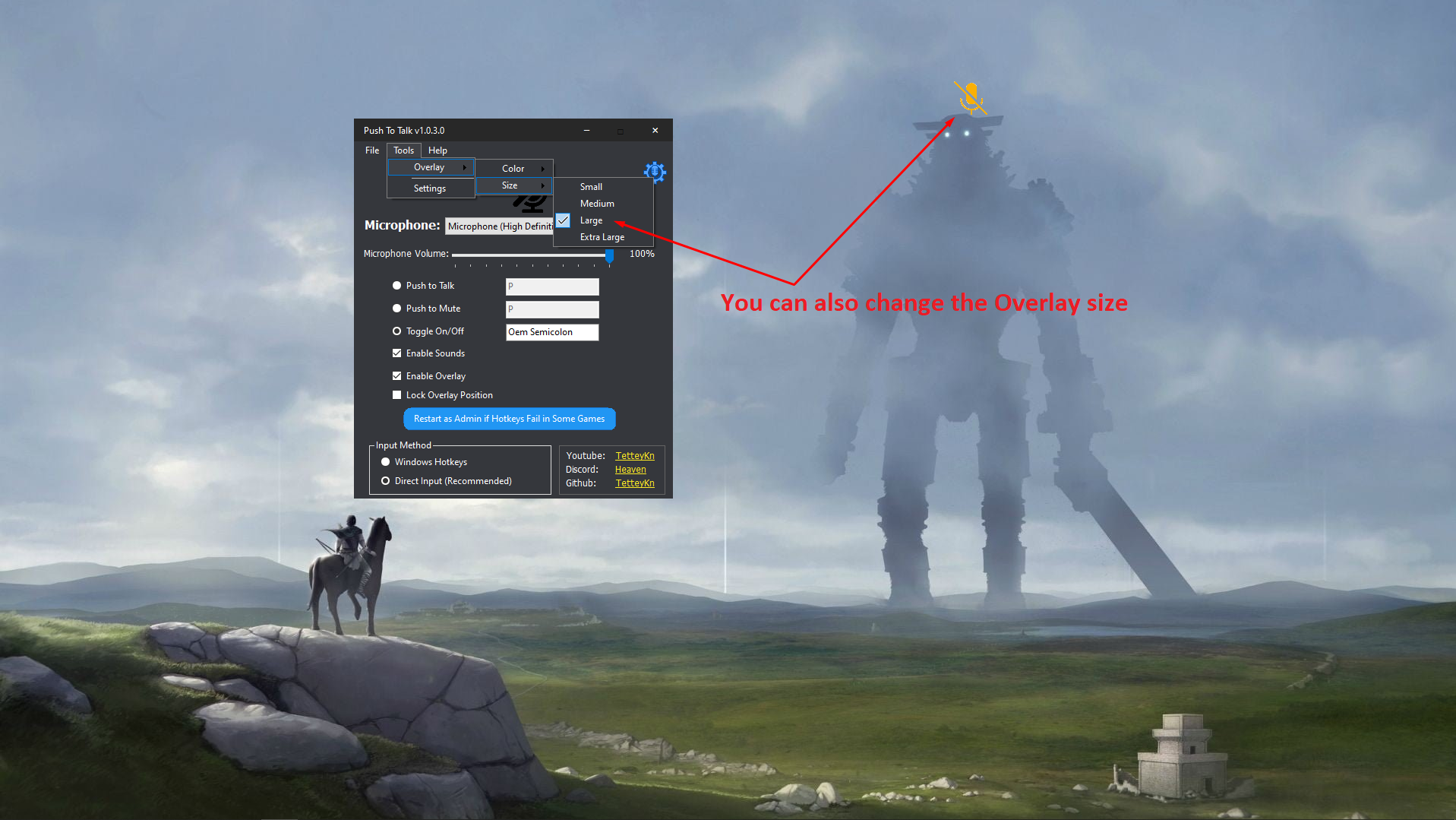
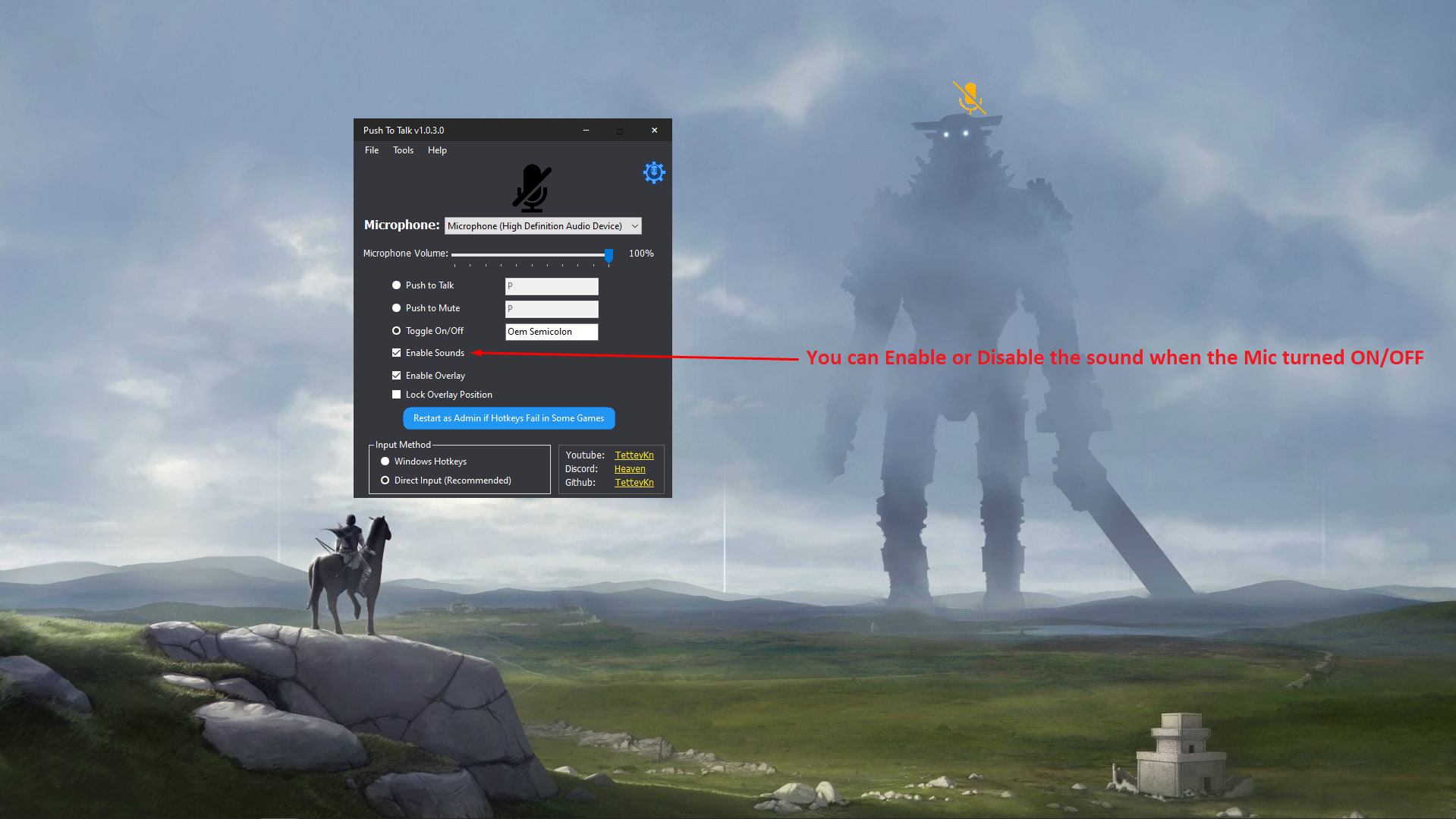
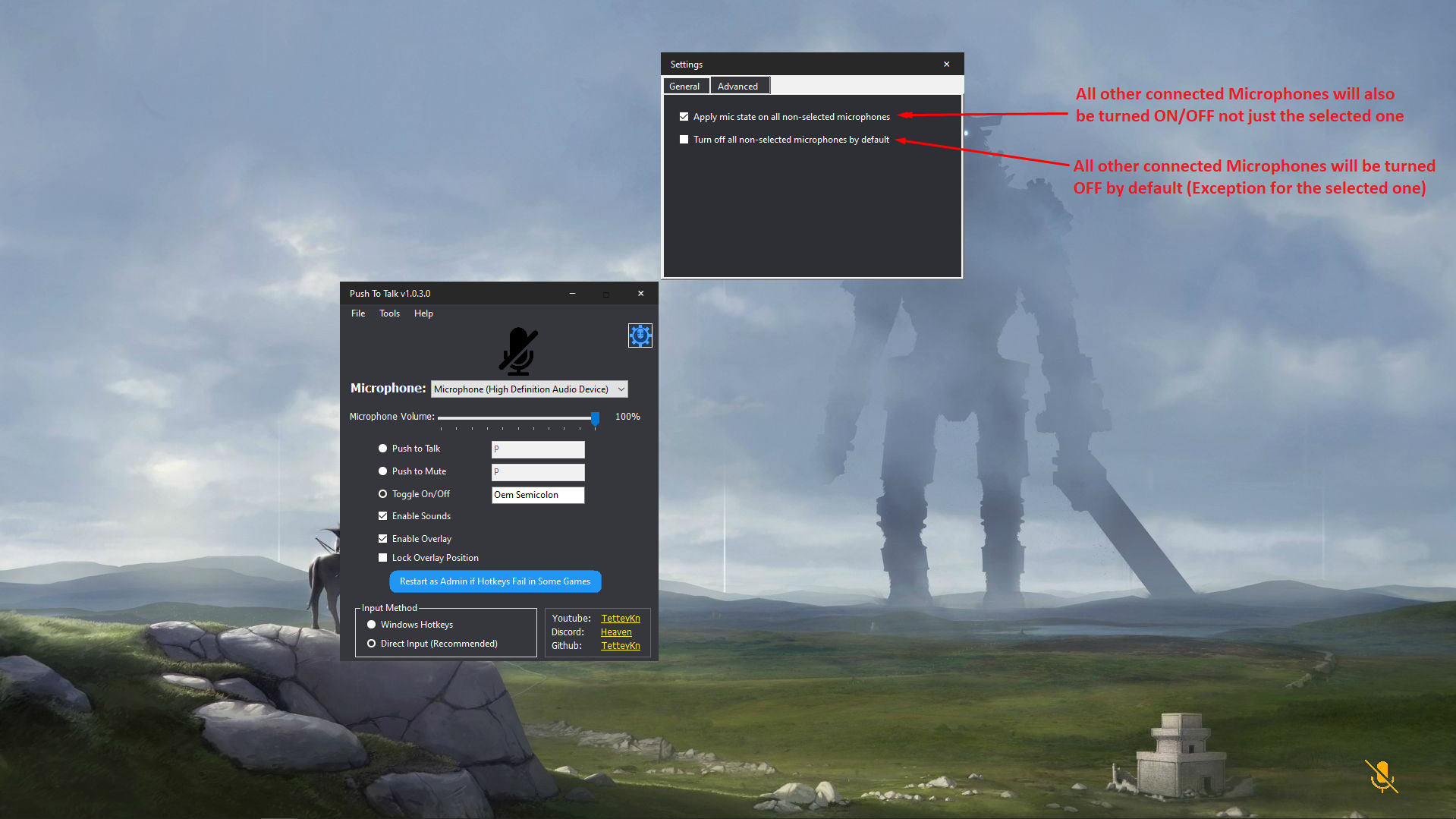
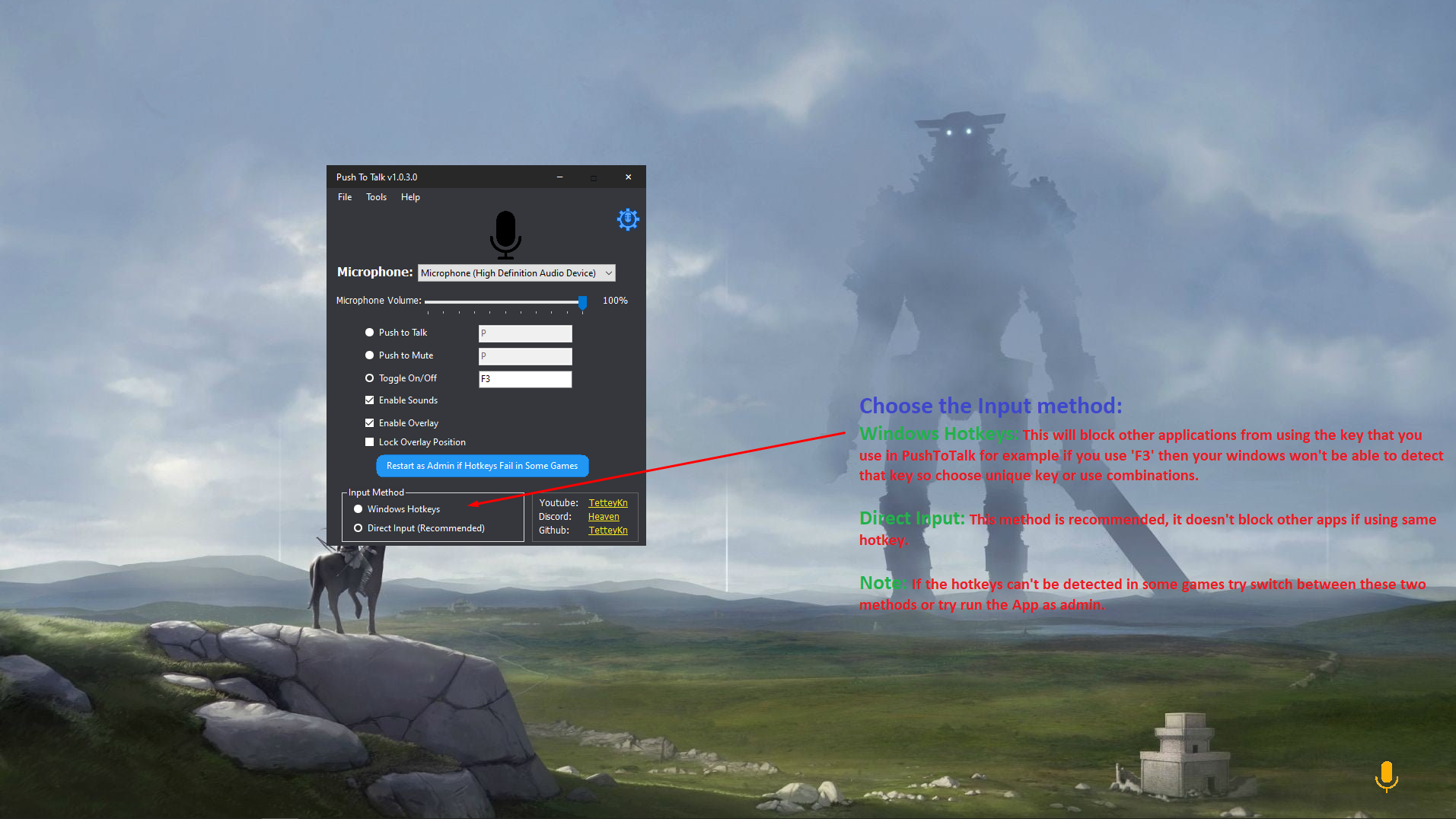
The app's standout feature is its ability to assign specific hotkeys or keys to toggle voice activation. Imagine being in a busy workspace or gaming session—simply pressing a button is all it takes to talk or mute, much like flipping a switch or pressing a doorbell. This customization ensures that users can adapt the app to their workflow or play style, creating a tailored voice command environment that feels natural and instinctive.
2. Multiple App Integration: Speaking to Your Digital World
PushToTalk doesn't limit itself to a single application. It supports integration with numerous programs—whether you're chatting in Skype, navigating through your documents, or controlling media players. Think of it as creating a personal voice-controlled universe, where each app is a planet you can communicate with effortlessly. This multi-app compatibility eliminates the need for multiple tools, consolidating voice control in one cohesive experience.
3. Sensitivity and Noise Management: Your Personal Soundscape Adjustment
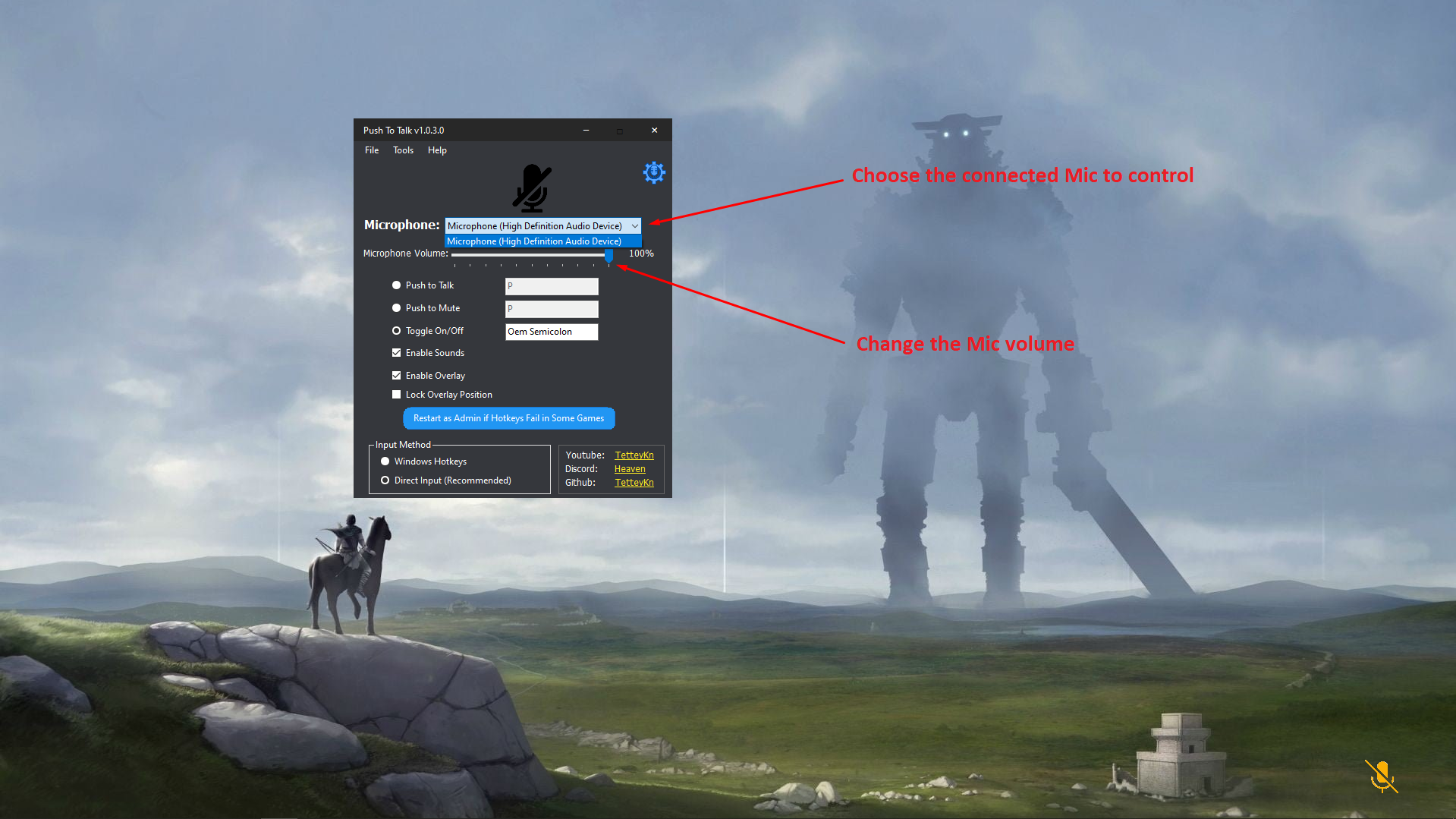
The app provides adjustable sensitivity and noise suppression settings, ensuring clarity whether you're in a quiet office or a bustling café. It's like having a personal sound engineer sitting next to you, fine-tuning your microphone input to distinguish your voice from background chatter. This adaptive feature allows for reliable command recognition, reducing frustration from misfires or missed commands.
User Experience and Differentiating Features
Using PushToTalk feels akin to turning on a trusted assistant: responsive, straightforward, and always ready. Its interface design emphasizes ease of use, guiding users through setup with minimal fuss. The activation process is smooth—pressing your designated hotkey instantly enables voice commands, and toggling back is just as effortless. The learning curve is gentle; even newcomers are likely to be functional within minutes, making it accessible for a wide range of users.
Compared to other utilities in the same space, PushToTalk's key distinguishing factor is its focus on robust customization coupled with seamless multi-application support. Unlike more generic voice tools that offer limited integration or require complex setups, this app provides a flexible yet straightforward approach—making it particularly attractive for users seeking a reliable, user-friendly voice activation tool.
Final Thoughts and Recommendations
All in all, PushToTalk for Windows earns a solid recommendation for anyone seeking an efficient voice activation tool that's easy to set up and customize. It's especially suitable for professionals who want quick, hands-free control without the hassle of complicated software. While it may lack some advanced AI-driven features found in more comprehensive voice assistants, its simplicity and focus on core functionalities make it a standout in its niche.
If you're looking to enhance your workflow, reduce repetitive mouse or keyboard actions, or just want a more intuitive way of interacting with your computer, PushToTalk can be a worthwhile addition to your toolkit. Just remember, like any tool, it performs best when tailored to your specific needs—so spend a little time customizing the hotkeys and sensitivity settings for optimal results.
Pros
- Intuitive Voice Activation
- Cross-Device Compatibility
- Clear Audio Quality
- Customizable Settings
- Lightweight and User-Friendly Interface
Cons
- Limited Free Features
- Occasional Connectivity Issues
- Limited Language Support
- Lack of Integration with Other Communication Tools
- Basic Customization Options











