

- Category Utilities & tools
- Available on PC
- OS Windows 10 version 0.0 or higher
- Keyboard Integrated Keyboard
- Mouse Integrated Mouse
- languages English
Introduction to PuTTY for Windows: A Classic SSH and Telnet Client
PuTTY for Windows is a widely-used open-source terminal emulator designed primarily for secure remote access via SSH, Telnet, and other protocols. It serves as a reliable gateway for system administrators, developers, and tech enthusiasts needing a straightforward tool to connect with servers and network devices. Since its inception by Simon Tatham, the application has become a staple in the remote management toolkit, appreciated for its simplicity, stability, and extensive protocol support.
Key Features that Stand Out
Among the myriad features PuTTY offers, a few stand out for their utility and robustness:
- Multiple Protocol Support: Supports SSH, Telnet, rlogin, RAW, and serial connections, making it versatile for different network environments.
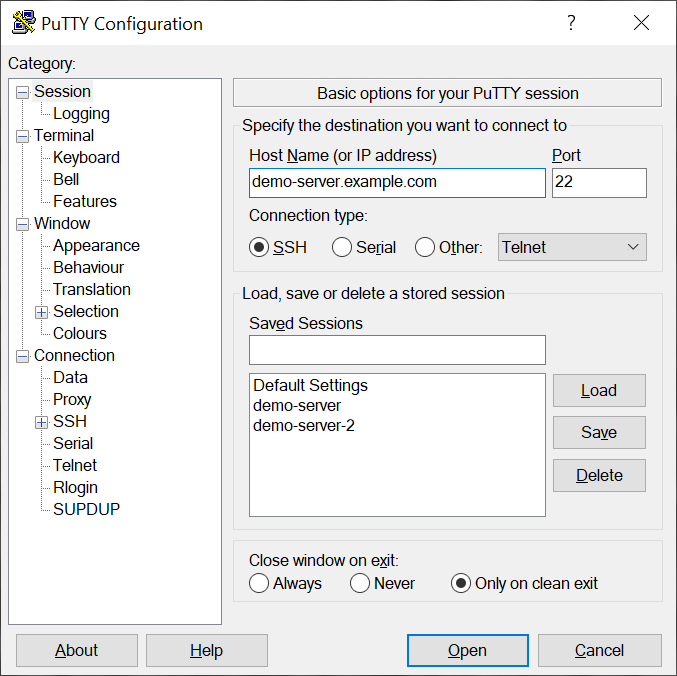
- Session Management and Saving Configurations: Allows users to save session profiles with customized settings, streamlining repeated connections.
- Customizable Interface and Key Mappings: Offers comprehensive options to tweak appearance, toggle features, and personalize keybindings, enhancing user comfort.
- Lightweight and Portable: Its small footprint ensures quick launch times and easy portability without installation hassles.
Engaging Launch: A Practical Companion for Tech Explorers
Connecting to a remote server should feel as effortless as a chat with a friendly neighbor, yet many tools burden users with complex interfaces or sluggish responses. PuTTY strips down the technical clutter, offering a no-nonsense interface that makes remote management accessible without sacrificing power. Whether you're managing a Linux server from a Windows machine or configuring network devices, PuTTY feels like an old friend—reliable, familiar, and always ready to lend a hand.
Core Functionality Deep Dive: Protocol Support & Session Customization
The heart of PuTTY lies in its diverse protocol support. Its SSH implementation ensures encrypted, secure connections—crucial for safe data transfer—while Telnet and Rlogin options cater to legacy systems or specific network configurations. Setting up sessions is straightforward: users can name their profiles, set hostnames or IP addresses, and customize port numbers and connection options with just a few clicks. The ability to save multiple profiles means you can switch between different servers or devices seamlessly, without repeating tedious setup steps—much like keeping a well-organized toolkit at your fingertips.
Design, Usability, and User Experience
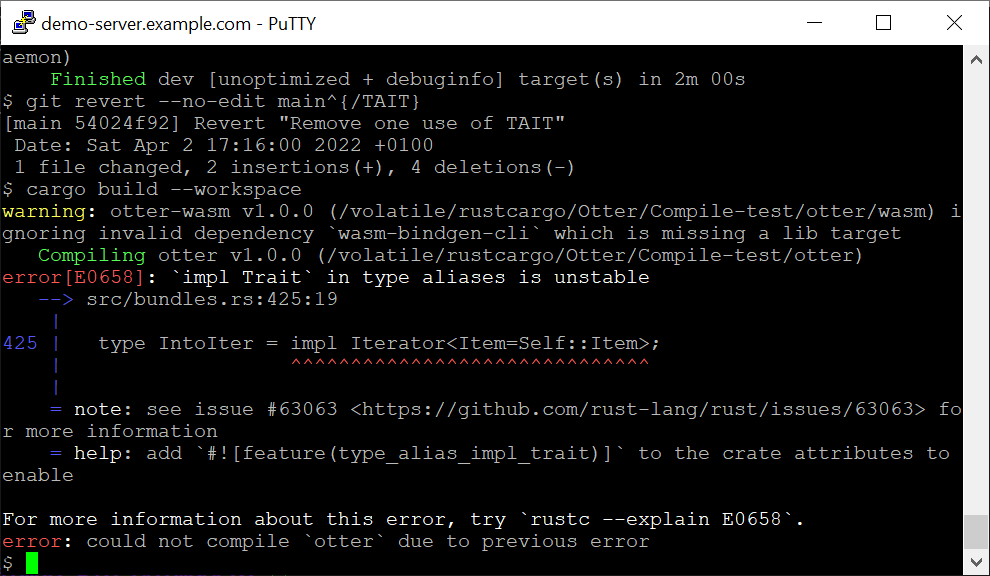
PuTTY's interface is minimalistic, resembling an early desktop utility with a focus on function over form. While it lacks modern aesthetics, its straightforward layout ensures no time is wasted hunting for options. The learning curve is gentle; seasoned sysadmins pick it up instantly, and even beginners find the essential features accessible after a brief exploration. Power users can delve into advanced configurations—like setting custom terminal fonts, colors, or keyboard shortcuts—to optimize their workflow. Performance-wise, PuTTY operates smoothly and responsively, even during prolonged sessions or when managing multiple connections simultaneously.
What Makes PuTTY Unique? The Open-Source Edge & Protocol Versatility
Compared to newer, more polished remote clients, PuTTY's greatest advantage is its open-source heritage combined with broad protocol compatibility. Its transparent codebase allows the community to adapt and improve upon it, ensuring longevity and security. Moreover, its support for serial communication is a powerful, often-overlooked feature—for instance, when configuring physical network hardware or IoT devices—giving it an edge over many modern SSH-only clients. Additionally, its lightweight design means it can run on nearly any Windows environment, from high-end workstations to obsolete machines, ensuring accessibility for all users.
Final Thoughts and Recommendations
PuTTY for Windows remains a quintessential tool in the network administrator's arsenal. Its simplicity, coupled with potent features like session management and protocol support, makes it an ideal choice for users who prioritize reliability and straightforwardness over visual flair. While it may lack some of the modern aesthetics of more recent tools, its proven stability and versatility are invaluable.
Based on its performance, I confidently recommend PuTTY for professionals and enthusiasts who need a dependable, no-frills remote connection client. For those seeking a lightweight utility that handles a wide range of protocols and configurations without fuss, PuTTY remains an excellent, timeless option. Whether managing servers at midnight or configuring network gear on the go, PuTTY stands ready as an unpretentious yet powerful ally.
Pros
- Lightweight and fast
- Supports multiple protocols
- Highly customizable
- Open-source and free
- Stable connection
Cons
- Outdated interface
- Limited native scripting
- No multi-tab support
- Basic file transfer options
- Limited modern security features











