

- Category Utilities & tools
- Developer Matthias Duyck
- Available on PC, Mobile, Surface Hub, HoloLens
- OS Windows 10 version 18362.0 or higher
- Mouse Integrated Mouse
- languages English (United States)
A User-Friendly QR Code Scanner with a Clever Twist
Looking for a straightforward way to scan and decode QR codes on your Windows device? QR Code Scanner PRO, developed by Matthias Duyck, steps up as a reliable tool that combines simplicity with impressive functionality. Whether you're scanning QR codes from paper, screens, or images, this app aims to make the process quick, seamless, and accurate—kind of like having a knowledgeable assistant sitting right on your desktop ready to unlock the information embedded within any QR code.
Key Features That Make It Stand Out
The app's main strengths lie in its intuitive scanning process, versatility, and focus on user experience. It supports real-time scanning through your device's camera, can decode QR codes from saved images, and even provides options to copy or share the decoded information instantly. Its developers have crafted these features to cater to both casual users and professionals needing a dependable QR code utility.
Real-Time Scanning: Capture and Decode Instantly
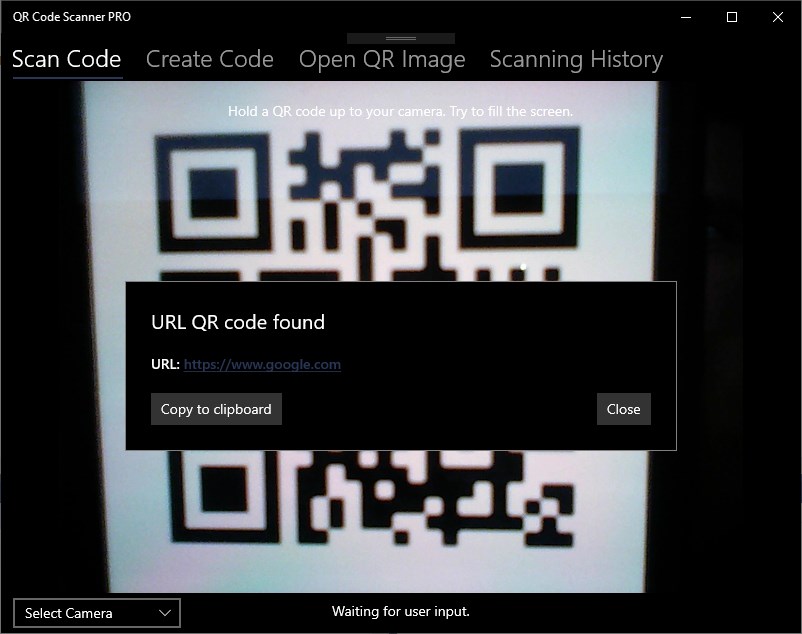
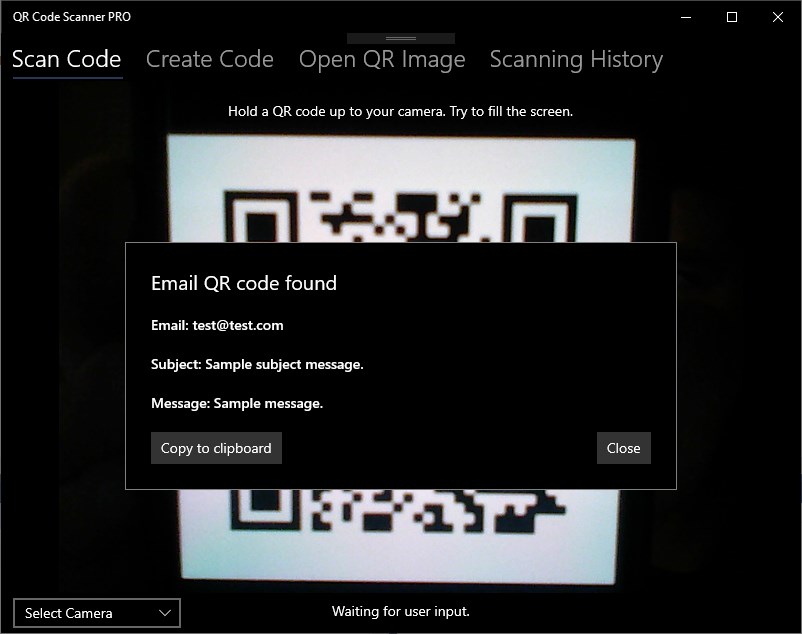
One of QR Code Scanner PRO's core highlights is its smooth real-time scanning feature. Imagine holding a QR code up to your screen or camera and watching the app swiftly analyze and present the decoded data—all within seconds. The interface is clean and clutter-free, acting like a smart companion that doesn't distract but efficiently handles the technical magic behind the scenes. This feature is especially useful in scenarios like checking product codes, scanning event tickets, or verifying Wi-Fi credentials on the fly.
Decode Images and Share Results Effortlessly
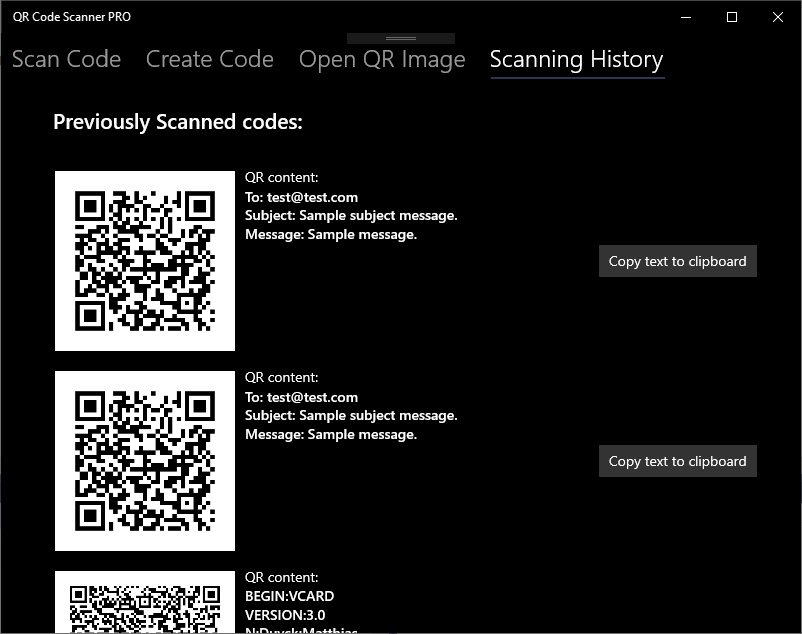
This application doesn't limit itself to live scans; it also excels at decoding QR codes from stored images. Simply upload a screenshot or saved QR image, and the app will do the hard work for you. Once decoded, you're presented with options to copy the information to your clipboard, open links directly, or share the results via email or messaging apps—saving time and reducing manual effort. This multi-modal approach ensures you're covered whether scanning from physical code or digital images.
Design, Usability, and Overall Experience
The user interface mirrors a modern, minimalistic aesthetic—think of it as a sleek dashboard that gets the job done without unnecessary clutter. The controls are straightforward, with clear buttons for scanning and loading images, making the learning curve nearly invisible. Responsiveness is another plus; the app responds swiftly to user input, making the scanning experience fluid and frustration-free. For new users, navigating the app feels like learning to ride a bike with training wheels—intuitive, accessible, and rewarding from the first use.
What Sets It Apart from Similar Utilities & Tools?
While several QR code scanners exist on Windows, QR Code Scanner PRO distinguishes itself with its focus on versatility and speed. Unlike many free alternatives that might beg for internet access or have ads, this app provides a clean, offline-friendly environment. Its ability to decode from both live camera input and saved images provides greater flexibility—think of it as a Swiss Army knife for QR codes. Furthermore, its minimalistic design paired with quick processing times makes it a dependable choice for both casual users and professionals requiring fast, accurate results without fuss.
Final Thoughts & Recommendations
Overall, QR Code Scanner PRO is a solid addition to your Windows toolkit, especially if you frequently deal with QR codes in various formats. Its key advantage—the seamless switch between camera scanning and image decoding along with a user-centric interface—makes it a standout. I'd recommend it to anyone seeking a straightforward, reliable QR code utility that doesn't drown you in unnecessary features or complicated settings. Whether you're scanning QR codes related to business, education, or everyday life, this app is worth a try—think of it as your pocket-sized decoding partner, silently making the intricate simple and the complex straightforward.
Pros
- Fast and accurate scanning
- User-friendly interface
- Supports multiple code formats
- No internet required for scanning
- Instantly opens links and saves data
Cons
- Limited editing features after scan
- Occasional misreads in poor lighting
- Basic UI lacks customization options
- Ads occasionally disrupt user experience
- Limited support for batch scanning











