
- Category Utilities & tools
- Available on PC
- OS Windows 10 version 19041.0 or higher
- languages Albanian, Arabic, Armenian, Assamese, Azerbaijani (Latin), Bangla, Bangla (Bangladesh), Bangla (India), Basque, Belarusian, Bosnian (Latin), Bulgarian, Catalan, Chinese (Simplified) (China), Chinese (Traditional), Chinese (Traditional, Hong Kong SAR), Croatian, Czech, Danish, Dutch, English, English (Canada), English (Philippines), English (United States), Estonian, Finnish, French, French (Canada), Galician, Georgian, German, Greek, Gujarati, Hindi, Hungarian, Icelandic, Indonesian, Irish, Italian, Japanese, Kannada, Kazakh, Khmer, Korean, Korean , Kyrgyz (Cyrillic), Latvian, Lithuanian, lo, Macedonian, Malay, Malayalam, Marathi, Mongolian (Cyrillic), Nepali, Norwegian (Bokmål), Odia, Persian/Farsi, Polish, Portuguese (Brazil), Portuguese (Portugal), Punjabi (India), Romanian, Russian, Serbian (Latin, Serbia), Sinhala, Slovak, Slovenian, Spanish (Argentina), Spanish (Chile), Spanish (Latin America), Spanish (Mexico), Spanish (Paraguay), Spanish (Spain), Spanish (United States), Spanish (Uruguay), Swedish, Tamil, Telugu, Thai, Turkish, Ukrainian, Urdu, Uyghur (Arabic), Uzbek (Latin), Vietnamese
Introducing Quick Share for Windows: Samsung's Seamless File Sharing Solution
Quick Share for Windows is a thoughtfully designed application that aims to streamline the process of sharing files between your Samsung devices and Windows PC, making data transfer quick, intuitive, and effortless.
Developed by Samsung Electronics Co., Ltd.
This app is crafted by Samsung, leveraging its hardware expertise to provide a cohesive ecosystem experience for users across multiple devices.
Key Features That Shine
- Cross-Device Sharing: Enables instant transfer of photos, videos, documents, and more between Samsung smartphones and Windows computers without the need for cables or complicated setups.
- Wi-Fi Direct Connectivity: Utilizes Wi-Fi Direct technology for fast, direct data exchanges, bypassing slow Bluetooth transfers or internet dependencies.
- Simple User Interface: Maintains an intuitive design that minimizes learning curves, allowing users to share files with just a few clicks.
- Smart Notifications and Integration: Integrates with Windows notifications and Samsung's ecosystem, providing real-time alerts and smooth operation.
This application primarily targets Samsung device users who seek a seamless, fast, and wireless method to share files with their Windows PCs, whether for work, entertainment, or everyday data management.
A Fresh Take on File Sharing: When Speed Meets Simplicity
Imagine effortlessly zipping through files between your phone and PC like passing notes in class — quick, discrete, and instant. That's the promise Quick Share for Windows delivers, transforming what used to be a cumbersome process into a frictionless experience. Whether you're transferring large videos to prepare for a presentation or sending a snapshot to share a moment, this app aims to make it feel like magic — no wires, no fuss.
Core Functionality: The Heart of Quick Share
Effortless Cross-Device Transfers
The standout feature of Quick Share is its ability to instantly send files between your Samsung smartphone and Windows PC. Using Wi-Fi Direct technology, the app creates a direct, peer-to-peer network that's as swift as a cheetah on the hunt. Files are transferred without buffering delays or internet dependency, making it ideal for those who need quick turnarounds—like sharing a batch of holiday photos during a family gathering or sending important documents to your laptop before heading out.
Intuitive User Experience and Seamless Integration
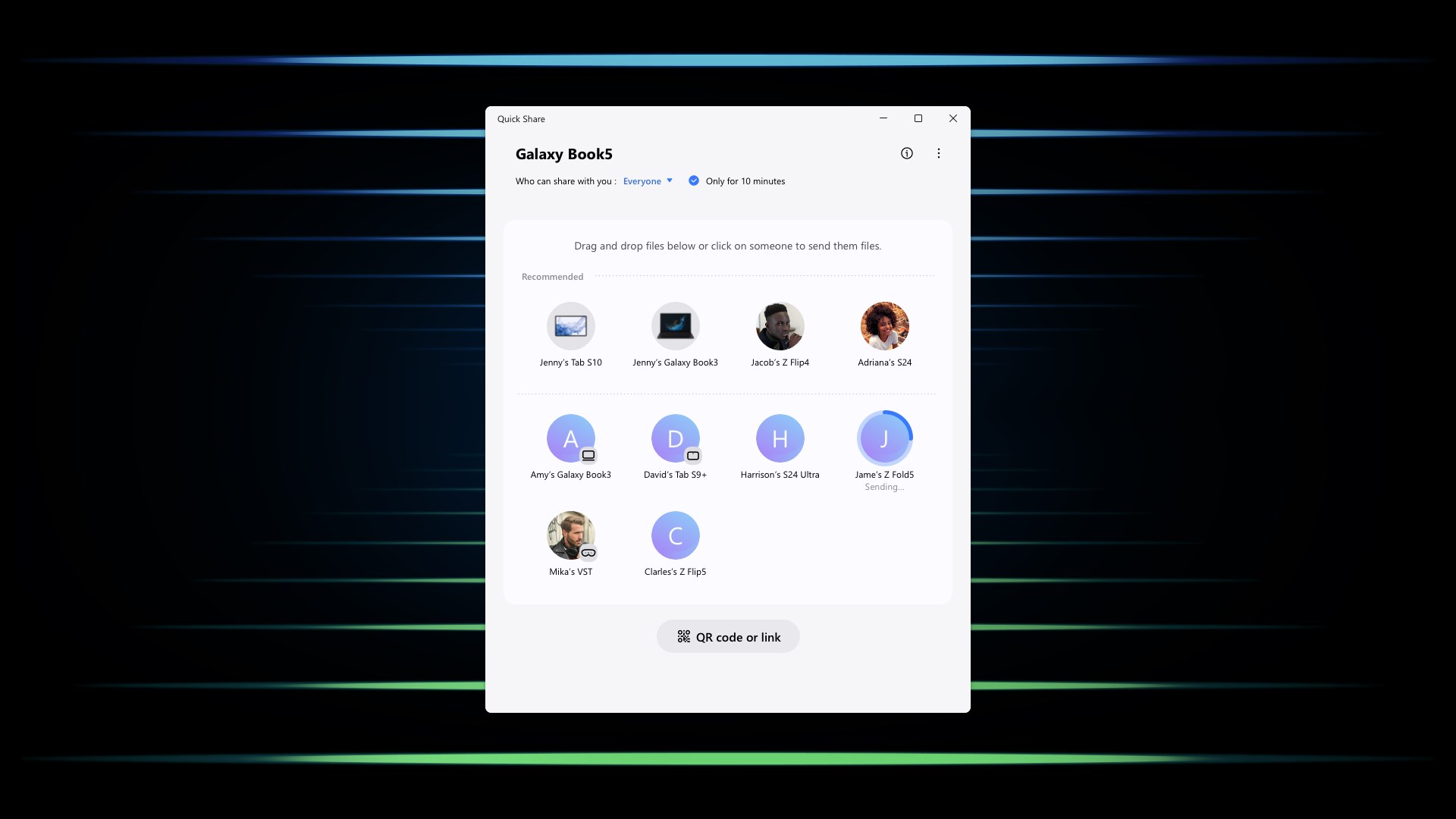
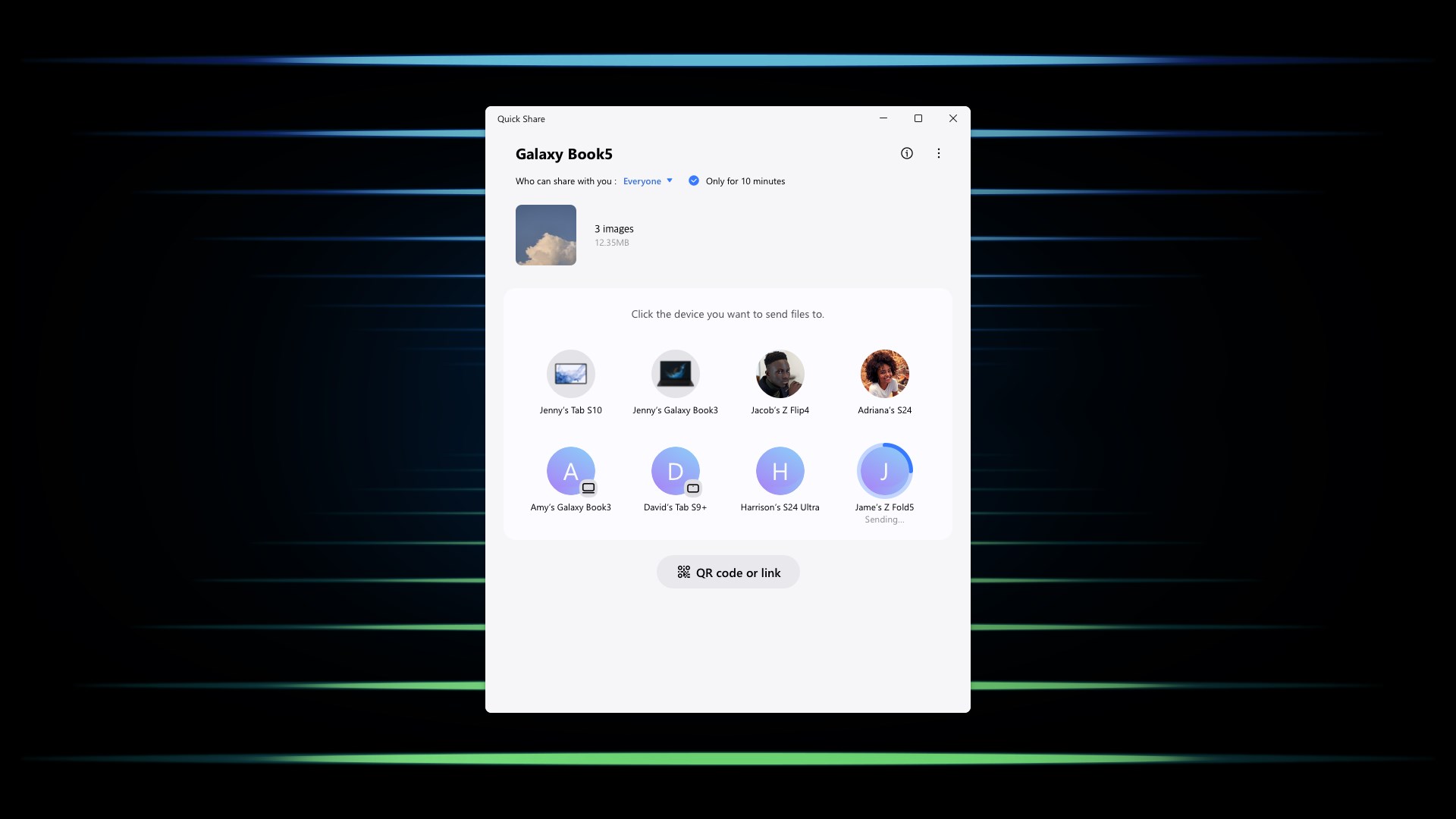
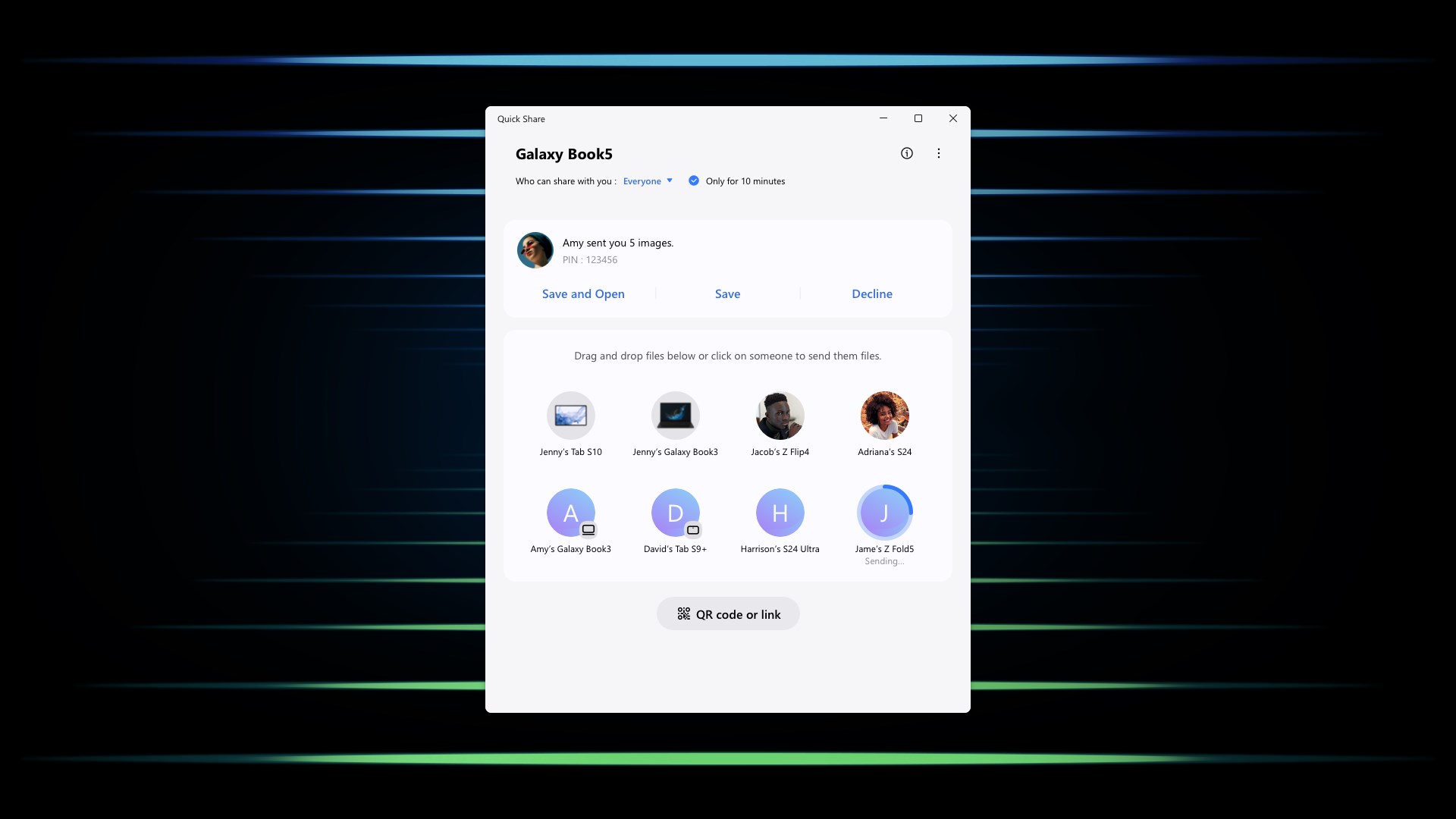
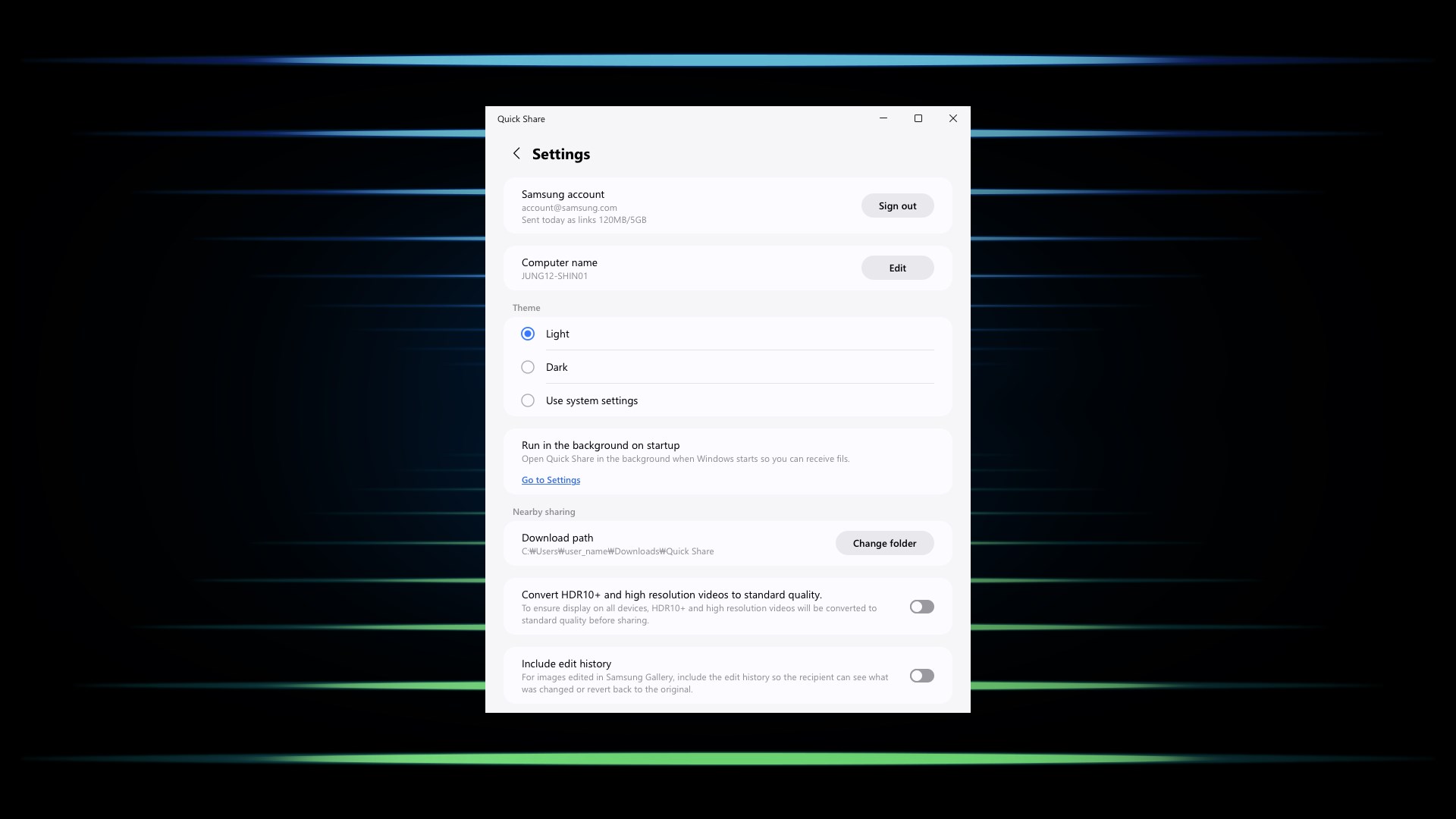
The interface of Quick Share is clean and user-friendly, akin to a well-organized tool chest where everything is just a click away. Setting up the connection is simple: select the recipient device, choose the files, and hit send. The app's fluid animations and logical layout make navigation feel natural, even for those not particularly tech-savvy. Plus, integration with Windows notifications ensures you're instantly aware of transfer status, creating a sense of dominance over your data flow rather than frustration.
Unparalleled Differentiation from Other Utility Apps
While many file-sharing tools exist, Quick Share distinguishes itself through its deep integration with Samsung hardware and ecosystem, providing a more reliable and optimized experience for Samsung users. Unlike generic transfer apps that rely on cloud or third-party servers, this app leverages local network connectivity, reducing transmission times and enhancing privacy. Its ability to recognize Samsung devices swiftly and establish connections automatically sets it apart, making the sharing process feel almost like passing digital notes among friends sitting side by side.
Recommendation: Not Just Good, But Better for Samsung Users
All in all, Quick Share for Windows offers a polished, reliable, and efficient solution tailored for Samsung device owners. Its most compelling feature — the direct Wi-Fi transfer — ensures fast and private file exchange, making it highly suitable for everyday needs. For users who frequently switch between their Samsung phones and Windows PCs and value speed and simplicity, this app is a great addition to their digital toolbox. However, if you're outside the Samsung ecosystem or seek cross-platform compatibility beyond Android and Windows, alternative solutions might serve you better.
Final Thoughts: A Handy Companion for Samsung Device Users
Quick Share for Windows isn't just another file-sharing app; it's like having a digital courier standing by, ready to deliver your files with minimal fuss and maximum speed. Its most impressive trait — the seamless, direct Wi-Fi transfer — makes it stand out from the crowd. For Samsung users looking for a practical, straightforward way to bridge their devices, this app is definitely worth a try. Just imagine the time saved and the convenience gained — a small investment for a significantly smoother workflow.
Pros
- Seamless Transfer Between Devices
- User-Friendly Interface
- Fast Transfer Speeds
- Supports Multiple File Types
- No Internet Required
Cons
- Limited Device Compatibility
- Occasional Connectivity Issues
- Lack of Cross-Platform Support
- Limited Customization Options
- No Batch Transfer Management











