
- Category Utilities & tools
- Developer Christopher Istvan
- Available on PC
- OS Windows 10 version 14316.0 or higher
- Keyboard Not specified
- Mouse Not specified
- languages English (United States)
Effortless Roku Control: QuickRemote for Windows Simplifies Your Streaming Experience
If navigating a smart TV feels like juggling five balls at once, then QuickRemote for Roku offers a breath of fresh air—turning your Windows device into a sleek remote. Designed by Christopher Istvan and published by Webelity, this app promises to streamline your Roku operations with just a few clicks, making your entertainment setup smarter and more intuitive.
Key Features That Make QuickRemote Stand Out
What sets QuickRemote apart from generic remote apps? Firstly, its seamless connectivity with Roku devices ensures that you can control your TV without complicated setups or lag. Secondly, it offers a comprehensive remote interface, including basic controls like navigation, playback, and volume, all optimized for quick access. Lastly, the app includes customizable buttons and multi-device support, allowing you to manage several Roku devices at once—a real timesaver during family movie nights or in multi-room setups.
Immersive Control: Turning Your Windows PC into a Roku Remote
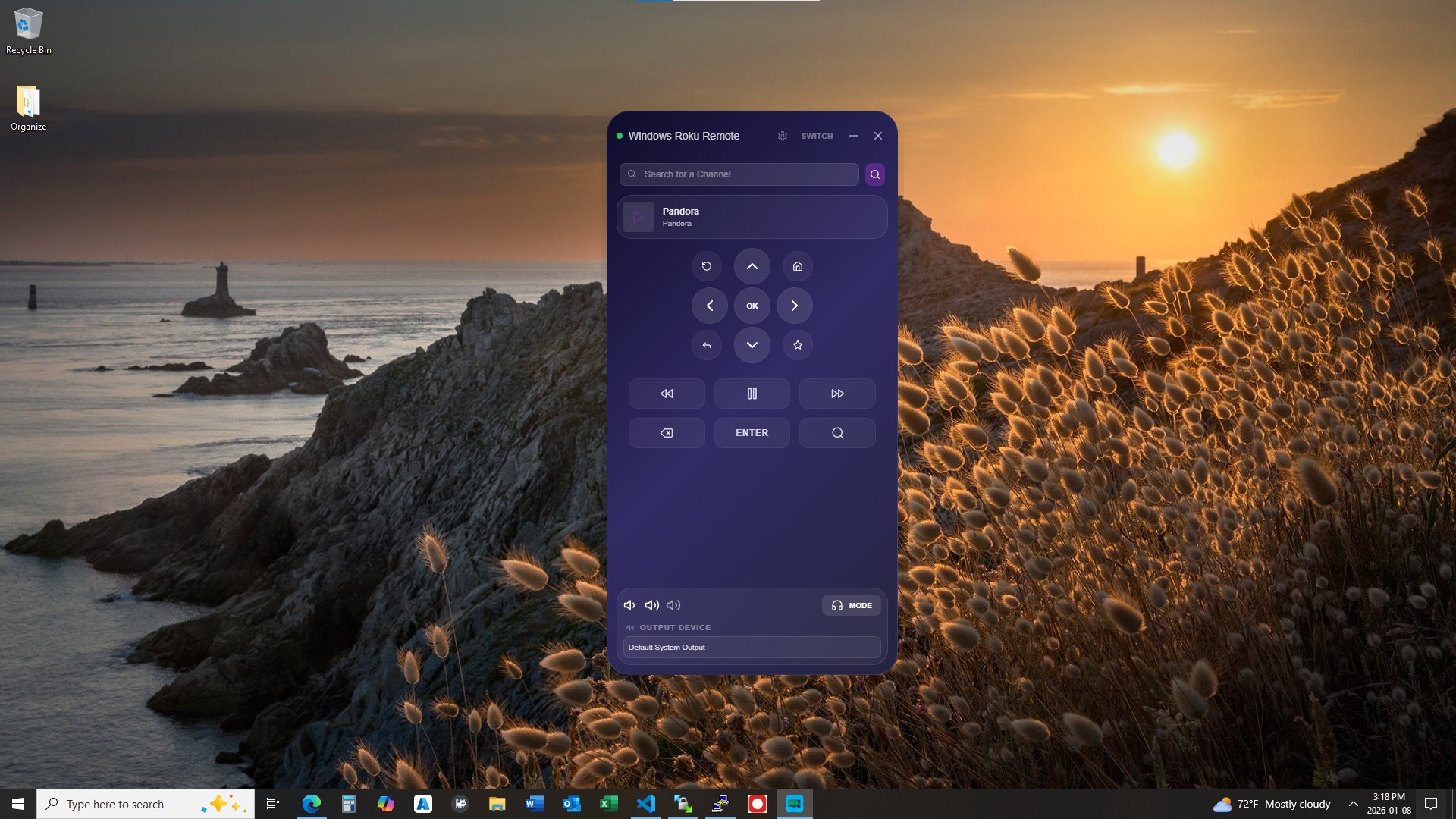
Imagine sitting comfortably at your desk, smartphone in hand, but instead of reaching for it, your Windows computer becomes the command center for your Roku. Using QuickRemote feels like having a high-end universal remote in your pocket—everything is just a few clicks away. Its intuitive interface is designed with a clean layout that mimics traditional remote controls, but with added digital conveniences. Perfect for tech-savvy users who value both style and function, the app offers a hassle-free setup that connects seamlessly to your Roku via your local network. The responsiveness is notable, with commands executed swiftly, providing a smooth user experience that feels almost wired—without any real wires.
Core Functionalities: Navigating with Ease & Customizing for Convenience
Ultimate Navigation and Media Control
The heart of QuickRemote lies in its simple yet powerful control panel. Swiping through menus on your PC feels natural and quick, akin to flipping through channels on a traditional remote. Media playback controls like pause, play, rewind, and fast-forward are immediately accessible, making browsing and watching a breeze. The app's responsiveness ensures that your commands are relayed instantly, reducing frustration and elevating your TV viewing routine.
Multi-Device Management & Custom Buttons
One standout feature is management of multiple Roku devices from a single interface. Whether you have a Roku in the living room and one in the bedroom, QuickRemote allows you to switch between devices with minimal fuss—like flipping through channels on a sophisticated remote. Additionally, the ability to customize certain buttons enables users to assign frequently used functions or specific shortcuts, turning a simple remote into a tailored control hub that adapts to your viewing habits.
User Experience and Differentiation
The interface design of QuickRemote is both minimalistic and user-friendly, stripping unnecessary clutter and focusing on essential functions. Its straightforward setup process involves discovering devices on your network and pairing with a couple of clicks, making it accessible even for less tech-savvy users. Compared to other utility apps, it excels through its emphasis on reliability and speed—crucial factors when controlling media devices. Unlike some apps that require complex configurations or obscure controls, QuickRemote's clean layout and smooth operation act like a well-oiled machine, giving users confidence in its stability.
Final Thoughts & Recommendations
All in all, QuickRemote for Roku for Windows emerges as a practical solution that transforms your PC into a versatile remote. Its standout feature—the ability to manage multiple Roku devices effortlessly and quickly customize controls—makes it particularly appealing for households with several TVs or for those who frequently switch between streaming sessions. While it doesn't promise to replace high-end remotes with advanced functionalities, it comfortably covers the essentials and does so with elegance and speed. I'd recommend it to Roku users seeking a more integrated, convenient control experience—especially those who want to ditch clutter and streamline their streaming. For anyone tired of hunting for the remote or wanting to control their Roku from the comfort of their desk, QuickRemote is worth a try, providing a reliable, intuitive bridge between your Windows device and your streaming entertainment.
Pros
- User-friendly interface
- Supports multiple device control
- Fast response time
- Includes additional features
- Regular updates
Cons
- Occasional connectivity issues
- Battery consumption
- Limited customization options
- Initial setup complexity
- Advertising interruptions











