

- Category Utilities & tools
- Available on PC
- OS Windows 10 version 17763.0 or higher
- Keyboard Integrated Keyboard
- Mouse Integrated Mouse
- languages English (United States)
ShowKeyPlus for Windows: Your Easy-Tp-Use Windows Product Key Viewer
ShowKeyPlus is a straightforward utility designed to help Windows users retrieve and view their product keys quickly and securely, ensuring they never lose access to their activation information.
About the Developer and Core Features
Developed by Superfly Inc., ShowKeyPlus offers a no-frills solution for Windows enthusiasts and IT professionals alike. Its main strengths include:
- Clear Display of Windows Product Keys – Easily retrieves and displays your current Windows product key.
- Supports Multiple Editions and Versions – Compatible with various Windows versions, including Windows 10 and Windows 11.
- Secure and Private – Does not transmit data over the internet, ensuring your keys remain confidential.
- User-Friendly Interface – Simple design aimed at users of all technical levels.
This application is tailored for users who want a reliable, fuss-free way to access their product activation keys without relying on complicated procedures or third-party services.
Engaging and Practical User Experience
Imagine upgrading your system or reinstalling Windows, only to realize you've forgotten your product key—frustrating, right? ShowKeyPlus enters the scene like a helpful GPS, guiding you straight to your Windows activation details with minimal fuss. Its interface is lean but effective—like a well-organized toolbox, every component has a purpose, making navigation intuitive for both seasoned technicians and average users.
Core Functionality Breakdown
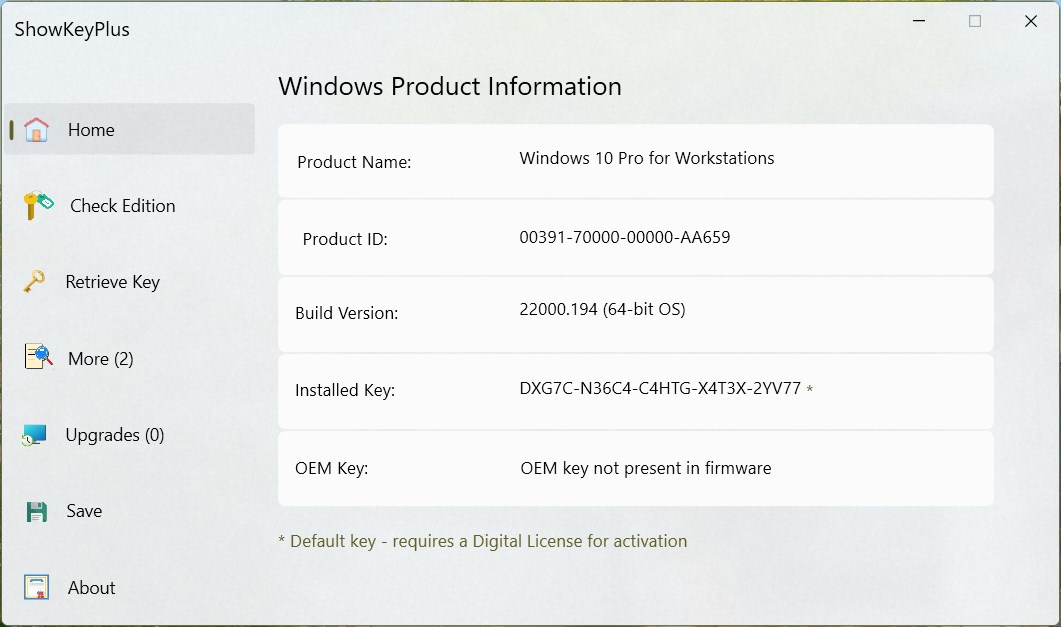
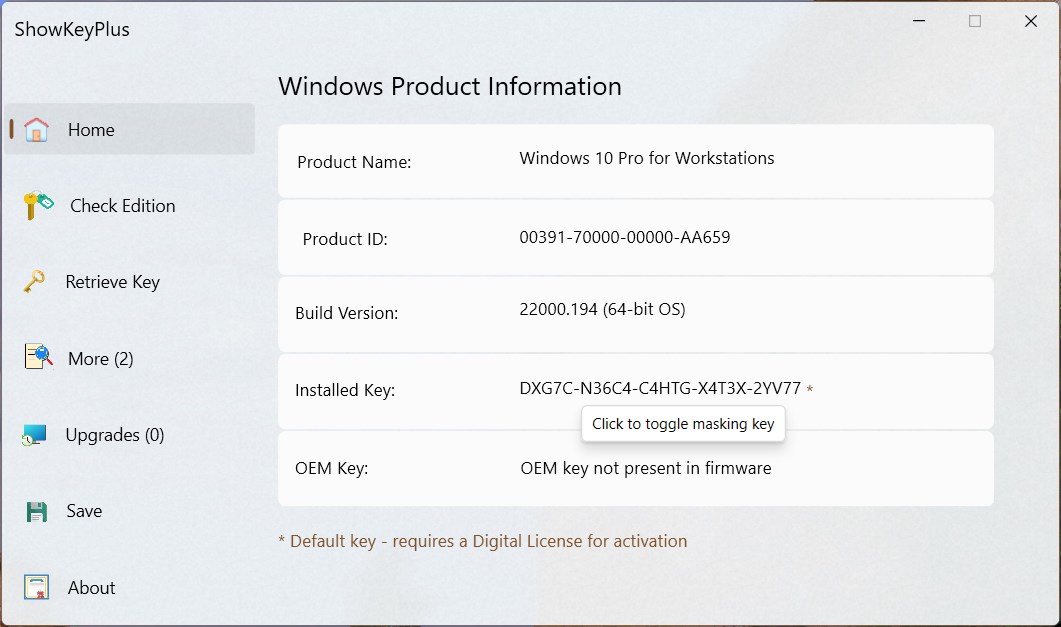
The highlight of ShowKeyPlus is undoubtedly its ability to quickly fetch and display your current Windows product key. When you launch the app, a clean window pops up, immediately displaying your key along with associated system information. This feature is particularly useful for users who need to back up their keys before a major upgrade or migration. Unlike simple clipboard tools, ShowKeyPlus digs into system registries securely, ensuring the retrieved information is accurate and reliable.
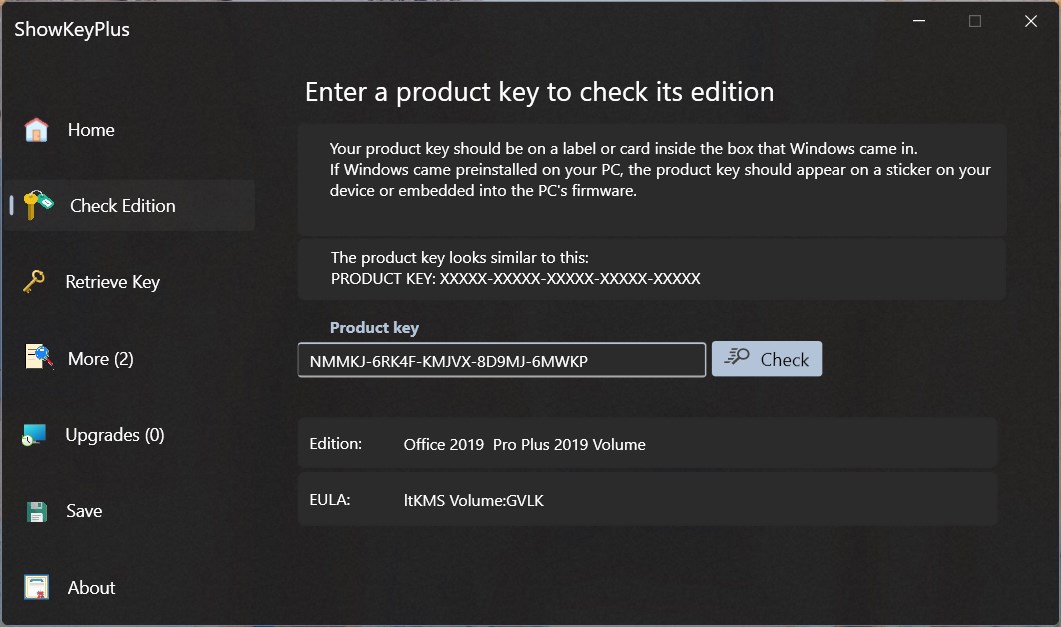
Another notable feature is its support for multiple Windows editions and the ability to export your product keys. Whether you need your Windows 10 Home key or your Windows Server license, ShowKeyPlus handles the task smoothly. The export function allows saving your keys as text files for future safekeeping—sort of like having a digital safe for your digital keys, ensuring you won't find yourself scratching your head later.
Performance, Design, and Ease of Use
From a user experience perspective, ShowKeyPlus scores high on clarity and speed. The interface is modern yet simple, with a dark theme that's gentle on the eyes during long troubleshooting sessions. The application performs swiftly, with no noticeable lag or crashes—like a well-oiled machine humming along harmoniously. Its learning curve is virtually flat; even those unfamiliar with system utilities can operate it with just a few clicks.
What Sets ShowKeyPlus Apart?
While many Windows utilities churn out similar results, ShowKeyPlus distinguishes itself through its focus on simplicity without sacrificing reliability. Instead of cluttered menus or obscure options, it emphasizes core functionality—securely displaying the product key with minimal fuss. Its support for multiple editions and exportability gives it an edge over more limited tools. Essentially, it's like having a reliable, straightforward key inspector in your digital toolbox, ready when needed.
Should You Give It a Try?
If you're a Windows user who values control and security over your activation data, ShowKeyPlus is highly recommended. It's particularly useful during system upgrades, repairs, or when preparing a new machine. Its ease of use makes it accessible even for those with limited technical skills, and its focus on core features ensures it does exactly what it promises—nothing more, nothing less.
In conclusion, ShowKeyPlus for Windows is a practical, trustworthy utility that stands out in the crowded field of system tools by offering its core function—retrieving product keys—with clarity and ease. Whether you're an IT professional managing multiple devices or a casual user safeguarding your license, this app is worth keeping handy.
Pros
- Accurate license key retrieval
- Supports multiple Windows editions
- Lightweight and easy to use
- Free to use
- No internet connection needed
Cons
- Limited language support
- Occasional false readings
- No direct backup feature
- Limited support and updates
- Potential compatibility issues with newer Windows builds











