

- Category Utilities & tools
- Available on PC
- OS Windows 10 version 17763.0 or higher
- languages English (United States)
Introducing SKP Viewer 3D for Windows: Your Gateway to Exploring 3D Models with Ease
Imagine holding a tiny universe of intricate 3D designs right in your hands—SKP Viewer 3D transforms your Windows device into a window into the world of SketchUp models, offering a streamlined, user-friendly experience for viewing and analyzing 3D files. Whether you're an architect, designer, or hobbyist, this app promises to bring your 3D projects to life with clarity and simplicity.
Who's Behind the Curtain?
Developed by Weila Studio, a dedicated team passionate about creating intuitive and accessible visualization tools, SKP Viewer 3D aims to bridge the gap between complex CAD data and everyday users. Their focus is on delivering straightforward yet powerful viewing capabilities that cater to a broad audience interested in 3D visualization.
Main Features That Make It Stand Out
- Seamless SKP File Support: Effortlessly open and explore SketchUp (.skp) files without the need for expensive licenses or heavy CAD software.
- Intuitive Navigation & Interaction: Smooth zoom, pan, and rotate functions make model inspection feel like turning a physical object in your hands.
- Advanced Viewing Options: Adjustable lighting, wireframe mode, and material toggling facilitate detailed analysis of model structure and surface details.
- Lightweight & Fast Performance: Optimized for quick loading times and minimal resource consumption, even with large models.
The app aims to serve students, professionals, and hobbyists alike—anyone eager to examine 3D models without the bloat or complexity of full CAD software.
A Fun and Functional Experience: Making 3D Exploration Feel Like Play
Imagine opening a box of intricate LEGO, where each piece clicks smoothly into place, revealing a miniature masterpiece in your browser. That's how SKP Viewer 3D feels—a playful yet precise window into your designs. Its straightforward interface and rapid responsiveness make model exploration an engaging experience, akin to flipping through a well-curated photo album. This app isn't just functional; it makes the mundane act of viewing a model feel almost artistic, transforming technical viewing into a delightful journey.
Core Functionality: Exploring Your 3D World
First, the support for SKP files is the backbone of this app. For users working with SketchUp models, this feature is invaluable—it's like having a digital gallery where every model is just a couple of clicks away. Loading large models is surprisingly quick, thanks to optimized performance, allowing users to dive into their projects without delay.
Next, the navigation tools elevate the user experience. Rotating, panning, and zooming are smooth and intuitive, almost as if your finger has a magic wand that naturally responds to your intentions. This fluidity empowers users to scrutinize every corner of a model or view it from different angles—crucial for designers performing detailed inspections or clients reviewing designs remotely.
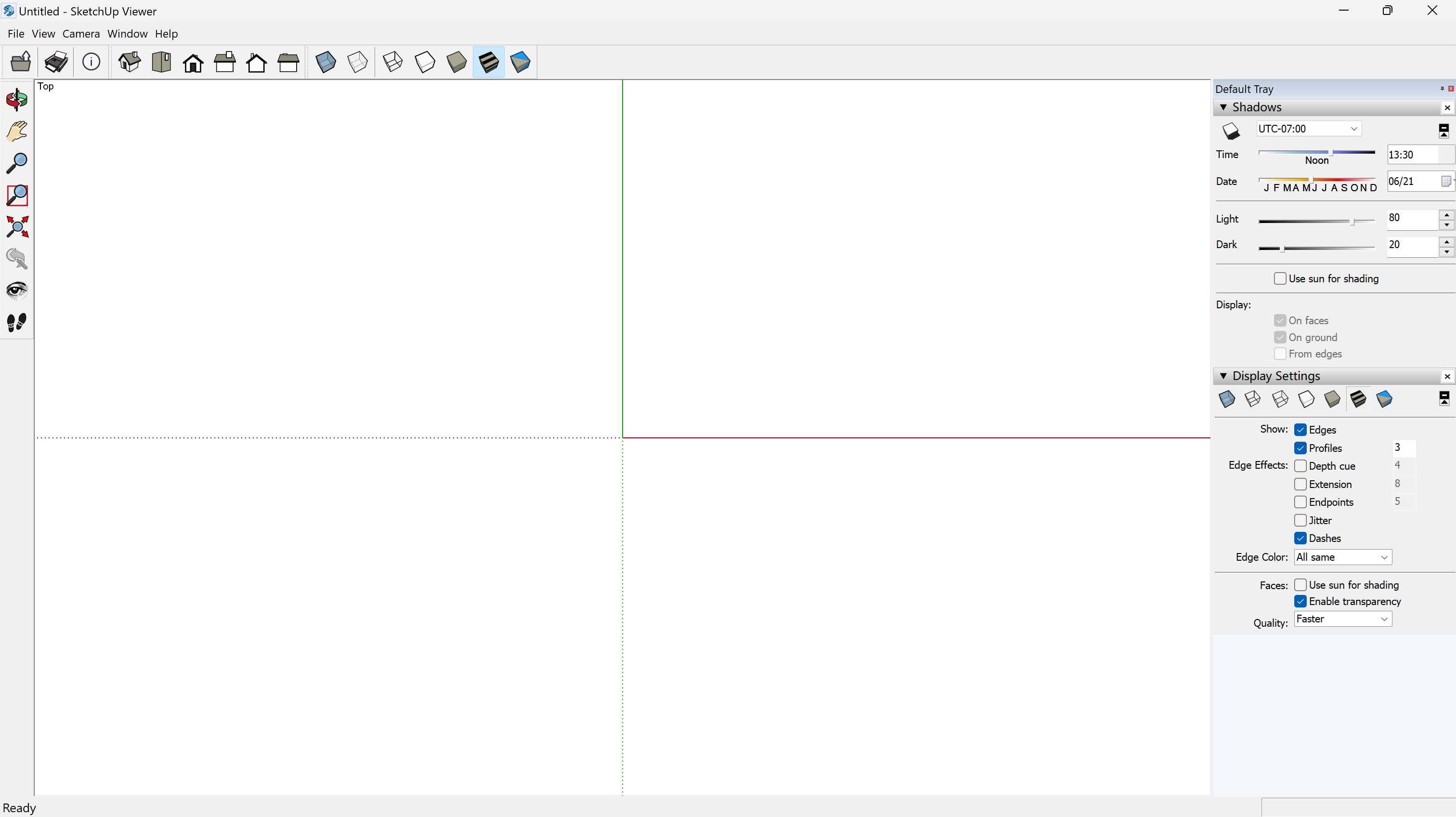
The viewing options further enhance understanding. Changing between wireframe view, shaded rendering, or toggling material visibility helps dissect complex models, making it easier to identify issues or appreciate design details. Light controls add realism, allowing users to simulate different lighting conditions as if setting up a physical display.
Design & Usability: Friendliness and Performance Combined
The interface design of SKP Viewer 3D is akin to a tidy workshop: clean, simple, and uncluttered. Icons are straightforward, and functions are logically placed, reducing the learning curve to mere minutes. Even first-time users find themselves navigating with ease, boosted by clear visual cues and responsive controls.
Performance is another key advantage. The app runs smoothly even with sizable files, demonstrating efficient resource management. Transitions between views are instant, preventing any frustrating lag that could spoil the experience—a vital aspect for professionals needing quick lookovers or students learning the ropes.
What Sets It Apart From Similar Tools?
Many SKP viewers are either overly simplistic or laden with unnecessary features, but SKP Viewer 3D hits a sweet spot of balance. Its standout feature is the combination of lightweight design with rich viewing capabilities. The app's ability to smoothly handle large models, coupled with precise control over viewing parameters, makes it shine among basic utilities. Additionally, its focus on user experience—minimal learning curve, quick loading, and responsive controls—distinguishes it from more cumbersome alternatives that can feel like wielding a sledgehammer to crack a nut.
Final Verdict: Worth a Bookmark for 3D Enthusiasts
If you frequently work with SketchUp models or just need a reliable, easy-to-use viewer for 3D files, SKP Viewer 3D is a smart choice. Its blend of simplicity, speed, and detailed viewing options makes it more than just a file opener—it's a mini virtual gallery. I recommend giving it a try, especially if you value efficiency and clarity without the complexity of full CAD programs. It's like having a trusty magnifying glass that reveals every detail of your 3D creations—without the fuss.
Pros
- Intuitive 3D visualization
- Wide format compatibility
- Smooth user interface
- Built-in measurement tools
- Seamless integration with Microsoft Store
Cons
- Limited annotation features
- Performance issues with very large models
- Basic rendering options
- Limited annotation and sharing features
- Occasional stability hiccups on some devices











