

- Category Utilities & tools
- Available on PC
- OS Windows 10 version 19041.0 or higher
- languages Albanian, Arabic, Armenian, Assamese, Azerbaijani, Bangla (Bangladesh), Bangla (India), Basque, Belarusian, Bosnian (Latin), Bulgarian, Catalan, Chinese (Simplified), Chinese (Traditional), Chinese (Traditional, Hong Kong SAR), Croatian, Czech, Danish, Dutch, English (Canada), English (Philippines), English (United States), Estonian, Finnish, French, French (Canada), Galician , Georgian, German, Greek, Gujarati, Hindi, Hungarian, Icelandic, Indonesian, Irish, Italian, Japanese, Kannada, Kazakh, Khmer, Korean , Kyrgyz, Lao, Latvian, Lithuanian, Macedonian, Malay, Malayalam, Marathi, Mongolian (Mongolia), Nepali, Norwegian (Bokmål), Odia, Persian/Farsi, Polish , Portuguese (Brazil), Portuguese (Portugal), Punjabi (India), Romanian, Russian, Serbian (Latin), Sinhala, Slovak, Slovenian, Spanish (Spain), Spanish (United States), Swedish, Tamil, Telugu, Thai, Turkish, Ukrainian, Urdu, Uyghur, Uzbek, Vietnamese
SmartThings for Windows: Your Personal Hub for Seamless Smart Home Control
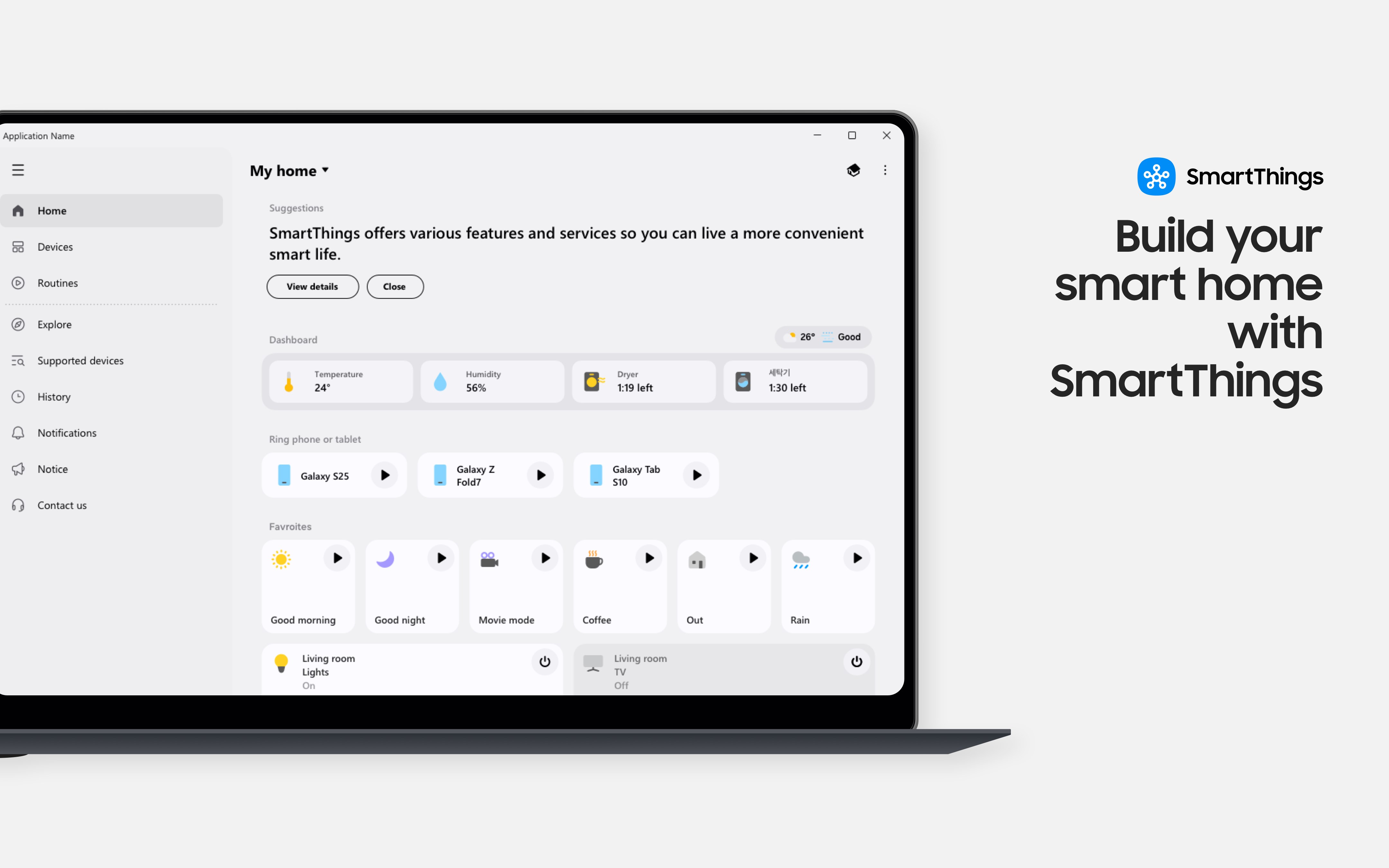
SmartThings for Windows is a versatile application designed to unify your smart home devices into a single, intuitive interface, transforming your Windows PC into a command center for all your connected gadgets.
Developer and Core Features
Developed by Samsung Electronics Co. Ltd., this app serves as an extension of Samsung's expansive ecosystem, aiming to streamline how users manage their smart devices. Its standout features include device discovery and management, automation routines, and real-time status displays. These tools empower users to seamlessly monitor and control a variety of smart gadgets—from lights and thermostats to security cameras—all from their Windows desktop. Designed with both tech enthusiasts and casual users in mind, the app caters to anyone looking to enhance their smart home experience with convenience and efficiency.
Step Into a Smarter World: An Inviting Introduction
Imagine sitting at your desk, glancing at your screen, and effortlessly switching your living room lights to cozy amber or adjusting your thermostat before you even get up—SmartThings for Windows makes this possible. With a sleek, accessible interface, it feels like turning your computer into a control panel for your entire home. Whether you're a busy professional juggling multiple devices or a tech-savvy homeowner eager for centralized management, this app invites you into a world where managing your devices is as natural as opening an email. Its promise is simple: bring order and convenience to your smart home setup, all through your Windows PC.
Device Management and Automation: Making Smart Homes Smarter
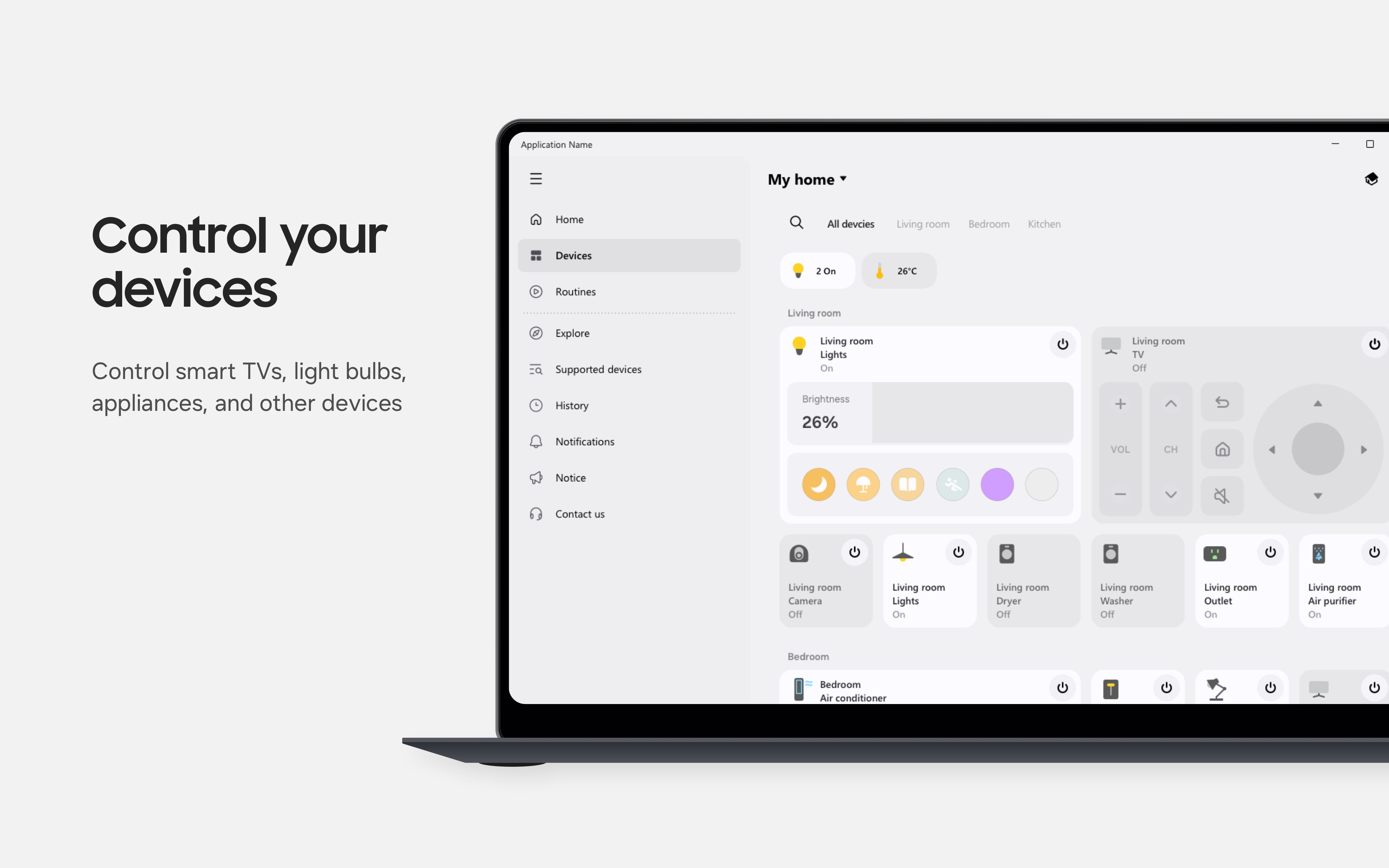
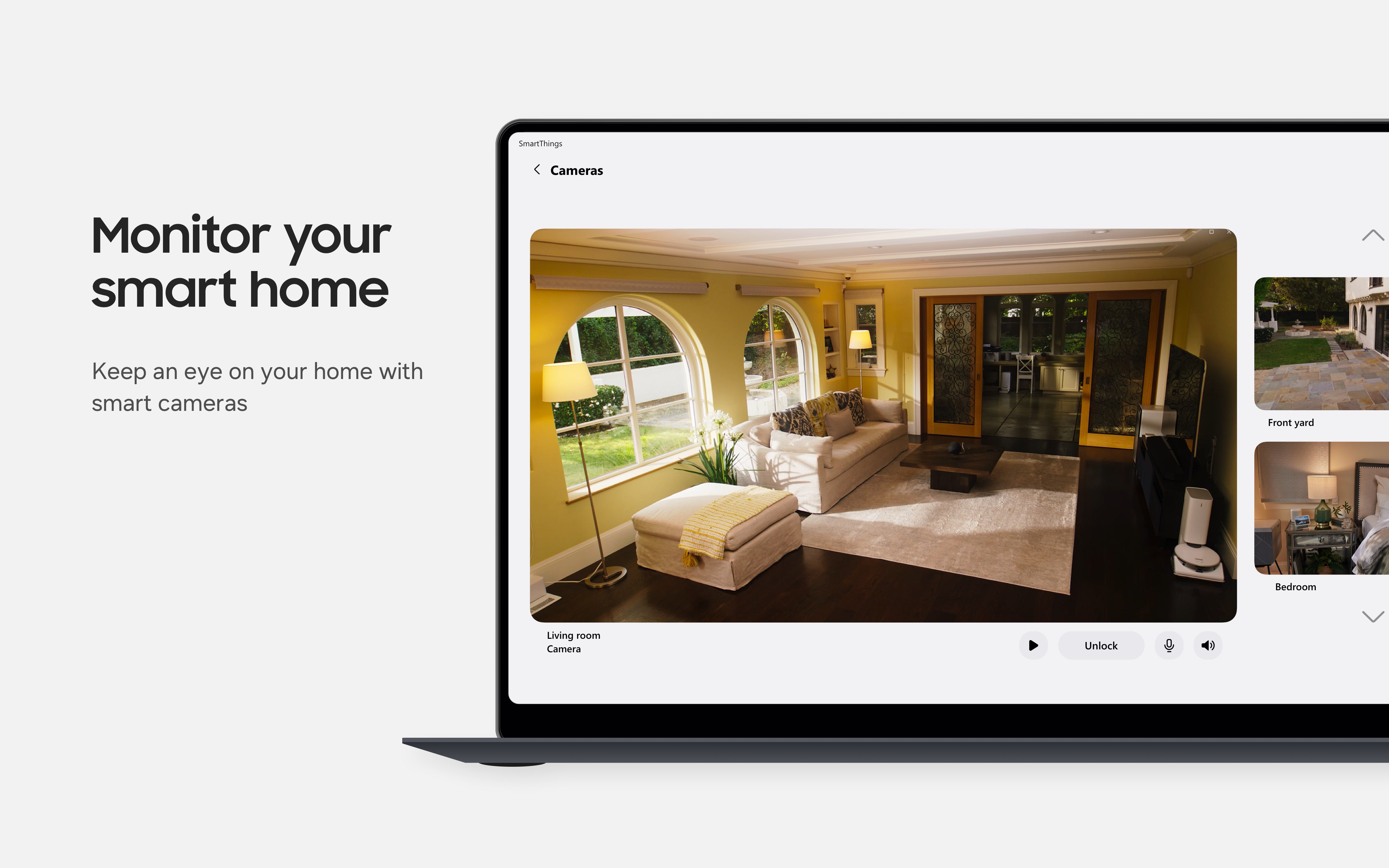
The core of SmartThings for Windows lies in its robust device management capabilities. Adding and configuring devices is straightforward—users can easily pair new gadgets via simple prompts, making setup less of a chore and more of an investment in convenience. Once devices are added, the app offers comprehensive controls—turning lights on or off, adjusting temperature, or viewing camera feeds—all with a few clicks.
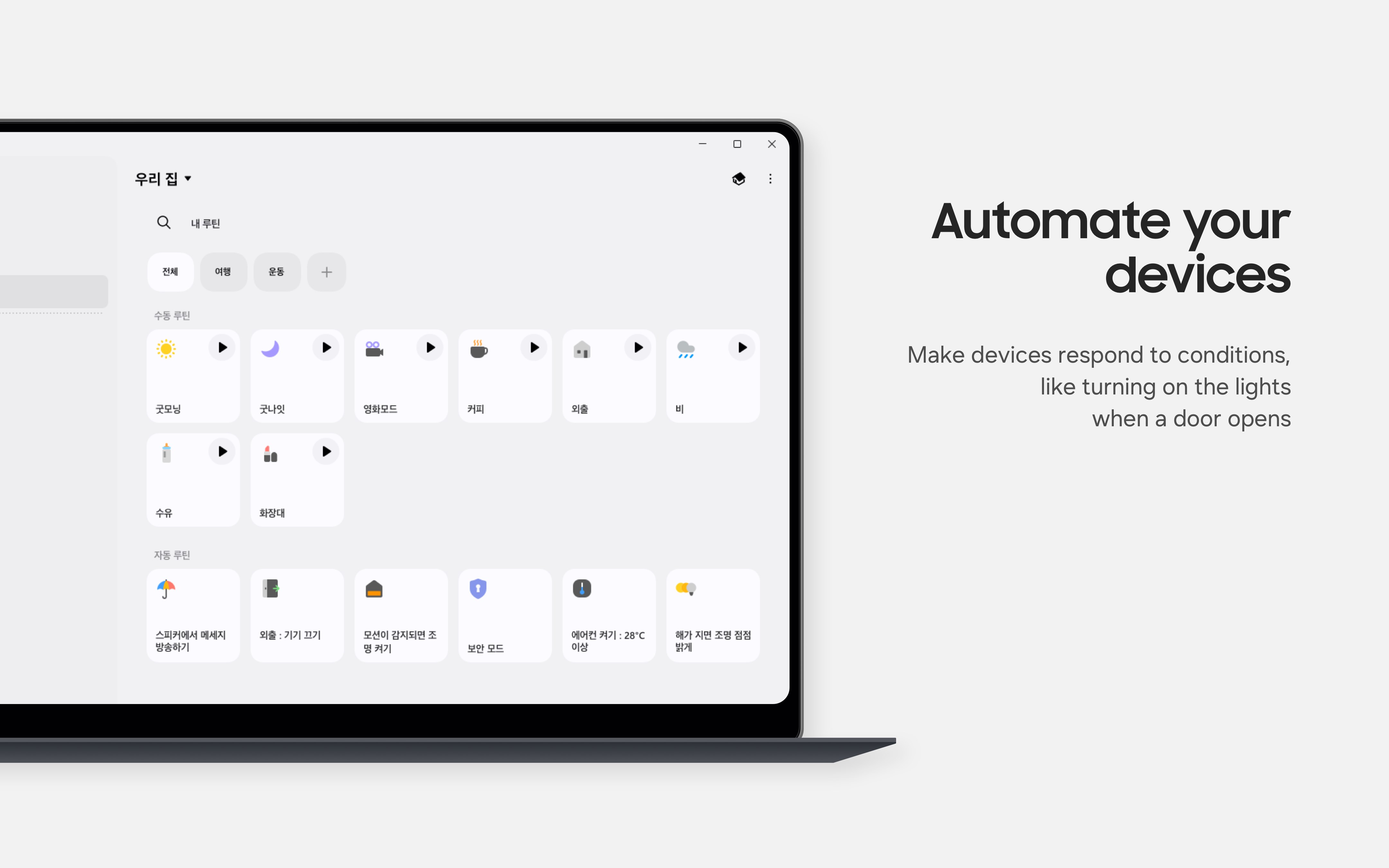
Beyond basic control, the automation features shine. Users can create routines that trigger multiple actions based on specific conditions—like setting the lights to dim and preparing your coffee machine when you say “Good morning,” or turning security alarms on at bedtime. These routines operate smoothly, reflecting a well-thought-out system that adapts to your daily patterns, effectively making your smart home function automatically and intuitively.
User Experience and Unique Selling Points
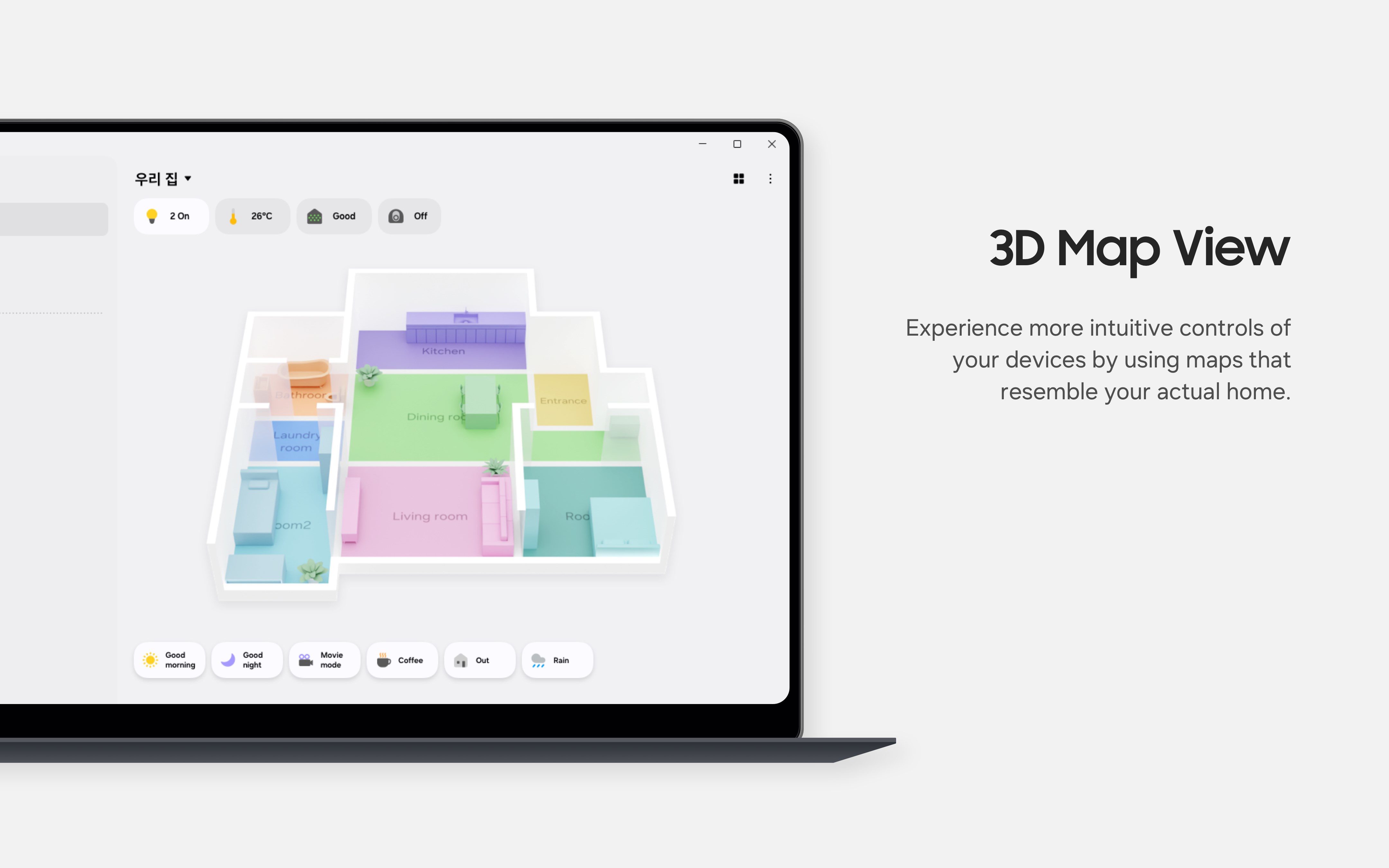
The interface design strikes a balance between simplicity and functionality. Bright icons and clean layouts make navigation intuitive, reducing the learning curve for new users. Operation fluidity is impressive—clicks and commands respond promptly, and the overall experience feels seamless—almost like the app anticipates your needs.
Distinctively, SmartThings for Windows excels in its device ecosystem integration and automation flexibility. Unlike some utilities that only control a limited range of devices or require separate apps for different ecosystems, SmartThings provides a centralized hub that naturally integrates with Samsung's extensive lineup and supports a broad spectrum of third-party products. This makes it especially appealing for users with diverse device brands, offering a level of compatibility and control that's hard to match in other utilities.
Final Thoughts and Recommendations
Overall, I would recommend SmartThings for Windows as a practical and reliable tool for anyone seeking centralized management of their smart home. Its standout automation capabilities and ecosystem integration make it particularly appealing for users already invested in Samsung products or those who desire a unified control platform. While it may not replace dedicated device-specific apps for highly specialized features, it certainly elevates the convenience of managing multiple devices from a desktop environment.
If you're looking to turn your Windows PC into a smart home command center with minimal fuss and maximum control, give this app a try. Its thoughtful design and comprehensive feature set have the potential to make your smart home smarter and your daily routines more effortless.
Pros
- User-friendly interface
- Wide device compatibility
- Real-time notifications
- Customizable automation routines
- Secure data encryption
Cons
- Limited device support in some regions
- Occasional app slowdowns during updates
- Initial setup can be complex for new users
- Notification customization options are somewhat basic
- Some device integrations lag behind newer models











