

- Category Utilities & tools
- Available on PC, Mobile, Surface Hub, HoloLens
- OS Windows 10 version 10240.0 or higher
- DirectX Version 10
- languages Arabic, Chinese (Simplified), Chinese (Traditional Chinese), Dutch, English, French, German, Indonesian, Italian, Japanese, Korean, Polish, Portuguese, Russian, Spanish, Swedish, Thai
Introducing Speedtest by Ookla for Windows
Speedtest by Ookla for Windows is a reliable and straightforward application designed to measure your internet connection's speed with precision and ease. Whether you're troubleshooting your network or just curious about your current bandwidth, this tool provides accurate insights without the clutter.
Developed by the Industry Pioneers
Created by Ookla, a globally recognized leader in internet testing and analysis, this app benefits from the company's extensive experience and robust infrastructure, ensuring users receive trustworthy testing results every time.
Key Features That Stand Out
- One-Click Speed Testing: Instantly measure download, upload speeds, and ping with a single click—no complicated setup required.
- Historical Data & Reporting: Keep track of your test results over time to identify trends or troubleshoot network issues.
- Server Selection & Optimization: Choose servers based on your location or let the app select the optimal server for the most accurate reading.
- Detailed Network Metrics: Gain insights into packet loss, jitter, and latency, offering a comprehensive view of your connection quality.
The User Experience: Seamless, Intuitive, and User-Friendly
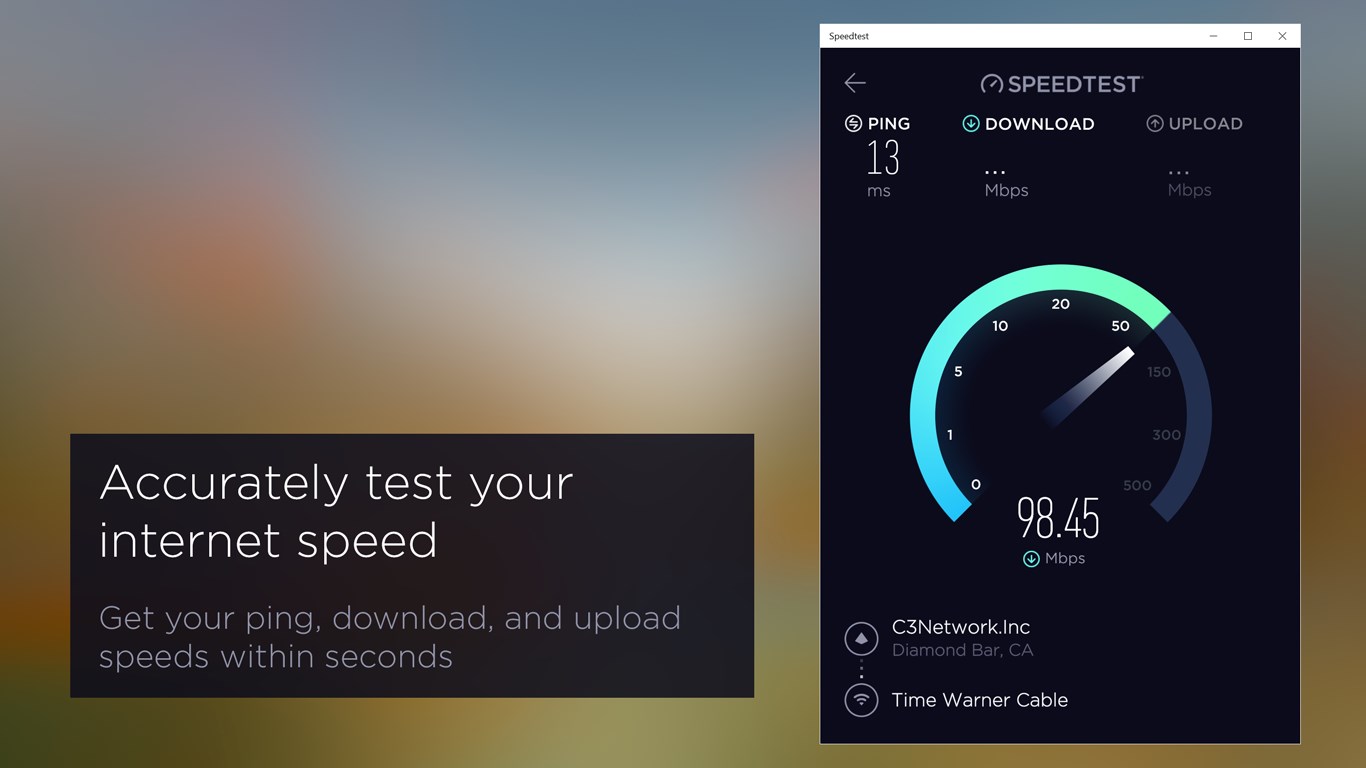
From the moment you open Speedtest by Ookla, you'll find yourself in a clean, well-organized interface that resembles a highly efficient dashboard—no distractions, just what you need. The app's design cleverly balances minimalism with functionality, turning complex network metrics into digestible information. The testing process is smooth; you simply click "Go," and the app swiftly performs the measurement, presenting results almost instantaneously. This fluidity makes it accessible even for users with minimal technical background, featuring a gentle learning curve that welcomes beginners while offering depth for seasoned tech enthusiasts.
What Sets It Apart from Similar Tools
While many network utility apps offer speed tests, Ookla's Speedtest for Windows distinguishes itself through its accuracy and comprehensive data analytics. Its ability to automatically select the best server based on real-time latency measurements ensures that users get the most precise results possible—akin to having a dedicated navigator guiding you toward the clearest road. Furthermore, its detailed reports and historical tracking turn the app into a mini network management hub, empowering users to monitor their connection health over time without additional tools.
Final Recommendations: Is It Worth Your Attention?
All in all, Speedtest by Ookla for Windows is a highly recommended utility for anyone serious about understanding their internet performance. Whether you're troubleshooting slow connections, verifying your broadband speed after an upgrade, or simply satisfying your curiosity, this app provides reliable, quick, and in-depth results. Its user-friendly interface combined with the company's trusted reputation and detailed analytics makes it a standout choice in the realm of internet testing tools.
For casual users, its simplicity and speed make it a go-to. For power users and network professionals, its detailed metrics and history logging offer valuable insights. If you seek a trustworthy speed test tool with a straightforward experience, give this app a try—you won't be disappointed.
Pros
- Accurate speed testing
- User-friendly interface
- Quick testing process
- Detailed performance metrics
- Cross-device compatibility
Cons
- Limited customization options
- Occasional slow app loading times
- Battery consumption during testing
- Lack of historical data storage in free version
- Potential accuracy fluctuations in congested networks











