

- Category Utilities & tools
- Developer Ape Apps
- Available on PC
- OS Windows 10 version 19041.0 or higher
- languages English (United States)
Super Sound Amplifier for Windows: A Clearer Hearing Experience Made Simple
Super Sound Amplifier for Windows, developed by Ape Apps, promises to transform your audio experience by enhancing environmental sounds directly on your PC. Whether you're aiming to better catch conversations or enjoy richer soundscapes, this app positions itself as a user-friendly solution in the crowded field of audio enhancement utilities.
Meet the Developer and Key Features
Ape Apps, known for crafting accessible and effective utility tools, has delivered Super Sound Amplifier with a focus on clarity and simplicity. The main features that set this app apart include:
- Real-Time Sound Amplification: Seamlessly boosts ambient sounds, making quiet sounds more audible without distortion.
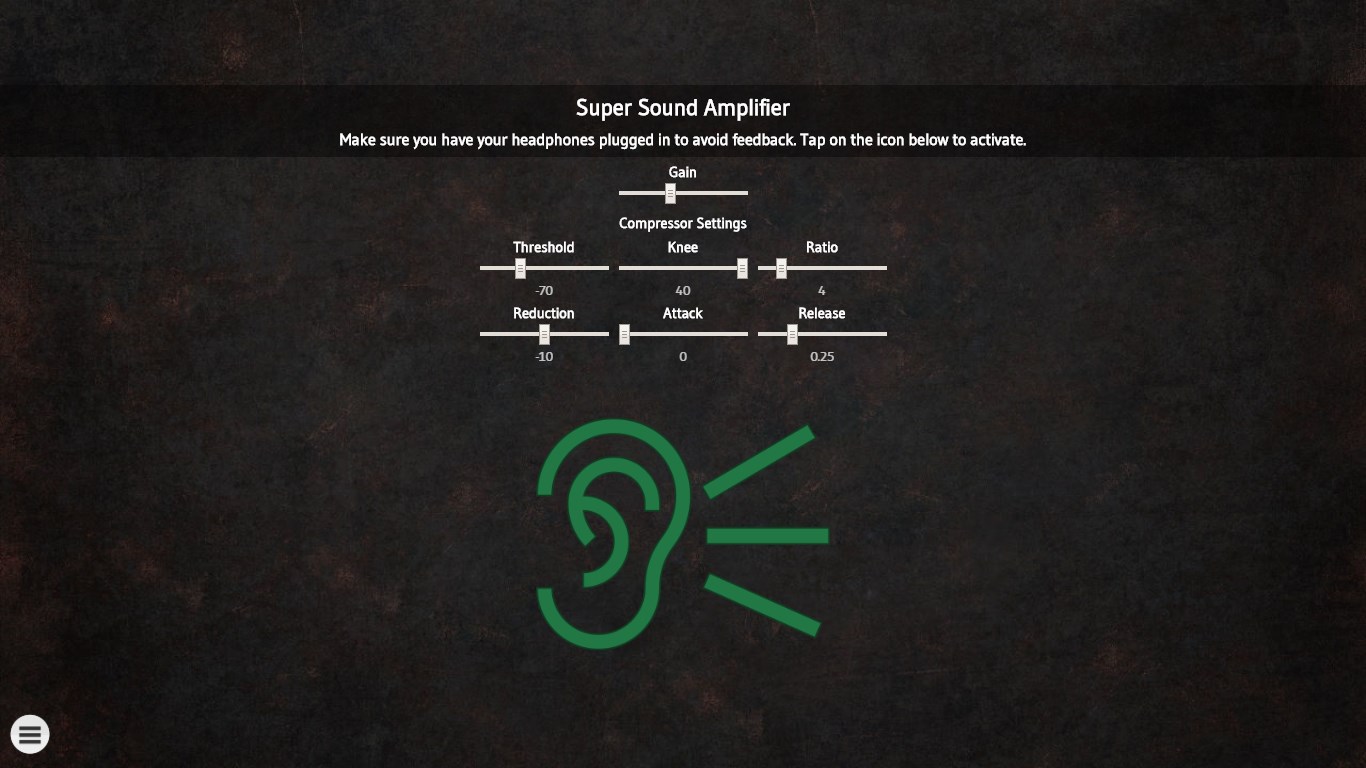
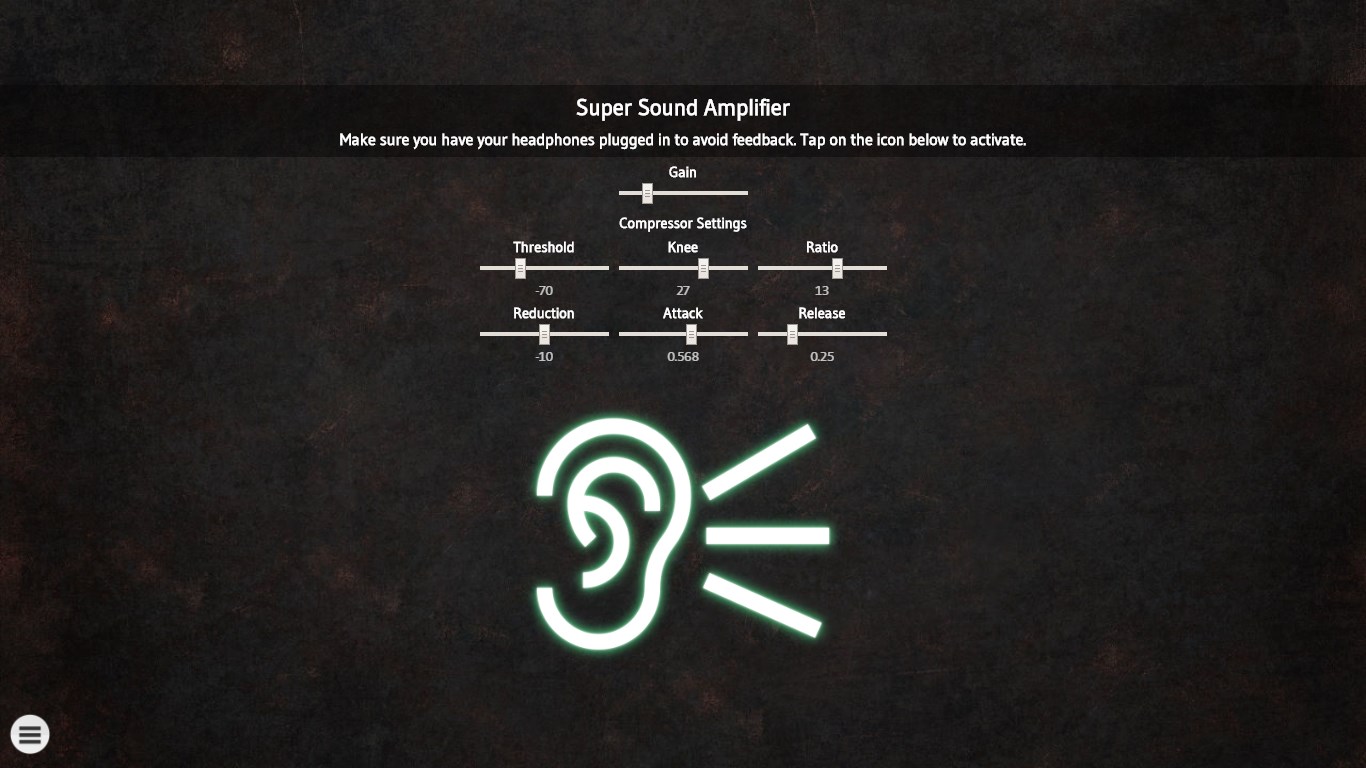
- Customizable Audio Settings: Offers adjustable amplification levels and sound profiles to suit different environments and user preferences.
- Easy-to-Use Interface: Designed with user convenience in mind, it ensures quick setup and straightforward controls for all ages.
- Compatibility and Accessibility: Works smoothly across Windows platforms, with minimal setup required.
The target audience includes individuals with mild hearing difficulties, content creators, or anyone seeking to amplify their PC audio in daily activities.
Vivid Soundscaping: A Friendly Journey into Audio Enhancement
Imagine sitting in a bustling café, trying to catch up with a friend but everything else feels like a distant murmur. Super Sound Amplifier acts like a friendly pair of ears, tuning into the faintest whispers and bringing them to life. Its real-time amplification transforms the environment into a more intelligible, immersive experience—without sounding robotic or harsh. The app's intuitive nature ensures that even tech novices can quickly get comfortable, turning complicated audio settings into a breeze.
Core Functionality Deep Dive
Enhanced Environmental Sounds
The standout feature here is its ability to amplify ambient sounds without introducing annoying feedback or static. You simply press a button, and your PC begins to "hear" more clearly—perfect for outdoor calls, lectures, or streaming videos. Unlike basic volume boost tools, Super Sound Amplifier smartly filters background noise, emphasizing relevant sounds, akin to having your own personal audio assistant.
Custom Profiles and Audio Tuning
Flexibility is key, and this app delivers with custom profiles. Want crystal-clear speech for a video call or a more immersive gaming soundscape? You can configure amplification levels and save presets tailored to different scenarios. It's like having a portable sound engineer—tailoring audio to your preferences on the fly, ensuring comfort and clarity in every scenario.
Smooth User Experience and Unique Selling Points
The interface is clean, bright, and straightforward—think of it as a digital listening booth you can operate with just a few clicks. Transitioning between modes is fluid, with minimal lag or glitches, making the experience feel natural. The learning curve is gentle, even for those unfamiliar with audio apps, which is a significant advantage over more complex tools requiring extensive setup or technical knowledge.
Compared to other utilities that merely boost volume or add generic effects, Super Sound Amplifier's main strength lies in its balanced emphasis on sound quality preservation and real-time responsiveness. Its ability to deliver clearer, more natural-sounding amplification—without sacrificing audio fidelity—is a substantial differentiation. It isn't just about louder sounds; it's about smarter, more meaningful hearing enhancements.
Final Verdict and Recommendations
All in all, Super Sound Amplifier for Windows offers a modest yet powerful addition to anyone's digital toolkit who needs better auditory awareness. Its ease of use combined with quality sound amplification makes it a recommended choice for everyday use, especially for those who prioritize clarity and convenience. While it might not replace dedicated hearing aids or professional audio systems, it effectively fills a niche for personal, on-the-fly sound enhancement. I'd suggest giving it a try if you're seeking an accessible way to make your Windows environment a bit more discerning—simple, effective, and user-centric.
Pros
- Effective sound amplification
- User-friendly interface
- Customizable sound profiles
- Lightweight and portable
- Compatibility with various devices
Cons
- Limited noise suppression in very loud environments
- Occasional audio lag or delay
- Battery usage can be high with extended use
- Limited customization options for advanced users
- Some features require permissions that may concern privacy-conscious users











