

- Category Utilities & tools
- Developer Markus Hofknecht
- Available on PC
- OS Windows 10 version 17763.0 or higher
- languages English (United States)
Introducing SystemTrayMenu for Windows: Your Ultimate Quick-Access Hub
In today's fast-paced digital world, efficiency often hinges on how quickly you can access your favorite tools. SystemTrayMenu for Windows, developed by Markus Hofknecht, positions itself as a customizable, user-friendly menu solution that streamlines your workflow by bringing essential applications and shortcuts right to your system tray. Whether you're a busy professional, a developer, or an everyday user seeking faster access, this app promises to be a handy sidekick in managing your daily tasks.
Core Features That Make it Stand Out
1. Customizable Quick-Access Menus
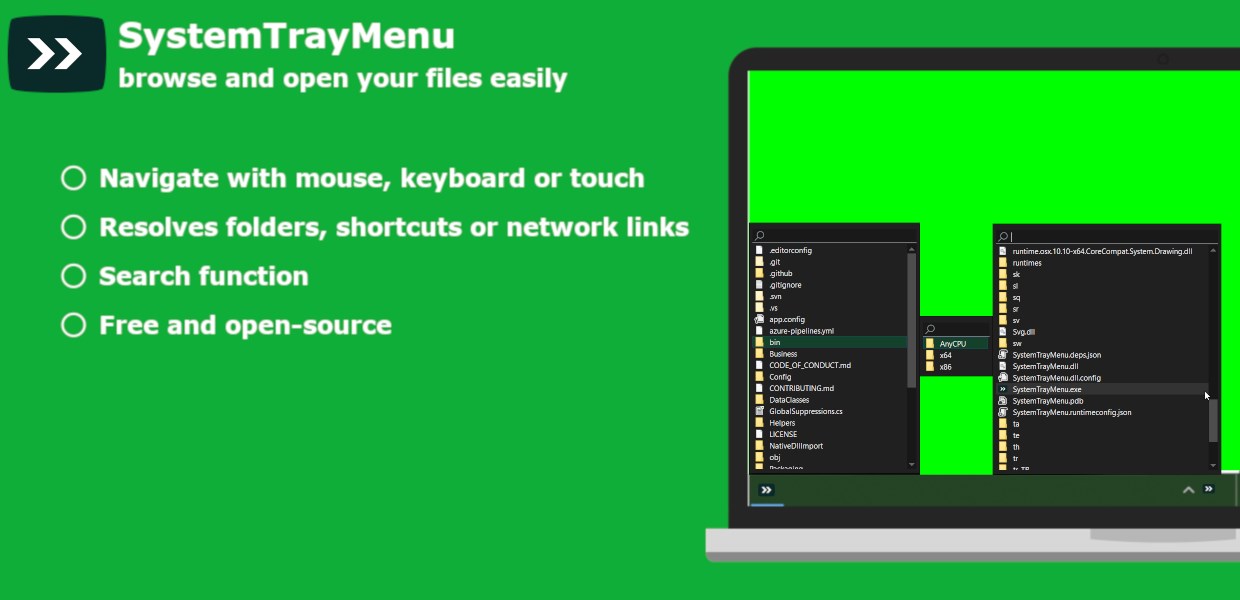
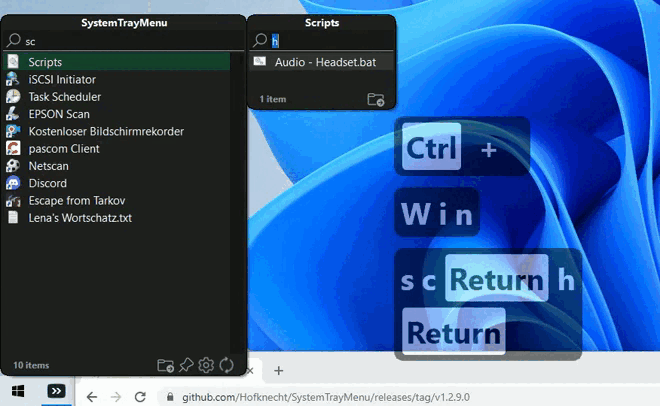
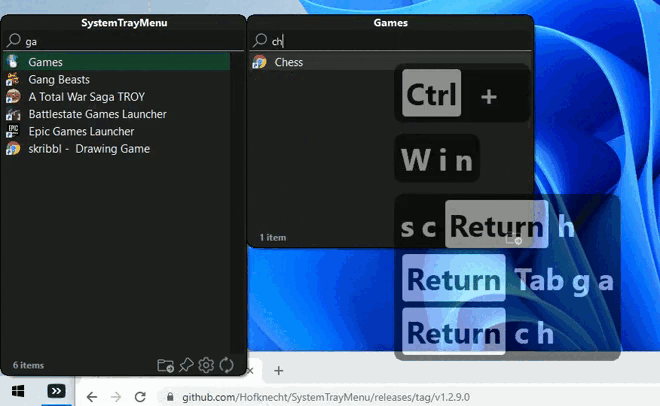
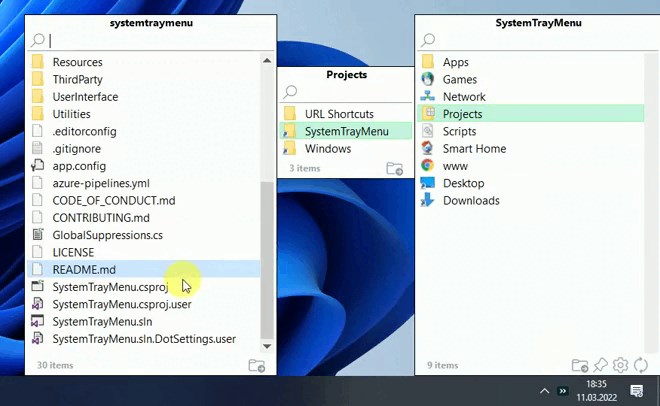
The highlight of SystemTrayMenu lies in its flexibility. Users can craft personalized menus packed with their most-used apps, links, commands, and even scripts. Imagine having your productivity tools, communication apps, or system commands organized in a single, easily accessible drop-down — a real time-saver during busy work sessions. This level of customization surpasses many typical tray utilities, allowing you to build a menu that truly fits your unique workflow.
2. Seamless Integration and Easy Management
The app integrates smoothly with Windows, utilizing the system tray—a familiar, always-on-top spot—ensuring your customized menu is just a click away. Managing menus, editing entries, or adding new items is straightforward with an intuitive interface, enabling even less tech-savvy users to tailor their setup without fuss. It's like having a personal assistant that's just a right-click away, ready to serve your needs.
3. Lightweight Yet Powerful
Despite its rich feature set, SystemTrayMenu remains remarkably lightweight, not burdening your system resources. It launches quickly and runs silently in the background, ensuring your system remains snappy. This efficiency contrasts with some bulkier, more resource-intensive options, making it a perfect choice for users who value speed alongside customization.
Design, Usability, and User Experience
The interface of SystemTrayMenu strikes a balance between minimalism and functionality. The design is clean and modern, with clear icons and organized menus that make navigation intuitive. Setting up your custom menus involves a gentle learning curve—drag-and-drop features and straightforward options help you get started in minutes. During use, the app responds swiftly to commands, with no noticeable lag or hiccups, offering a smooth user experience that feels natural and frustration-free.
How Does it Differ from Other Utilities & Tools?
When compared to other tray menu utilities or productivity boosters, SystemTrayMenu's standout feature is its focus on deep customization combined with a lightweight footprint. While many tools restrict users to predefined themes or limited configurations, this app empowers users to craft highly tailored menus. Its simplicity of management, coupled with the flexibility to include scripts and commands, makes it attractive for power users seeking a tailored but unobtrusive solution. In essence, it feels like a Swiss Army knife for your system tray—compact, versatile, and ready for any task you throw at it.
Final Thoughts and Recommendations
All in all, SystemTrayMenu for Windows deserves a solid thumbs-up for anyone seeking an efficient way to organize their shortcuts and commands conveniently. Its most compelling strengths lie in its high degree of customization and seamless user experience, making it a versatile tool rather than just another utility. If you value having quick access to your essential apps and commands, particularly if you enjoy tinkering with personalized setups, this app is definitely worth trying out.
Though it may not boast flashy animations or unnecessary bells and whistles, its practical design makes it a trustworthy companion for boosting daily productivity. For casual users and power users alike, I recommend giving SystemTrayMenu a try—especially if you want your system tray to become a more dynamic, personalized control center.
Pros
- User-friendly interface
- Lightweight performance
- Easy configuration options
- Quick access to frequently used functions
- Seamless Windows integration
Cons
- Limited feature set in free version
- Occasional minor glitches in menu display
- Lack of detailed documentation
- Limited customization options for appearance
- No built-in support for automation scripts











