

- Category Utilities & tools
- Developer JAM Software
- Available on PC
- OS Windows 10 version 0.0 or higher
- Keyboard Integrated Keyboard
- Mouse Integrated Mouse
- languages German, English, Bulgarian, Chinese (Simplified), Danish, French, Greek, Italian, Japanese, Korean, Dutch, Norwegian, Polish, Portuguese, Portuguese (Brazil), Portuguese (Portugal), Russian, Slovak, Slovenian, Spanish, Czech, Turkish, Ukrainian, Hungarian, Vietnamese
Introducing TreeSize for Windows: Your Personal Disk Space Detective
If you've ever been puzzled by a stubbornly full hard drive and wished for a clear map to reclaim your space, TreeSize for Windows emerges as a reliable digital Sherlock Holmes. It's designed to scan, analyze, and visualize your storage usage with a precision that makes data clutter less intimidating and more actionable.
About the Developer and Core Features
Making Space Management Smarter: Who Developed It?
Developed and published by JAM Software, a company known for creating powerful enterprise and utility tools, TreeSize is their flagship product tailored for everyday users who need quick insights into their disk usage. With years of expertise under its belt, the developer team ensures a smooth and reliable experience for all users.
Key Highlights That Make TreeSize Stand Out
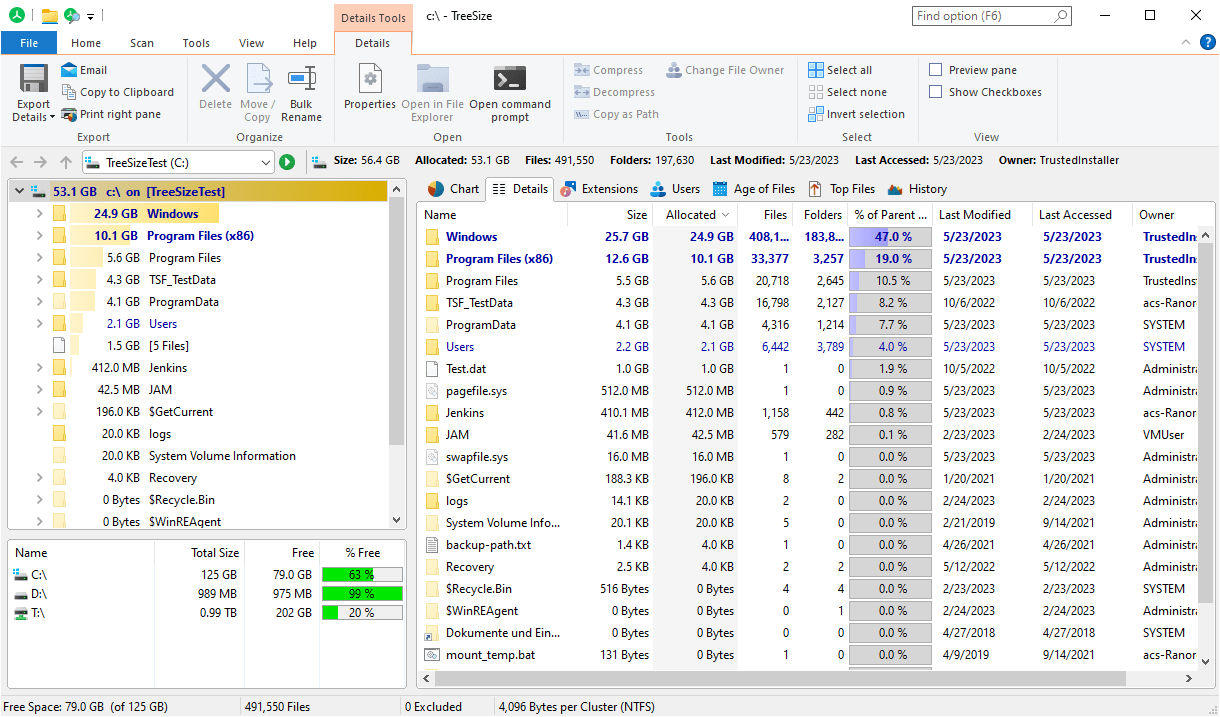
- Depth and Detail in Scan Results: Offers multi-level directory breakdowns, allowing users to see precisely which folders are hogging space.
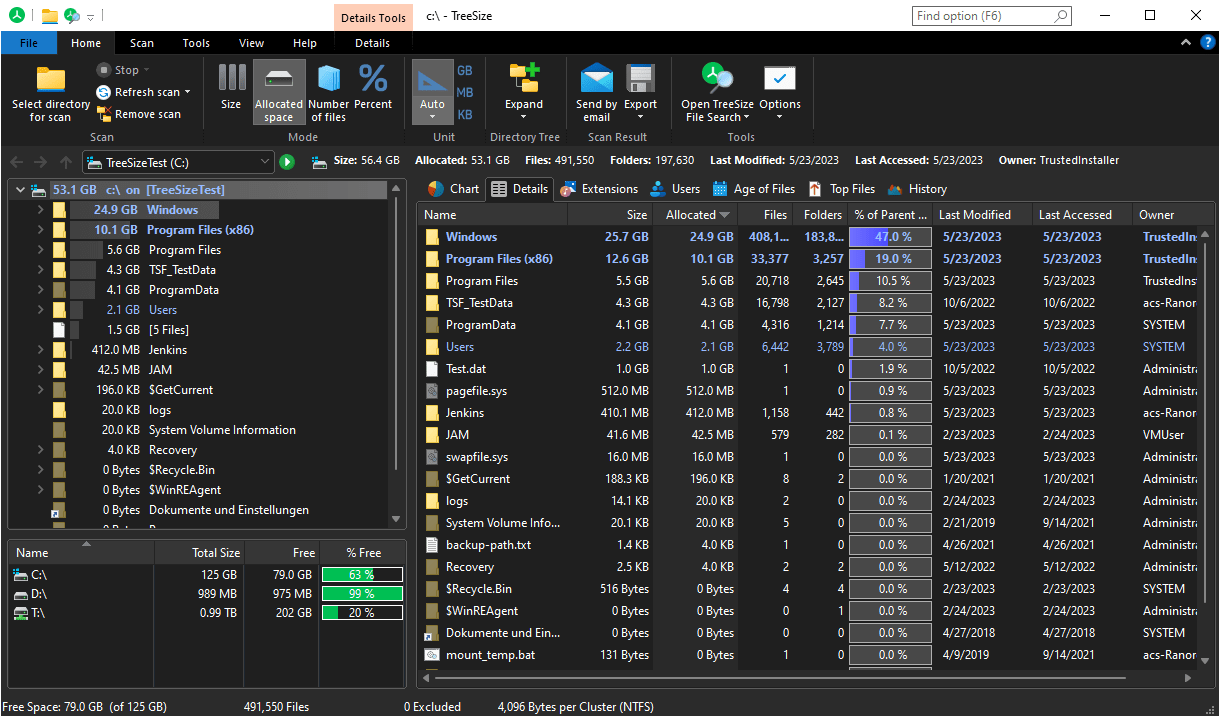
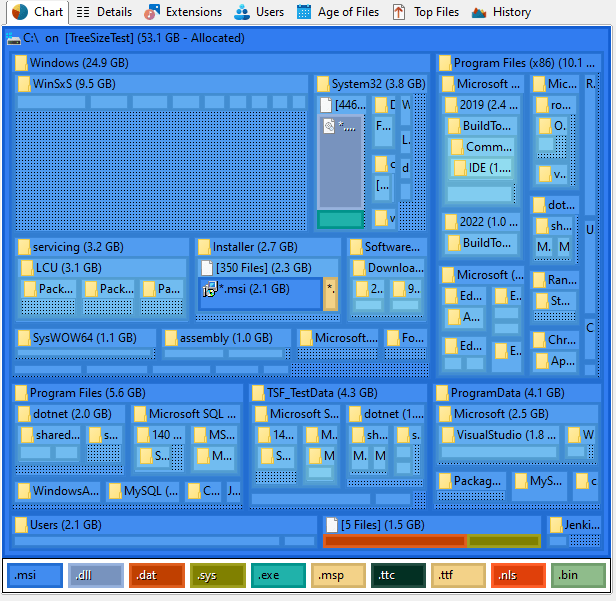
- Intuitive Visual Graphs: Presents data with pie charts, bar graphs, and treemaps, transforming raw numbers into easily digestible visuals.
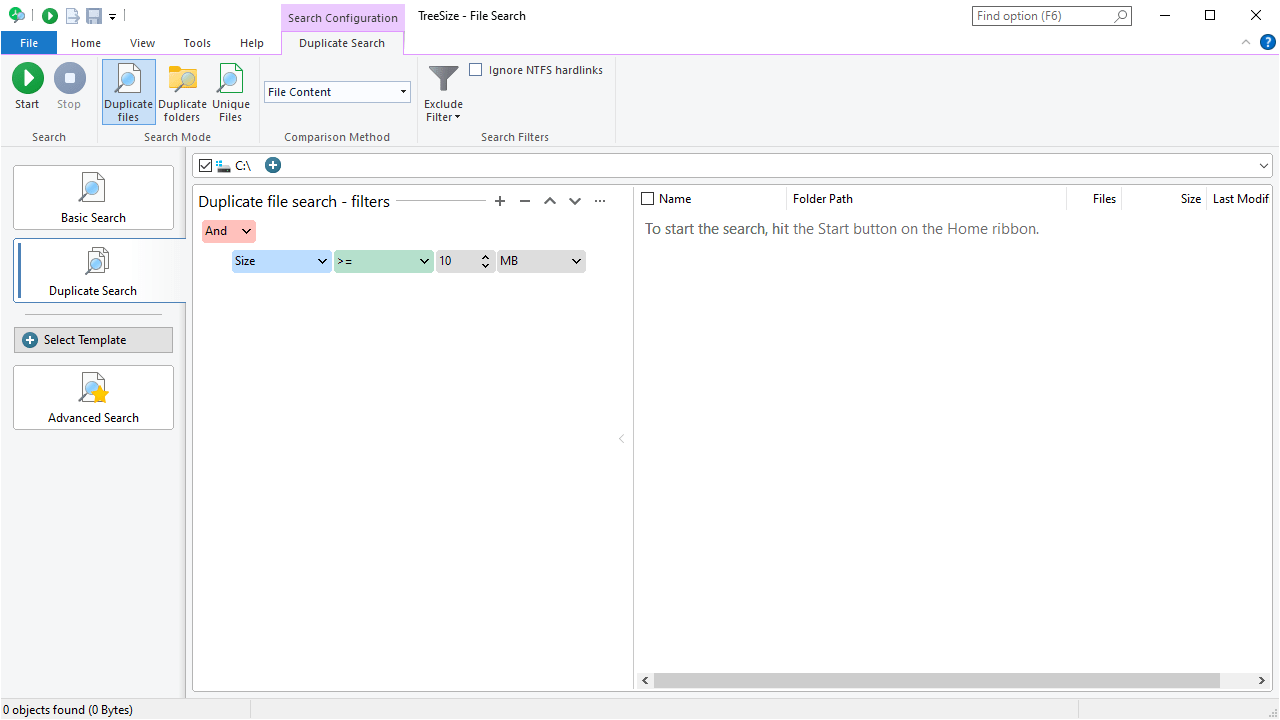
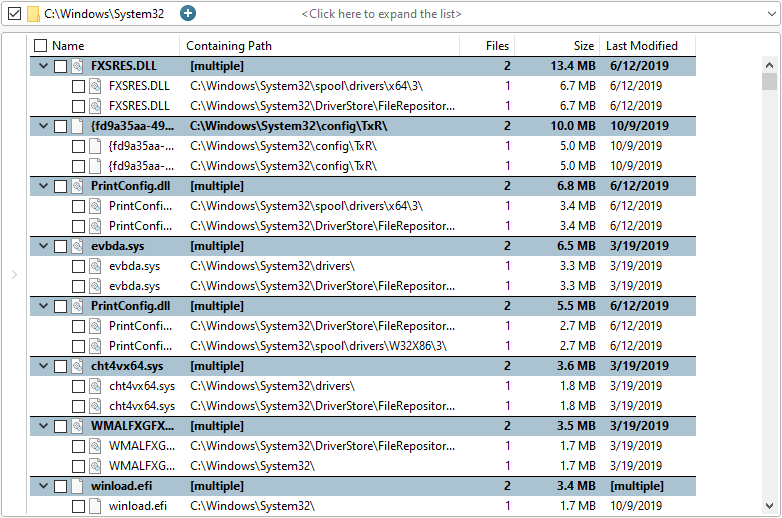
- Filtering and Customization: Lets you sort and filter results based on size, date, or file type, making cleanup targeted and efficient.
- Integration and Accessibility: Seamlessly integrates with Windows Explorer, providing quick right-click options for instant analysis.
Its focus on detailed, visual insights makes this tool ideally suited for power users and casual consumers alike who want to get a clear handle on their storage without relying on clunky external programs.
Bright and Clear Visuals: The User Interface Experience
Stepping into TreeSize is akin to entering a well-organized digital library—everything is laid out nicely, with colorful charts and expandable folders that respond smoothly to your clicks. The interface strikes a friendly balance between simplicity and power, where even first-time users won't feel overwhelmed. It feels more like exploring a charming map rather than decoding a technical maze.
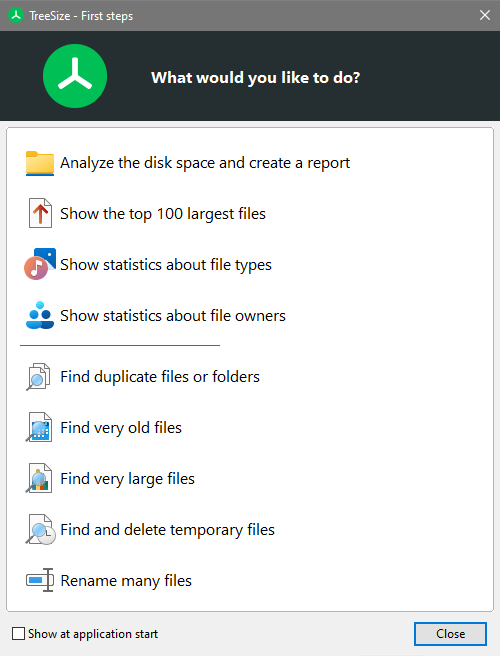
Operation flow is fluid: a few clicks and your scanning begins promptly, with progress indicators keeping you informed. The learning curve is gentle—guides and tooltips are ever-present, easing the onboarding process and ensuring users can quickly grasp how to leverage its full potential.
Unlocking Its Unique Advantages: What Sets TreeSize Apart?
Unlike some utility tools that scatter features across complicated menus, TreeSize's standout trait is its focus on depth and clarity of analysis. Its ability to visualize storage data as nested treemaps and pie charts is like turning a lengthy invoice into an engaging infographic—sudden clarity from chaos. This visual approach makes it easier to pinpoint space hogs instantly, saving you hours of guesswork that other tools might require.
Another distinctive aspect is its incremental scanning capability—cancel and pause options make handling large drives more controlled and less nerve-racking. Moreover, its integration with Windows Explorer allows you to analyze specific folders in context, making it feel like a natural extension of your file management routines.
Final Verdict and Recommendations
Overall, TreeSize for Windows is a trustworthy, user-friendly utility that brings sophisticated storage analysis within easy reach. I would recommend it to anyone—whether you're troubleshooting stubborn storage issues, conducting routine cleanups, or just curious about what's taking up the most space on your device.
The app's detailed visual insights and intuitive interface make it particularly valuable. For those managing significant amounts of data or running small business networks, its depth and filtering capabilities can be a real game-changer. Casual users will find its straightforward approach both accessible and effective.
In summary, TreeSize stands out because of its clear visualization of disk usage and the precision it offers for targeted cleanup—these are its core strengths. If you value a utility that combines depth, ease of use, and detailed visual feedback, this is a tool worth keeping in your digital toolkit. It's not just a storage analyzer; it's your personal space assistant helping to keep your drives tidy and your data under control.
Pros
- Comprehensive disk analysis
- User-friendly interface
- Fast scanning speed
- Flexible filtering options
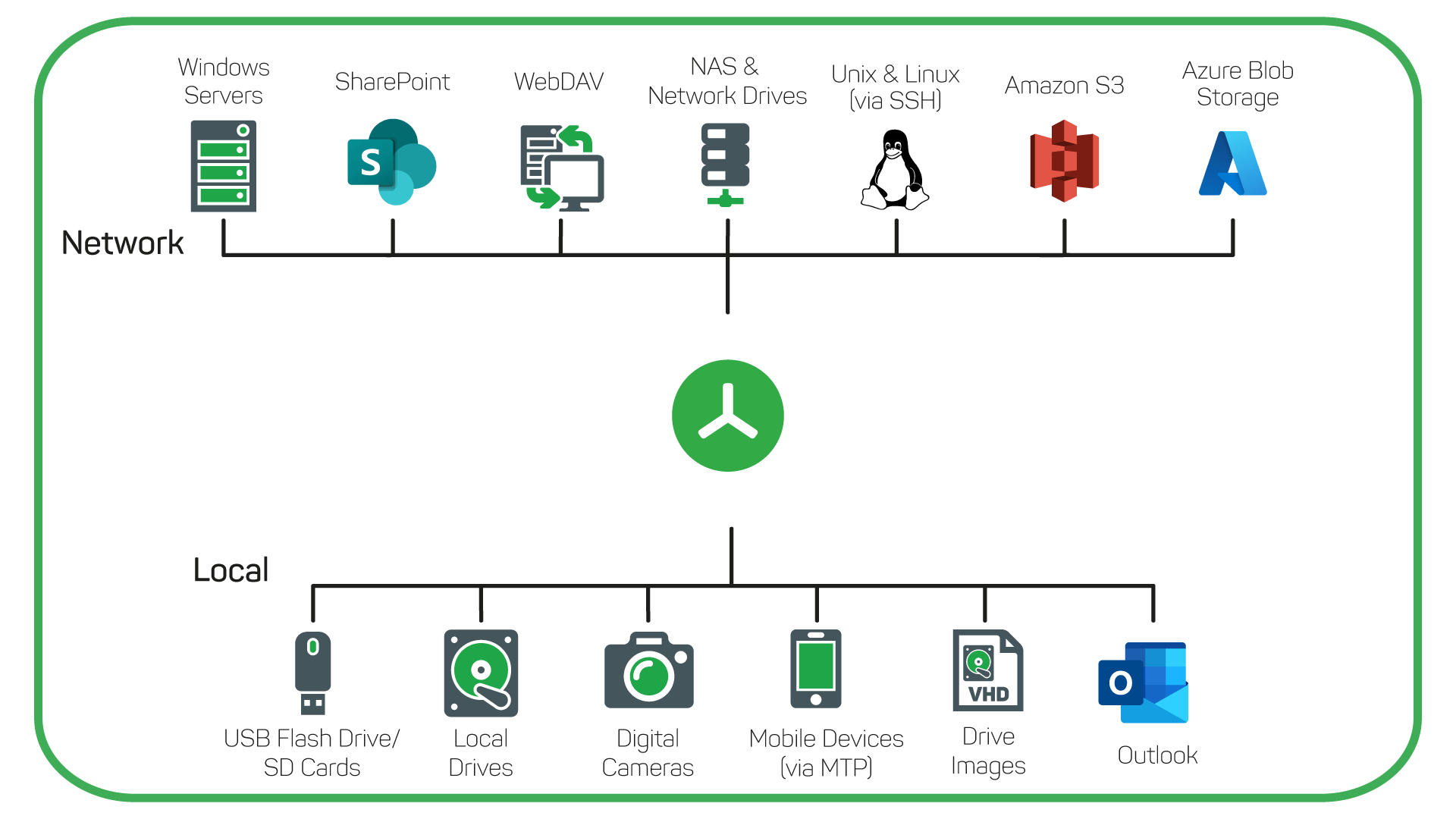
- Supports network drives
Cons
- Limited free features
- Large setup file size
- Learning curve for advanced options
- Limited customization in reports
- Occasional interface lag for large datasets











