

- Category Utilities & tools
- Developer https://www.jam-software.com
- Available on PC
- OS Windows 10 version 0.0 or higher
- languages German, English, Bulgarian, Chinese, Danish, Finnish, French, Greek, Italian, Japanese, Korean, Dutch, Norwegian, Polish, Portuguese (Brazil), Portuguese (Portugal), Romanian, Russian, Swedish, Slovak, Spanish, Czech, Turkish, Hungarian, Ukrainian
Introducing TreeSize Free: Your Handy Disk Space Analyzer
If you've ever glanced at your hard drive and wondered where all that space has gone, TreeSize Free for Windows offers a straightforward and efficient way to get answers. It acts like a detective, revealing the hidden storage secrets lurking behind your folders, making disk management less of a mystery and more of a revelation.
About the Developer: JAM Software
Developed by JAM Software, a reputable German company renowned for their robust system utilities, TreeSize Free benefits from years of expertise in storage management tools. Their dedication to creating user-friendly yet powerful software ensures a reliable experience for both casual users and tech enthusiasts.
Key Features that Stand Out
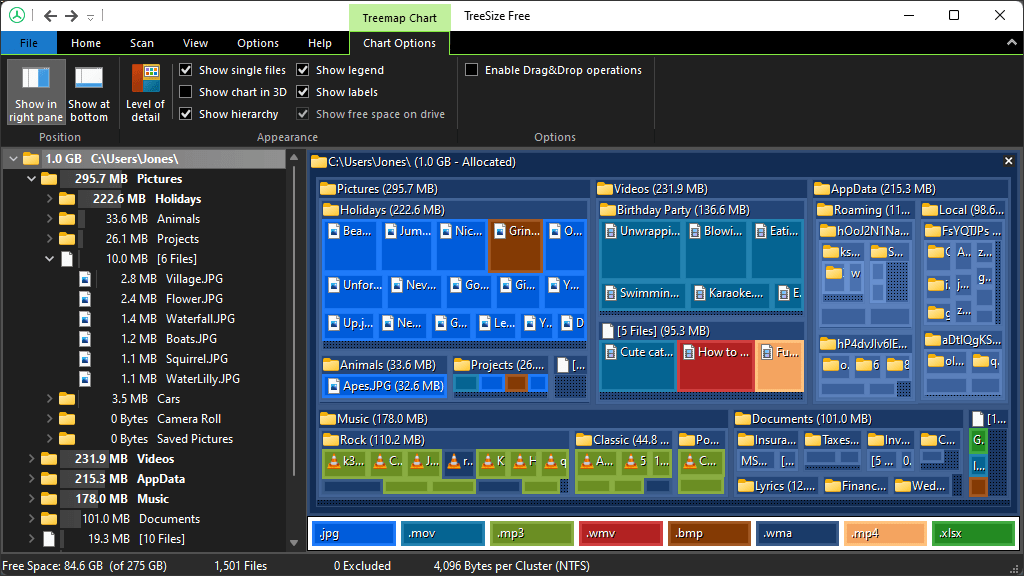
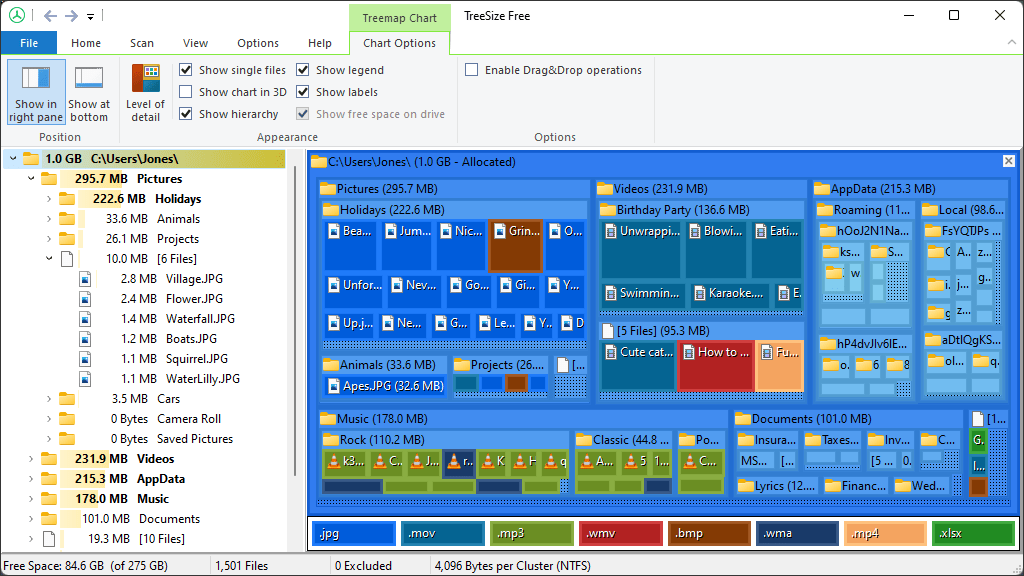
- Visual Storage Breakdown: Presents a clear, hierarchical map of disk space usage, allowing users to identify large folders at a glance.
- Deep Scanning and Filtering: Delivers fast and thorough scans, with options to filter by file types or size ranges for focused analysis.
- Export & Reporting: Enables exporting detailed reports for record-keeping or further analysis, making storage management a breeze.
- Lightweight and Free: Provides powerful features without burdening your system, making it accessible to all Windows users.
Exploring the Core Functionalities
1. Visual Exploration of Disk Usage
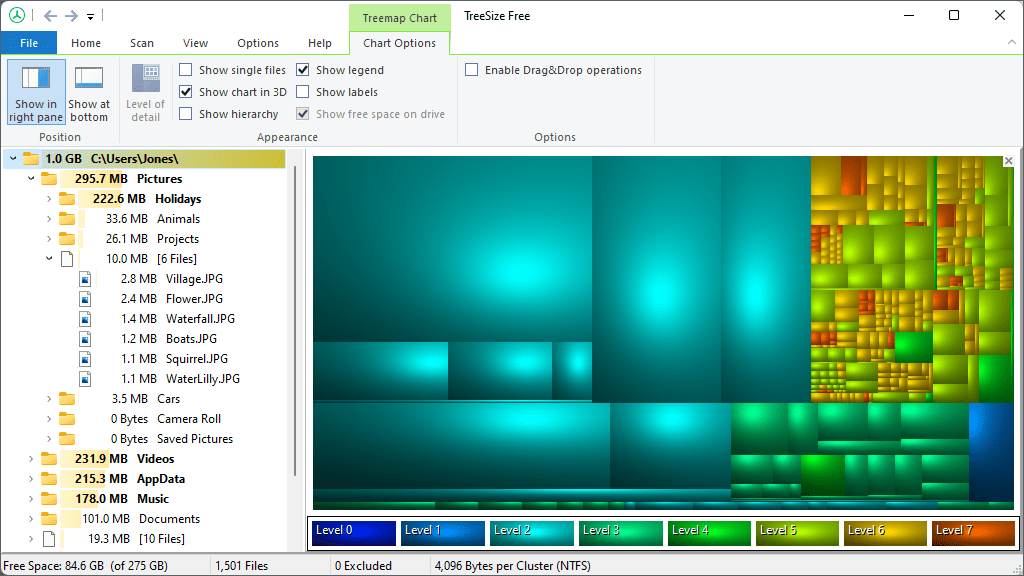
The standout feature of TreeSize Free is its intuitive graphical hierarchy, resembling a colorful treemap that neatly displays disk consumption. Think of it as a map revealing the largest neighborhoods in your digital city. This visual method lets you effortlessly pinpoint space hogs, saving you hours of manual browsing through folders. The color-coded interface adds an extra layer of clarity, making complex data approachable even for beginners.
2. Fast and Detailed Scanning Capabilities
Once initiated, TreeSize Free whirs into action, quickly scanning your selected drive or folder. Its speed is impressive, especially given its comprehensive analysis. You can filter results based on file types such as videos, documents, or temporary files, tailoring the scan to your specific needs. This level of customization ensures you're not overwhelmed by irrelevant data, turning the process into a focused and efficient task.
3. Exporting Reports and Continuous Monitoring
For those who like to keep records or share findings, TreeSize Free provides seamless options to export reports in various formats like HTML or CSV. Imagine archiving your disk usage snapshots or preparing data for a tech support session—it's straightforward and clutter-free. Although primarily a static scanner, this feature empowers ongoing disk management, especially when combined with regular scans to monitor storage trends.
Assessing User Experience: Interface, Flow, and Learning Curve
TreeSize Free sports a clean, no-nonsense interface that feels like a familiar dashboard, making navigation feel natural. The menus are logically organized, reducing the time you spend figuring out how to perform actions. Its operation flow is smooth—click, scan, analyze, and interpret become a seamless cycle. For newcomers, the learning curve is gentle; tooltips and a concise help section act like a friendly guide, easing newcomers into the software's capabilities without frustration.
What Sets TreeSize Free Apart from Similar Tools?
While many disk analyzers exist, TreeSize Free shines with its combination of visual clarity and speed. Unlike some competitors that flood you with technical jargon or complex interfaces, TreeSize Free offers a practical balance—powerful enough for detailed analysis yet simple enough for everyday use. Its hierarchical treemap visualization is particularly effective, transforming raw data into an understandable picture. Additionally, its integration with Windows' native file system ensures compatibility and reliability, giving it an edge over more clunky alternatives.
Final Thoughts & Recommendations
All in all, TreeSize Free is a quietly dependable tool that can serve as your digital housekeeping assistant. For casual users seeking to reclaim disk space or power users needing precise insights, it offers both functionality and ease of use. I'd recommend it to anyone who wants a clear, no-fuss way to understand what's consuming their storage, with the bonus of detailed reports for those who need them. Whether you're tidying up or planning a clean reinstall, TreeSize Free is an app worth keeping in your toolkit.
Pros
- User-friendly interface
- Fast scanning speed
- Detailed disk analysis
- Supports various storage devices
- Free to use for basic features
Cons
- Limited advanced features
- No real-time monitoring
- Limited customization options
- Lack of detailed file type analysis
- Potential false positives with network drives











