

- Category Utilities & tools
- Developer Bohdan Shulha, SysDev Laboratories.
- Available on PC
- OS Windows 10 version 0.0 or higher
- Keyboard Integrated Keyboard
- Mouse Integrated Mouse
- Memory 1 GB
- languages English, German, Spanish, Portuguese, Ukrainian
Comprehensive Data Recovery Made Accessible: UFS Explorer RAID Recovery for Windows
In the world of digital storage, data loss can feel like a sudden storm cloud casting shadows over your entire project. Fortunately, tools like UFS Explorer RAID Recovery for Windows turn that storm into a manageable drizzle, offering reliable solutions to rescue lost files from complex storage configurations. This application positions itself as an indispensable asset for professionals and enthusiasts alike who grapple with RAID array recoveries and data retrieval from damaged disks.
About the Developer and Core Highlights
Developed by Bohdan Shulha of SysDev Laboratories, UFS Explorer RAID Recovery is designed with precision and user-centricity. The software stands out with its ability to handle intricate RAID configurations, including hardware RAID, software RAID, and virtual disk arrays, making it versatile for a variety of recovery scenarios. Key features include intelligent RAID reconstruction, support for diverse storage media, and an intuitive interface that simplifies complex recovery processes. Ideal for IT specialists, data recovery professionals, and advanced power users, this tool bridges the gap between technical complexity and user empowerment.
A Fresh Take on Data Recovery: Engaging User Experience and Robust Features
A Dynamic and Friendly User Interface
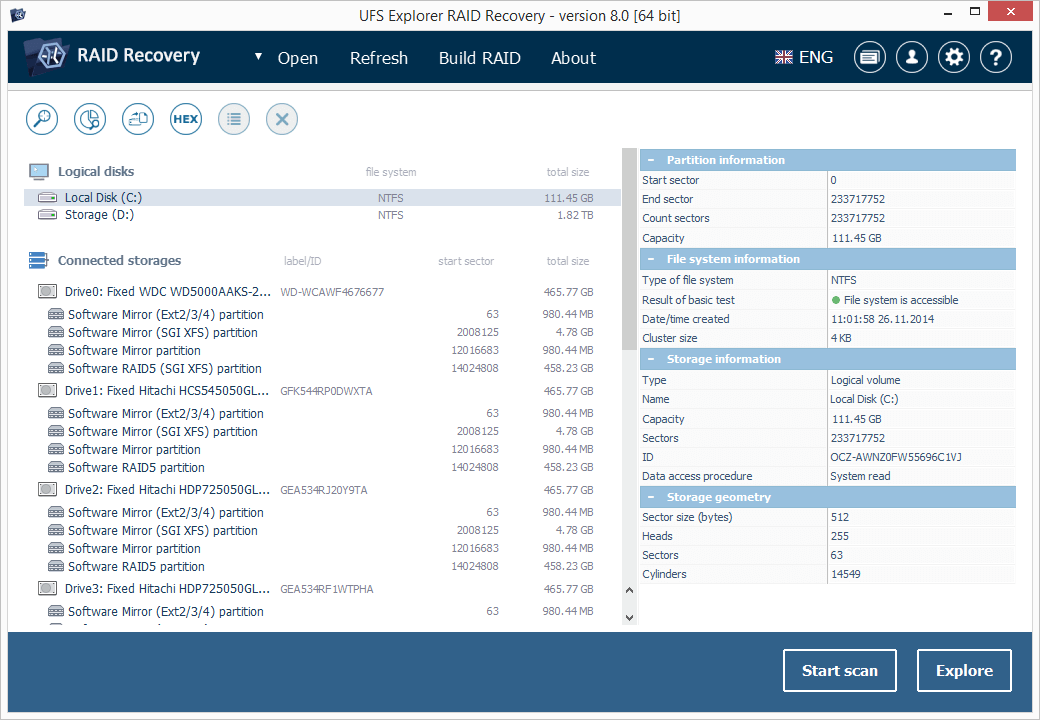
Stepping into the app feels akin to entering a well-organized workshop—everything has its place, and navigating through it is smooth as gliding on ice. The interface employs a clean, modern aesthetic with logical workflow steps that guide even the less tech-savvy users. Icons and prompts are clear, reducing the learning curve and making the recovery process less daunting, much like having a trusted map in unfamiliar territory.
Decoding Core Functionalities: From RAID Reconstruction to File Recovery
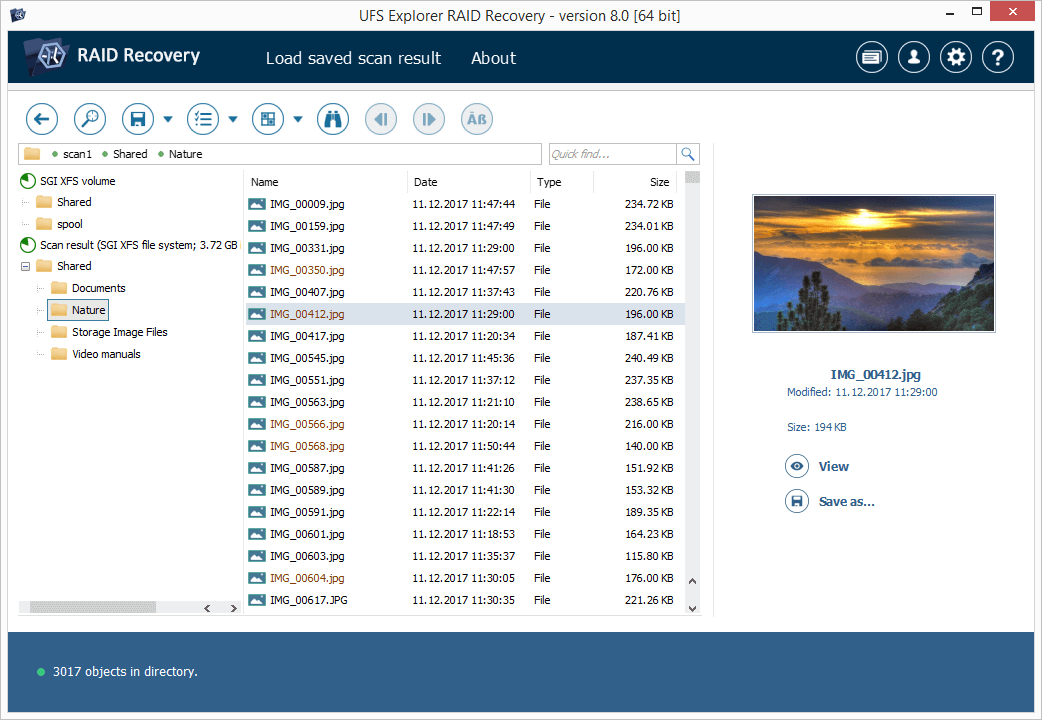
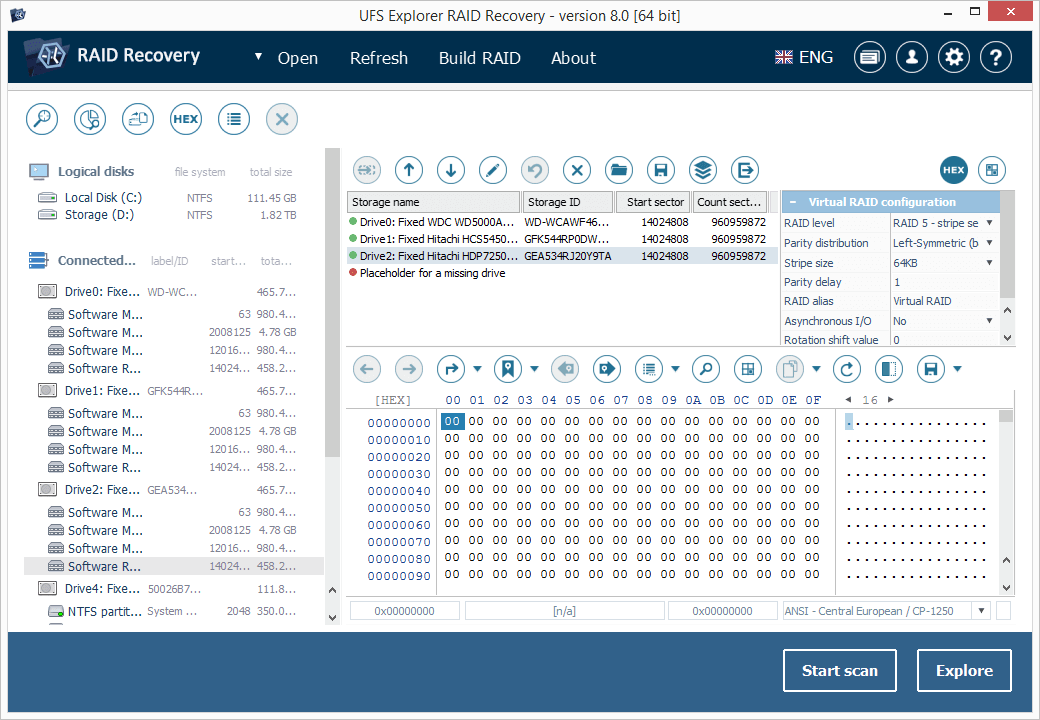
The highlight of UFS Explorer RAID Recovery lies in its ability to meticulously reassemble damaged RAID arrays. This means it can detect RAID parameters automatically or manually, allowing the software to piece together data from failed or corrupted RAID disks as if solving a complex puzzle. Additionally, the support for a broad spectrum of storage media—be it HDDs, SSDs, or virtual disks—ensures that no data rescue job is beyond reach. The recovery process is straightforward: once the array is reconstructed, users can preview files and selectively recover what they need, streamlining the workflow like a skilled craftsman.
Performance, Experience, and Differentiation
In terms of performance, the software demonstrates remarkable speed and reliability, essential for critical data recovery scenarios. Its operation remains smooth and responsive, making long recovery sessions less tiresome. Compared to other tools in the same category, UFS Explorer RAID Recovery's ability to handle both hardware and software RAIDs with minimal configuration fuss is a standout feature. Unlike simpler utilities that only manage basic file restores, this tool's deep understanding of RAID architecture arms users with a powerful, reliable recovery partner, especially in complex array reconstruction scenarios. The learning curve is moderate; novices can benefit from guided prompts, while seasoned technicians will appreciate the depth of control and customization options.
Final Verdict: A Prudent Choice for Critical Data Recovery Tasks
Overall, UFS Explorer RAID Recovery for Windows earns a solid recommendation for anyone needing to restore data from complex RAID setups. Its particular strength in accurately reconstructing damaged arrays sets it apart, making it a trusted companion when time and data integrity are paramount. While it might be overkill for simple file recovery, its power and versatility make it especially well-suited for professional environments where data loss can have significant consequences. For those looking for a reliable, user-friendly, and technically advanced recovery tool, this application deserves serious consideration—think of it as the skilled surgeon for your delicate data needs.
Pros
- User-Friendly Interface
- Comprehensive RAID Support
- Deep Scan Capabilities
- File Preview Feature
- Reliable Data Integrity
Cons
- High System Resource Usage
- Limited Free Trial Features
- Long Processing Times for Large Arrays
- Steep Learning Curve for Advanced Settings
- Occasional Software Crashes











