

- Category Utilities & tools
- Available on PC, Mobile, Surface Hub, HoloLens
- OS Windows 10 version 17763.0 or higher
- languages English (United States)
Unlock FPS for Game for Windows: A Straightforward Booster for Gamers
Unlock FPS for Game for Windows is a utility designed to optimize gaming performance by unlocking the frame rate cap imposed by Windows, promising smoother gameplay and enhanced responsiveness.
Basic Information: Who, What, and Why
Developed by Summer Apps 10, this application aims to empower gamers seeking to maximize their game's frame rate potential without complicated tweaks or deep system adjustments. Its main strengths include easy-to-use interface for unlocking FPS, minimal system impact, and compatibility with a wide range of PC games.
- Target Audience: PC gamers, especially those experiencing performance bottlenecks or desiring higher frame rates in their favorite titles.
- Main Features: Simple click-to-unlock FPS, real-time feedback on current frame rate, and compatibility across numerous Windows-based games.
Engaging Your Inner Gamer: Does It Live Up to the Hype?
Imagine you're settled comfortably in your gaming chair, ready to conquer the latest game, but find yourself frustrated by a cap that limits your frame rates, making motion feel sluggish and responsiveness lagging. That's where Unlock FPS for Game for Windows steps in — a virtual gearshift for your gaming rig that turbocharges performance without the need for complex overclocking or system tweaking. It's like fitting your gaming console with a secret performance booster, seamlessly integrated, yet unobtrusive.
Core Functionality 1: Effortless Frame Rate Unlocking
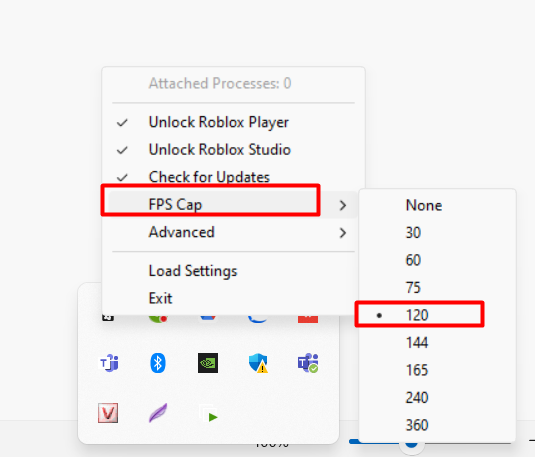
The primary appeal of this application lies in its simplicity. With a straightforward interface, users can initiate the process with just a few clicks. Once activated, it modifies game settings or system parameters to remove the default frame rate cap — often set at 60 FPS — enabling your game to run at the maximum your hardware can handle. Think of it as giving your game the green light to run as fast as it wants, making scenes more fluid and reactions faster. This is particularly valuable for fast-paced shooters or racing games where every millisecond counts.
Core Functionality 2: Real-Time Frame Rate Monitoring
Beyond unlocking, the app provides a handy overlay displaying real-time frame rate data. This feature allows gamers to instantly see the impact of the changes, confirming that the tweak is effective. Visualizing performance metrics can be as satisfying as watching your speedometer climb during a drag race — it provides tangible feedback on your system's capabilities and the app's performance boost.
Usability and User Experience
The interface design is clean and minimalistic, reminiscent of a sleek dashboard—nothing overly complicated, but enough to instill confidence. The steps to unlock FPS are intuitively laid out, making it accessible even to users with limited technical background. Operation is smooth; clicking a button to activate the feature feels responsive, and the app doesn't seem to cause any noticeable delays or hiccups during use. Learning curve? Almost non-existent. Even a novice can navigate through the process within minutes.
What Makes It Stand Out Among Similar Utilities?
Compared to other system tuning tools or game optimization utilities, Unlock FPS for Game for Windows positions itself as a dedicated, focused tool designed explicitly for one purpose: unlocking the FPS cap. Its unique advantage lies in its simplicity and targeted approach — rather than jumbling multiple settings or options, it provides a quick, one-click solution that reliably works across many games and Windows configurations. Many similar tools offer partial or unstable adjustments, but this app emphasizes stability and minimal system alteration, reducing the risk of unintended consequences.
Final Verdict: A Handy Tool Worth Trying
If you're a PC gamer feeling limited by Windows' default frame rate cap, Unlock FPS for Game for Windows offers a practical, easy-to-use solution. Its core strength is in providing a straightforward method to unlock higher frame rates, with real-time feedback that confirms effectiveness. While it may not replace more comprehensive system tuning setups, its targeted approach makes it an excellent first step for gamers seeking a quick performance boost without the hassle of deep system modifications. I recommend giving it a try if you want to squeeze a little more out of your gaming experience, especially for fast-paced titles that thrive on high frame rates.
Pros
- Easy to enhance FPS performance
- User-friendly interface
- Compatible with multiple games
- No need for extensive system tweaks
- Suitable for improving gaming experience on lower-end PCs
Cons
- Limited customization options
- Potential stability issues with some games
- Temporary workaround for game-specific restrictions
- Possible detection by anti-cheat systems
- Limited support and update frequency











