

- Category Utilities & tools
- Developer Thiago Fortes
- Available on PC
- OS Windows 10 version 17763.0 or higher
- DirectX Version 11
- Memory 2 GB
- Keyboard Not specified
- Mouse Not specified
- languages English (United States)
A Fresh Take on Web Browsing: Overview of Web Explorer for Windows
In an era dominated by feature-packed browsers, Web Explorer for Windows offers a clean and straightforward approach to exploring the web. Designed with simplicity and efficiency in mind, it appeals to users seeking a no-fuss browsing experience that gets the job done without unnecessary clutter.
Meet the Developer and Unpack the Core Features
This lightweight application is developed and published by Thiago Fortes, a developer whose focus seems to be on delivering streamlined tools to enhance everyday tasks. Web Explorer's standout features include a minimalist user interface, fast load times, and an innovative tab management system designed to simplify multitasking. Its primary target users are casual browser users, students, and professionals who prefer a clutter-free environment while browsing the internet.
A User-Friendly Introduction to Web Explorer
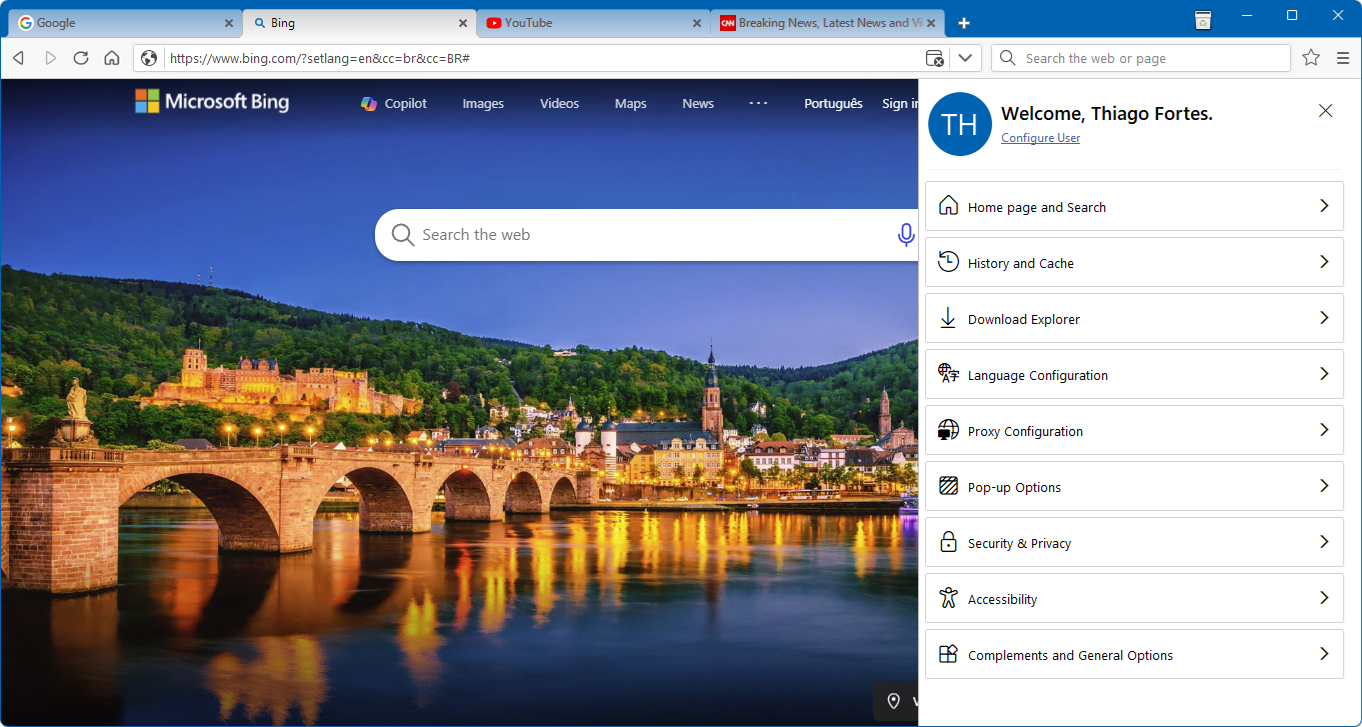
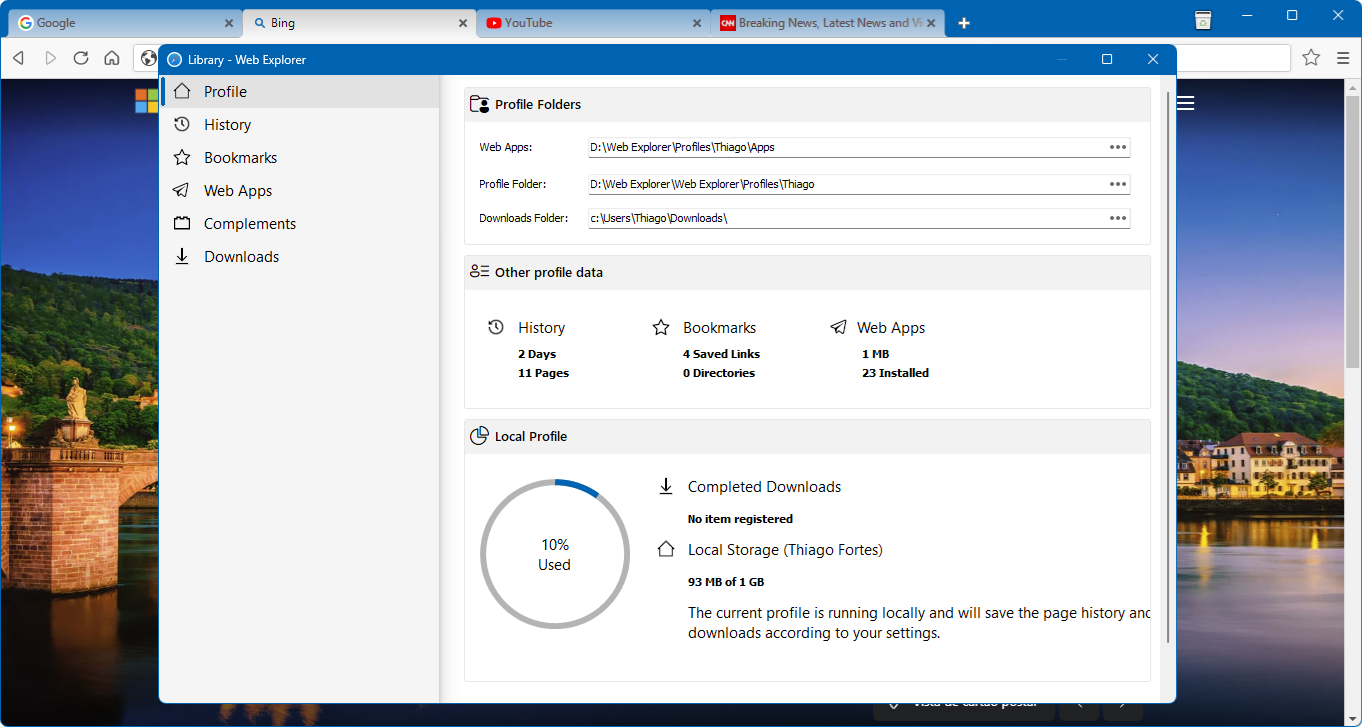
Imagine opening your browser and feeling immediately at ease, as if you've settled into your favorite reading nook—no distractions, just pure content. That's the vibe Web Explorer for Windows aims to create. It's like slipping into a comfy pair of shoes after a long day—simple, comfortable, and reliable. Whether you're quickly checking emails, reading articles, or researching, this app promises a smooth and intuitive experience that won't overwhelm you with options or settings.
Clean and Intuitive Interface: The Art of Digital Minimalism
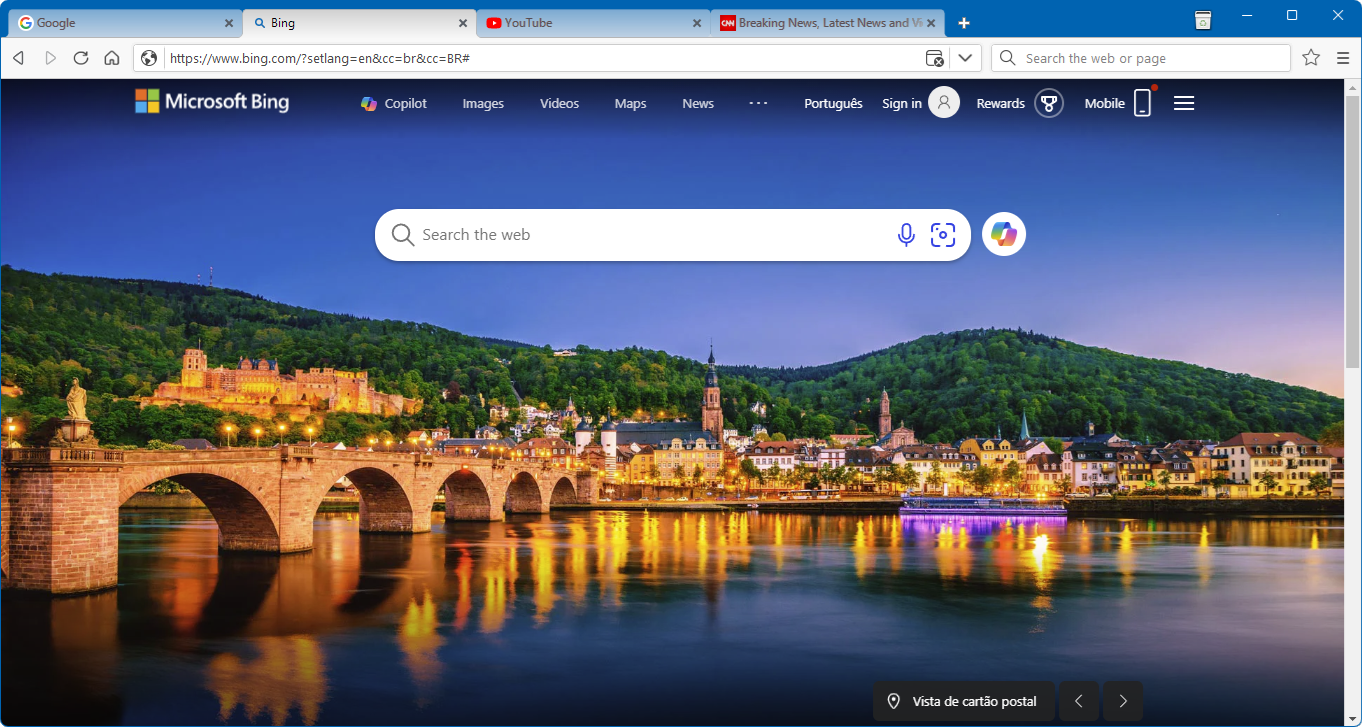
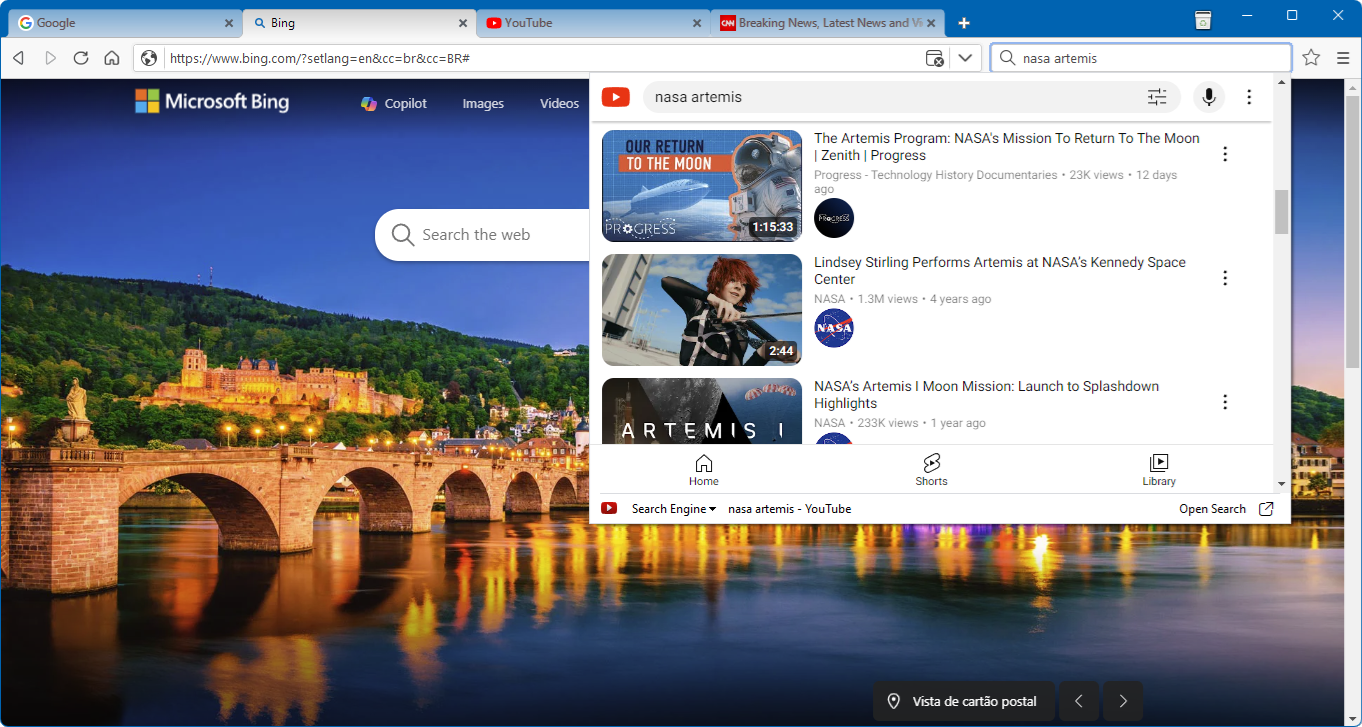
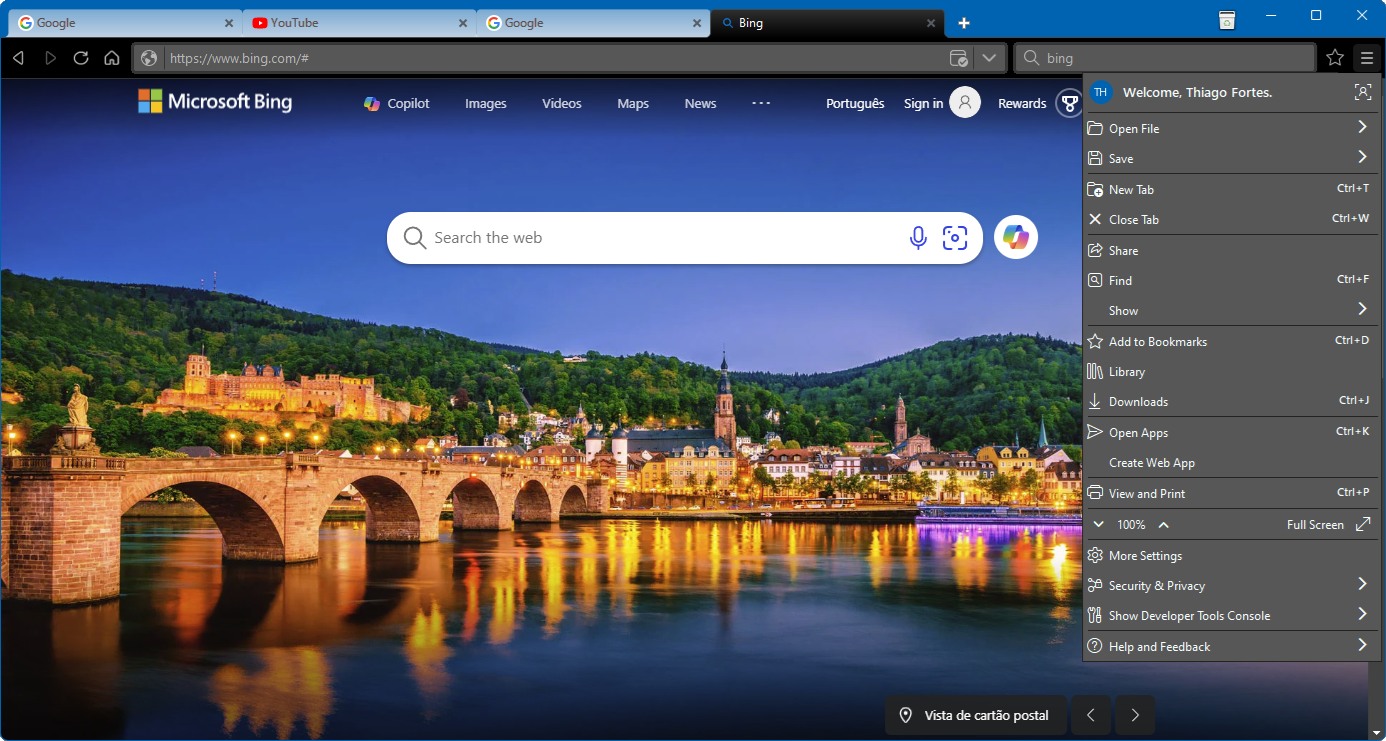
One of Web Explorer's most commendable attributes is its clean, streamlined interface. Unlike some browsers that bombard you with toolbars, extensions, and vibrant advertisements, this app offers a minimalistic layout that puts content front and center. Navigating through your favorite websites feels natural, akin to flipping through pages of a well-organized magazine. The design reduces visual noise, making it easy to focus on the task at hand.
Performance and Fluidity: Speed Without Sacrifice
Browsing is a breeze with Web Explorer. Its optimized engine ensures swift page loads and smooth scrolling, even on less powerful hardware. The app's responsiveness is comparable to a well-tuned sports car—you press the accelerator, and it responds instantly. Such performance minimizes frustration, especially when juggling multiple tabs or streaming content. Even during extended use, the app maintains a stable and fluid experience, demonstrating a solid grasp of efficiency.
Innovative Tab Management: Simplify Multitasking
The highlight that truly sets Web Explorer apart is its unique tab management system. Unlike conventional browsers that stack tabs randomly or require third-party extensions for organization, this app introduces a lightweight, visual tab overview. Think of it as a tidy desktop where all your open files are laid out clearly, allowing you to switch between tasks seamlessly. This feature particularly benefits users handling numerous websites simultaneously, as it streamlines workflow without adding complexity.
What Keeps It Ahead of the Pack?
Beyond its simplicity, Web Explorer's key strength lies in its focus on core browsing functions without unnecessary bells and whistles. Its design philosophy resembles a well-organized toolbox, where every tool has its place, and nothing distracts from the primary task—accessing information quickly and effortlessly. This distinct approach offers a more stable, resource-friendly experience compared to bulkier browsers that often hog system resources and clutter the interface. If your browsing needs are straightforward, or you prefer a clutter-free digital environment, this app provides a compelling alternative to mainstream options.
Final Verdict: Is Web Explorer for You?
All things considered, Web Explorer for Windows offers a thoughtfully crafted browsing experience designed for users valuing simplicity, speed, and minimalism. It's especially recommended for those tired of bloatware or seeking a reliable secondary browser. While it may lack some advanced features found in major browsers, its core strengths—speed, ease of use, and an innovative tab system—make it a worthwhile addition to your software toolkit. For everyday browsing that feels like slipping into your favorite pair of slippers, this app earns a solid recommendation. Give it a try—sometimes, less truly is more.
Pros
- User-Friendly Interface
- Fast Loading Speed
- Compatibility with Multiple Websites
- Regular Updates and Improvements
- Lightweight and Efficient
Cons
- Limited Customization Options
- Occasional Crashes on Heavy Webpages
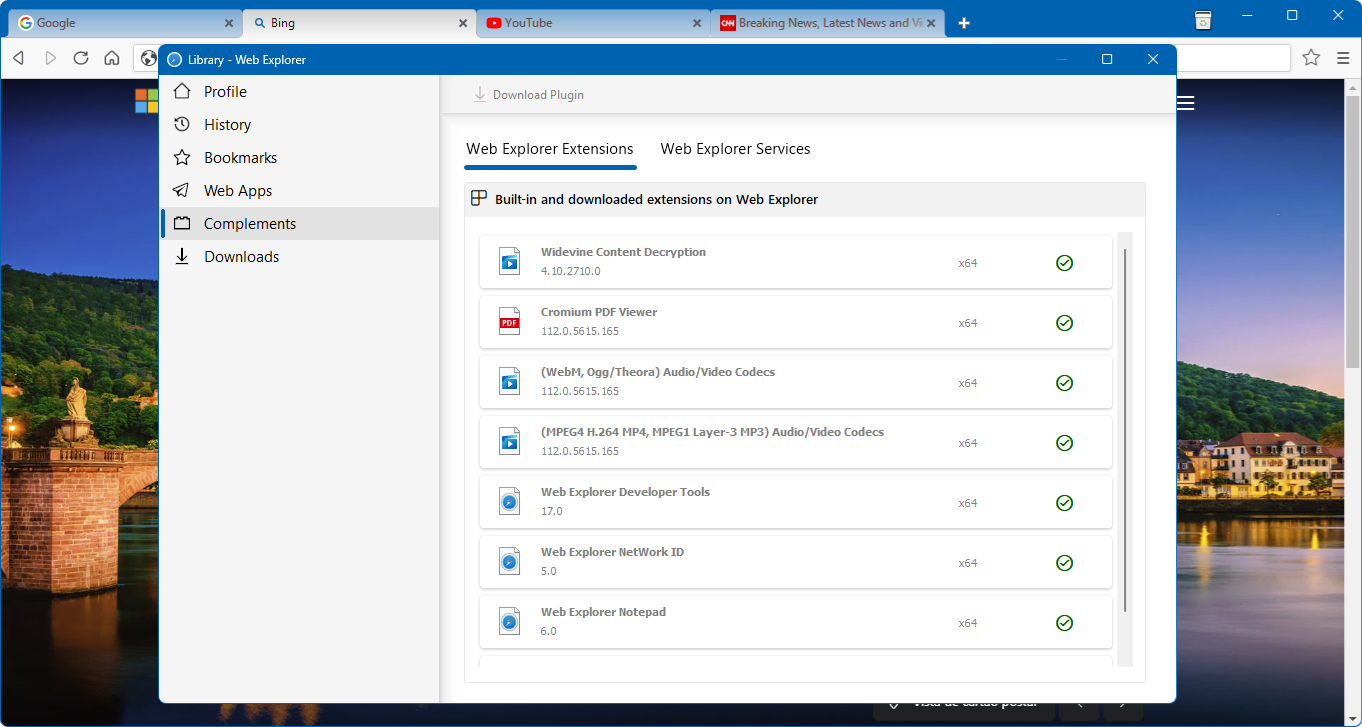
- Lack of Advanced Features Like Extensions
- Limited Offline Capabilities
- Inconsistent Support for Some Web Standards











