

- Category Utilities & tools
- Developer Matt Hafner
- Available on PC, Mobile, Surface Hub, HoloLens
- OS Windows 10 version 10240.0 or higher
- languages Bangla, Chinese (Simplified), Czech, Dutch, English (United States), Finnish, French, German, Italian, Japanese, Polish, Portuguese, Russian, Spanish, Turkish
Introducing WiFi Analyzer for Windows
WiFi Analyzer for Windows, developed and published by Matt Hafner, is a dedicated tool designed to provide detailed insights into your Wi-Fi networks, making it easier for users—from casual home users to tech-savvy network enthusiasts—to optimize and troubleshoot their wireless connections effectively.
Core Features and Highlights
Comprehensive Network Mapping
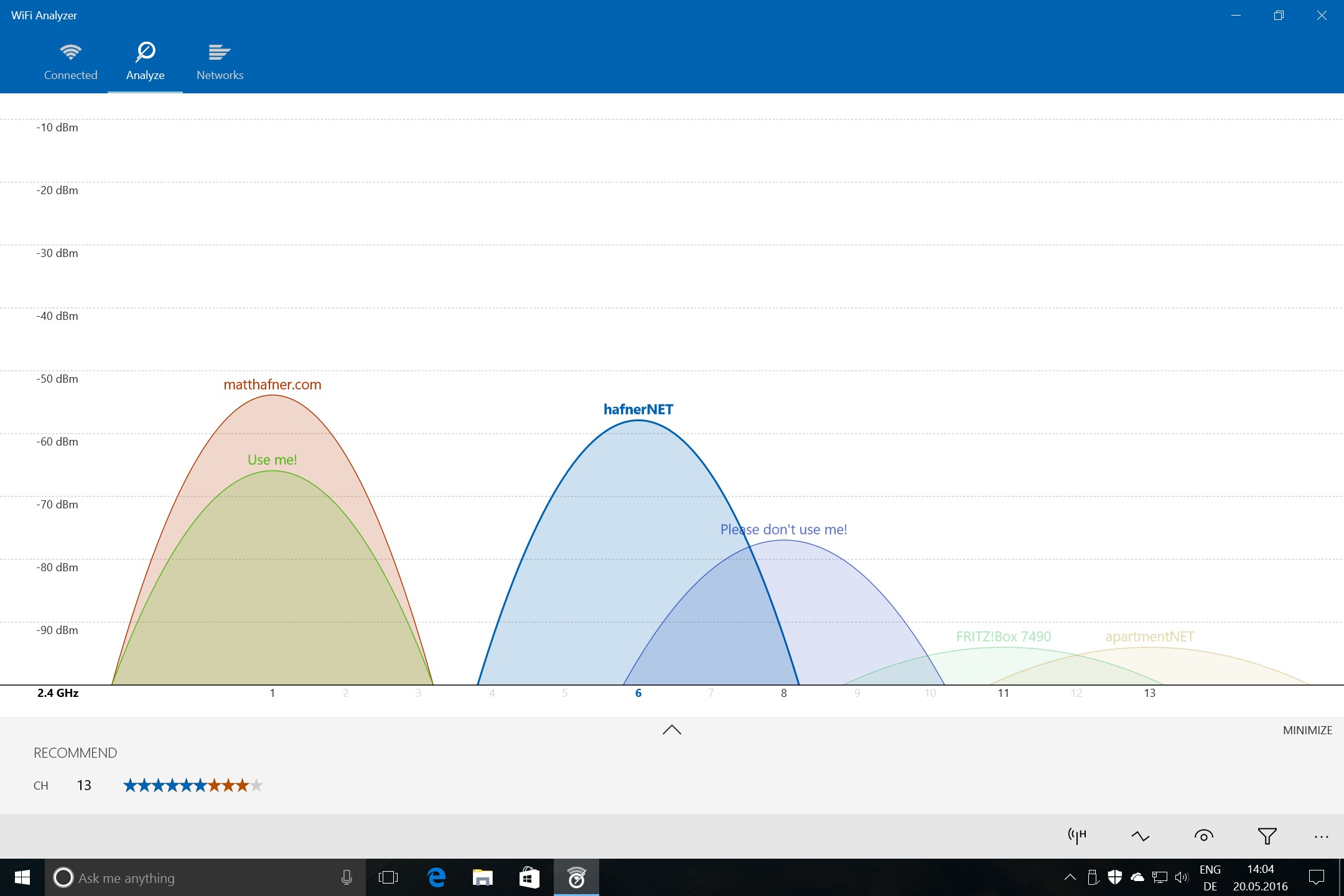
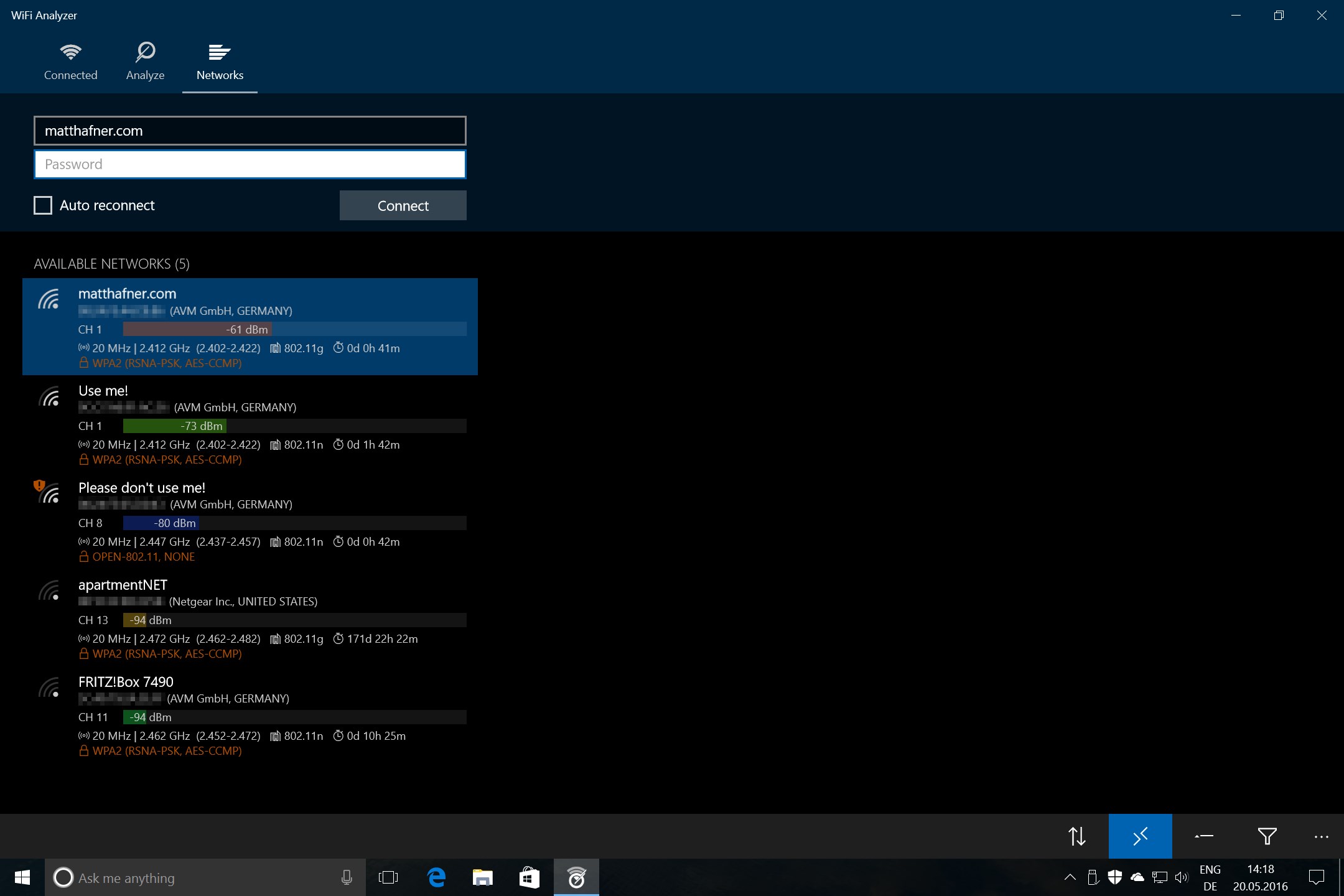
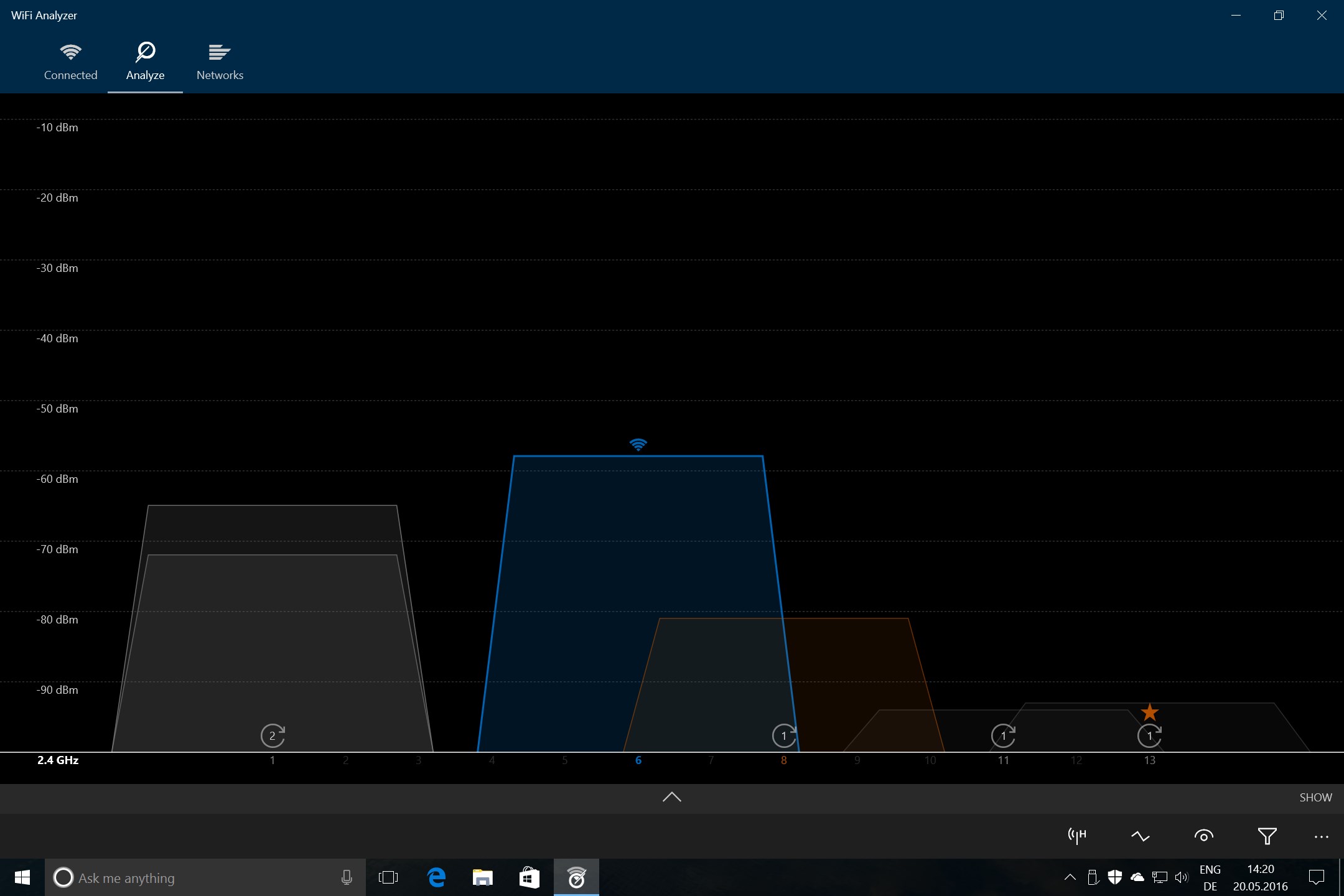
This app visually maps out the Wi-Fi environment around you, showing signal strengths, channel distributions, and nearby networks. It's like having a digital radar that reveals the Wi-Fi landscape, helping you identify interference sources and optimal channels for your own network.
Channel Analysis and Optimization
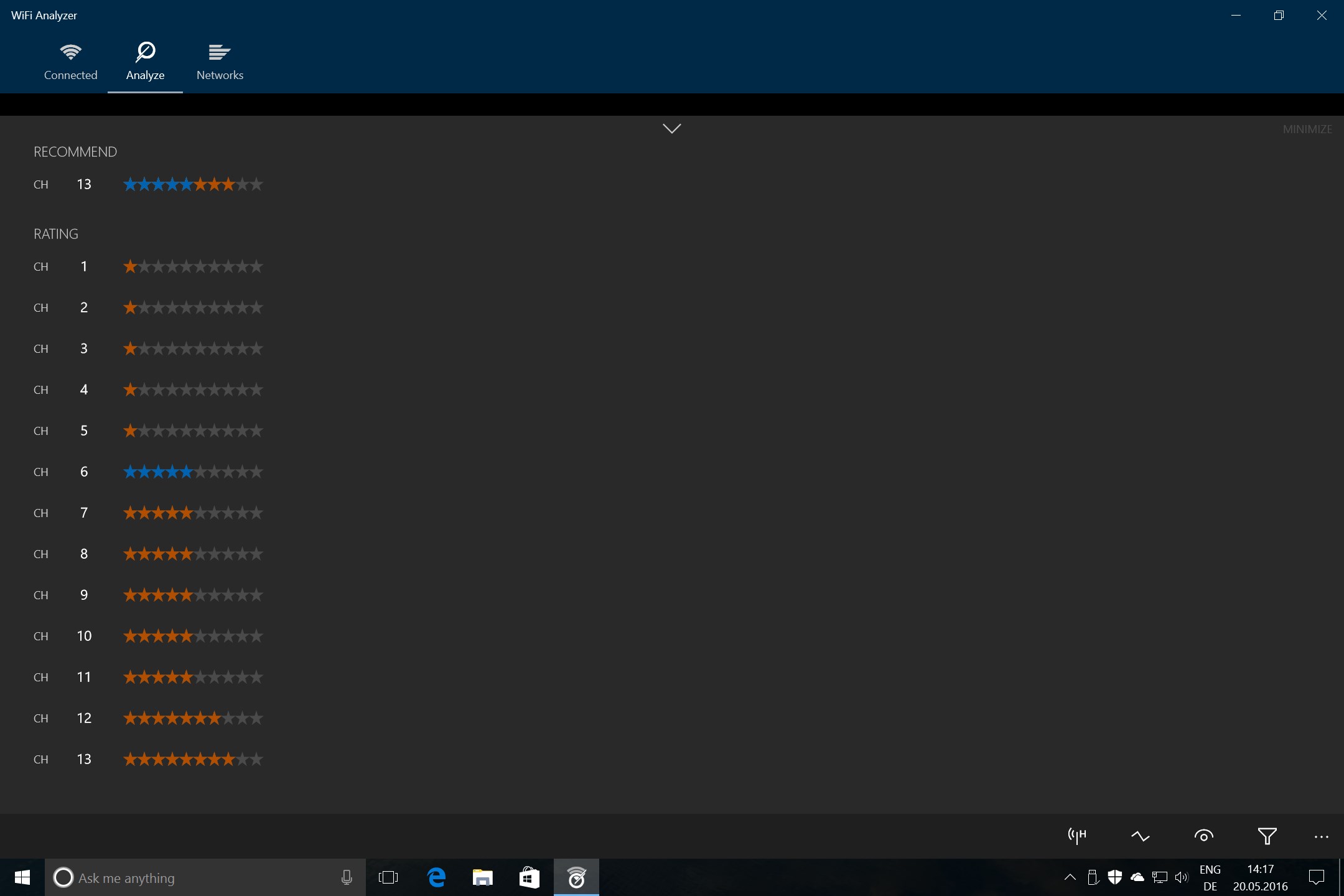
One of the standout features is the real-time channel analysis. The app identifies which channels are crowded and suggests the best one for your network, aiming to boost speed and reduce lag—especially helpful in congested apartment buildings or offices.
Signal Quality and Performance Metrics
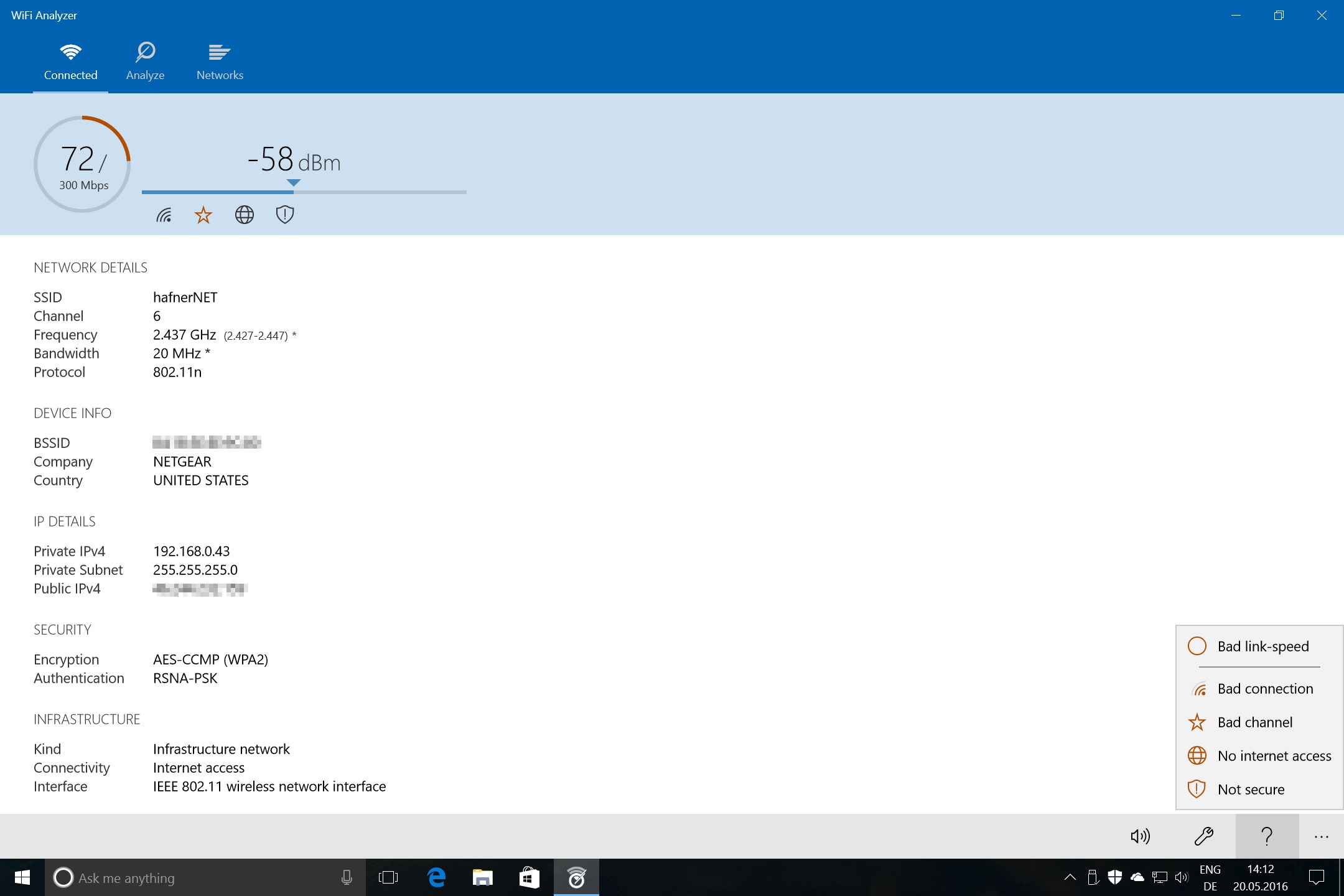
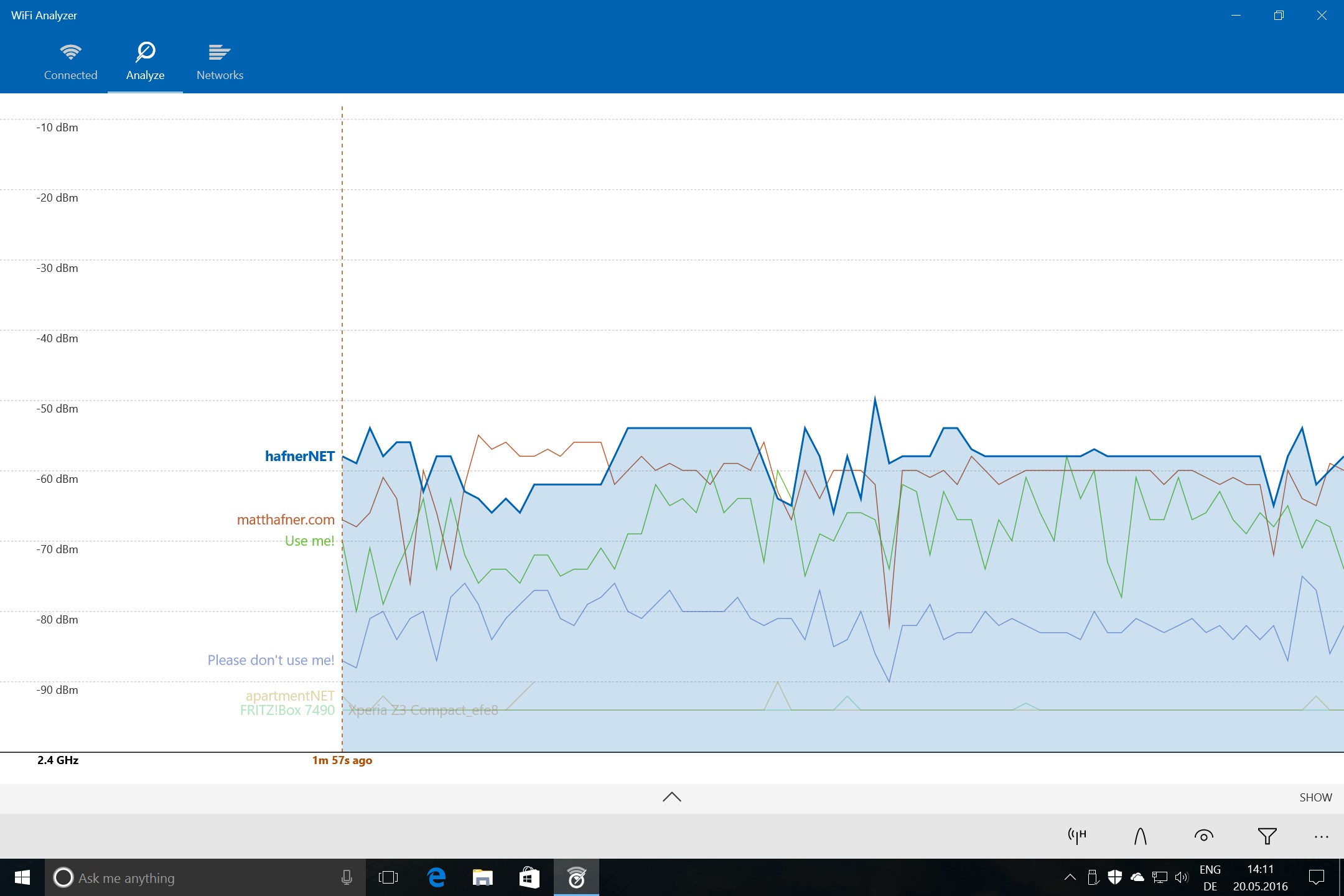
Beyond just scanning, WiFi Analyzer provides detailed metrics such as signal-to-noise ratio, link quality, and connection stability indicators. This depth of information allows users to diagnose subtle interference issues that may be impairing network performance.
Detailed Evaluation: A Friendly Tech Guide's Perspective
Imagine you're trying to catch a Wi-Fi superhero—someone who can sniff out the hidden signals battling for bandwidth in your home or office. That's what WiFi Analyzer offers: a clear, friendly interface with the precision of a seasoned detective. Whether you're setting up a new router or troubleshooting a sluggish connection, this app is like having an expert network handyman right at your fingertips.
Intuitive and User-Centric Interface
The app boasts a sleek, uncluttered design that feels approachable, even for those new to network analysis. Charts, graphs, and maps are organized logically, guiding users through complex data with ease. The real-time visualizations make it almost playful, akin to a weather map but for your Wi-Fi environment. Navigating through the app is smooth, with immediate responsive feedback, which minimizes frustration and fosters confidence in reading network info.
Robust Functionality with Focused Precision
The core feature that sets WiFi Analyzer apart is its ability to visually map and analyze the Wi-Fi spectrum live. Unlike generic tools that merely list network names and signal levels, this app's channel analysis pinpoints interference spots, and its signal quality metrics provide a granular understanding of your network's health. This combination transforms what could be a confusing jumble of data into a clear story of your wireless environment. For example, if your Netflix streaming keeps buffering, a quick glance at the channel congestion map can reveal overlapping networks causing chaos, allowing you to switch channels and restore smooth streaming.
Learning Curve and User Experience
Getting started is straightforward. The app offers enough guidance without overwhelming, making it accessible for everyday users while remaining sufficiently detailed for advanced users. The learning curve is gentle: it's like upgrading from a map to a GPS—once you understand the basic signals, more complex features naturally become useful. The app feels responsive and fluid; switching between views or zooming into network details is seamless, akin to flipping through the pages of a well-designed book.
Unique Advantages Over Similar Tools
Compared to other Wi-Fi utilities, WiFi Analyzer's standout feature is its visual network mapping combined with intelligent channel recommendations. Many tools provide raw data, but few translate that into actionable views that guide users intuitively. Its user-friendly approach transforms what often feels like black magic into tangible steps to improve your network. Moreover, its lightweight design means it runs smoothly without draining system resources, a clear advantage over bulkier, more complex diagnostics software.
Final Recommendation and Usage Suggestions
All considered, WiFi Analyzer for Windows earns a confident "thumbs up." It's especially recommended for home users and small office setups looking to optimize their wireless environment without diving into complicated setups or costly professional tools. Use it to identify interference sources, choose the best channel, or verify signal improvements after adjustments. While it might lack some advanced enterprise features, its simplicity and power make it a valuable companion for everyday Wi-Fi management. Whether you're troubleshooting a stubborn connectivity issue or just curious about your network landscape, this app is a handy, reliable partner.
Pros
- Intuitive interface
- Real-time signal analysis
- Channel overlapping detection
- Detailed network information
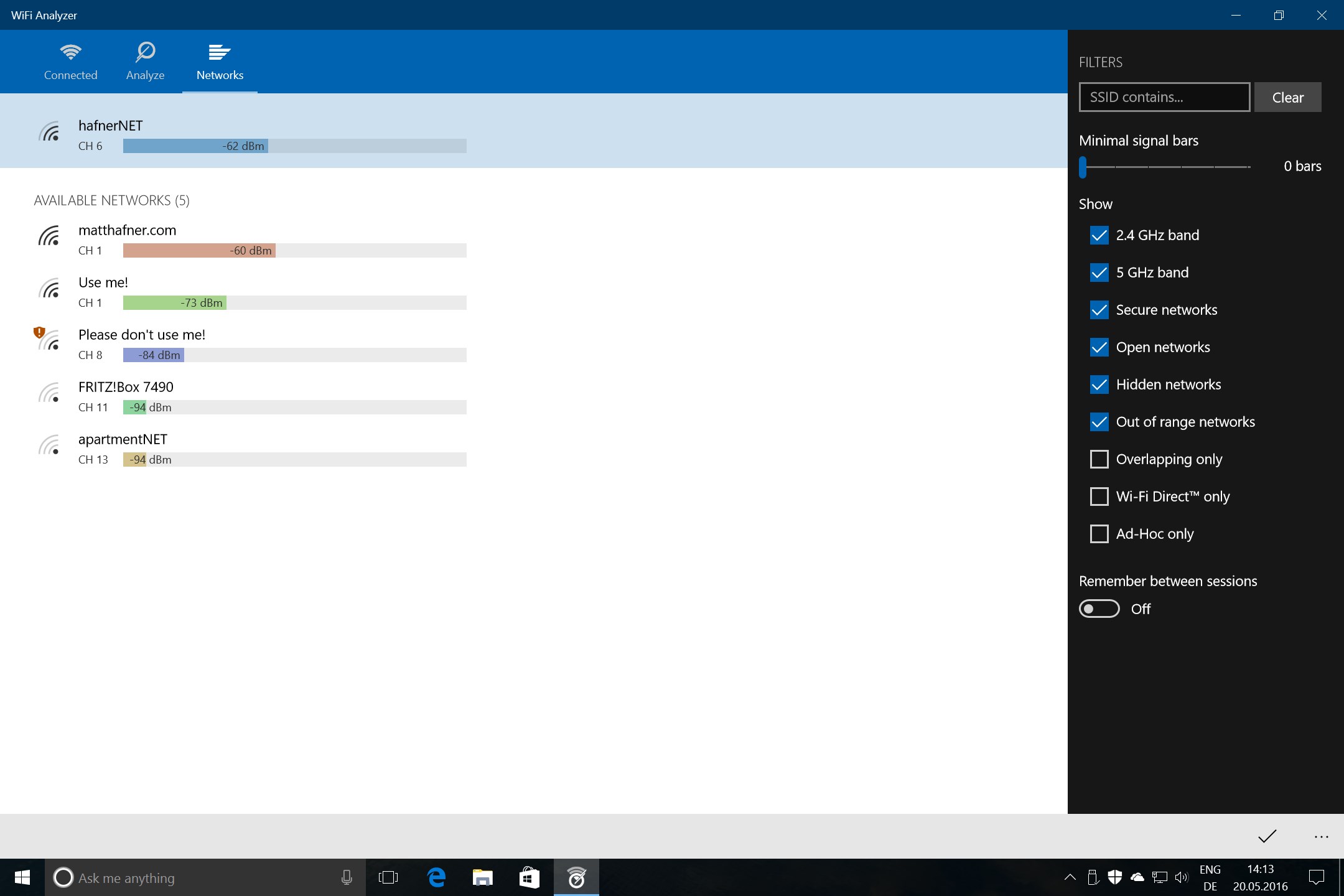
- Support for multiple networks
Cons
- Limited advanced features
- Inconsistent accuracy on some devices
- Occasional lag during intensive scans
- Limited customization options
- No offline mode for certain features











