

- Category Utilities & tools
- Developer Microsoft Corporation
- Available on PC
- OS Windows 10 version 18362.0 or higher
- Keyboard Integrated Keyboard
- Mouse Integrated Mouse
- languages English (United States)
Introducing Windows Configuration Designer: Simplify Your Windows Deployment
Windows Configuration Designer (WCD) by Microsoft is a robust utility aimed at IT professionals and system administrators looking to streamline device provisioning, configuration, and deployment processes. It acts as a bridge between complex system settings and the user, making large-scale Windows device management considerably more approachable for tech experts.
Who Developed and Who Should Use It?
Microsoft Corporation, the well-known titan in the software industry, developed this tool to cater to enterprise IT environments. Its primary audience includes system administrators, IT engineers, and deployment specialists who manage multiple Windows devices. Whether preparing devices for corporate environments or customizing Windows setups for specialized needs, WCD offers an efficient solution tailored for professional use.
Key Features That Shine Bright
- Template-Based Configuration: Provides pre-defined templates for common deployment scenarios, reducing setup time and complexity.
- Offline Device Packaging: Enables creating provisioning packages that can be applied without network connectivity, ideal for remote or secure environments.
- Integration with Microsoft Ecosystem: Seamlessly integrates with other Windows management tools like Intune and Microsoft Endpoint Manager, streamlining enterprise device management.
- Custom Profile Creation: Allows for tailoring device settings at a granular level, accommodating diverse organizational policies.
Engaging in the Practical World of Device Deployment
Imagine standing at the helm of a vast ship preparing to set sail with hundreds of devices — that's where WCD truly proves its value. It transforms what could be a daunting, manual task into a streamlined, manageable process, almost like having a seasoned first mate guiding your deployment strategy with precision and clarity.
Intuitive Interface Design and User Experience
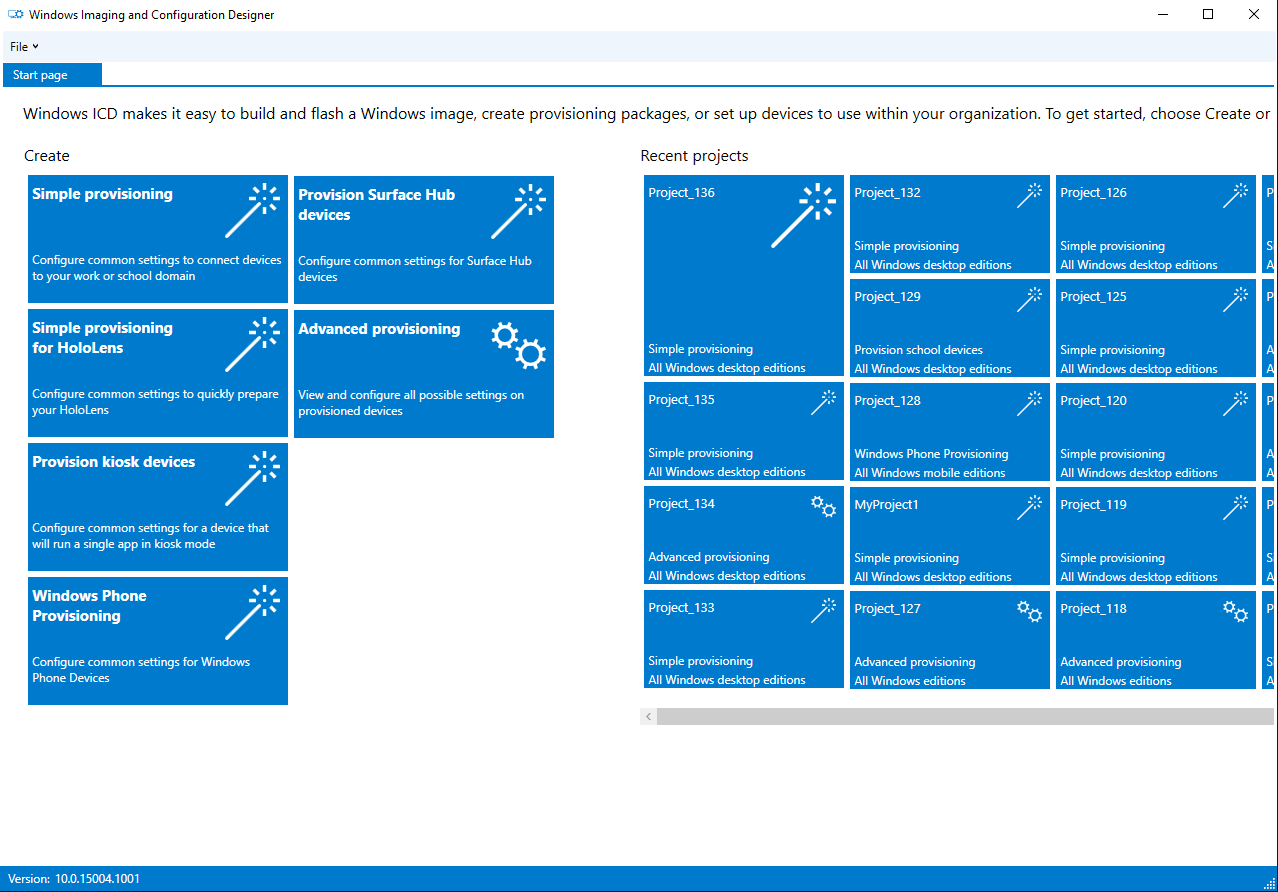
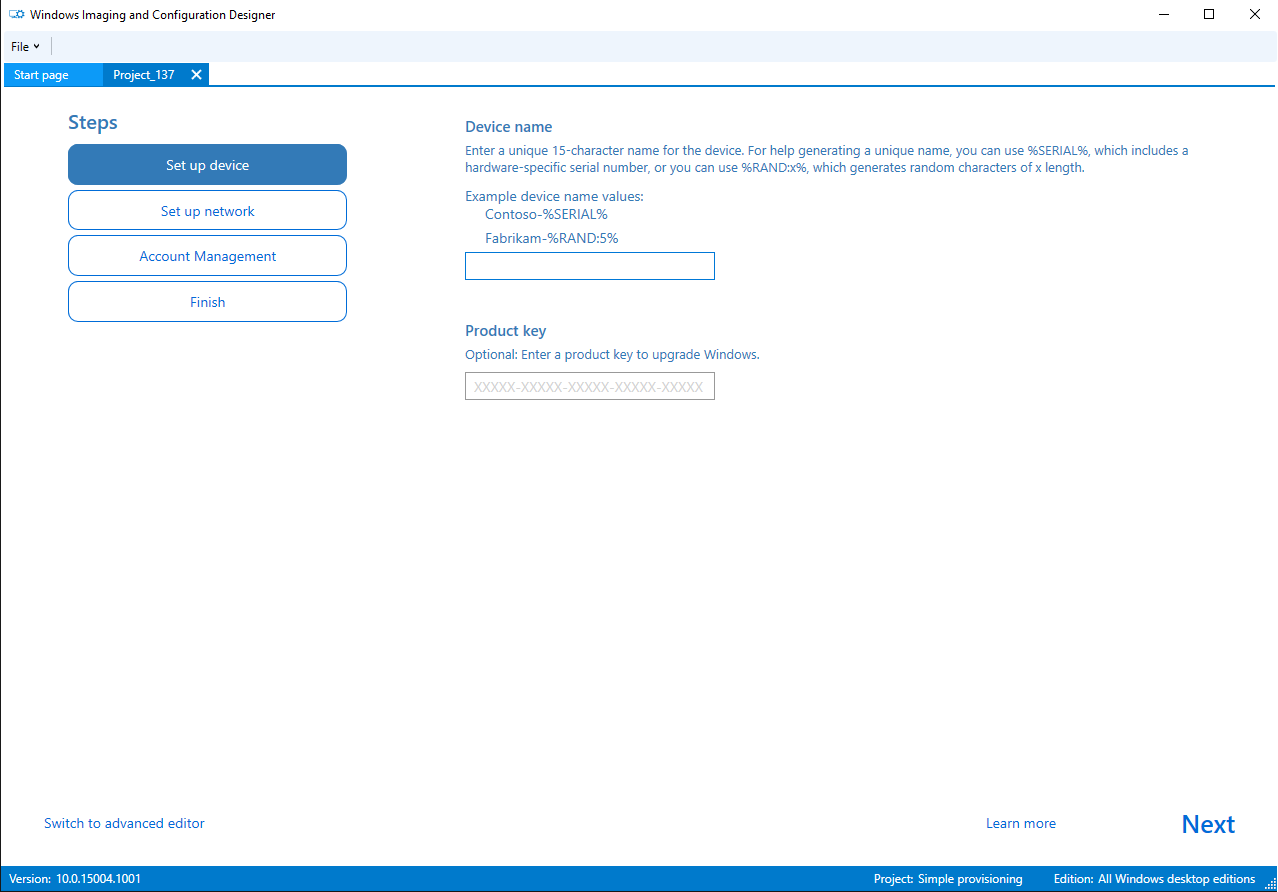
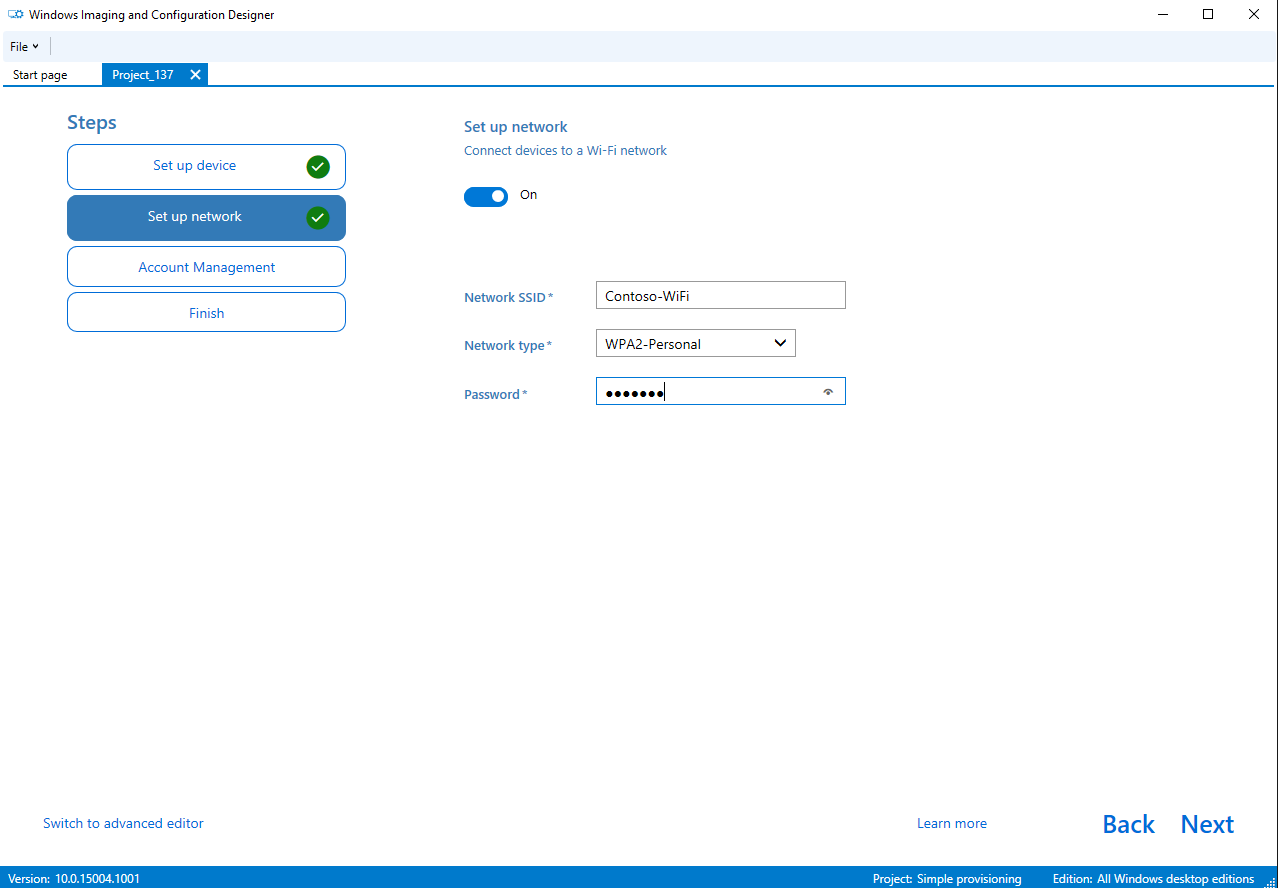
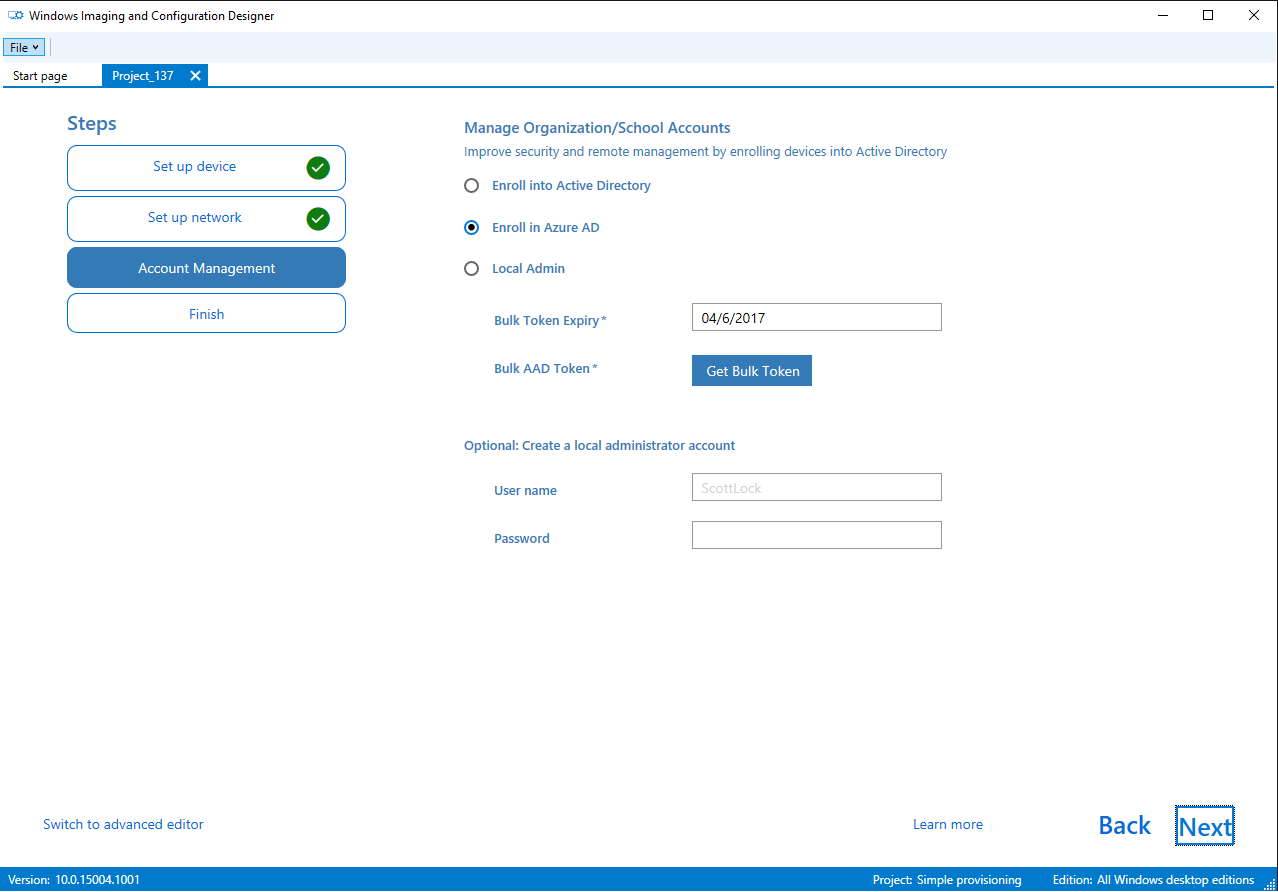
One of WCD's most compelling strengths lies in its clean, user-friendly interface. The design resembles a well-organized toolbox: clear icons, logical navigation, and step-by-step wizards make configuration tasks feel approachable—even for those who's new to enterprise device management. The learning curve is gentle; seasoned IT pros will appreciate the efficiency gains, while newcomers won't feel overwhelmed. The responsiveness of the app ensures you're always in control, with swift transitions between different configuration settings.
Core Functionalities Deep Dive
Template-Based Deployment Simplifies Setup
This feature acts like a ready-made recipe for common deployment scenarios, ranging from out-of-the-box Windows setup to device-specific customizations. Users can select templates matching their needs, tweak parameters, and deploy with minimal fuss. It turns what used to be a lengthy manual process into a quick, standardized operation, saving users both time and frustration.
Creating Offline Provisioning Packages
The ability to generate provisioning packages offline ensures deployment flexibility—imagine configuring a device in a secure lab environment and deploying it at remote locations via USB or other media. This feature is particularly valuable in environments with limited or no internet connectivity, offering a reliable way to manage device setups in semi-isolated scenarios.
Stand-Out Advantages and Differentiators
Compared to other utility tools, WCD's seamless integration with the Microsoft ecosystem is a major plus. Its templates and profile customization options are more user-friendly than many competitors', which often require scripting or command-line familiarity. Moreover, the offline provisioning capability presents a significant advantage for distributed deployments, offering a blend of flexibility and control that is relatively rare among similar tools.
Final Verdict: Worth Your Attention
For IT professionals seeking a straightforward yet powerful tool to manage Windows device configurations, Windows Configuration Designer stands out as a dependable choice. Its most distinctive features—particularly the template-driven approach and offline provisioning—make it an indispensable component of enterprise deployment arsenals. While it may have a slight learning curve for beginners, its efficiency and integration capabilities compensate well for this. Overall, I recommend WCD to those aiming to simplify complex deployment workflows with a tool that's as reliable as it is user-friendly.
Pros
- User-Friendly Interface
- Comprehensive Profile Customization
- Integration with Microsoft Ecosystem
- Bulk Deployment Support
- Offline Mode Functionality
Cons
- Steep Learning Curve
- Limited Support for Older Windows Versions
- Slow Performance with Large Profiles
- Occasional Stability Issues
- Lack of Detailed Documentation











