

- Category Utilities & tools
- Available on PC
- OS Windows 10 version 19041.0 or higher
- languages Afrikaans, Albanian, Amharic, Arabic, Azerbaijani, Basque, Belarusian, Bulgarian, Catalan, Chinese (Simplified), Chinese (Simplified, Singapore), Chinese (Traditional), Chinese (Traditional, Hong Kong SAR), Croatian, Czech, Danish, Dutch, English (Australia), English (Canada), English (United Kingdom), English (United States), Estonian, Filipino, Finnish, French, French (Canada), Galician , German, Greek, Hebrew, Hindi, Hungarian, Icelandic, Indonesian, Italian, Japanese, Kannada, Kazakh, Khmer, Korean , Lao, Latvian, Lithuanian, Macedonian, Malay, Malayalam, Norwegian (Bokmål), Persian, Polish , Portuguese (Brazil), Portuguese (Portugal), Romanian, Russian, Serbian (Latin, Serbia), Slovak, Slovenian (Slovenia), Spanish (Mexico), Spanish (Spain), Swedish, Tamil, Telugu, Thai, Turkish, Ukrainian, Uzbek, Vietnamese
Introducing Xbox Accessories for Windows: Elevate Your Gaming Experience
Microsoft's Xbox Accessories app for Windows is a dedicated utility designed to optimize your Xbox controllers, ensuring seamless gameplay and personalized settings. Whether you're a casual gamer or a dedicated enthusiast, this app aims to provide straightforward customization and enhanced control, all from your PC.
Developer and Core Highlights
Developed by Microsoft Corporation, this app leverages the company's extensive experience in gaming hardware integration. Its main features include customizable button mapping, firmware updates for Xbox controllers, and profile management. These functionalities allow users to tailor their gaming setup precisely to their preferences, elevating the overall experience.
Who Is This App For?
This application primarily targets Windows PC gamers who use Xbox controllers, eSports enthusiasts seeking fine-tuned controls, and tech-savvy users interested in maintaining and updating their gaming devices. Whether you're configuring your controller for competitive play or personal comfort, this tool offers valuable support.
A Friendly Dive Into the App's World
Imagine sitting down at your gaming station, eager for an epic session. The Xbox Accessories app feels like a personal assistant, ready to fine-tune your controller to fit your style perfectly. Friendly, intuitive, and packed with powerful features, it transforms your gaming setup into a personalized haven. But how does it achieve this? Let's take a closer look.
Custom Button Mapping – Make Your Controller Truly Yours
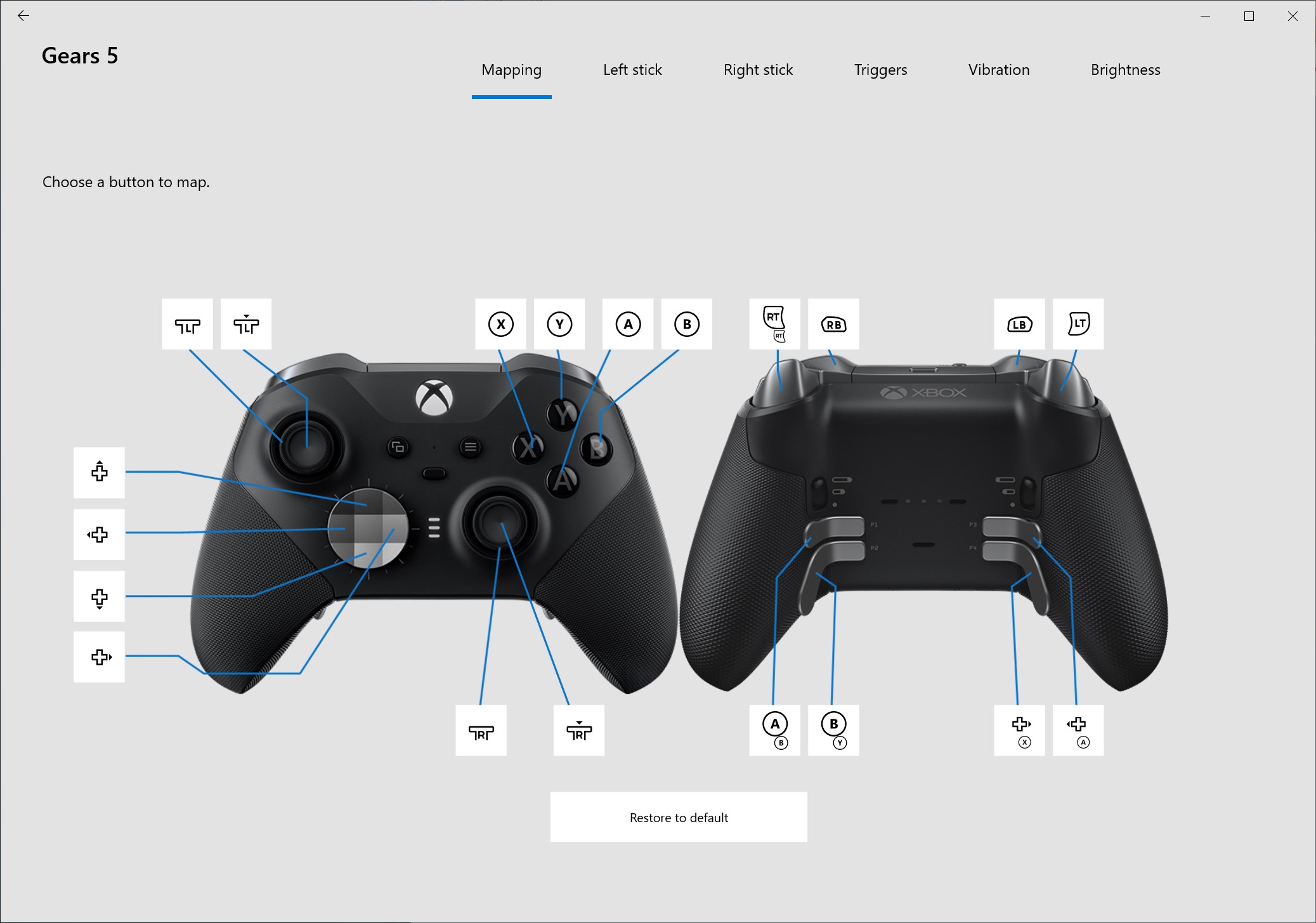
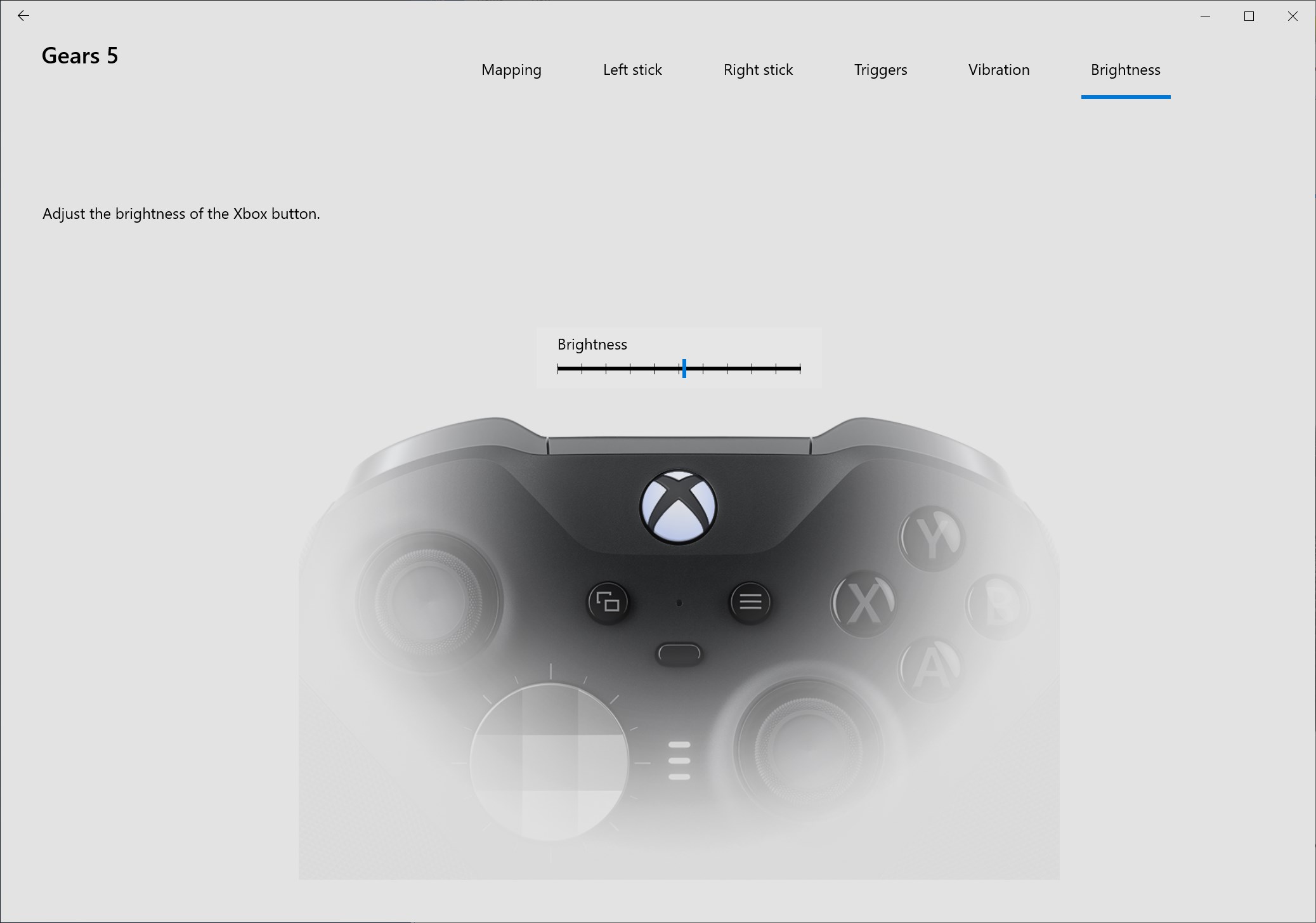
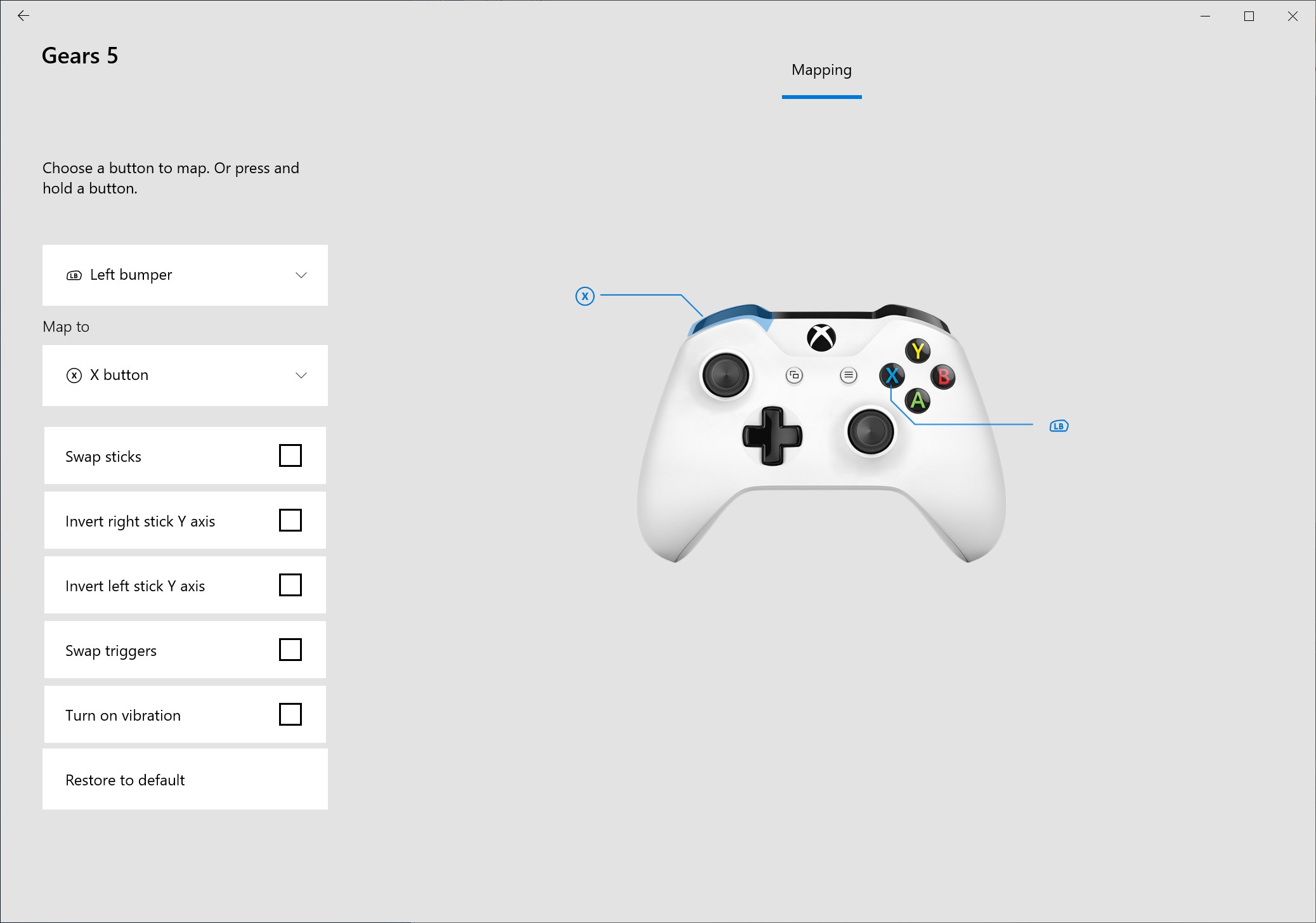
The standout feature of the Xbox Accessories app is its straightforward button remapping function. With a clean, user-friendly interface, you can assign any controller button to perform different actions—think of it as reprogramming a universal remote to control your smart home gadgets. This flexibility is especially useful for gamers with specific preferences or accessibility needs. The process is seamless: just select your controller, choose the button you'd like to customize, and assign your desired function. The app instantly updates the controller's profile, allowing you to switch between different configurations effortlessly. This level of customization ensures gaming sessions are not just fun but also ergonomically optimized for your comfort and efficiency.
Firmware Updates – Keeping Your Gear in Prime Condition
Another compelling feature is the firmware update capability. Think of it as a regular health check for your controller, ensuring it functions flawlessly and benefits from the latest improvements. Updating firmware through the app is straightforward: connect your controller, check for available updates, and install with a few clicks. The process is quick and transparent, with clear instructions guiding you along. This proactive approach not only extends the lifespan of your device but also unlocks potential new features and stability enhancements—crucial for serious gamers who demand reliability and top performance.
Profiles and Settings Management – Your Gaming, Your Style
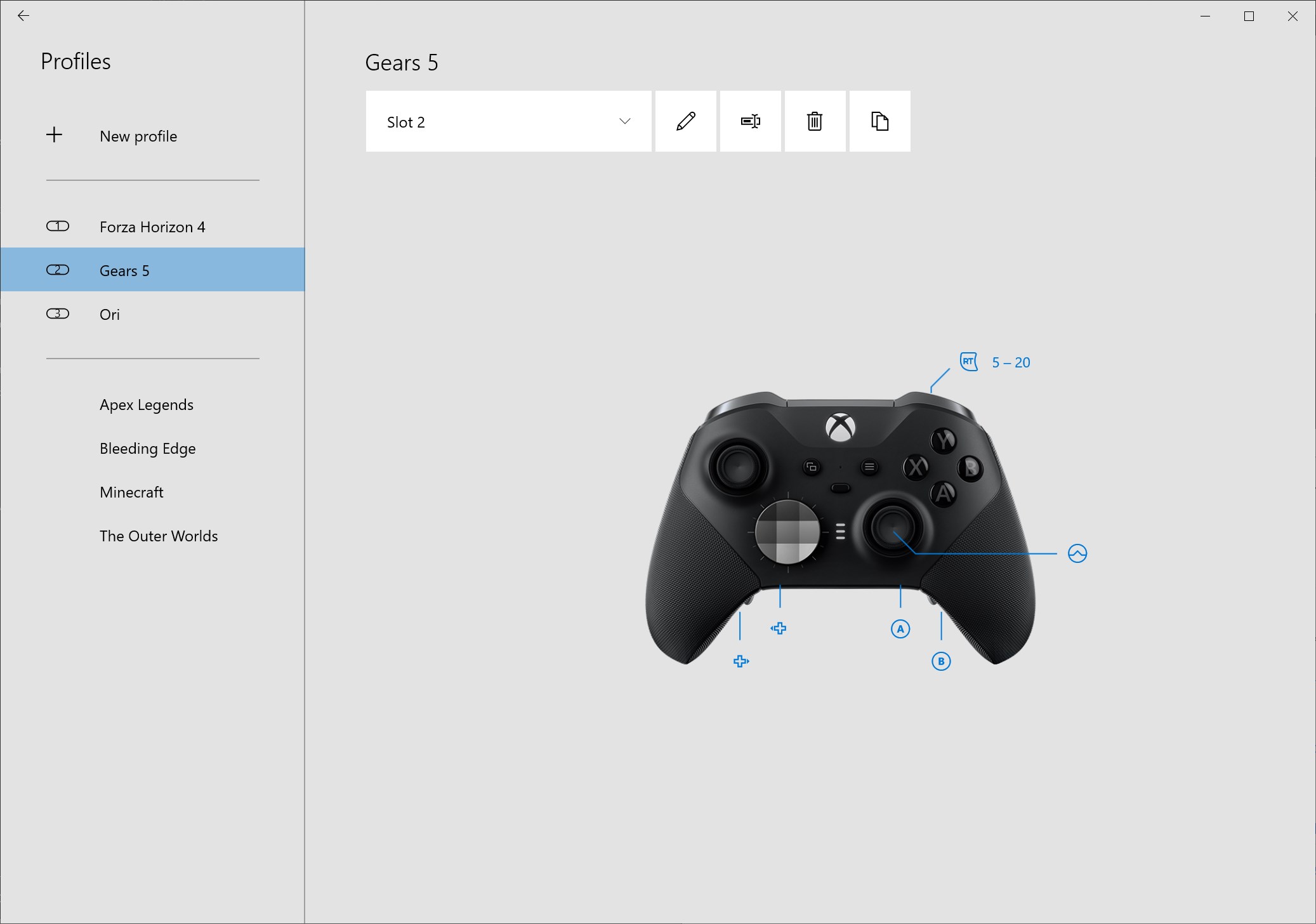
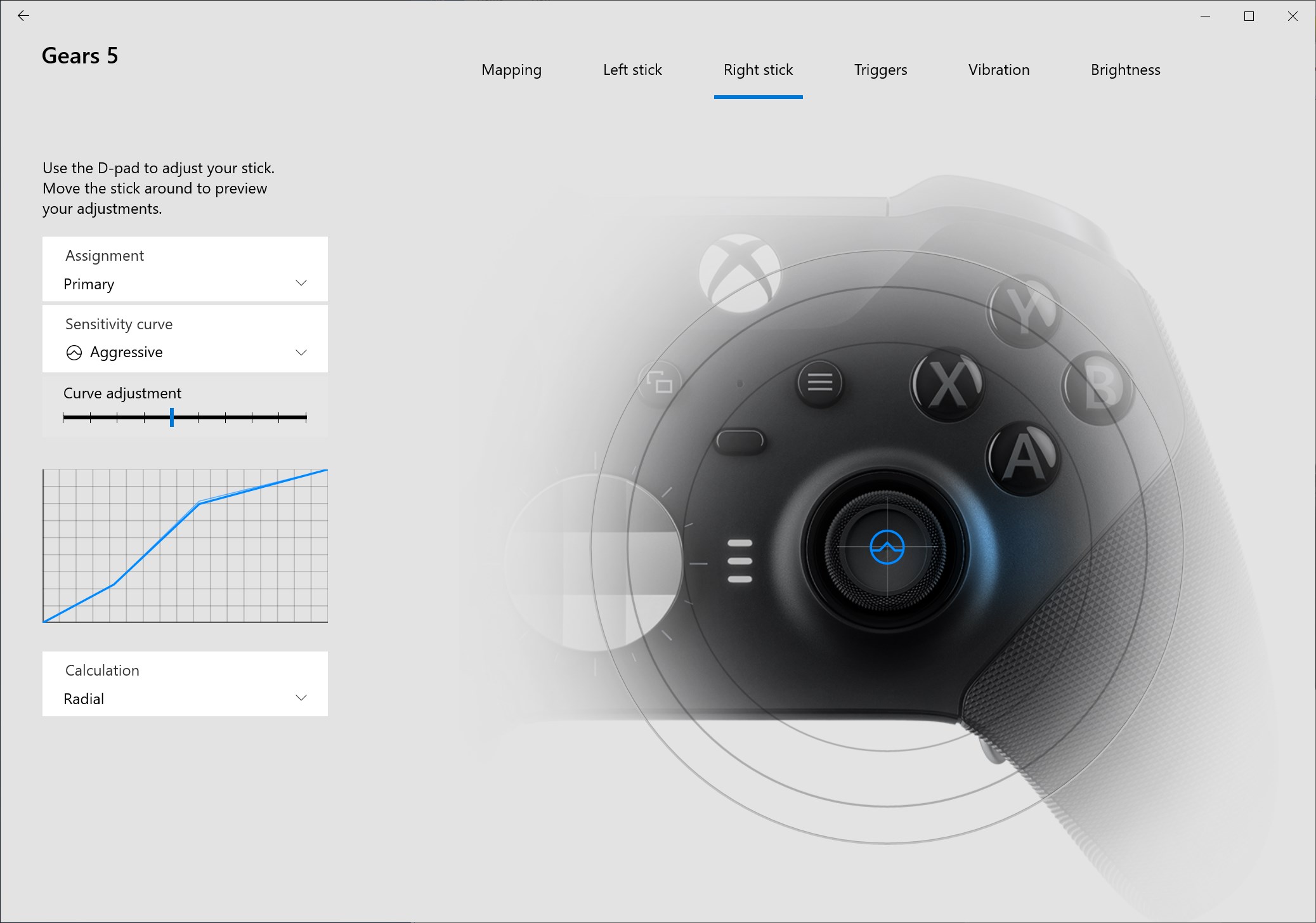
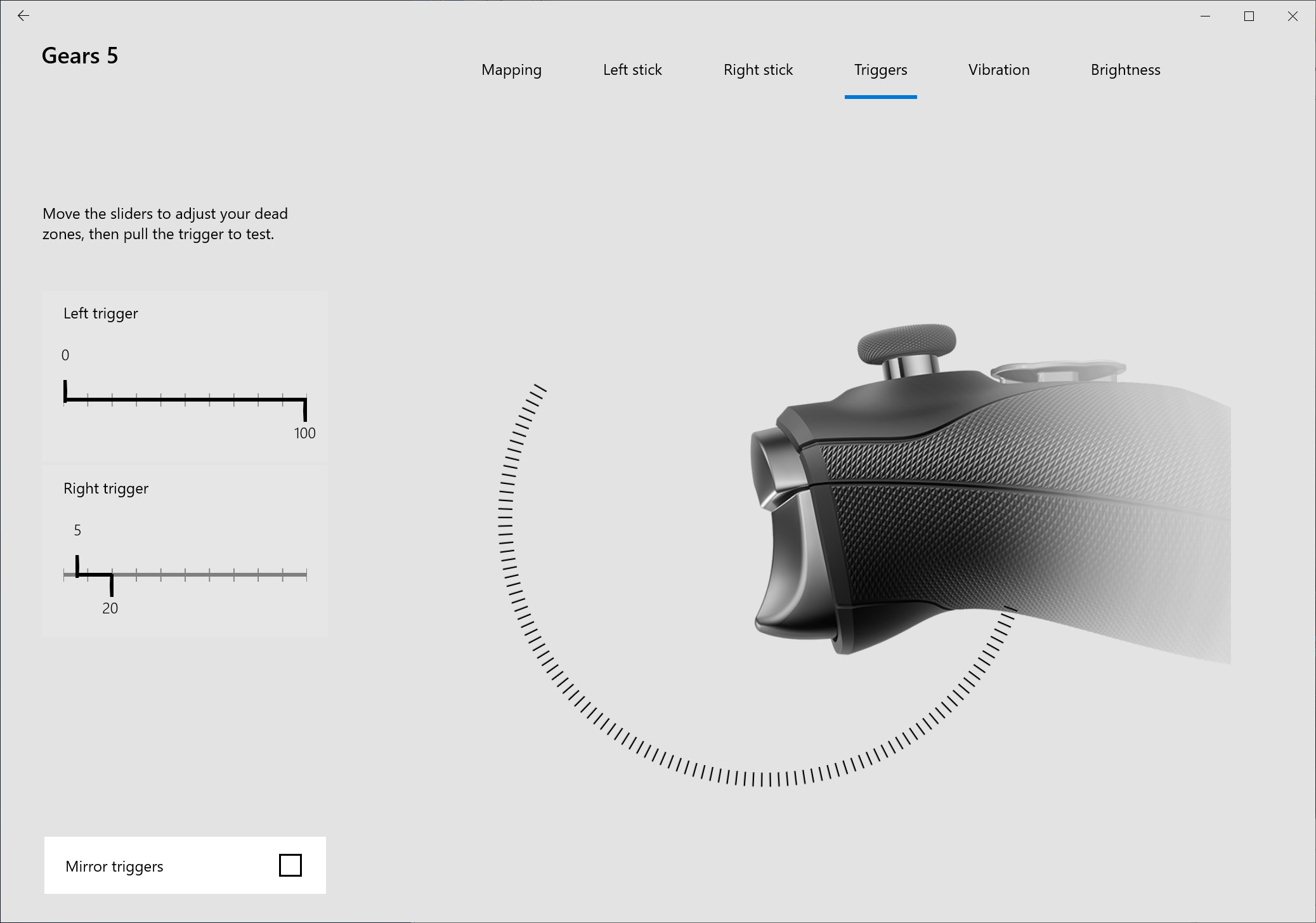
Managing multiple profiles is akin to having different wardrobes for different occasions. The Xbox Accessories app allows you to store and switch between various controller configurations, each tailored for different games or players. Setting up profiles is simple: customize your button mappings, sensitivity levels, and other settings, then save them under a profile name. When starting a new game or sharing your controller with a friend, just select the relevant profile for instant personalization. This feature ensures you spend less time reconfiguring and more time enjoying the game.
User Experience & Unique Advantages
The interface is clean, intuitive, and easy to navigate, reminiscent of a well-organized toolbox—everything is in its place. The setup process feels natural, even for newcomers, with guided prompts and responsive controls. The app's responsiveness is impressive; updates and changes happen quickly without lag, making the experience smooth as butter. Compared to other controller utilities, Xbox Accessories excels in its integration—being a Microsoft product, it offers a seamless connection to Xbox hardware and Windows system updates, giving it a slight edge in stability and compatibility. Its ability to create, manage, and switch profiles on the fly sets it apart from more cumbersome, less integrated tools.
Should You Download It? Recommendations & Tips
Absolutely. For PC gamers using Xbox controllers, this app is a valuable companion—no more fiddling with complex settings or risking firmware issues without guidance. Its main strengths lie in ease of use, reliable firmware management, and flexible profile handling. I recommend it for anyone looking to get the most out of their controller with minimal hassle. Beginners will find its interface welcoming, while seasoned players will appreciate the detailed customization options. Remember to keep your firmware up-to-date for optimal performance; it's like giving your controller a regular tune-up.
In summary, Xbox Accessories for Windows is more than just a utility—it's a dedicated partner that enhances your gaming hardware with thoughtful features, straightforward controls, and a user-centric design. Whether you're tuning your controller precisely how you like or just ensuring it stays in prime condition, this app is worth installing. Think of it as the perfect toolbox for your gaming arsenal, ready to help you achieve total control and comfort every time you hit "start."
Pros
- User-Friendly Interface
- Comprehensive Device Support
- Seamless Device Configuration
- Real-Time Firmware Updates
- Enhanced Connectivity Management
Cons
- Limited Customization Options
- Occasional Connectivity Issues
- Inconsistent Firmware Update Notifications
- Battery Status Display Missing for Some Devices
- Limited Language Support











