
- Category Utilities & tools
- Available on PC
- OS Windows 11 version 22621.0 or higher
- languages Arabic, Bulgarian, Catalan, Chinese (Simplified), Chinese (Traditional Chinese), Chinese (Traditional), Croatian, Czech, Danish, Dutch, English, English (United States), Finnish, French, German, Greek, Hebrew, Hungarian, Italian, Japanese, Korean, Korean , Norwegian (Bokmål), Polish, Portuguese, Portuguese (Brazil), Romanian, Russian, Spanish, Spanish (Spain), Swedish, Turkish, Ukrainian
A Fresh Breather in Printer and Scanner Management
Imagine controlling your Xerox printer and scanner with the ease of flipping a light switch—no more tangled driver updates or clunky interfaces. The "Xerox Print and Scan Experience for Windows" app aims to streamline your document workflows, transforming what used to be a chore into a straightforward task.
Basic Information: Streamlining Your Printing and Scanning Tasks
This app by Xerox Corp positions itself as a comprehensive companion for managing Xerox printers and scanners on Windows. Its primary goal is to make printing and scanning more intuitive and less time-consuming for everyday users.
Developer and Team Behind the App
Developed by Xerox Corporation, a global leader in printing and imaging solutions, this app benefits from their extensive expertise in hardware-software integration.
Main Features and Highlights
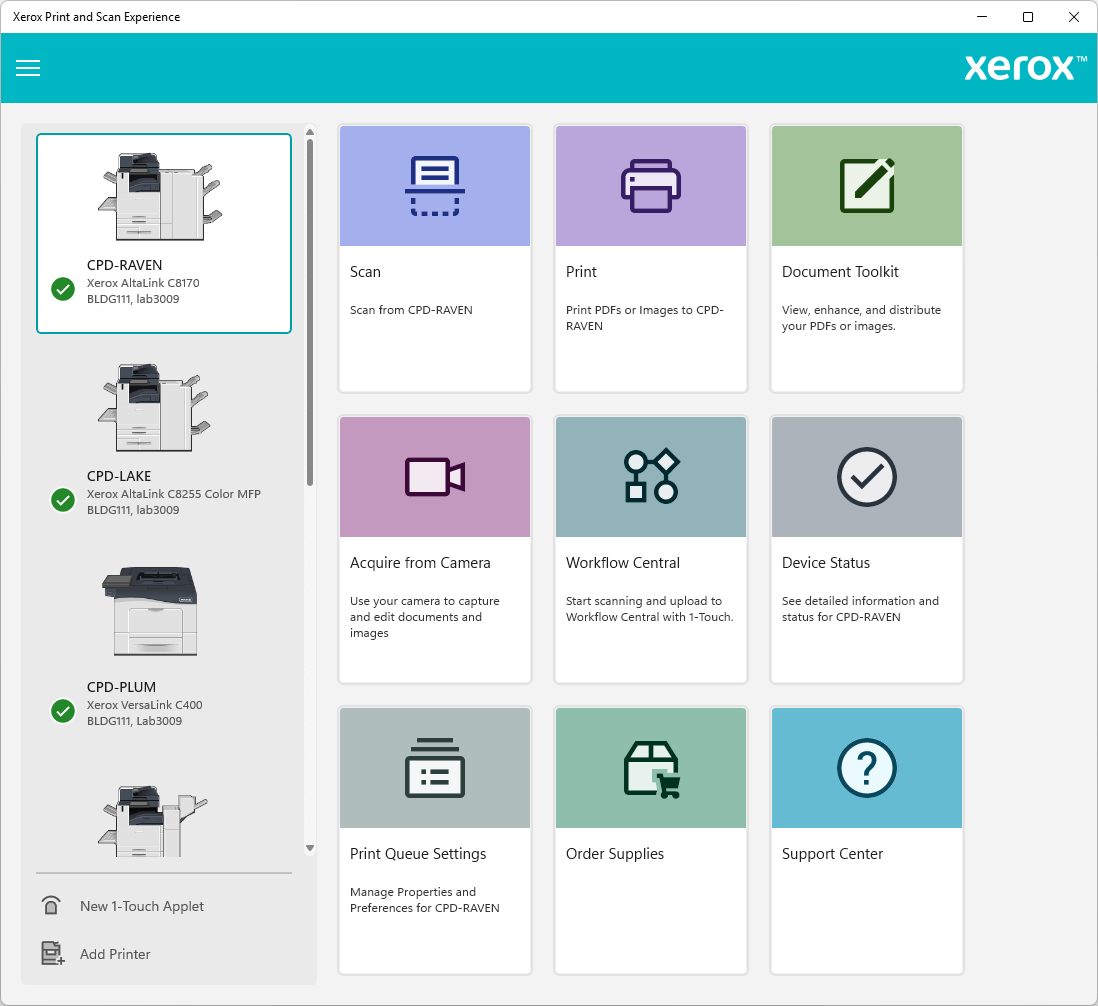
- Unified Dashboard: All your Xerox devices accessible from a single, easy-to-navigate interface.
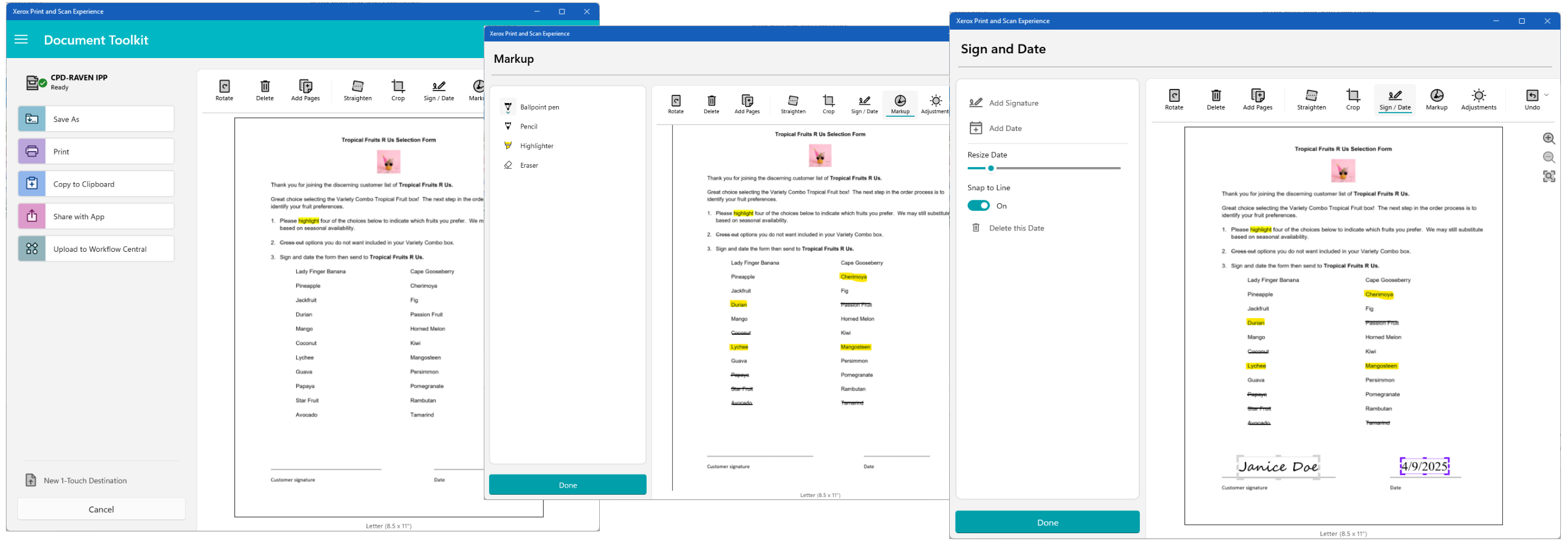
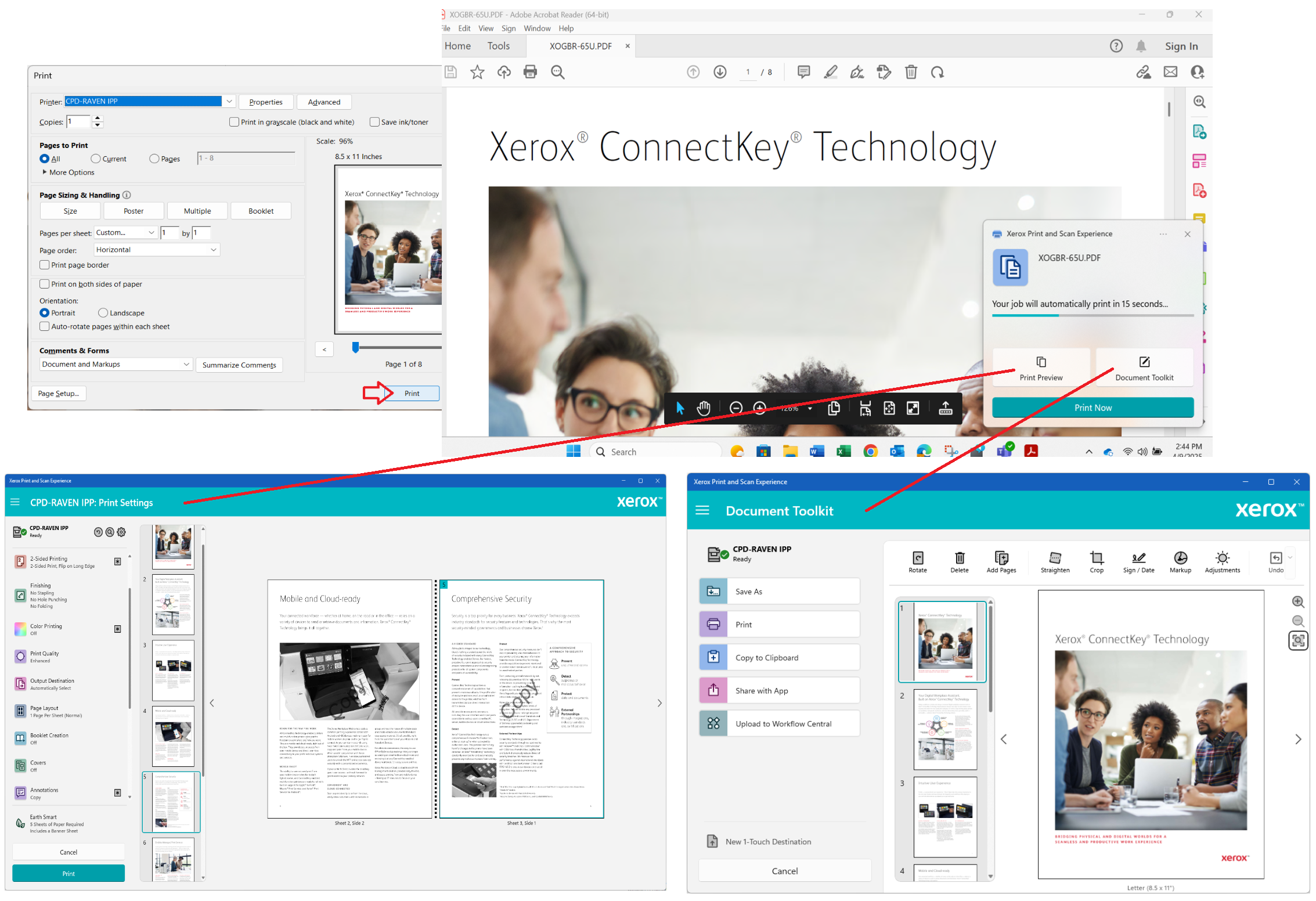
- Quick Print and Scan: Initiate print or scan jobs directly from the app without opening multiple drivers or utilities.
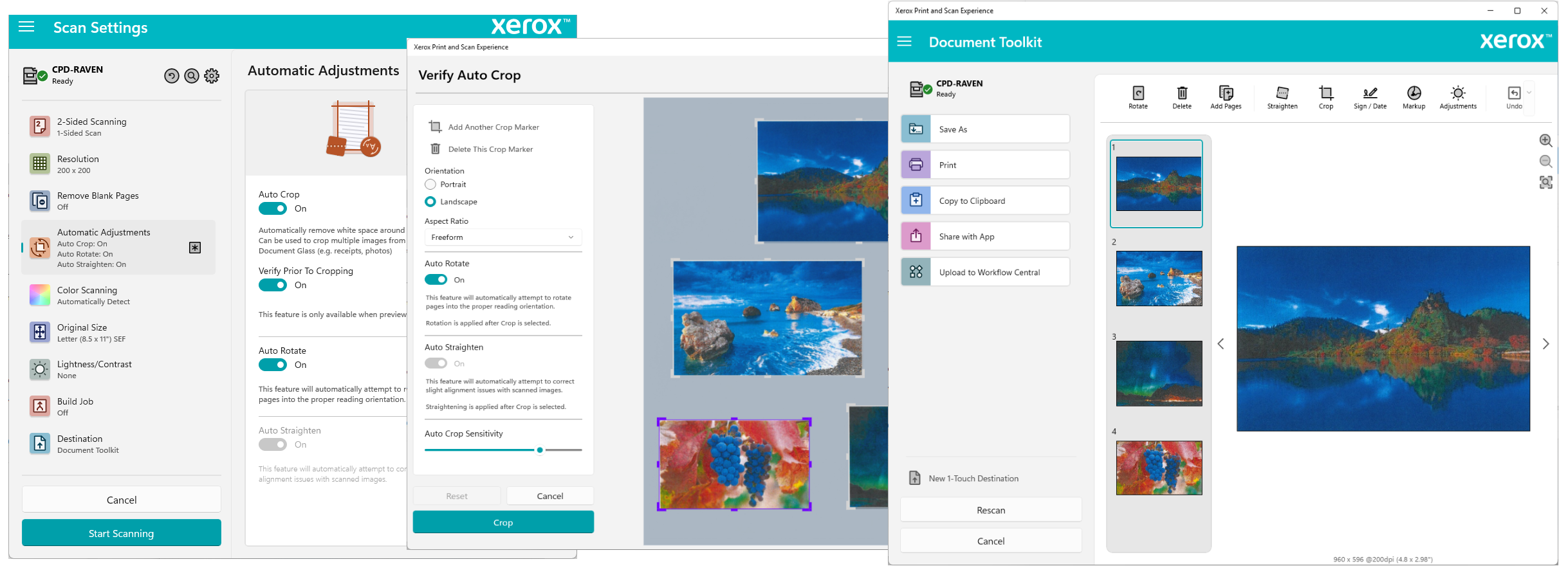
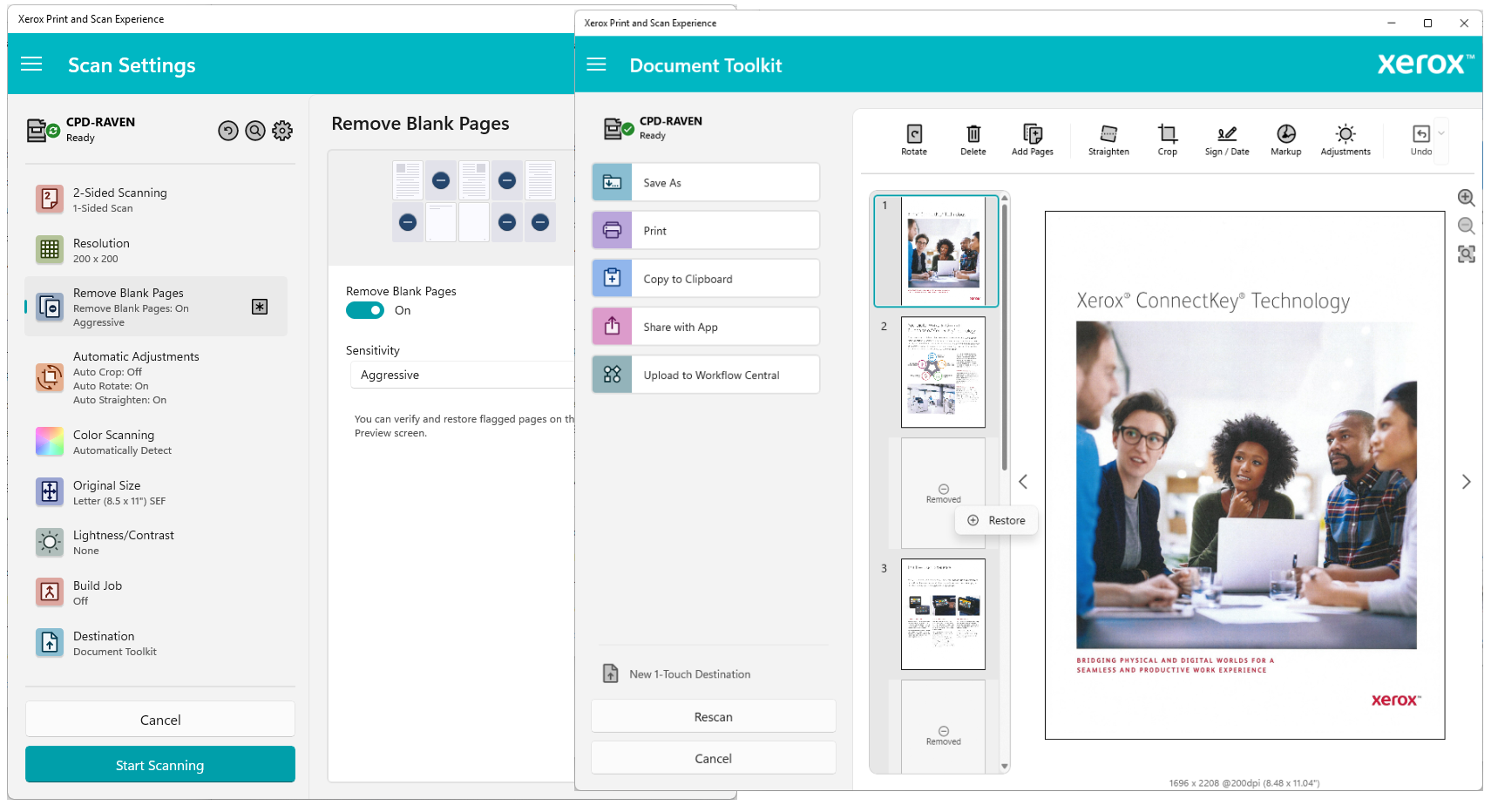
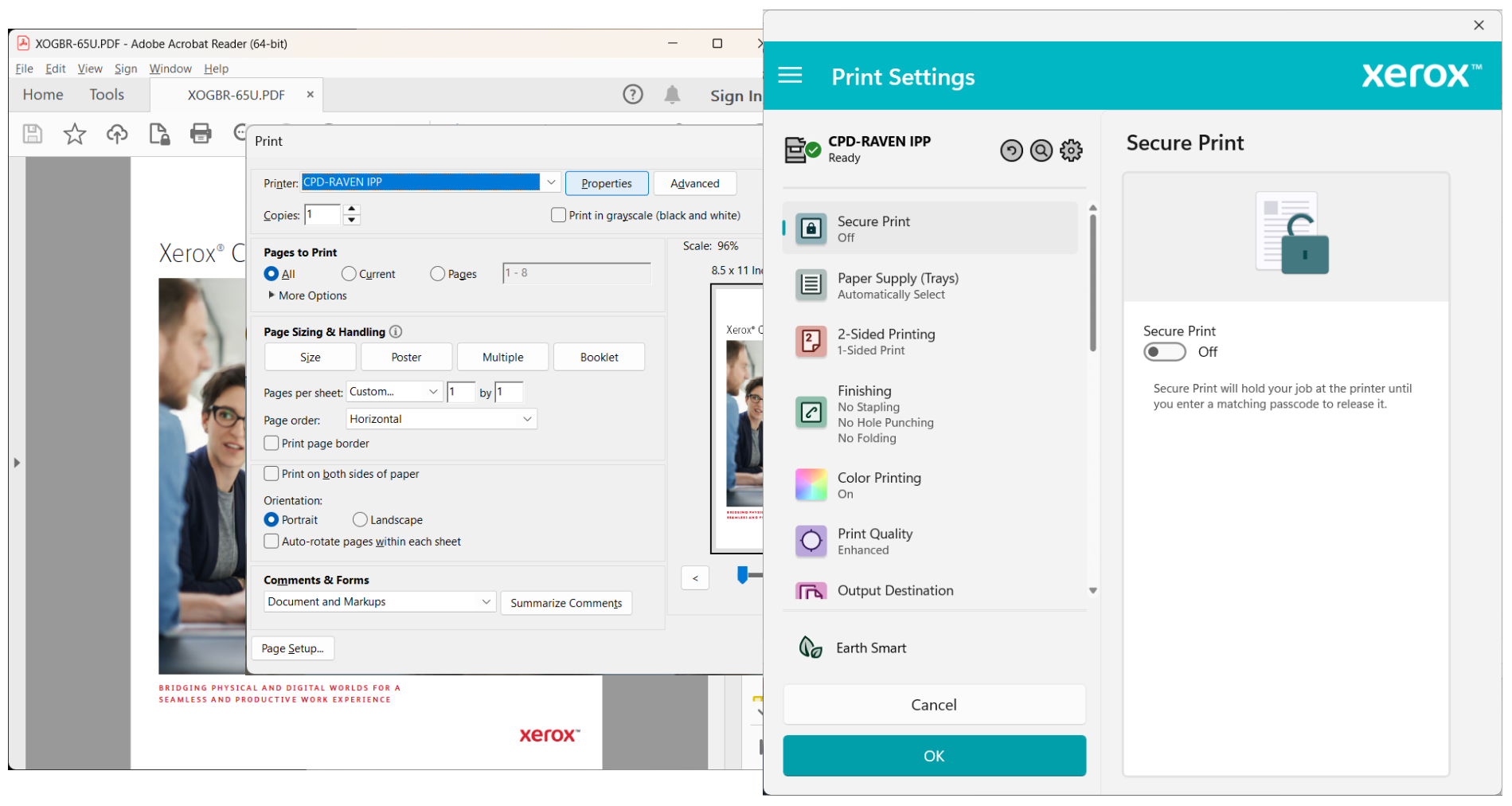
- Settings Customization: Adjust print quality, scan preferences, and device settings seamlessly for tailored workflows.
- Device Monitoring: Real-time status updates and alerts keep you informed about device health and paper jams.
Target Audience
This application is perfect for small to medium business users, home office setups, and anyone looking to optimize their Xerox printing and scanning efficiency without diving into complex configurations.
Getting Acquainted: A User-Friendly Approach to Management
Imagine a control tower for your Xerox devices—sleek, organized, and intuitive. From the first launch, the app welcomes you with a clean, modern interface that's more like an app you'd use for social media than traditional printer utilities. It's a breath of fresh air compared to the labyrinth of menus typical of driver suites. Whether you're a tech-savvy user or a casual printer, the learning curve is gentle, and common tasks can be completed with just a few clicks.
Powerful Features that Make a Difference
Unified Dashboard: Your Command Center
The app's main strength lies in its centralized dashboard, which consolidates all connected Xerox devices in one place. Think of it as a smart home hub for your printers and scanners—no need to launch separate apps or dig through settings menus. From this single point, you can view device statuses, start jobs, and modify preferences. This feature simplifies device management and reduces time spent navigating multiple interfaces.
Streamlined Printing and Scanning: Speed and Simplicity
Ever been frustrated by the complex steps to print or scan? Not here. Xerox Print and Scan Experience offers quick access to common tasks—print documents directly from your PC, select scan destinations, and even customize output formats—all without leaving the app. This ease of use saves those precious seconds and helps maintain workflow momentum. For example, scanning to cloud storage or email can be set up with a few clicks, perfect for busy mornings.
Customizable Settings & Real-Time Monitoring: Your Device, Your Rules
Beyond just command execution, the app lets you personalize device configurations—switch between different print qualities, choose duplex printing options, or set preferences for scanning resolution. Additionally, real-time alerts notify you about low toner, paper jams, or maintenance needs, enabling proactive device management. This proactive approach prevents unexpected downtimes and keeps your workspace flowing smoothly.
Interface, Performance, and Experience
The app's sleek interface is designed with user experience in mind: clean icons, straightforward navigation, and logical layout. Operations are swift; clicking a button or adjusting settings feels instantaneous, reflecting optimized responsiveness. The learning curve is gentle: users unfamiliar with print utilities find it accessible, while power users appreciate the depth of customization available. Overall, it's a practical, dependable tool that simplifies device control without sacrificing functionality.
What Sets It Apart? The Unique Selling Points
Compared to other utilities, Xerox Print and Scan Experience stands out through its integrated device management and user-centric design. Unlike traditional printer drivers that are often buried in system files and obscure interfaces, this app offers a transparent, centralized hub. Its real-time monitoring and alert system boost reliability by preventing issues before they escalate. These features combine to deliver a cohesive, efficient experience that elevates the standard utility application.
Is It Worth It? Recommendations and Usage Tips
If you frequently use Xerox printers or scanners in your home or office, this app is highly recommended for its simplicity and comprehensive control. It's especially beneficial if you prefer managing all your devices from a single, intuitive interface rather than juggling multiple software pieces. For casual users, it reduces frustration; for tech-savvy users, it offers an efficient workflow enhancer.
For optimal use, regularly explore its device monitoring features and customize your preferred settings to match your workflow. Keep the app updated to benefit from the latest improvements and ensure compatibility with future Windows updates. All in all, this app is a welcome addition to any Xerox device user's toolkit, turning what used to be a mundane task into a manageable, even pleasant, activity.
Pros
- User-Friendly Interface
- Good Compatibility
- Fast Upload and Processing
- Rich Feature Set
- Regular Updates
Cons
- Limited Customization Options
- Occasional Connectivity Issues
- Slow Scan Speed on Older Devices
- Inconsistent Print Quality for Certain File Types
- Limited Language Support in Some Regions











