


- Category Utilities & tools
- Developer WizardSoft
- Available on PC
- OS Windows 10 version 17763.0 or higher
- languages English (United States)
Introduction: A Handy Companion for Windows Users
Xmouser for Windows, developed by WizardSoft, is a versatile utility designed to streamline mouse operations and enhance overall productivity. Whether you're a casual user seeking smoother navigation or a professional who needs precise control, this application aims to be your reliable sidekick in the Windows environment. Its focus on automation and customizable features sets it apart in a crowded market of utility tools.
Core Functionality: Simplifying Your Mouse Management
Intelligent Mouse Automation
One of Xmouser's standout features is its intelligent automation system. It allows users to assign complex multi-step actions or repetitive tasks to mouse clicks or gestures. Imagine having a personal assistant that takes care of tedious actions—say, opening multiple apps or executing a series of commands—with just a quick tap. This feature is especially beneficial for users who perform routine workflows, saving time and reducing errors.
Advanced Gesture Control
The application offers intuitive gesture controls, enabling users to customize mouse movements for various commands. For example, swiping left might minimize all windows, while a circular gesture could launch a specific program. Its responsiveness and customization options make it a powerful tool for users wanting more fluid, natural interactions with their PC, akin to giving your mouse a personality of its own.
Performance Monitoring & Custom Scripts
Another notable feature is its ability to monitor mouse performance and integrate custom scripts for tailored solutions. For tech-savvy users, this means leveraging scripting languages to develop unique functionalities, such as automatic file organization or personalized shortcuts. This layer of adaptability positions Xmouser as more than just a basic utility—it's a flexible platform for advanced automation.
User Experience: Friendly, Fluid, and Accessible
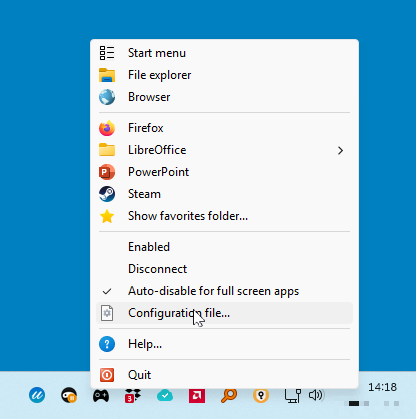
The interface of Xmouser is clean yet informative, making it easy for both beginners and experienced users to navigate. The layout resembles a well-organized control panel, where settings are logically grouped, reducing the typical clutter seen in some utilities. During usage, the application demonstrates remarkable responsiveness; menus and commands respond instantly, giving a smooth user experience akin to the effortless glide of a well-oiled machine.
Learning curve-wise, Xmouser strikes a good balance—intuitive enough for new users to set up basic automation quickly, yet offering advanced options for power users. The customization process is well-guided, with tooltips and documentation that act like friendly tour guides, ensuring no one feels lost in a sea of options.
Comparison with Similar Utilities & Unique Selling Points
While many utilities claim to enhance mouse functions, Xmouser sets itself apart through its deep level of customization combined with automation intelligence. Unlike simpler tools that only modify basic actions, it integrates scripting capabilities, enabling complex workflows that can adapt to diverse user needs. Its gesture recognition is also notably precise and customizable, making it more versatile than competitors that offer generic gesture sets.
Furthermore, the app's performance monitoring adds a layer of feedback that helps users optimize their workflows, which is rarely seen in similar utilities. This attention to detail allows Xmouser to cater to both everyday users and tech enthusiasts seeking to create a personalized, efficient computing experience.
Final Verdict: Worth a Try for Curious and Power Users Alike
All in all, Xmouser for Windows is a thoughtfully designed utility that balances ease of use with powerful features. Its most distinctive traits—intelligent automation and highly customizable gestures—make it a compelling choice for those looking to elevate their mouse management experience. For casual users, the straightforward setup offers immediate benefits; for advanced users, the scripting and performance monitoring provide an extra layer of control.
While it may not be necessary for every user, those interested in optimizing their workflows or seeking a more intuitive, responsive control of their mouse will find Xmouser a handy and reliable tool. My recommendation? Give it a shot—especially if you're eager to customize your Windows experience beyond the standard options. It's like tuning your car to run just the way you like—small tweaks that make a big difference.
Pros
- User-Friendly Interface
- Fast Performance
- Wide Compatibility
- Regular Updates
- Strong Customer Support
Cons
- Limited Customization Options
- Occasional Bugs
- In-App Advertising
- Learning Curve for Advanced Features
- Resource Usage











